

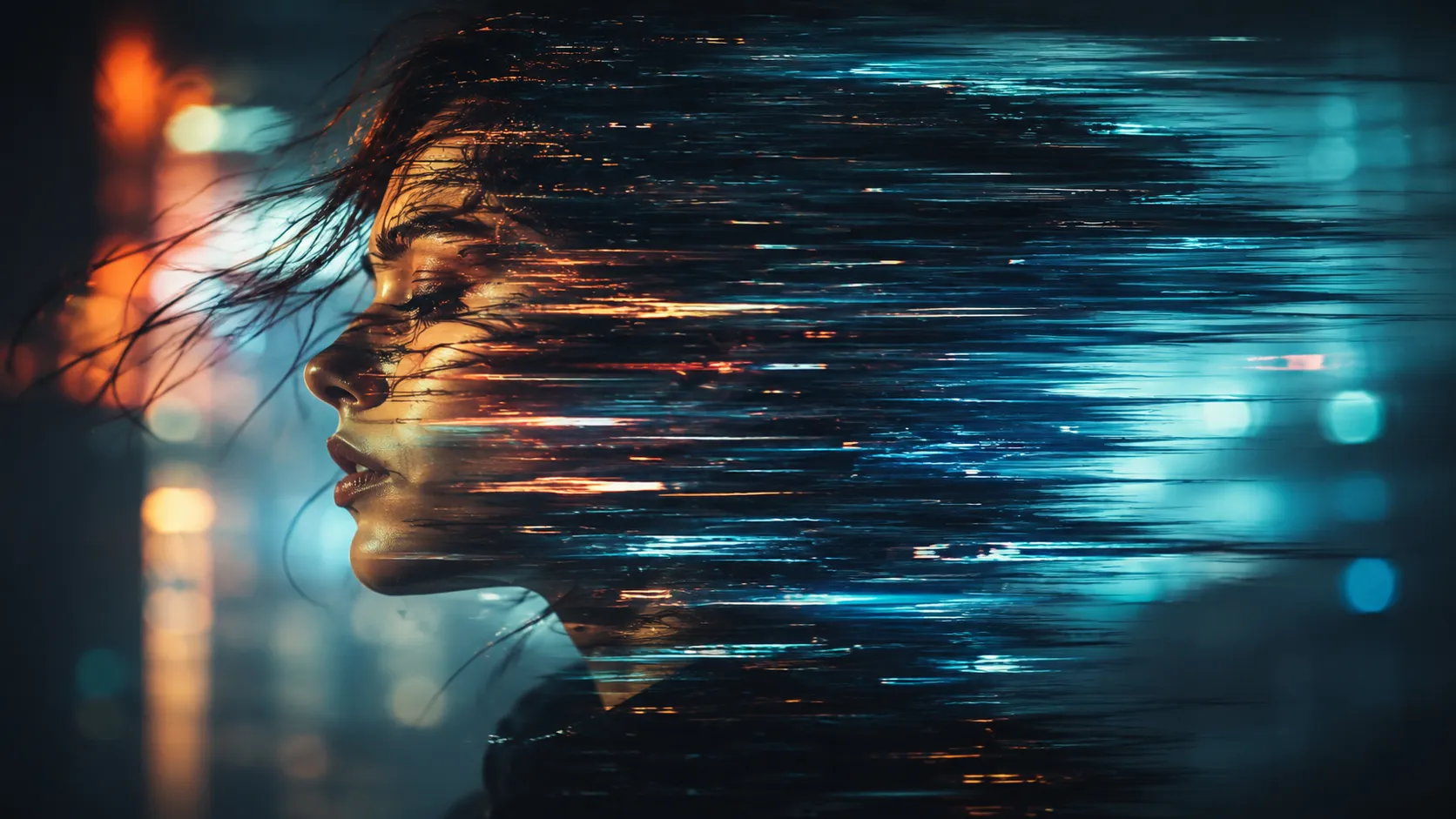
🎥 When Time Starts Glitching Inside the Image
Have you had any experience using the Pixel Galactic Plugin by aescrip? Sometimes, there’s a feeling inside certain videos that’s really hard to explain precisely. The image isn’t just moving, and it’s not simply covered with a few effects either; it feels like “time” itself is behaving strangely. In some moments it stretches, in others it scatters, and sometimes it feels like the image is dissolving into space ✨ — something between reality and a digital world with its own rules.
This type of visual effect usually transforms an ordinary video into something more unique and memorable. Viewers typically do not just observe a moving image on a screen. Instead, viewers experience a different type of visual media that creates a new atmosphere within the video.
Producing videos with this type of visual effect is usually difficult. While many people may attempt to use the Pixel Galactic Plugin or similar tools to create these types of visuals in videos, they typically lack the techniques and tools required to successfully produce them. As such, videos with these visual effects are generally used in professional videos rather than in regular video production.

🧠 What Exactly Are These Effects and Where Are They Used?
In general, this style of effects doesn’t work on a “static image”; it focuses on motion inside the image. Instead of simply changing colors or lighting, these effects reshape the video’s movement.
The result can be things like:
- Stretched motion trails behind subjects
- Digital waves and distortions
- Effects that make the image feel like it’s melting or dispersing
These kinds of effects are commonly used in:
- Music videos 🎵
- Commercial teasers
- Cinematic projects 🎥
- Experimental visuals
They give the image a modern, technological feel that immediately grabs attention.
🧰 Traditional Methods of Creating These Effects
Before plugins and specialized tools entered the scene, most of these effects were created using the built-in features of motion graphics software like Adobe After Effects. So if someone wanted glitch effects, stretched imagery, or unnatural motion, they had to build them manually from scratch using basic tools.
Usually, these effects were made by combining multiple techniques, with each one simulating part of the final result:
- Using a Displacement Map to distort the image
- Using Echo to create motion trails behind subjects
- Using Time Remapping to manipulate video speed and timing
- Using Turbulent Displace to create waves and chaos inside the image
In reality, each effect was only one “piece of the puzzle,” and achieving the final result required combining multiple layers and techniques.
⚠️ Why Were These Methods Difficult and Limited?
The main issue with these methods is that most rely on simulation rather than real motion analysis. In other words, the software doesn’t actually understand what the image is doing; it simply applies a series of predefined changes to the frames. That’s why the final result often looks overly artificial or fails to deliver the smooth cinematic feeling you’re aiming for.
On top of that, controlling these effects isn’t easy either. Usually, you have to spend a lot of time adjusting parameters, testing combinations, and coordinating layers just to reach a decent result. This makes the process both slow and inefficient for fast-paced projects or modern visual styles.
🚀 What Exactly Is Pixel Galactic?
Pixel Galactic is a motion graphics plugin designed for software like Adobe After Effects and Adobe Premiere Pro. This tool focuses on movement in the video rather than simply manipulating the image itself.
What does that mean exactly?
Instead of just moving pixels around or corrupting the image, it analyzes motion and transforms it into a new visual flow. The result becomes something between a glitch effect and a cinematic effect — not overly aggressive, but not too simple either.
🎯 Typical Results You Get
- Smooth and stretched motion trails
- A flowing or “melting” image effect
- Digital waves and fluid-like distortions
- Controlled and artistic glitch effects
The important point is that these effects aren’t just decorative; they often become part of the video’s visual storytelling and emotional atmosphere.
🔥 The Difference Between Pixel Galactic and Regular Glitch Tools
If you place Pixel Galactic next to other glitch tools, the difference becomes obvious very quickly. Most classic glitch tools focus on “breaking the image,” not creating movement.
🧨 What Do Typical Glitch Tools Do?
For example:
- Pixel Sorter → Pulls and tears apart the image
- Datamosh → Corrupts and blends frames together
- Twitch and similar tools → Create visual noise and jitter
The results from these tools are usually:
- More aggressive
- More unpredictable
- More similar to “digital corruption.”
✨ What Makes Pixel Galactic Different?
This is where things change. Instead of destroying the image, Pixel Galactic transforms motion itself into the effect. Rather than breaking the video apart, it makes the movement feel smoother and more fluid.
Instead of extreme chaos, what you see is:
- Motion stretching in a controlled way
- The image is gaining “flow” instead of being destroyed
- Softer and more cinematic effects
👉 Put very simply:
- Regular glitch tools = Breaking the image 🎭
- Pixel Galactic = Turning motion into artistic effects 🎬
⚡ Why Is Pixel Galactic Easier to Work With?
One of the things that makes this plugin highly practical is that it’s GPU-accelerated. This means processing is handled by the graphics card, and you can see results almost instantly.
That means:
- You don’t constantly need to render previews
- You can test and adjust quickly
- The workflow becomes much smoother
On top of that, all of its controls are keyframeable 🎛️
Meaning you can adjust the effect over time and precisely synchronize it with the video’s rhythm.
🎬 What’s the Result of This Combination?
These features make Pixel Galactic especially suitable for professional projects such as:
- Music videos 🎵
- Commercial teasers 📺
- Cinematic and experimental projects 🎥

💡 A Few Tips for Better Usage
Before getting into the tips, there’s one important thing to keep in mind: no matter how attractive these effects are, if they’re not used correctly, they can very quickly make the result feel messy or unprofessional. That’s why control and subtlety matter a lot here.
🎯 Keep the Effect Balanced
Using these effects too heavily can quickly make the image overwhelming and exhausting to watch. Usually, using them less — but more intentionally — yields much better results.
🎥 Combining Them with Real Camera Movement Is Important
Since these effects are inherently tied to motion, they feel more natural and cinematic when combined with camera movement or smooth animation.
🎛️ Change the Intensity Over Time
Instead of keeping the same intensity throughout the entire video, it’s better to animate the strength using keyframes so the video feels more alive and dynamic 🎬
Ultimately, these tips help you achieve a controlled, professional result rather than a random, chaotic effect that adds no real value to your work.
✨ Why This Tool Truly Feels Different
In the end, tools like Pixel Galactic aren’t just simple glitch effects; they represent a different way of looking at “motion” itself inside an image. A place where video is no longer just a collection of frames but a living flow that carries emotion, time, and space along.
The main difference with this style of tools is that instead of destroying the image or simply breaking it apart, they give it a completely new form of movement. Something between the digital world and reality, between order and chaos — a place where the image neither stays still nor completely collapses, but instead begins to “flow” ✨
So if you want your videos to be more than just watched — if you want them to be felt; if you want your work to move beyond ordinary and repetitive visuals and develop a unique visual signature, then this style of tools is exactly the kind of thing that can take your work to the next level 🚀
After Effects becomes much easier when you understand the right tools and how to use them efficiently. Our guide breaks everything down into simple explanations that help you improve your workflow without confusion. Explore the After Effects Tools guide now and start working smarter on every project.





