

🎯 The Struggles Every Video Editor Deals With
One of the main concerns for many people working with After Effects and video projects is how to remove noise from video in After Effects to improve image quality and fix visual issues in footage. In the world of video production and VFX, we often face problems that really frustrate us — like extra noise, mismatched colors, or blurry images with unclear details. All of this ends up making the final result lack the professional, appealing quality we were aiming for.
There are some common problems you’ve probably dealt with many times:
- When the footage has rain, snow, or unwanted noise that makes all your effort seem wasted
- When colors and lighting across layers don’t match, making the video feel inconsistent and unfinished
- Blurry, detail-less images that not only ruin the look but also kill the vibe
- Needing precise and professional control over all the colors, lighting, and contrast so everything looks clean and attractive
- And finally, the biggest issue: how much time and energy are you spending on these repetitive and complex tasks? Wouldn’t it be amazing to have tools that could automate and smartly handle most of these processes — so you could focus on the creativity and core details of your project?
In this article, we’re introducing five powerful tools from Aescripts, created specifically to solve these exact problems. These tools can help you boost your quality, match colors, remove noise and blur — and most importantly — speed up your workflow while making it more professional.
🔹 Where After Effects Alone Just Can’t Handle It
When it comes to improving image quality, removing noise, matching color, and enhancing clarity, many people immediately think of After Effects’ built-in tools. And yes, After Effects does offer tons of effects, controls, and capabilities you can work with.
But the truth is, when you want to work faster and more professionally, those tools just don’t cut it. Especially when the project is big, time is limited, or the final quality really matters.
For those interested in exploring the various categories of After Effects add-ons, you’ll find a related guide linked below.
Let’s take a look at the exact challenges we’re facing:
🔹 Removing Noise and Unwanted Objects
Let’s say you’ve got a shot with rain or lots of digital noise. Removing such disturbances and learning how to remove noise from video in After Effects can be challenging. Sure, you can use tools like Remove Grain or manual masking and cloning in After Effects — but they’re super time-consuming and not always precise. These methods often fall short when trying to remove noise from video in After Effects efficiently. Plus, they might degrade the image quality.
🔹 Matching Color and Light Across Different Shots
Have you ever lined up a few clips and noticed how none of the colors match? One’s yellow, one’s green, one’s dark… Tools like Lumetri or Curves exist — but everything has to be manually tweaked, and there’s no guarantee it’ll come out consistent. While color matching requires manual effort, remove noise from video in After Effects is often even more challenging without the right tools.
🔹 Removing Blur from Footage
If a video or image is out of focus, After Effects doesn’t have a specific tool to accurately fix it. Manually sharpening just enhances the edges and often makes things worse.
🔹 Precise Color Grading and Creating a Specific Style
If you want to apply the color style of a famous movie to your footage, you’ll have to match colors manually. That’s not just hard and time-consuming — it’s also prone to lots of errors.
The Result?
All of these tasks are possible with built-in tools — but they’re neither easy, nor fast, nor consistently high-quality.
And that’s exactly why professionals turn to plugins.
These tools are made to eliminate the repetitive, time-consuming, technical headaches — and give you fast, clean, professional results.
🧠 5 Smart Solutions for 5 Common Challenges
When default tools aren’t enough — or are too slow and inefficient — it’s time to reach for professional-grade tools. Plugins made specifically to solve these problems will save your time and take your final result up several levels.
Let’s see what these five tools actually do — and how they can save your workflow:
🧩 Vision — AI-Powered Image Clarity
🎯 Problem: Blur and soft focus in video or images
✅ Solution: Smart enhancement with preserved texture and detail
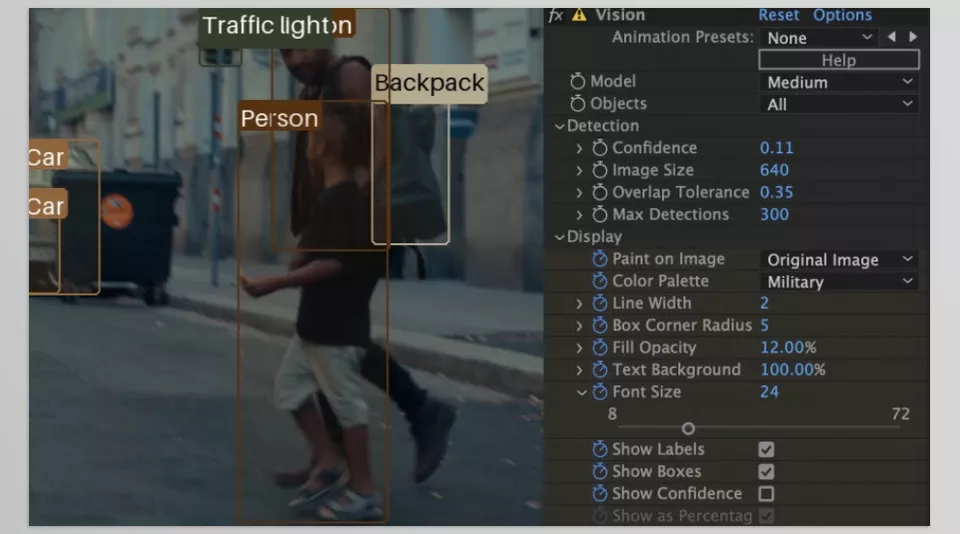
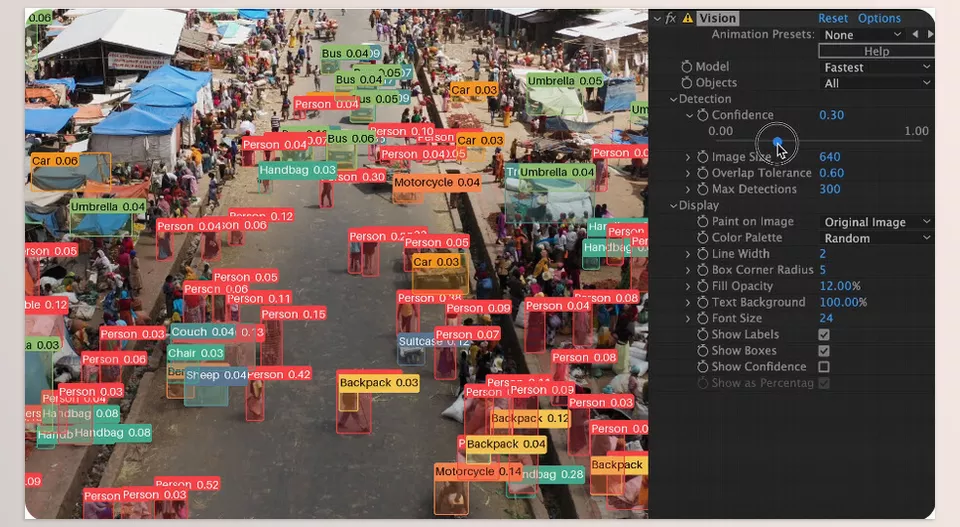
Ever shot something important and later realized the focus wasn’t right? Or didn’t have a high-res image but needed more detail? Vision is built for exactly those moments.
Using AI, it doesn’t just clean up edges — it actually tries to reconstruct lost data. The result is seriously impressive. It doesn’t add fake-looking sharpness or extra noise.
🧩 Superpose — Removing Unwanted Objects
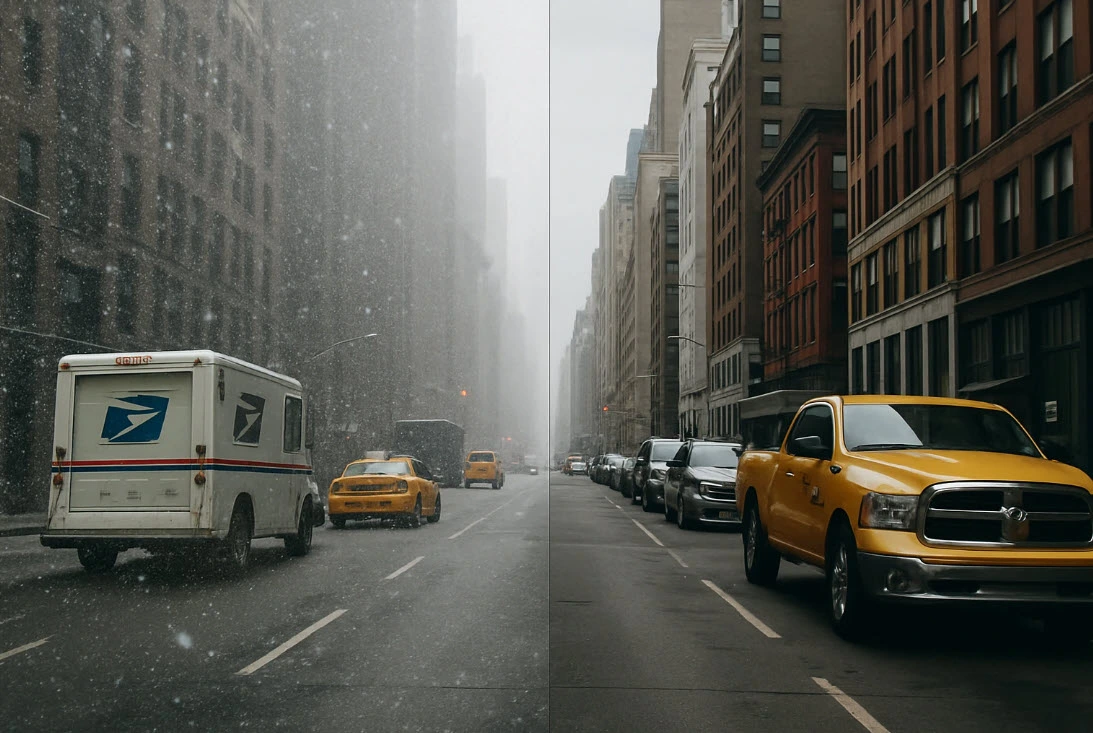
🎯 Problem: Snow, rain, people walking by, or any unwanted visual noise
✅ Solution: Clean, professional removal using frame combination
Let’s say you filmed a scene but someone walked through the shot, or there’s heavy rain and you want it gone. Superpose makes it look like those elements were never there. It’s an excellent tool to remove noise from video in After Effects caused by rain, snow, or unwanted moving objects.
Using a technique called frame averaging, it compares frames and removes anything that moves — perfect for VFX scenes or background cleanup.

🧩 QP Grade Assistant — Matching Colors and Light
🎯 Problem: Color and lighting differences between clips
✅ Solution: Automatic color and light matching across clips
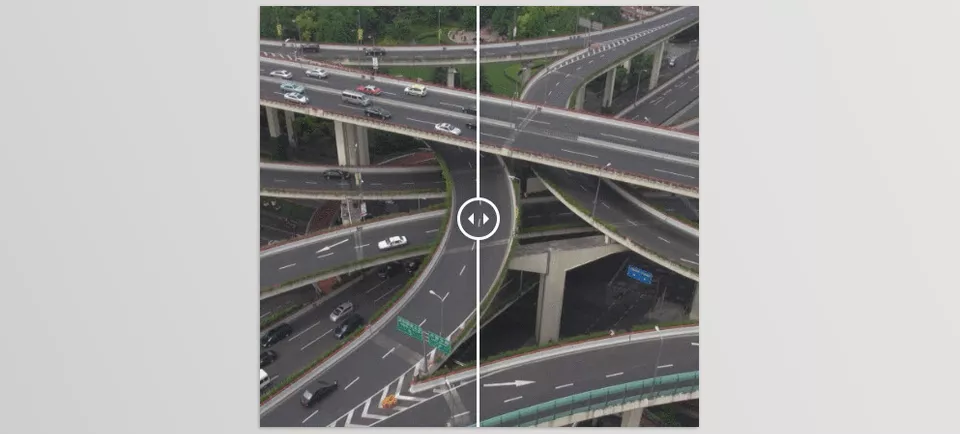
You line up several shots, but they just don’t match — one’s warm, one’s cold, one’s too dark. QP Grade Assistant steps in and aligns them visually.
With just a few clicks, it balances the shots so it feels like they were shot on the same camera, under the same lighting — super useful for documentaries, interviews, or music videos.
🧩 ColorFlow — Smart Color Organization
🎯 Problem: Messy color schemes, no defined palette, disorganized teamwork
✅ Solution: Build palettes, control fills, sync colors and labels
ColorFlow is great for solo editors and teams working on big projects.
You can create color palettes for characters or elements and use them throughout the project — or manage your layer labels with intelligent color organization. Additionally, ColorFlow helps maintain consistency by reducing the time spent on manual noise removal tasks, making it easier to remove noise from video in After Effects efficiently. It keeps everything clean and professional — without constantly adjusting things by hand.
🧩 DeepClear — Removing Tough Noise Without Killing Detail
🎯 Problem: Stubborn noise that lowers image quality
✅ Solution: Smart AI denoising that preserves detail
Some noise just won’t go away — especially from lower-end cameras. DeepClear uses AI to clean up your footage without sacrificing sharpness or depth. This AI-powered approach excels at removing noise from video in After Effects, especially under challenging lighting.
It doesn’t just clean the image — it enhances depth too. Perfect for night shots or low-light environments.
✳️ Quick Summary So Far…
| Tool | Problem | What It Does |
|---|---|---|
| Vision | Blur & low detail | AI-based enhancement with smart reconstruction |
| Superpose | Moving objects or noise | Removes distractions by comparing frames |
| QP Grade Assistant | Color and lighting mismatches | Auto-matches clips visually |
| ColorFlow | Color chaos & no workflow | Organizes palettes, fills, and labels |
| DeepClear | Heavy noise in footage | AI removes noise while preserving texture |
✅ Final Summary: Waste Less Time, Deliver More Professional Results
In content production — especially editing and VFX — we’re always stuck between three competing forces: high quality, limited time, and professional expectations.
Depending only on default tools like After Effects often means sacrificing quality, wasting time — or both.
That’s exactly when smart and specialized plugins — like the ones we just introduced — become essential.
Plugins like Vision, Superpose, QP Grade Assistant, ColorFlow, and DeepClear don’t just fix common problems like blur, noise, color mismatches, or visual clutter — they do it fast and with precision that’s hard to achieve manually.
Most importantly, these aren’t just tools — they offer a new professional workflow. A workflow that lets you work faster, cleaner, and produce results that are way more polished and presentable.
So if you’re also dealing with color/light inconsistencies, blurry images, persistent noise, or shots ruined by people, rain, or snow — these tools can truly save your project.
No more spending hours masking, manually color correcting, frame-by-frame noise cleanup, or painful rotoscoping. Now you can easily remove noise from video in After Effects using these advanced plugins.
In today’s world, where competition is fierce and quality is king, every professional editor and artist needs to work smarter.
These five plugins are humble but powerful teammates that speed up your workflow, boost your quality, and elevate your final output.
🎯 So if you’re aiming to work more professionally, reduce your workload, and produce top-standard results — take these tools seriously. If you want to save time and enhance quality, mastering how to remove noise from video in After Effects is a must. They’re absolutely worth it.
To expand beyond these plugins and learn about the full range of After Effects Tools, check out our dedicated article on the subject.



1 Comment