

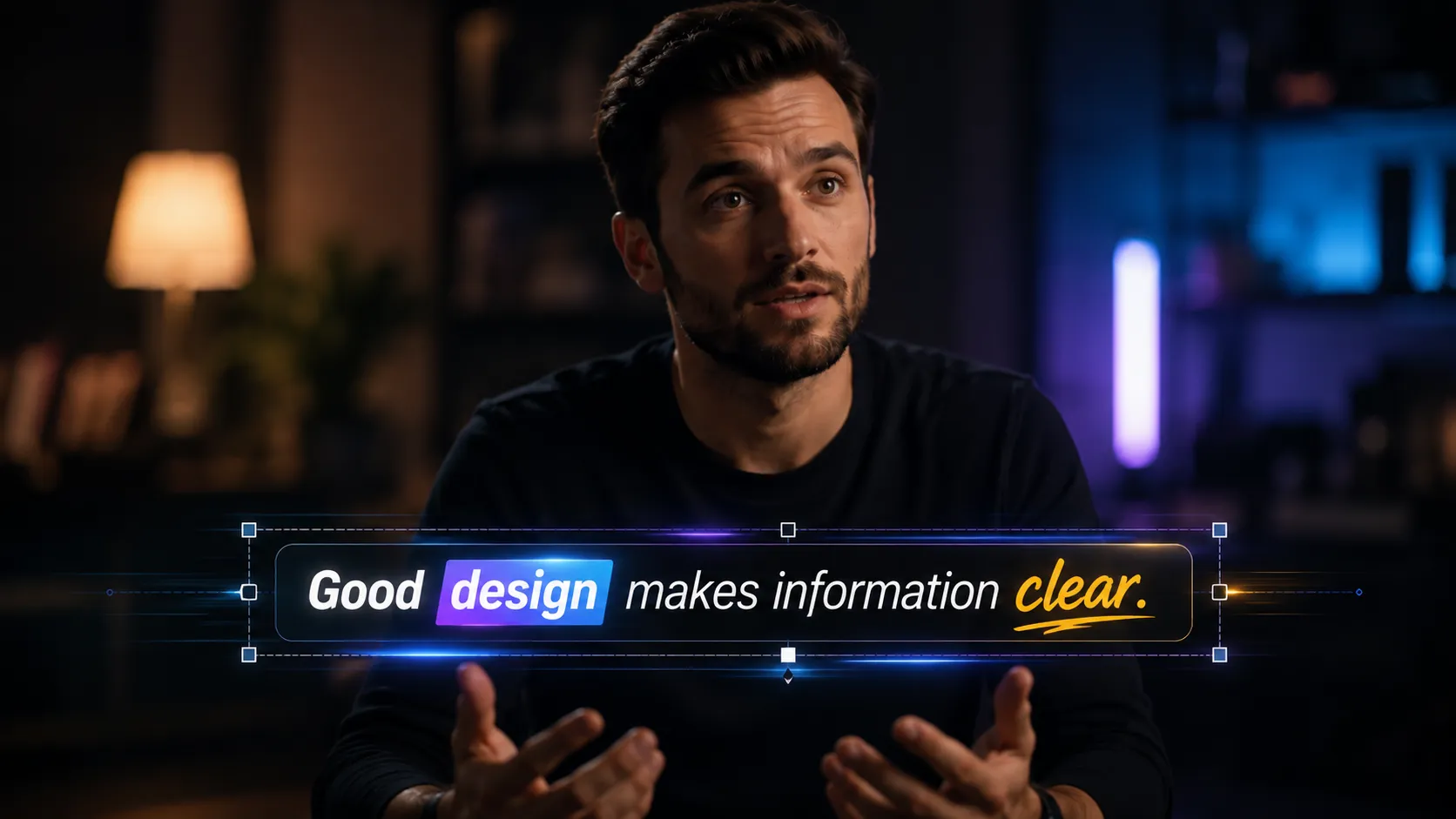
When Creating Subtitles Takes Longer Than Editing! 🎬
Have you tested the Subtitle Pro Plugin by aescripts before? If you create video content, you’ve probably encountered this situation many times: the project is almost finished, the editing is done, the colors have been adjusted, the effects are in place, and only one step remains—adding subtitles. A step that seems simple at first glance, but in many cases can end up taking much more time than you expect.
Entering the text, adjusting the timing of each sentence, correcting mistakes, moving subtitles after every small edit in the timeline, and keeping everything synchronized can quickly become repetitive and exhausting. Especially when you’re working with long-form videos, online courses, video podcasts, or social media content, managing dozens or even hundreds of subtitle lines can significantly slow down your production workflow.
The situation becomes even more complicated when you want your subtitles to be more than just a few lines of text and instead become part of your project’s visual identity. Animated subtitles, custom styles, multilingual versions, and keeping all of them synchronized make having a professional subtitle management system not just a useful feature, but a real necessity.

Professional Subtitles Are More Than Just Writing Text ✨
In the world of video editing and motion graphics, subtitles are far more than simple text displayed on the screen. Today, subtitles play an important role in conveying the message, keeping viewers engaged, and even reinforcing the content’s visual identity.
For example:
- Educational videos typically use clear and accurate subtitles to make the content easier to understand.
- In Reels and short-form videos, animated subtitles help keep viewers watching longer.
- In promotional videos, stylish subtitles can give the project a more professional appearance.
- In multilingual projects, fast subtitle management and translation become extremely important.
The faster and more flexible your subtitle management is, the more time you’ll have for creativity and design.
How Can You Create Subtitles Without a Plugin? 🛠️
Fortunately, both After Effects and Premiere Pro provide built-in tools for creating and managing subtitles. Although these tools aren’t always the fastest solution, they can still serve as a good starting point for many projects.
Traditional Subtitle Creation Methods 🎞️
In Premiere Pro, users can use the Captions panel to import SRT files, edit subtitle text, and adjust subtitle timing. The software also provides options for changing fonts, colors, sizes, and basic styling. On the other hand, in After Effects, subtitles are usually created using text layers and manual animation—a method that offers great flexibility but requires considerably more time.
Some of the most common methods include:
- Using the Captions panel in Premiere Pro to import, edit, and export subtitle files.
- Manually creating subtitles with Text Layers in After Effects and adjusting each layer’s display duration on the timeline.
- Using Markers and Expressions for better timing control and subtitle synchronization.
- Importing SRT files through third-party scripts to automatically convert subtitles into text layers.
- Manually designing and animating subtitles to create custom styles and motion graphics.
The Challenges That Gradually Start to Appear 😅
Although these methods are fully functional, their limitations become much more noticeable as projects grow larger and more professional. Managing projects with hundreds of subtitle lines can quickly become complicated and exhausting, especially when edit changes require large portions of the subtitles to be retimed. Likewise, manually designing and animating every subtitle, translating multilingual projects, and finding timing errors or overlapping subtitles often consume a significant portion of the production process. This is why many video editors and motion designers eventually turn to specialized subtitle management tools.
Subtitle Pro: Professional Subtitle Management Inside After Effects & Premiere Pro 🚀
Subtitle Pro is a specialized plugin for Adobe After Effects and Premiere Pro that significantly speeds up the process of creating, editing, managing, and designing subtitles. Instead of relying on multiple tools or software across the workflow, this plugin aims to provide all subtitle-related features in a single environment.
Whether you’re working on a short Instagram video, editing a multi-hour online course, or creating multilingual versions of your content, Subtitle Pro provides a wide range of tools that make subtitle management faster, more organized, and more professional.
📝 Importing and Managing Subtitle Files
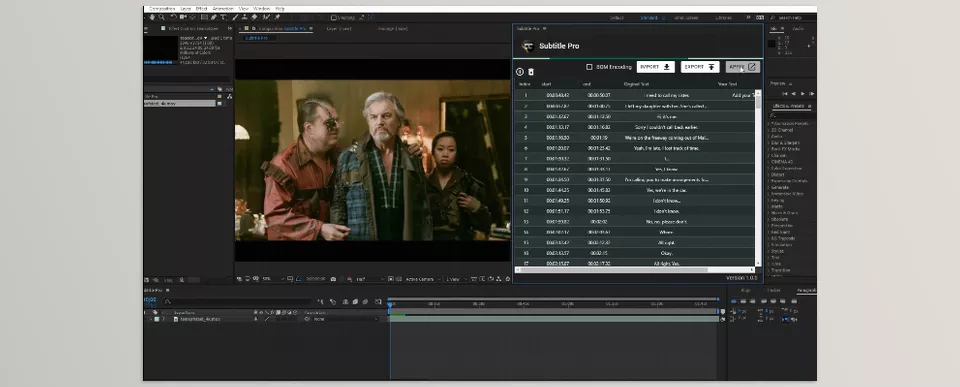
One of Subtitle Pro’s core features is its extensive support for various subtitle formats while simplifying the process of importing and exporting subtitle files. This allows you to import your project’s subtitles directly into your workspace and begin editing immediately, without requiring additional conversions or third-party software.
Features:
- Import SRT files and other common subtitle formats for a quick project setup.
- Write and edit subtitle text directly inside the plugin panel.
- Import subtitles directly from YouTube simply by pasting the video link.
- Export subtitles in common subtitle formats for use in other projects.
- Support for multiple encoding formats, including UTF-8, UTF-16, and ANSI, ensuring proper display of different languages, including Persian.
These features make transferring subtitles between applications, reviewing text, and managing large projects much easier.
⏱️ Timing Control and Synchronization
Timing management is the most important—and often the most time-consuming—part of subtitle creation. Even a small change in the final edit can require a large number of subtitles to be retimed. Subtitle Pro provides a variety of tools to handle these situations efficiently.
Features:
- Move multiple subtitle lines simultaneously without editing each one individually.
- Quickly synchronize subtitle timing between the project and the plugin.
- Automatically detect subtitle timing overlaps to prevent incorrect text display.
- Search and quickly locate different sections within projects containing a large number of subtitles.
- Auto Save functionality to prevent losing your work.
- Control subtitles through Markers in After Effects for more precise timing management.
For long-form projects such as documentaries, online courses, interviews, or video podcasts, these capabilities can save hours of work.
🎨 Creating Attractive Animated Subtitles
In the After Effects version, Subtitle Pro goes beyond simply displaying text. The plugin includes a collection of ready-made templates and animations that help make subtitles not only easier to read but also visually more engaging.
Some of the available categories include:
- Classic subtitles for educational and professional videos.
- Simple and minimal animations for everyday projects.
- Fade subtitle styles for smooth and professional transitions.
- Abstract and modern styles for social media content.
- Animated Lower Third templates for introducing people, titles, and additional information.
Having ready-made templates allows you to create a more professional and consistent visual style throughout your project without spending extra time on manual animation.
🌍 Direct Subtitle Translation
If you work on multilingual projects, Subtitle Pro’s built-in translation feature can save a significant amount of time. Users can translate subtitle text directly within the plugin, without constantly copying and pasting text between multiple applications.
This feature is especially valuable for content creators, YouTubers, translators, and anyone producing videos for international audiences.
🎬 More Than Just a Subtitle Tool
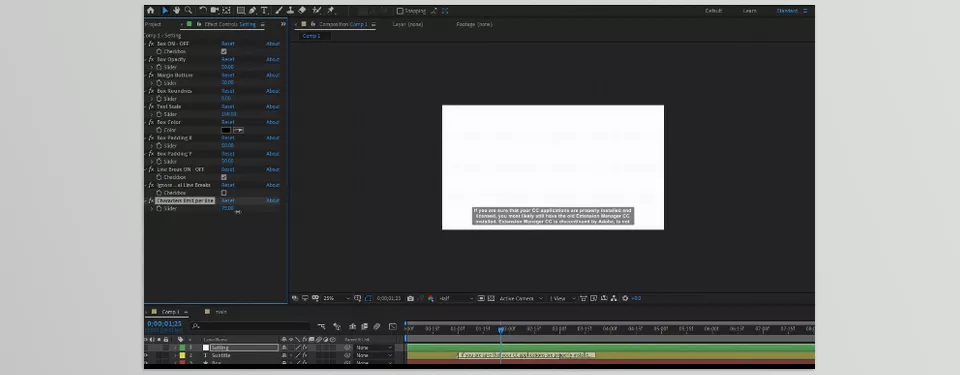
Subtitle Pro’s capabilities go beyond subtitle creation. Inside After Effects, the plugin can also be used to design various Lower Thirds, animated titles, explanatory text, and other text-based visual elements.
Thanks to its template system, ready-made animations, and precise text controls, the plugin can serve as a complete text content management tool for many motion graphics and video production projects, making Subtitle Pro much more than a simple subtitle creation system.
Tips for Getting the Best Results with Subtitle Pro 💡
Like any other professional tool, Subtitle Pro comes with a few tips and best practices that can help you work faster and make your final results look cleaner and more professional. If you establish an organized workflow from the beginning, you’ll spend much less time managing subtitles and making revisions in larger projects.
- Use standard SRT files. This helps minimize issues when importing subtitles and ensures that your text is displayed correctly without formatting problems.
- Finalize your subtitle timing before creating the final design. Major editing changes after the design phase may require a significant portion of the project to be adjusted again.
- Use animated templates for social media content. Animated subtitles generally generate more engagement and can keep viewers watching for longer.
- Take advantage of the quick search feature for long projects. This feature saves considerable time when working on projects with hundreds of subtitle lines.
- Match your subtitle style to your brand’s visual identity. Choosing the right font, colors, and animations significantly improves the final result’s appearance and professionalism.
By following these simple tips, you can use Subtitle Pro as more than just a subtitle management tool and create subtitles that are not only highly readable but also visually aligned with your project’s overall style and identity.
When Subtitles Become Part of Your Project’s Design 🎯
Today, subtitles are no longer just a way to display dialogue. Especially in social media content, educational videos, and promotional projects, subtitles have become part of a project’s visual identity—something that can directly influence the viewer’s experience, engagement, and even the video’s perceived professionalism. That’s why the faster and more organized your subtitle workflow is, the more time you’ll have to focus on the creative aspects of your project.
Subtitle Pro is designed to simplify exactly this process. Instead of spending valuable time importing text, adjusting timing, translating subtitles, or designing them manually, you have every stage of the workflow available in a single integrated environment. This allows you to eliminate a large portion of repetitive and time-consuming tasks and focus on producing better results.
If video production is part of your daily workflow, you’ll quickly realize that subtitle management can become one of the biggest bottlenecks in a project. Subtitle Pro helps remove that bottleneck from your workflow—a tool that will likely become one of the most reliable parts of your production process after just a few projects.
Looking for a faster way to work in After Effects? Our guide covers useful tools and easy techniques that make everyday editing much simpler. Explore the After Effects Tools guide now.





