

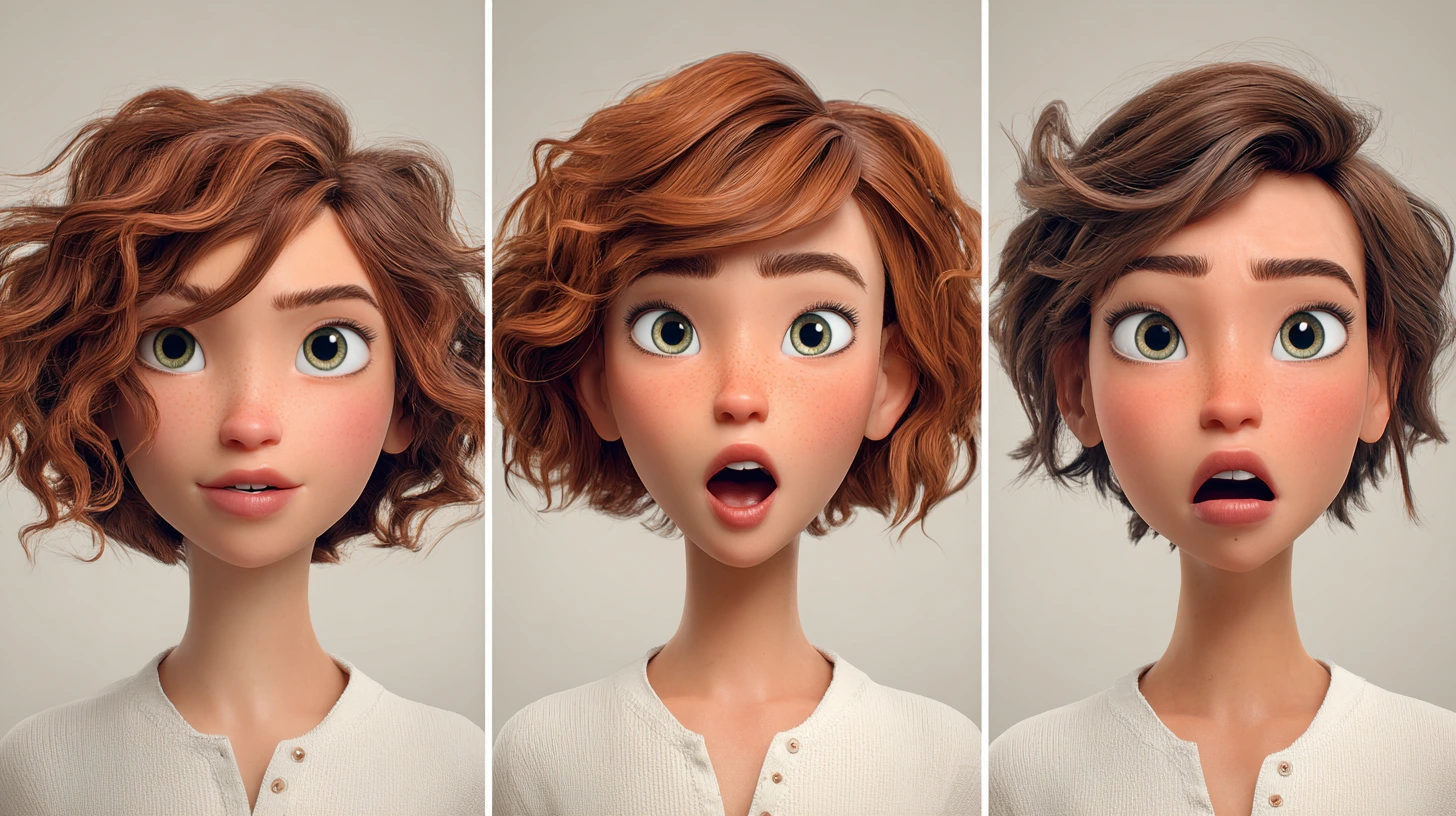
Why Is Facial Animation So Hard and Time-Consuming?
Creating facial animation—especially lip sync and facial animation in After Effects—is one of the most complex and time-consuming parts of animation. Even syncing lip movements to pre-recorded audio takes thousands of keyframes and tons of tiny adjustments that can be exhausting. And that’s just the lips—we’re also talking about the eyes, eyebrows, jaw movement, and even how the mouth opens and closes. All these need to align perfectly to make the character look alive and natural.
What Are the Challenges of Doing It Manually?
When you do everything by hand, you’ll end up spending a huge amount of time just to make sure each mouth shape and micro-expression looks right. This is especially true when doing lip sync and facial animation in After Effects manually, which can make the process even more time-consuming. Even a small change in the audio can force you to go back and redo hours of work. It’s not only exhausting—it can also delay your project and lower the quality due to fatigue.

So What’s the Solution? How Can This Be Made Easier?
Fortunately, various tools have been developed to ease lip sync and facial animation in After Effects. These tools use AI, voice processing, and automation systems to generate lip and facial animations faster and more accurately. Instead of keyframing every movement, you can feed the audio into a plugin, and it generates the matching lip-sync automatically—or let you control facial expressions with much more ease. That means less time on repetitive work and more time to focus on creativity and detail.
If you’re not yet familiar with the overall categories of After Effects extensions, don’t worry — we’ve placed a link to a detailed guide at the bottom of this article.
Meet 5 Plugins That Can Change Your Facial Animation Workflow
Each of these tools has something unique that can make facial animation easier—even for beginners. They specifically target lip sync and facial animation in After Effects to speed up workflows and reduce tedious manual work. Some sync lip movement to audio automatically, some give you precise control over facial shapes, and others help you quickly switch between expressions. In the next section, we’ll go through five standout plugins that can save you a ton of time and energy—and help you decide which one fits your workflow best.
1. Auto Lip-Sync – When Lip-Syncing Feels Like Magic
Ever wanted your character’s lips to match your voice perfectly? Doing this manually eats up your time—and your energy. But with Auto Lip-Sync, the whole process becomes automatic.
Just import your voice, and the plugin analyzes it, detects which phoneme goes with which mouth shape, and animates the lips accordingly. It even generates editable cartoon-style teeth, tongue, and mouth interiors to make it all feel more alive.
If you’re working on cartoon-style characters or motion graphics and want to spend more time being creative (and less time pushing keyframes), this plugin is a game-changer.
2. LipsyncTool – When You Want Full Control and Speed
Unlike Auto Lip-Sync, which does everything automatically, LipsyncTool gives you a clean and simple setup to control lip shapes like A, E, O, M, and more—all through layer markers.
Think of it like a lip-syncing toolkit that lets you assign mouth shapes with just a few clicks, while still having total control over when and how each one appears.
Perfect if you want speed without sacrificing precision—especially useful when you’re animating something expressive or need to hit beats exactly.
3. SF Caddy – The Magic of Fast Swapping and Clean Timelines
Imagine animating a cartoon character with multiple face and mouth states, and you need to switch them out constantly. Doing this manually clutters your timeline and eats up hours.
SF Caddy makes this effortless. With one click, you can swap layers and facial states, and it updates your timeline instantly.
Whether you’re changing lip shapes, eyes, or any other part, it’s fast, simple, and mistake-free—perfect for animators who work with lots of interchangeable elements.
4. Cartoon Mouth Rig with Lip Sync – Handcrafted Lips with Smart Sync
If you like to build things by hand and want more artistic control over cartoon lips, Cartoon Mouth Rig with Lip Sync helps you rig your own mouth setup.
You can customize every mouth shape manually for a super stylized, cartoon look—but it also comes with a lip-sync option that auto-syncs your mouth rig to audio.
It strikes a nice balance between manual rigging and automation—great for those who want precision and flexibility.
5. Talking Head – Total Facial Control from One Easy Panel
Facial animation isn’t just about lips. Eyes, eyebrows, blinking, and even gaze direction all matter. This plugin handles full lip sync and facial animation in After Effects, including eyes, eyebrows, and more. Talking Head is a magical plugin for After Effects that gives you a simple controller for all facial elements.
You can animate the entire face from one easy panel—lips, eyes, brows, everything—without digging through layers. And yes, it handles automatic lip-sync too.
If you want expressive, natural facial animation without spending days keyframing every little movement, this is a fantastic option.
One-Line Summary:
- Auto Lip-Sync and Talking Head both do automatic lip sync, but Talking Head gives you full facial control.
- LipsyncTool gives you precise, manual control with speed.
- SF Caddy is best for quick expression switching.
- Cartoon Mouth Rig blends custom rigs with smart lip-sync—great for stylized animation.
Final Thoughts: Which One’s Right for You?
Animating lips and faces in After Effects—if you do it all by hand—can be slow, repetitive, and draining. These plugins were created for exactly that reason: to let you put your energy into creativity, not fighting keyframes.
Each exists for a specific need, which occurs at a specific time in your process:
- When you need an easy auto-sync, use Auto Lip-Sync.
- When you need speed and precision, use LipsyncTool.
- When you have a lot of variables for facial states, use SF Caddy to fade.
- When you want to create a hand-drawn style cartoon, then use Cartoon Mouth Rig.
- When you want all your face animation in one unified space, use Talking Head.
Facial animation is more than just mouth movement. It’s mouth movement to sound, it’s expressions, it’s fades from one emotion to the next—and each phase needs its own plugin.
These plugins exist for specific phases in that process. They facilitate lip syncing and face animation in After Effects so the animator can focus on story and emotion. Depending on your project, one of them might be all you need. But if you want to work faster, smarter, and more professionally, using them together can feel like assembling a dream team—each one playing its part, no extra effort on your end.
With tools like these for Lip Sync and Facial Animation in After Effects, building a simple animated shot doesn’t have to take forever. You’ll have more time for the things that really matter: emotion, story, and creativity.
If you’re interested in discovering a wider range of After Effects plugins and utilities, we recommend reading our detailed guide.



