

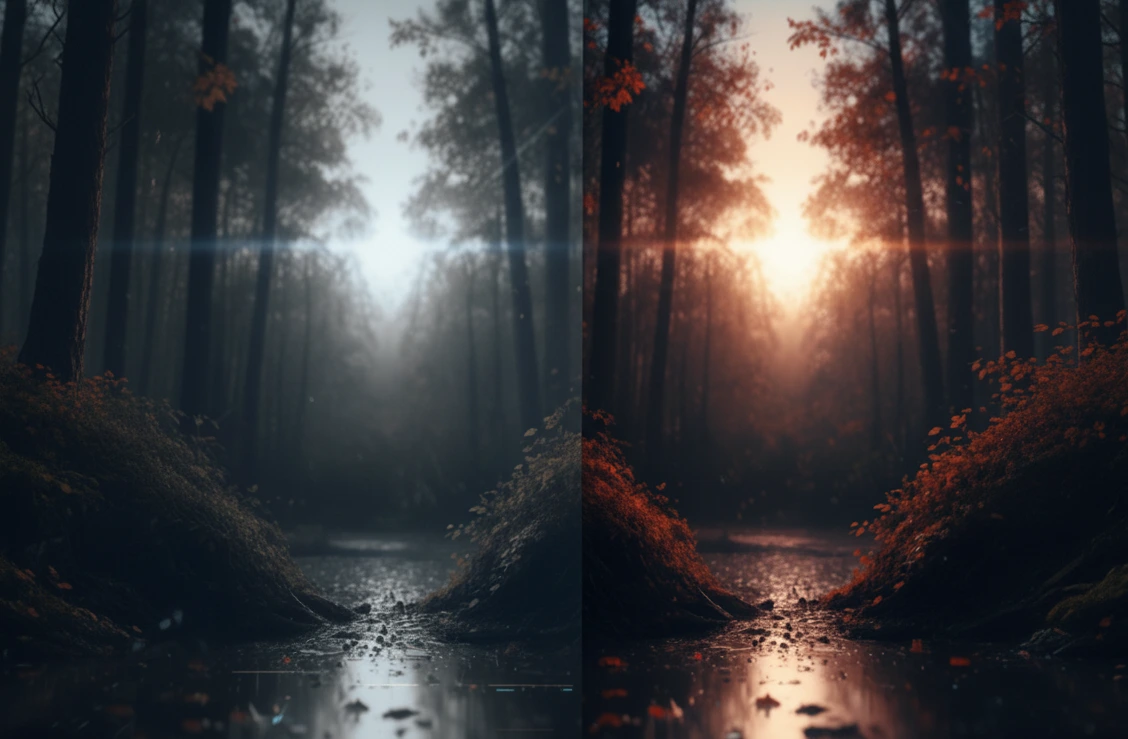
When Videos Just Don’t Want to Look Good!
Have you ever worked with the Neural Enhancement Suite Plugin? It must have happened to you that you have an important video—maybe a motion graphics project, an old clip, or even a video you recorded yourself. But when you watch it, the things that should be clear and striking—like fine details, natural colors, or proper lighting—just don’t show up.
There might be too much noise on the video, making the image look rough and inconsistent. Or maybe the video is very dark, and brightening it with normal tools destroys contrast and details. Sometimes, the colors appear dull and lifeless, and no matter how many hours you spend tweaking Lumetri or Curves, the result is still not what you expected.
This usually happens when videos are of low initial quality or lighting and camera conditions weren’t ideal. The details that could make the image vivid and attractive are lost, and it feels like something essential is missing.
In reality, the main problem isn’t that the video is damaged, but that ordinary editing and correction tools aren’t capable of restoring the true details and quality. This is where advanced, smarter solutions—like AI-powered tools—become necessary: tools that can reconstruct lost details, revitalize colors, and enhance the lighting and clarity of videos to levels that once seemed almost impossible.

Traditional Methods: Doing It Yourself
Before AI came into the picture, After Effects and Premiere had tools for video correction. These tools can help improve quality, but they have significant limitations.
Main Tools:
- Reduce Noise & Sharpen: Reduces noise and increases image clarity.
- Lumetri Color & Curves: Adjusts colors, lighting, and contrast.
- Simple Upscale: Enlarges the video for bigger display sizes.
Challenges and Limitations:
- Heavy noise may still remain, or details may become soft.
- Manual color and lighting correction is time-consuming and doesn’t always look natural.
- Upscaling without AI causes blurriness and pixelation.
- Full HDR lighting and detail reconstruction is not fully achievable.
In fact, traditional tools can solve minor issues, but when dealing with old, dark, or noisy videos, the results are rarely professional and satisfying. This is exactly where AI-based tools show their true value and can make a real difference without spending hours on each frame.
Product Introduction: Neural Enhancement Suite, the Video Wizard
When you deal with old, dark, or noisy videos, traditional tools are often limited and time-consuming. This is where Neural Enhancement Suite Plugin comes in—a smart AI plugin for After Effects and Premiere that can turn ordinary videos into clear, vibrant, and professional-quality images.
This plugin is designed for those who want to:
- Restore noisy or old videos.
- Bring colors to life and make them look natural.
- Recover lost details in lighting and motion.
- Prepare small, low-quality videos for larger displays.
Key Features and Applications:
Denoising (Noise Removal & Detail Restoration)
Even extremely noisy videos become clean and crisp. Unlike traditional tools, fine details are preserved, and the image stays natural.
Hint-based & Example-based Colorization (Smart Coloring)
You can easily colorize black-and-white or dull videos, either with a few hints or using a reference image. This ensures the colors are completely natural and consistent with your project’s style.
Superresolution (Clarity & Upscaling)
Enlarge videos up to 16 times without losing actual details. Ideal for big-screen displays or high-quality motion graphics projects.
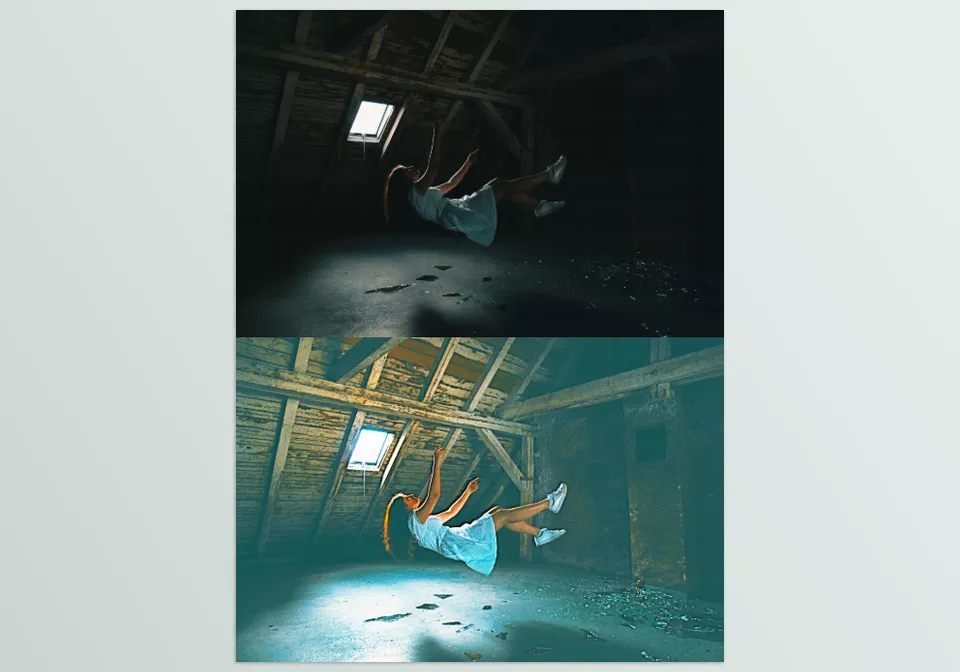
Low-light & HDR Enhancement (Lighting Boost)
Brightens dark areas and restores details lost in shadows or bright light. The result is natural and professional-looking videos without artificial contrast.
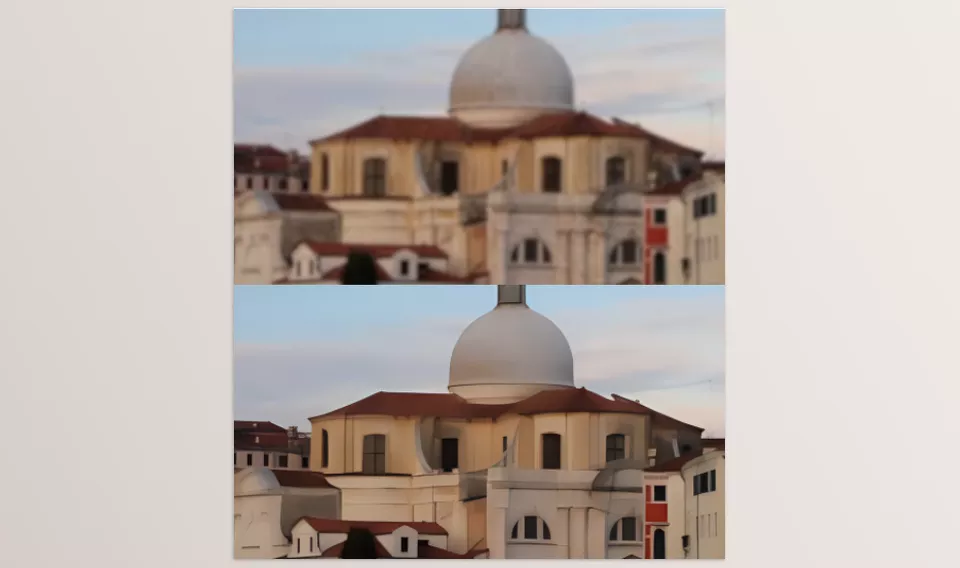
Deblurring (Reduce Motion Blur)
Reduces blur caused by camera or subject movement, making previously unusable videos usable.
Why This Plugin Stands Out:
- Reconstructs actual details rather than just surface corrections.
- Reduces the time spent on complex manual editing.
- Seamlessly combines multiple enhancements (lighting, color, clarity, deblurring).
- Useful for all types of projects, from short ads to old archival footage.
Real Example:
You have an old, dark video with heavy noise and dull colors. Using normal tools, each frame takes hours to correct and the results are never perfect. With the Neural Enhancement Suite Plugin, the same video instantly becomes:
- Clear and sharp.
- Colors are vibrant and natural.
- Lost details are restored.
And all this happens without long hours of manual work. Simply put, this plugin transforms ordinary videos into professional-quality versions ready for motion graphics and animation projects—something nearly impossible without AI or countless hours of manual editing.
Pro Techniques: Getting the Most Out of the Plugin
To achieve the best results with Neural Enhancement Suite Plugin, there are a few professional tips and techniques that can elevate video quality even further:
- Using Reference Frames for Colorization:
- When using Example-based Colorization, always use a reference frame with natural, project-consistent colors.
- If specific shades or tones are needed, Hint-based Colorization ensures the colors are exactly as desired.
- This makes the colors appear natural and consistent with the overall project style.
- Boosting Light in Dark Videos:
- For Low-light Enhancement, first test the raw video and gradually increase brightness.
- This preserves shadow details and prevents over-brightening that looks artificial.
- Choosing the Right Processing Mode:
- For very large or long videos, CPU mode is recommended.
- GPU mode is faster but may cause instability in heavy or long projects.
- Combining Features for Optimal Results:
- Combining Superresolution with Deblurring and even Low-light Enhancement can turn old, weak videos into remarkably sharp, professional visuals.
- Ideal for motion graphics, ads, and archival videos.
- Additional Tips:
- Always keep a backup of the video before applying changes.
- Adjust effect intensity gradually to keep results natural.
- For fast-moving or shaky videos, apply Deblurring first, then correct color and lighting for better results.
By following these simple tips, you can maximize Neural Enhancement Suite Plugin and upgrade ordinary videos to professional, eye-catching levels—without spending hours manually editing.
Bring Your Videos to Life!
Neural Enhancement Suite Plugin is a smart tool that can revive ordinary, low-quality videos. No need to spend hours reducing noise or adjusting colors frame by frame. With this plugin, your videos become clear, fine details reappear, and colors look fully vibrant and natural.
Even dark or old videos improve significantly. Features like Superresolution and Deblurring make blurry, noisy footage sharp and impressive. Lighting and contrast are enhanced naturally, without any artificial appearance.
In short, if you want your videos to display in high quality, with vibrant colors and natural details, this plugin is definitely worth trying. Spend your time on creativity and new projects, not endless manual editing. With the Neural Enhancement Suite Plugin, ordinary videos easily become visuals that truly catch everyone’s eye.
Looking to upgrade your motion graphics workflow? Our detailed After Effects tools article reveals how plugins and scripts can save you time and inspire new ideas.



