When Photos Become Too Clean and Soulless
Do you have prior experience with the Archipelago Quest 49 Lomora? It must have happened to you: you take a photo that is technically flawless; the lighting is perfect, focus is spot-on, colors are clean and controlled, and everything looks “right.” Yet, when you look at it again, something feels missing. The image that should create a memory just… records it.
This is often the case when things are too mathematical and digital. With modern cameras and photo editing, photos become near-perfect—no errors, surprises, happy accidents. Yet so many iconic photos are known for their imperfections.
Whether a light glare that wasn’t supposed to be there, a little blurry, off-color, not fully calibrated contrasts—a photo can have that something special in the small nuances. It’s not that the photo was taken at the wrong time—it’s that the photo was edited to perfection and had no breathing room.

What is Lomography and Why is it Still Appealing?
Lomography is a photography style inspired by simple, plastic analog cameras, where errors, accidents, and unpredictability are part of the charm.
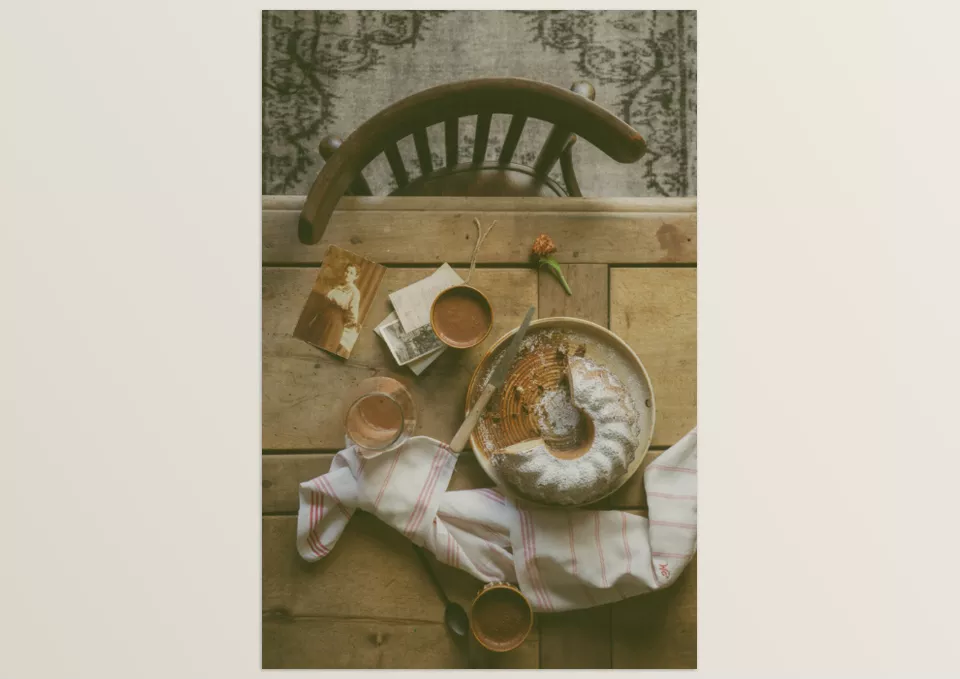
Saturated hues, unconventional contrast, soft blurriness, vignetting, and light leaking create a new, nostalgic, and intimate feel for a photograph. Such elements allow the image to become more than just “looks” but instead, evoke feelings and memories which are essential for creative works and artistic pieces.
Achieving This Feel Without Presets: Difficult but Possible
If you want to get the analog and lomographic photos without using presets, it’s totally possible. Lightroom itself offers powerful tools that, with proper adjustment and enough precision, you can transition from the digital cleanest of space to one that’s more of a remote, emotional atmosphere.
The most commonly used tools on this journey include:
- Tone Curve – to break the overly digital contrast and soften shadows
- Color Grading & Split Toning – to change the mood of colors and approach analog palettes
- Grain – to add texture and remove the overly clean digital feel
- Vignette – to focus more on the subject and create the feel of vintage lenses
- Local Adjustments – to add uneven light, blur, or random variations in parts of the image
By combining these adjustments correctly, you can approach a lomographic feel, though achieving a natural and repeatable result still requires time and experience.
But the reality is, it’s not an easy road. Each image requires individual correction, and a filmic mood is usually obtained through a continuous process of experimentation, as even the lightest color correction can throw everything out of whack. Furthermore, it’s highly unlikely to obtain this exact feeling for every image, let alone create a cohesive project/aesthetic.
Thus, most adjustments are made to “get the right” image instead of the right story. This is where one understands how that organic, spontaneous, emotional feel comes across with much more time and expertise than one assumes without the tools.
Archipelago Quest 49 Lomora: Simulating Film Spirit at Digital Speed
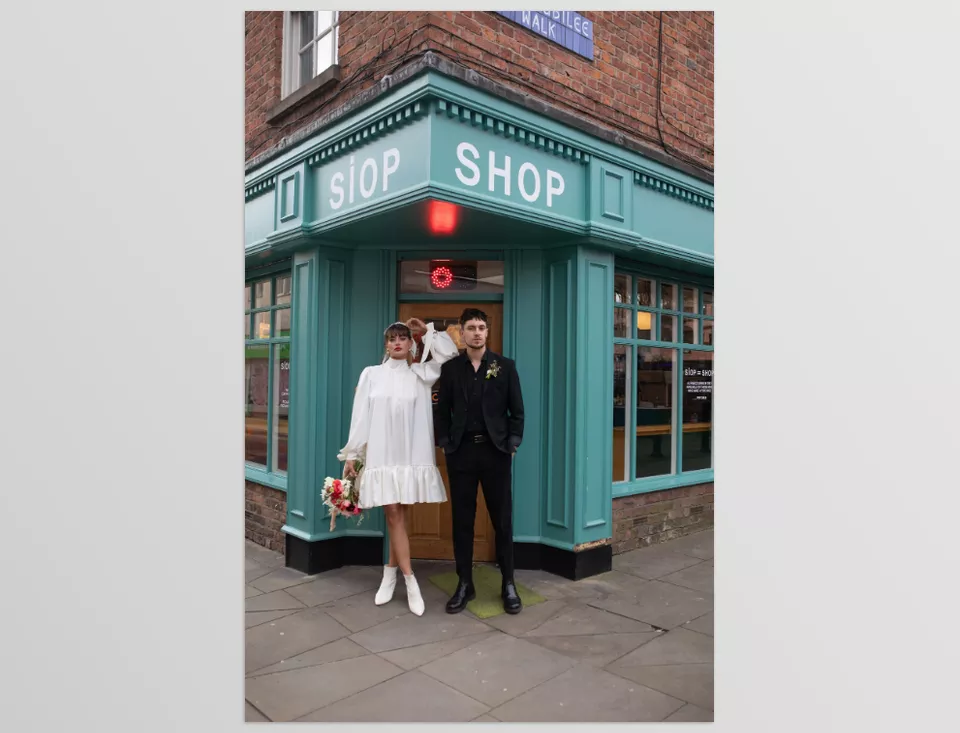
Archipelago Quest 49 Lomora is a collection of Lightroom presets and tools that, without sacrificing user control, introduces the free, accidental, and nostalgic nature of lomography into the digital editing space. Rather than trying to replicate something, this collection aims to capture the spirit of film in a digitized form, as fast and flexible as possible.
What you have at the center of Archipelago Quest 49 Lomora is a Creative Profile that changes contrast and highlights and shadows in a cinematic manner; the image looks altered even before playing with the sliders. Three base presets accompany them, each with a different color grading (warm, cool, balanced) that can serve as a default setting based on the amount of light, feel, and project needed.
Creative Tools in Archipelago Quest 49 Lomora
- Fisheye Effect
Adds gentle wide distortion for playful and unconventional framing; ideal for capturing spontaneous moments and energetic scenes. - Soft Focus
Simulates soft, slightly blurred lenses that give images a dreamier, more human feel, without completely losing sharpness. - Edge Glow
Adds a subtle glow around the edges to enhance the nostalgic feeling and simulate the unpredictable reactions of old film and lenses.
Combining these presets and tools allows you to achieve results that previously required hours of trial and error and complex settings—while keeping the focus on the mood and narrative, not sliders.
Tips for More Professional Use
To get the best results from Archipelago Quest 49 Lomora, it’s important to treat it as a creative tool rather than a ready-made effect. A good starting point can multiply the impact of your final image.
- Use RAW files
Lomora works best on RAW photos with proper exposure, keeping tones natural. - Correct exposure before applying presets
Overly bright or dark photos can make effects look exaggerated. - Don’t push effects to 100%
Usually, 60–80% strength produces more natural and professional results. - Combine Soft Focus and Edge Glow
These two tools create great nostalgic moods for travel, memory, or behind-the-scenes photos. - Don’t overdo Fisheye
A small amount of distortion adds playfulness; too much makes the image cartoonish. - Apply effects selectively
Using masks allows you to apply effects only on the subject or edges, not the whole image. - Don’t remove all imperfections
Slight blur, color shifts, or small inconsistencies are part of lomography’s charm.
Finally, remember: lomography is meant to convey emotion, not technical perfection. If your image is a bit messy, unpredictable, or even imperfect, you’re probably on the right track.
When Editing Becomes Part of the Story
Archipelago Quest 49 Lomora is not just a preset; it’s a different type of editing. It’s an opportunity to restore feeling, memory, and story to your images instead of simply fixing them. It means you don’t have to rely on digital perfection, but instead, can make your images look alive, non-linear, and human.
With Archipelago Quest 49 Lomora, anything can become a little story—even the simplest moments (sunlight on a face, a little behind-the-scenes remembrance) can be adjusted to find their own atmosphere with just a few tweaks.
If you want your photos to be not only technically correct but also emotional and memorable, experiencing this style and tool is a real opportunity to add personality and life to your digital images.
If you’re genuinely looking to elevate your color grading abilities, we’ve put together a comprehensive, in-depth article about LUTs that breaks everything down in a clear and practical way. I highly recommend giving it a read—you’ll find plenty of insights that can immediately enhance your workflow.