When Photo Editing Lacks Emotion and Story
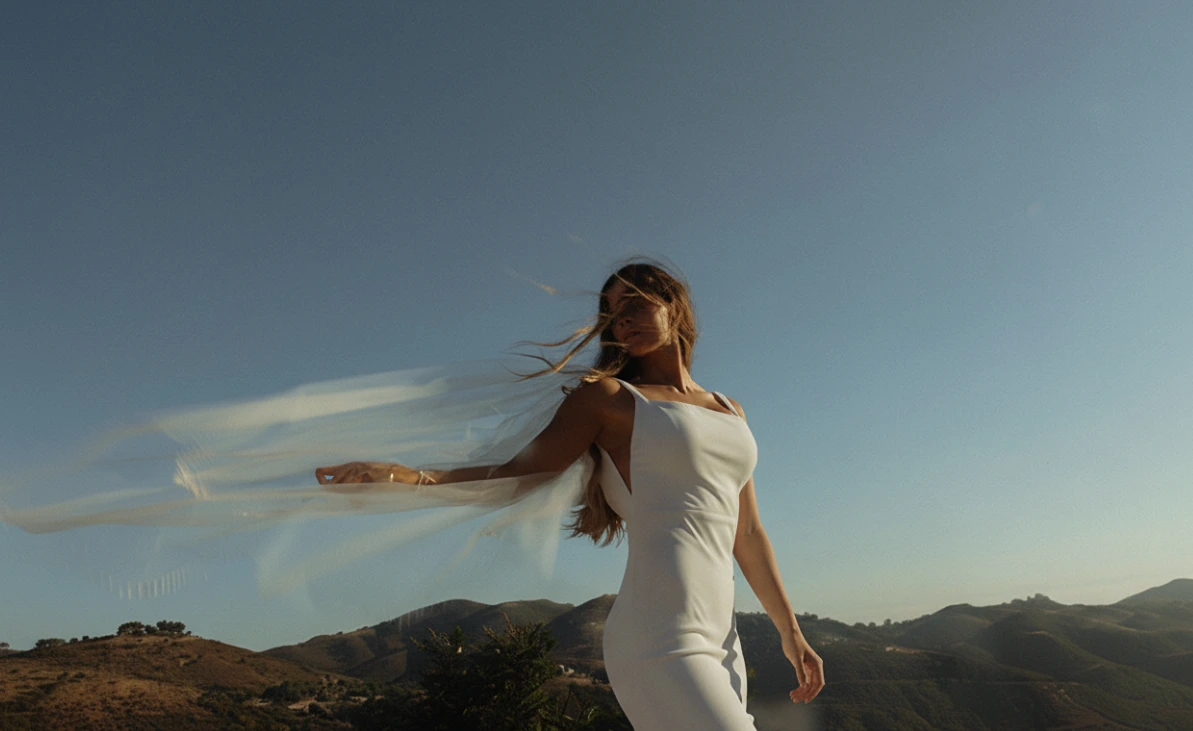
Are you experienced in using the India Earl Cine Presets? Often, you take a photo that is technically perfect: the lighting is right, the composition is spot-on, and the moment is exactly what you wanted. Yet, when you reach the editing stage, no matter what you do, the true emotion of the photo doesn’t come through. The image looks fine, but it isn’t alive, and the connection it should make with the viewer doesn’t happen.
You start moving the sliders up and down: a bit of contrast, some warmth, some color adjustments. But soon, you notice either the skin tone looks unnatural, the lighting feels flat and stiff, or the shadows are too heavy. Instead of enhancing the photo, editing slowly starts to drain its feeling.
This is when you realize the problem isn’t the raw photo—it’s the editing process. You spend a lot of time, make several versions, but the result still doesn’t have that cinematic, deep, story-driven vibe that you imagined while shooting. This is the point where many photographers and editors get stuck.

Relying Only on Lightroom’s Default Tools
Without using professional presets, achieving clean and cinematic edits is entirely possible, but the reality is that the process becomes much longer and more exhausting. Manual editing often feels like trial and error: one adjustment works well, but the same setting fails on the next photo, forcing you to start from scratch.
Typically, to achieve a result, we rely on Lightroom or ACR default tools, such as:
- Manual adjustments: Exposure, Contrast, Highlights, and Shadows for controlling light
- Color Grading and HSL: For correcting colors and mood
- Calibration adjustments: To improve skin tones
- Adding Grain manually: To simulate a film-like feel
These tools are powerful, but when used repeatedly on large batches, their limitations appear. The main challenges usually include:
- Editing becomes time-consuming
- Skin tones are inconsistent across photos
- Achieving a good result requires high skill and precision
- Maintaining and replicating a consistent style across large projects is very difficult
In the end, manual editing often shifts focus from creativity to slider management—where energy is spent on adjustments rather than the photo’s story and emotion.
Introducing India Earl Cine Presets: A Ready-to-Use Cinematic Look
India Earl Cine Presets was designed to bridge the gap between “tedious manual editing” and “professional cinematic results.” This is an all-in-one Lightroom & ACR Preset pack. Comprehensive set of presets, modifiers, and brushes for an emotionally natural edit with control that doesn’t leave the photo looking artificial or over-edited.
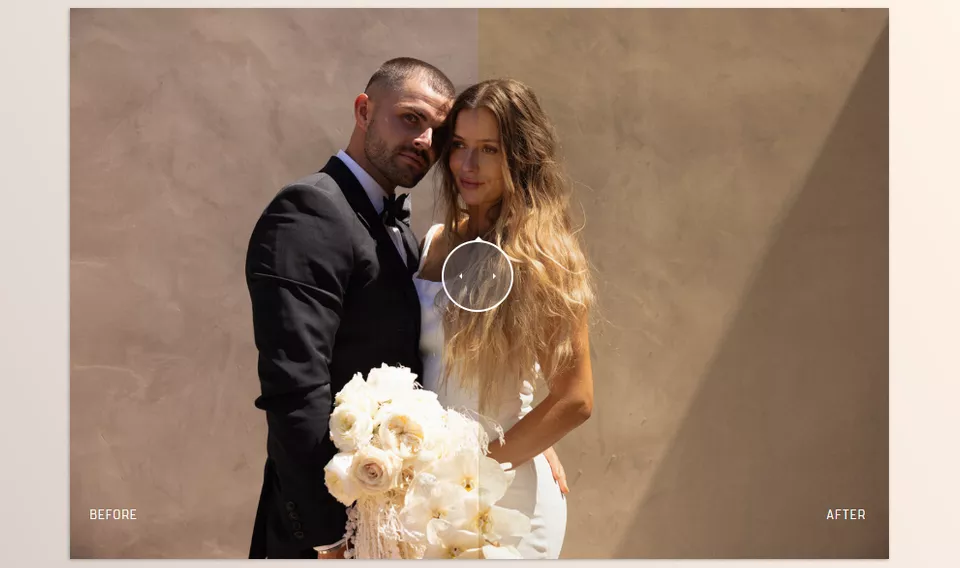
What sets India Earl Cine Presets apart is the heavy work with skin tones and capturing natural light. This preset isn’t about changing the photo but adding to it, whatever the lighting. A more versatile alternative than a distinct look that meshes with how you shoot
Key Features:
- 13 cinematic color presets with warm, cool, filmic, and artistic moods
- 7 professional black & white presets with controlled contrast and great detail
- Smart Modifiers for quick adjustments of contrast, light, skin tones, and grain
- Dedicated brushes for skin, soft lighting, depth, ground, and even snow
- Mobile presets with full workflow and editing tutorials
- AI Editing compatibility (Impossible Things) for faster edits without compromising style
What you walk away with from India Earl Cine Presets is a fast edit with professional skin tones, pleasing soft light, and cinematic space and depth without over-editing, with something that looks polished and reliable across the board for single images and entire galleries.
India Earl Cine Presets is more than just another preset pack; it’s a mindset. One that prioritizes emotion over tricks and story over chopped edits. Making images a moment and an emotionally tied narrative outside of edits.
Pro Tips for Best Results with Cine Presets
Sometimes, the smallest editing details can make the difference between an ordinary image and a cinematic masterpiece. Here are essential tips for professional use of Cine presets and tools:
- Use a Base Preset (Cine Base or Cine Natural)
Preset for base light and colors. This is the structure to your edit. Once that’s done the rest will go quickly. - Give it a sec
Don’t judge the result of a newly applied preset immediately. It takes a sec to do it’s job establishing an overall vibe (unless you REALLY need to!) - Modifiers only
Don’t go moving sliders aggressively (killing color and texture). Use modifiers to make specific changes to contrast, light, skin, dynamics, etc
Examples:- Contrast Bump for flat images
- Cool down to correct excessive warmth
- Orange Skin to adjust skin tones
- Apply the Skin Brush Gently and Layered
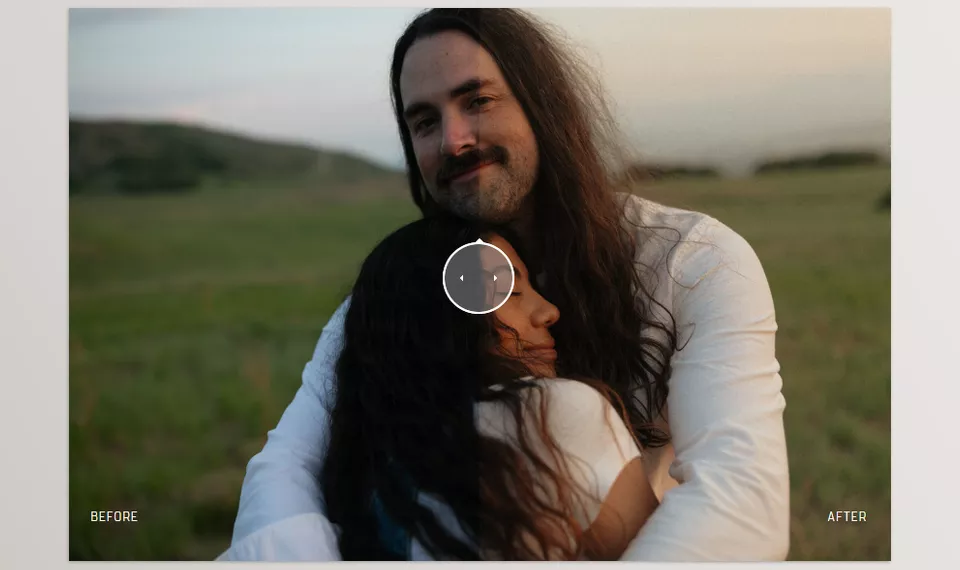
To maintain natural skin texture and realism, use a low flow and multiple layers. A single high-intensity stroke can make skin look artificial or plastic. - Choose Grain According to Photo Type
- Wide and landscape shots → Fine or Ultra Fine Grain
- Portraits and close-ups → Normal or Large Grain
Proper grain adds a cinematic, realistic feel without appearing noisy or digital.
- Maintain Consistent Edits Across a Series
Fully edit one photo first, then apply the same settings and modifiers to the rest. This ensures galleries and projects appear cohesive and professional. - Less Editing, Greater Impact
Cine philosophy: “Emotional editing, not overdoing it.” Whenever adjustments feel excessive, step back; simpler versions often look more natural and professional.
By following these tips, you can achieve natural, emotional, and cinematic images without spending hours in front of the sliders.
When Editing Becomes an Experience
India Earl Cine Presets is more than a simple preset collection; it provides an artistic and cinematic approach to photo editing. With Cine, your photos gain better color and light while conveying the original emotion and story of the moment. This means images look natural, captivating, and professional without endless hours of editing.
The main advantage of Cine Presets is that the editing is effortless, reliable, and consistent. The same goes for portraits, weddings, and landscapes—all of your photos will look balanced and uniform. You don’t waste time looking for solutions to how to fix color, lighting, or skin.
In short, if you want your photos to look authentic, if you want editing to be streamlined, and if you want a reliable cinematic look, you can’t go wrong with India Earl Cine Presets. Use the methods, applying the presets, modifiers, and brushes as suggested, and every photo you edit will be a pleasure and an experience—both for your viewers and yourself.
If you truly want to understand color grading on a deeper level, we’ve written a complete breakdown that explains the concepts in a simple and practical manner. I highly recommend going through it—you’ll learn a lot that can streamline your workflow immediately.