

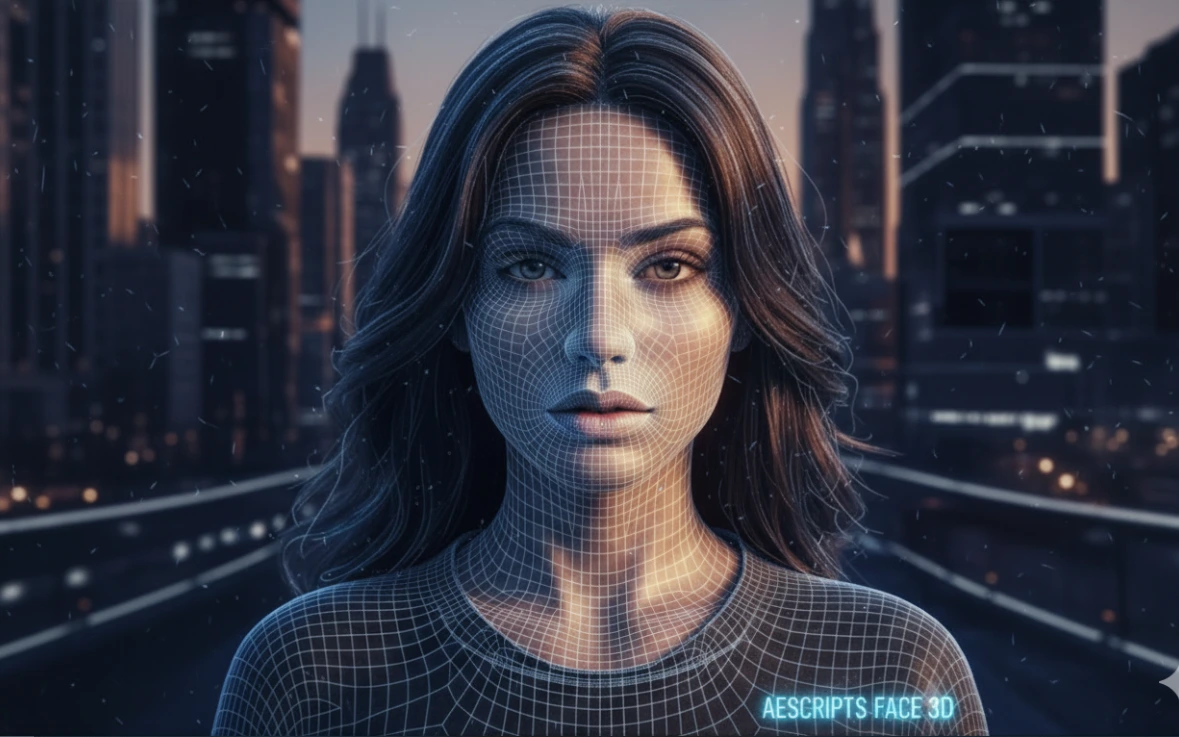
When Photos No Longer Cut It…
Have you ever wondered what the Face 3D Plugin from aescripts can really do? Imagine taking a simple photo and bringing it to life—not just with a basic zoom or pan, but in a way that makes the subject feel truly present in space, full of depth, interacting naturally with light, and breathing with camera movement. This goes beyond the usual motion graphics tricks.
The truth is, no matter how professional you are, photos have an inherent limitation. A photo is two-dimensional, and when you expect it to behave in three dimensions, it quickly falls short. As camera rotation increases, the image breaks, lighting becomes unnatural, and the sense of realism gradually fades.
This is where the main question arises: is it possible to extract real 3D depth from an ordinary photo without complex modeling and the hassles of full 3D? The answer could turn a simple project into a striking and immersive experience.

What Does Image Depth Mean? (And Why Is It So Important)
For a photo to truly look three-dimensional, it needs depth information—something that doesn’t inherently exist in a flat image. This is where the Depth Map comes in.
A Depth Map is a black-and-white image that tells software which areas are closer to the camera (lighter) and which are farther away (darker). With this information, software can naturally simulate depth, parallax, and the 3D behavior of the image.
But real 3D isn’t limited to depth alone. Once the image is converted into a 3D model, formats like OBJ come into play. An OBJ means the image is no longer just pixels—it has a mesh, volume, interacts with real light, and can be viewed from multiple angles. The key difference is that the image doesn’t just pretend to be 3D—it truly is 3D.
Combining Depth Maps with a 3D model results in a natural and believable outcome—whether it’s bringing portraits to life in commercials, moving cameras across old photos, or creating emotional motion for music videos and social media. Without real depth, these effects quickly start to look artificial.
Traditional Methods in After Effects
When specialized tools aren’t available, and you’re limited to After Effects, we usually rely on techniques that have been used for years to bring photos to life. These methods mostly rely on visual tricks and restricting camera movement, and they work—up to a point. Common techniques include:
- Cutting the photo into multiple layers (background, subject, foreground)
- Enabling 3D Layer and using a camera to create parallax
- Using Blur to separate planes
- Applying Displacement Maps or similar effects to fake depth
- Adding simple lights to enhance the sense of volume
This combination forms the basis of most classic 2.5D motion graphics and is still useful for light or fast-paced projects.
Why Do These Methods Hit a Wall Quickly?
The main problem is that all these techniques are based on guesswork and simulation, not real depth. As soon as the camera movement becomes more exaggerated or the viewing angle changes, the image starts to deform, and the layers appear separated. Lighting always remains fake because the image lacks real volume for light to interact with. On top of that, creating and adjusting each shot is entirely manual and time-consuming, and even small changes can break all the settings. Ultimately, the output looks more like pretending to be 3D rather than a natural, believable 3D experience.
Face 3D Plugin: When a Photo Becomes Truly 3D
This is where tools like Face 3D Plugin come into play. This intelligent plugin for After Effects uses AI and Blender processing to transform ordinary 2D photos into real, animatable 3D models. With Face 3DF Plugin, there’s no need to spend hours cutting layers, creating fake depth, or manually adjusting shots—everything is ready and natural in just a few clicks.
Key Features and Applications
- 🧠 AI-Powered Depth Map Generation
Calculates real image depth and reconstructs even small facial details accurately. - 🧱 Convert Photos into Real 3D Meshes
Transforms a flat photo into a volumetric model that can be viewed and animated from different angles. - 💡 Scene Relighting
Change the lighting after the photo is converted to create cinematic effects. - 🔄 Natural Head and Face Rotation Without Image Breakage
Unlike traditional methods, there’s no stretching or deformation during camera movement. - 📦 OBJ Output for Other Software
The 3D model can be used in Blender, Unity, or other programs. - ⚡ High-Speed Processing, Even in 4K
Fast and smooth processing without sacrificing image quality.
Why Face 3D Makes Work Easy and Fun
With the Face 3D Plugin, even old or simple photos can come back to life with realistic movement. Ads, music videos, or emotional motions can be created faster, and the results look natural and believable. This means you can turn photos into true 3D experiences without manual modeling or complex techniques.
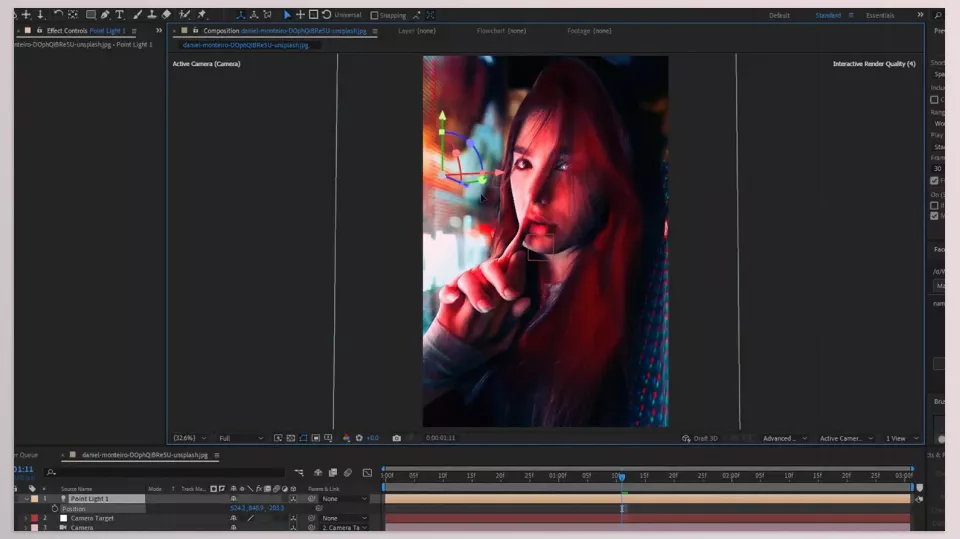
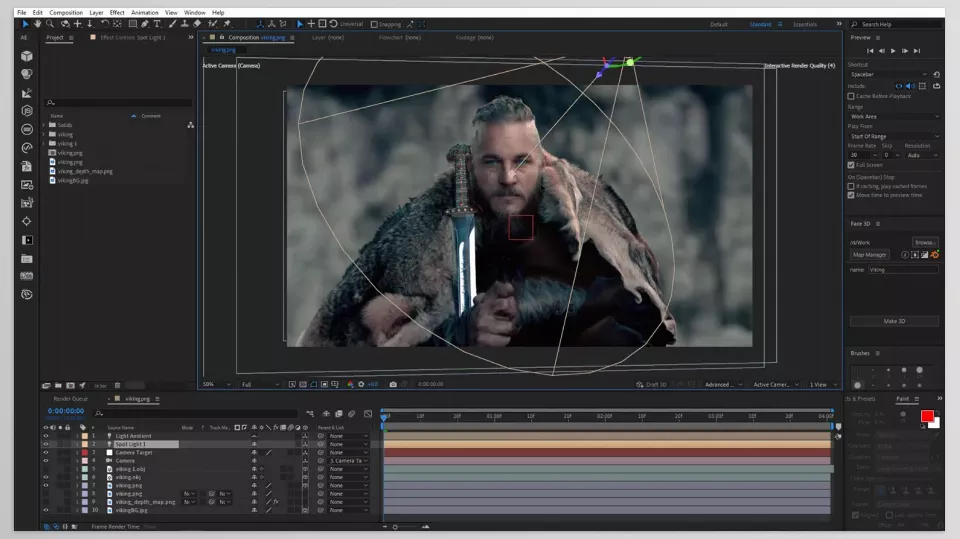
How to Use Face 3D Plugin Like a Pro
Even the best tool delivers average results if not used correctly. A few simple but important tips can take your Face 3D Plugin output from “interesting” to professional:
- 📸 Input Photo Quality
Uniform lighting and high resolution ensure accurate Depth Maps and preserve facial details like eyes and lips. - 🎥 Camera Movement
Smooth, gradual camera movement looks more natural and cinematic while preventing model deformation. - 💡 Scene Relighting
Subtle, targeted lighting appears more realistic and removes artificial or cartoonish effects. - 🧠 Check the Depth Map
Always review the generated Depth Map and adjust sensitive areas like eyes or hair if needed. - ⚡ Use Multiple Photos
Having several angles results in a more complete and natural 3D model, allowing more flexible rotation and movement. - 📦 OBJ Export
Open the model in Blender or Unity to add further details like hair and lighting. - 🎬 Combine with Effects
Using Motion Blur or Camera Shake in After Effects makes motion more natural and the scene more realistic.
By following these tips, your output won’t just be “interesting”—it will be fully professional, natural, and ready for use in ads, music videos, and social media projects.
No More Flat, Lifeless Photos!
With the Face 3D Plugin, there’s no need to spend hours on layer cutting, parallax tricks, or fake effects to make a simple photo feel 3D. In just a few clicks, your photos come alive—ready for movement, lighting, and real camera rotation.
Until now, if you had to rely on visual tricks or complex techniques to make photos appear 3D, it’s time to change your perspective. Face 3D Plugin makes even the simplest images look believable and cinematic, elevating the professionalism of your projects.
And the best part? It’s all natural, responsive, and camera-ready. Face 3D Plugin lets you make professional-level 3D animated faces without breaking a sweat over what used to be a huge problem.
If you’ve ever struggled to figure out which After Effects tools are actually worth using, our After Effects Tools guide gives you the complete picture and saves you hours of trial and error.



