

When Depth Builds the Story of Your Image
Do you know anything about the Depth Scanner 2 Plugin? Imagine you’re working on a video or motion graphic packed with details and eye-catching elements. Everything is on the stage, yet when you look at it, the image feels flat — the elements don’t seem to have any distance between them. You want to add a sense of depth and realism: maybe a touch of fog, maybe a natural depth of field like a professional camera, or even prepare the scene for a 3D stereo conversion to make it feel more lifelike.
But doing this the traditional way — creating manual masks, rotoscoping each element, and adjusting layers based on distance — can take hours, and even make your project spiral out of control. And even when the effects are applied, they might not look natural or could flicker between frames, ruining the whole effort.
Now imagine if there was a way to have all that depth and distance calculated automatically and precisely, so you could focus on creativity and design — not on tedious technical work.

What Is Depth and Why Does It Matter?
When you look at a real-world scene, your eyes naturally detect the distance between objects — something closer becomes blurrier, something farther appears sharper, or vice versa. That sense of distance and layering is what makes images feel alive and realistic.
In the digital world, however, that sense doesn’t exist automatically. To make software understand how far each part of an image is from the camera, we need something called a Depth Map.
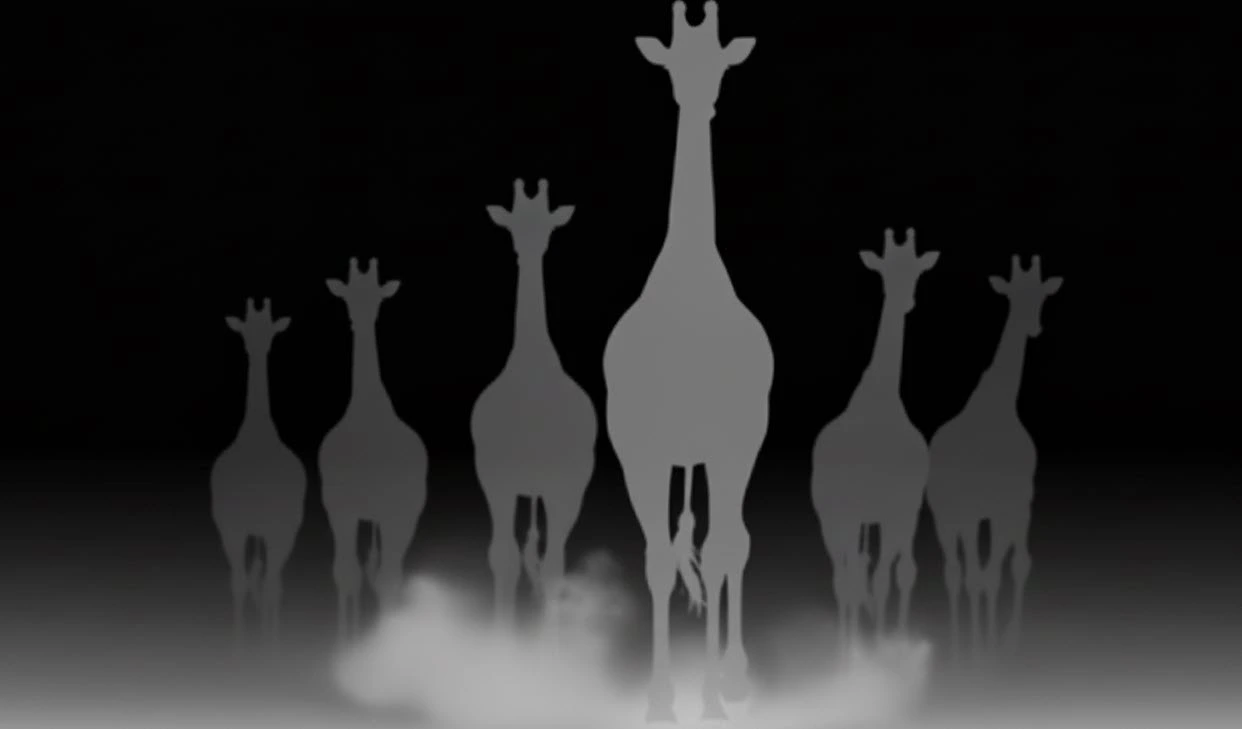
A depth map is basically a black-and-white image where brighter pixels are closer to the camera and darker ones are farther away. With this map, you can apply effects intelligently, based on the spatial distance of objects.
🎯 Main Uses of Depth Maps in Motion Graphics and Design:
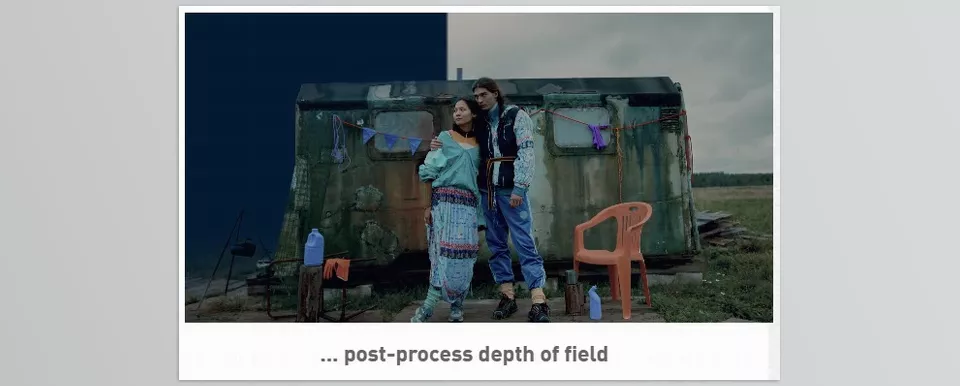
- Simulating Depth of Field (DoF)
Depth of field is the range of an image that’s in focus. In real filming, only part of a scene (usually the subject) is sharp, while the rest is blurred.
With a depth map, you can recreate this effect just like a real camera — the foreground sharp, the background beautifully blurred. - Adding Fog or Haze
Using depth data, you can easily add fog or haze that only affects distant areas, making the scene feel more natural and atmospheric. - Distance-Based Masking or Layering
Suppose you want to apply a color, light, or particle effect only to nearby objects. With a depth map, you can do it automatically and precisely — no manual masks needed. - Converting 2D Footage to 3D Stereo
With depth information, you can simulate the distance between the left and right eyes to turn regular videos into true stereoscopic 3D.
Overall, a depth map gives designers and animators fine control over space, distance, and focus — resulting in visuals that not only look more professional but also draw viewers deeper into the story.
Before the Magic Tools Existed…
Before today’s intelligent tools, creating depth in After Effects felt like solving a puzzle full of tiny pieces. If you wanted realistic depth of field or perceptible distance between layers, you had to wrestle with endless masks, effects, and manual adjustments.
For instance, to simulate Depth of Field, you only had native options like Camera Lens Blur — but to make it look natural, you’d have to handcraft masks for near and far subjects, adjusting the blur accordingly. It was time-consuming and exhausting, especially with animated footage.
If your goal was adding fog or haze, you had to stack several Adjustment Layers with Gradient Ramps and Opacity Masks so the effect only touched distant areas. In more complex scenes, you’d even have to duplicate and isolate layers just to make things look right.
For creative tasks like converting footage to 3D stereo or color-shifting by distance, things got even harder. You had to manually separate, move, and color-correct each layer while ensuring frame consistency.
Simply put, After Effects has the basics, but it doesn’t understand depth on its own. You have to teach it what’s near and what’s far — a slow and error-prone process.
Experience Depth the Smart Way
After all those tedious steps and endless masking, it’s time to let AI take over. Depth Scanner 2 Plugin is one of the smartest and most accurate tools for generating depth maps from images and videos — automatically detecting how far each pixel is from the camera, letting you create professional effects in just a few clicks.
🎬 Key Features and Uses
🧠 Automatic Depth Maps for Video
One of the biggest updates is its new video model, which calculates depth frame by frame — without flicker. For the first time, you can get natural, smooth depth even in motion shots.
🎥 Smart Depth of Field and Color Effects
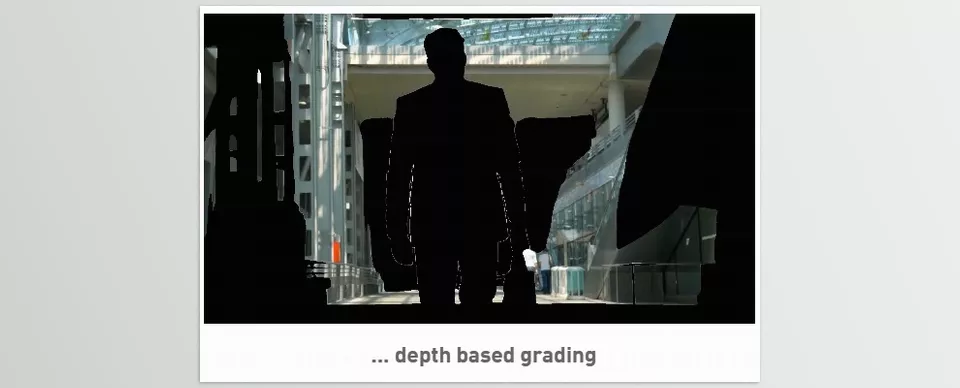
With the generated depth map, you get full control over the Depth of Field. Just define which areas are sharp and which are blurred to get a cinematic look. You can also grade colors based on distance — cooler tones for far regions, warmer tones for near ones.
✂️ Auto Slice and Mask by Depth
No more manual masking. The Slice feature automatically isolates video regions based on distance — apply effects to the subject only, or modify the background independently.
🎨 20+ Built-in Colormaps
Depth Scanner 2 Plugin isn’t just technical — it’s creative. Choose from over 20 colormaps to visualize or stylize depth data, great for quick previews or artistic color effects.
⚡ GPU Acceleration for Blazing Speed
With full support for NVIDIA GPUs and Apple Silicon (M1/M2), you can harness hardware acceleration for dramatically faster results — professional quality in a fraction of the time.
In short, Depth Scanner 2 Plugin bridges the gap between 2D imagery and 3D space. What once took hours now takes minutes — with precision even manual methods can’t match.
How to Work Like a Pro with Depth
When using an intelligent tool like Depth Scanner 2 Plugin, the key is understanding how to use depth data to create more natural effects. A few simple but powerful tips can make all the difference 👇
🎥 1. Start with Colormap for Fine Adjustment
Before applying effects, enable colormaps to see how the depth map was generated.
If areas are too bright or too dark, your depth range needs tweaking. Colormaps give you instant visual feedback for quick calibration.
🌫️ 2. Combine Depth with Built-in AE Blurs
Instead of relying on preset blurs, use Camera Lens Blur or Gaussian Blur in After Effects with the exported depth map.
This makes your Depth of Field more realistic and smoothens subject-background transitions.
🎨 3. Use Depth Maps for Smart Color Grading
Apply the depth map as a mask in Lumetri Color or Curves to grade lighting and tone by distance.
For example, tint distant areas slightly blue to enhance atmospheric depth.
🪄 4. Add Special Effects Like Fog, Dust, or Volumetric Light
By combining depth maps with Particle Systems, you can create effects like floating dust or volumetric rays.
Just emit particles in the brighter (closer) zones to enhance the depth illusion.
⚡ 5. Leverage GPU Power, Especially for Heavy Projects
If you have a powerful GPU like an NVIDIA RTX or Apple M2, enable GPU processing.
In GPU mode, depth generation runs several times faster — a huge time-saver in long video projects.
Ultimately, the golden rule: don’t treat the depth map as a one-time tool. Treat it as a smart information layer. Wherever you need precise control — blur, lighting, color, or contrast — your depth map is your best ally.
When Depth Transforms Your Visual World
In today’s fast-paced creative world, time is more valuable than ever. Creating complex visual effects like depth of field, fog, or 3D illusions has always required precision and patience — until now.
Depth Scanner 2 Plugin changes that equation. Instead of spending hours on masking, layering, and manual tweaking, you can generate an accurate depth map in seconds and start creating with intelligence. The result?
More realistic images, cinematic depth in your videos, and visuals that truly captivate your audience.
Best of all, this tool isn’t just for professionals. Even if you’re a beginner, with a bit of practice you can achieve results once reserved for big studio projects.
So if you’ve ever wished your images could break free from flatness, it’s time to bring depth into your creative world. ✨
Depth Scanner 2 Plugin isn’t just a tool — it’s a new way to see your images.
Enjoyed the Depth Scanner 2 Plugin article? If you want to explore After Effects and its full range of tools in depth, check out our comprehensive guide to After Effects tools.



