A Magical Touch Your Photos Are Missing
Have you checked out the Presley Presets Collection? We all have those photos that are nice, but not quite… There isn’t enough light, not enough contrast, they’re not dramatic enough. We take these hours attempting to create depth ourselves, only to find that we’re underwhelmed by the outcome.
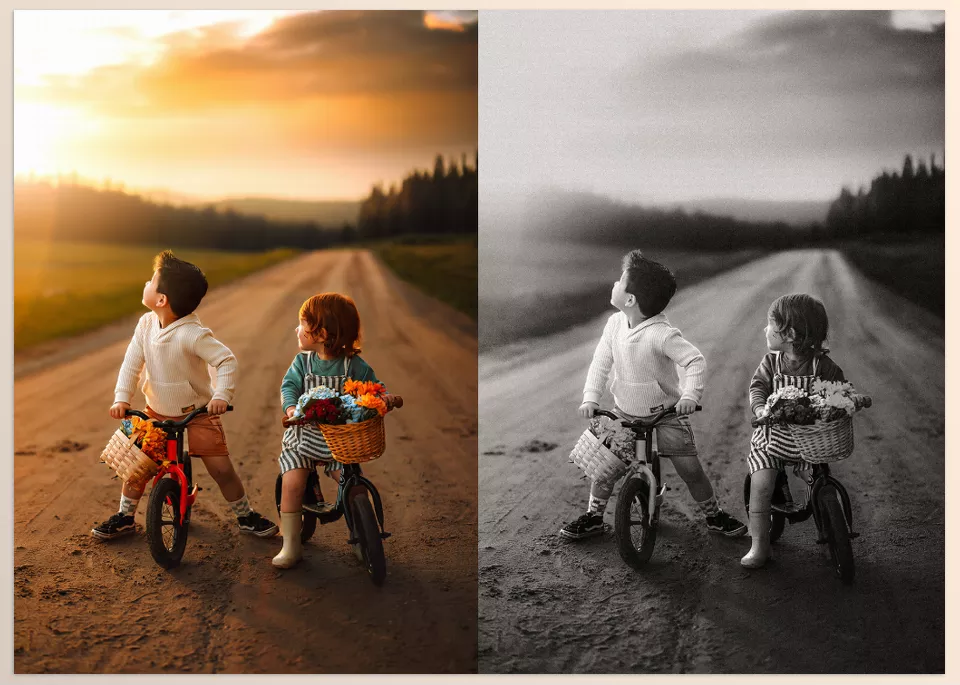
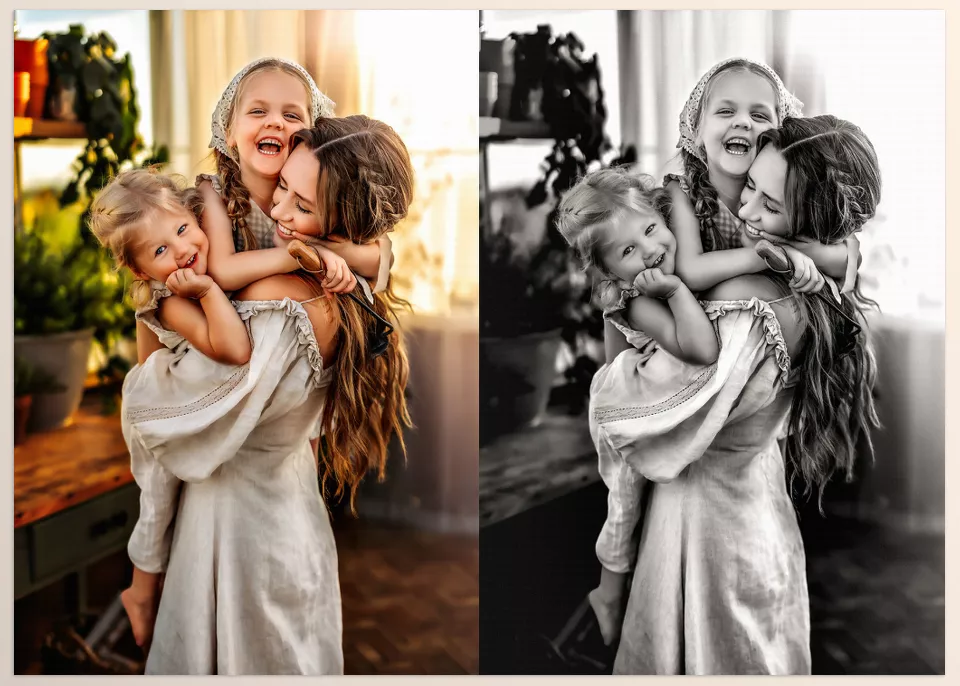
Imagine a way to transform an ordinary photo into a deep, professional, cinematic black-and-white image—effortlessly, without complex adjustments. Shadows and highlights are perfectly balanced, details pop, and the photo instantly becomes captivating and unique.
And the best part? It doesn’t require special skills or hours of work. Just a few simple clicks, and you get what’s taking us hours to do ourselves, to such limited effect. But now, are you prepared to see how easy this transformation can be for your photos and add a truly cinematic edge?

When You Have to Adjust Everything Yourself…
Without presets, everything is in your hands. Light, contrast, color tone, even the photo’s grain… everything must be adjusted individually. And each photo tells a different story; what works for one may not work for the next.
Lightroom and Camera Raw offer useful tools, such as:
- Brightness and contrast adjustments
- Color and tone adjustments
- Adding grain and texture
But honestly, this process is exhausting and time-consuming. And the result isn’t always what you imagined. Often, you have to try several times to get a photo that’s even somewhat good.
To be honest, manually editing everything makes achieving a natural and professional look challenging. And if you want a true cinematic depth in your photos, this path is long, full of trial and error.
How The Presley Presets Collection Makes Your Photos Professional
The Presley Presets Collection includes an extensive set of 103 ready-to-use presets and brushes, allowing you to transform any image into a professional, cinematic black-and-white photo. Practical examples of using these presets can be categorized as follows:
1. Portraits
- Presets automatically optimize contrast and lighting to preserve facial depth and skin details.
- Soft, controlled grain makes the image look natural and professional.
- Using preset brushes allows you to enhance or reduce light in specific facial areas without affecting the rest.
Result: A portrait with cinematic feel, visual depth, and delicate details—perfect for prints, portfolios, and social media.
2. Street and Landscape Photography
- Presets adjust lighting and color tone to showcase textures, lines, and shadows optimally.
- Soft, consistent grain gives the photo a classic, professional look.
- Combining presets and brushes lets you highlight or tone down specific areas to guide the viewer’s eye exactly where you want it.
This method is especially effective for photos with complex lighting or high contrast, delivering results without manual fine-tuning.
3. Product and Commercial Photography
- Presets allow selective enhancement of details like background, surfaces, and product textures.
- Precise control over contrast, shadows, and highlights ensures a polished, professional commercial appearance.
- Brushes let you adjust or enhance specific areas without damaging the rest of the image.
Combining presets and brushes provides high flexibility for refining small details while maintaining overall image harmony.
4. Practical Benefits
- Time-saving: A few clicks turn ordinary photos into professional black-and-white images.
- Predictable results: Presets are standardized and optimized, ensuring consistent professional results across multiple projects.
- High flexibility: Combining presets and brushes allows precise adjustments to shadows, highlights, and grain without advanced editing knowledge.
- Versatile application: Suitable for portraits, street photography, commercial work, or product shots—every type of image can benefit.
Overall, the Presley Presets Collection is a complete, professional tool for creating high-quality black-and-white images without spending hours on manual adjustments. It provides a fast, reliable, and standardized solution for all black-and-white photo projects.
How to Work More Professionally
If you want your photos to look truly professional and striking, these simple tips can help:
- Use brushes:
Enhance light or shadows in specific areas (like faces in portraits or important photo details)
Gain precise control over key areas without altering the entire photo - Combine presets:
Some presets are better for shadows, others for highlights, and grain
Combining them creates a unique style that no one else has - Adjust Grain and Highlights subtly:
Makes photos look more natural and cinematic
Don’t overdo it; the goal is a professional and natural feel
By following these simple tips, even a few clicks can elevate your photos to look like you spent hours editing. Remember—the real magic is in the small details—those tiny touches that truly bring a photo to life.
A Classic Touch, Thousands of Emotions
With Presley Presets Collection, it’s like having a super professional toolbox that turns any ordinary photo into a cinematic masterpiece. No more struggling with manual adjustments or worrying about the outcome—everything is ready and at your control.
Your photos now have depth, contrast, and a real cinematic feel, as if each image is speaking to the viewer. With one simple choice, you have the power to create a professional, striking piece—something that used to take hours.
And the best part? It’s worth trying. Once you get your hands on it, you’ll see that these presets aren’t just tools—they become your constant companion for photography and design projects; a feeling of mastery and creativity that only this collection can deliver.
If you’re interested in pushing your color grading to a more professional level, we’ve published a full, easy-to-follow article that covers the entire process. It’s definitely worth reading—you’ll discover helpful tips that you can apply right away.