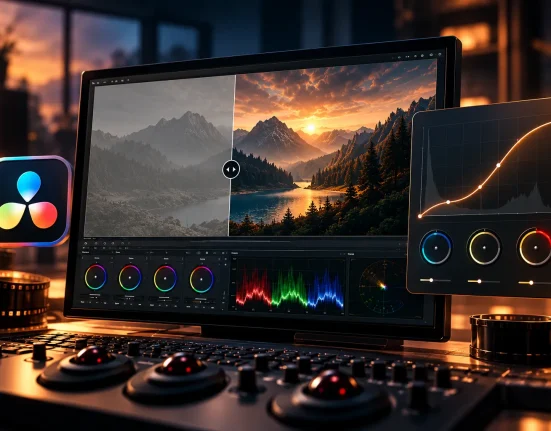
When Digital Isn’t Enough
Are you aware of what the Dehancer Film offers? Even though today’s digital cameras have reached the pinnacle of accuracy, resolution, and control, there’s still something missing in their images—the warm, intimate feeling you get from analog film photos. Digital photos sometimes appear too clean and perfect, as if something from “real life” is missing.
On the other hand, film photos are full of small imperfections that might be considered flaws technically—like grain, light haloes, or subtle color shifts—but these are exactly what make an image feel more natural and alive. A kind of beautiful mess that the eye connects with more easily, making the image feel real.
For this reason, photographers have been trying for years to recreate this vibe in digital photos. But achieving that feeling isn’t just a matter of dropping in a preset or a filter; the “film look” is the result of how light, color, and even tiny mistakes interact, and these need to be precisely recreated.

What is Film Emulation?
Film emulation means simulating the look and behavior of analog films on digital photos—from the unique colors of each film type to soft tones, fine and coarse grain, light haloes, and even the texture that makes it feel like the photo is printed on paper. In short, anything that makes a photo look “filmic” is recreated in film emulation.
But here’s the important part: film emulation isn’t just a pretty effect you slap on a photo. It’s based on the optical and chemical logic of film; it tries to make digital photos react to light and color just like real film would. That’s why the output usually feels more natural, emotional, and full of soul—as if the photo contains a little story of its own.
Where is Film Emulation Used?
- Editing portraits to convey nostalgia or softness
- Creating cohesive photo collections for brands and campaigns
- Adding a cinematic mood to photography projects
- Establishing a consistent personal style for a photographer’s branding
In short, film emulation is for those who want to bring a more human, intimate feeling to their photos—adding that “little soul” that digital images usually lack.
Traditional Methods — When No Plugin Is Available
If you don’t use any specialized tool or plugin, the only option is to manually create a film-like look in Lightroom or Photoshop. This means simulating the behavior of film frame by frame. Usually, the workflow includes:
- Careful curve adjustments to mimic the contrast of old films
- Color tweaks using HSL to create warm, cool, or faded film tones
- Adding noise to simulate real film grain
- Using masks to recreate halation around light sources
- Creating bloom and glow with brushes and layers for a cinematic feel
These methods can work, but in reality, they come with several significant issues that can be exhausting over time:
Main Issues with Manual Editing
- Time-consuming, especially when dealing with dozens or hundreds of photos
- Requires high skill; you need to understand exactly how light, color, and tones work
- Non-reproducible; each photo must be adjusted from scratch
- Digital grain usually looks artificial and lacks the life of real film
- Simulating famous films is nearly impossible because each film’s color and behavior is very complex
For this reason, many editors prefer tools built on real film scans. They are faster, more natural, and consistent across all images.
Dehancer Film — Real Film Simulation
This is where Dehancer Film comes in. Designed for Photoshop, Lightroom, and Capture One, this plugin aims to replicate the real look and behavior of analog films on digital photos—not just colors, but texture, light, and even the chemical reactions of film. This makes photos feel alive and emotional, not just clean and sharp.
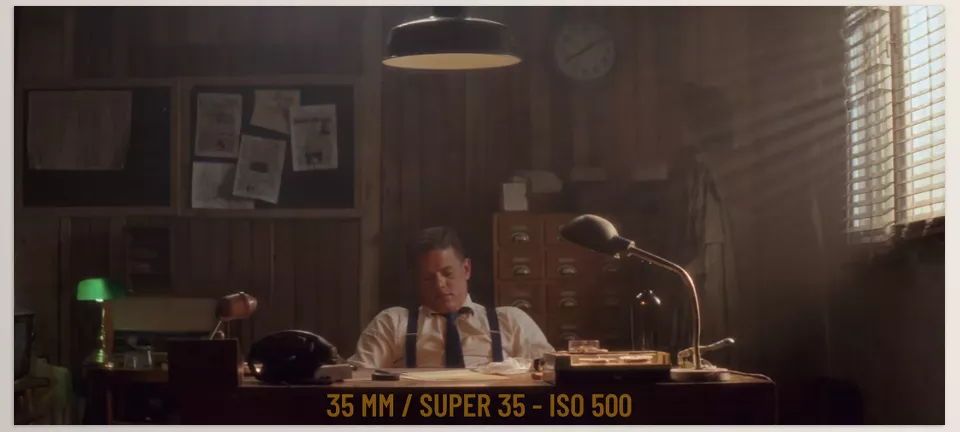
Dehancer is based on actual scans of various films, including 35mm, 65mm, 16mm, and Medium Format. This makes the results far more natural and accurate than typical presets or LUTs—as if real film had been captured on your digital sensor.
Key Features:
🎞 Real Film Profiles (60+ Profiles)
- Kodak Portra 160 / 400 / 800
- Fuji Pro 400H
- Ilford HP5 & Delta
- Cine Profiles like Kodak Vision3
- Cinematic print profiles like Kodak 2383 & Fuji 3513
These profiles ensure that colors and tones match real films, allowing even cinematic or professional print outputs.
🌀 Real Grain (Not Digital Noise)
Dehancer Film’s grain is designed from actual film emulsion scans, with adjustable size, intensity, and sharpness. Shadows, midtones, and highlights each react differently for a natural look.
🔥 Halation
Warm haloes around lights, just like real film. Even the halo colors can be adjusted for an authentic film feel.
✨ Bloom
Softens lights and glows for a cinematic effect, reminiscent of vintage lenses.
🧪 Film Developer & Film Compression
Simulates the chemical behavior of film during development, ensuring tones and contrast are realistic.
🖨 CMY Color Head
For darkroom printing, it reproduces tones accurately, making colors appear realistic on paper.
Supplementary Tools
- Vignette: For light focus
- Defringe: Remove unwanted color haloes
- Overscan: See the full frame, including edges
- Histogram & Clipping: Precise control over light and color
With all these tools, Dehancer Film acts like a complete film toolkit, letting you quickly and easily turn digital photos into realistic, cinematic images.
Pro Tips — How to Get the Best Results
- Add grain only enough to maintain a natural film feel; avoid overloading the image
- Use halation mainly for night shots or bright light sources for soft, natural halos
- Bloom should be subtle for portraits to keep skin light attractive while preserving details
- For cinematic or print work, always use print profiles to maintain accurate tones and colors
- If effects seem too strong, use Output Preserving to keep the image balanced
Following these simple tips ensures the final output looks natural, professional, and authentically film-like.
Conclusion — Why It’s Worth Trying
Dehancer Film allows photographers to achieve a realistic, film-like look without the hassle of manual editing and hours of effort. The results don’t look like Instagram filters or artificial presets—they behave just like real film in terms of light and color, giving your photos life and emotion.
With this tool, you can create images with more character, texture, and a human feel. Even branding, portrait, or landscape projects look professional and cinematic.
Ultimately, if you want to turn simple digital photos into real, emotive film-like works, Dehancer Film is one of the most complete and user-friendly tools available today.
If you’re looking for a clear and complete explanation of color grading, we’ve assembled a detailed article that simplifies the entire workflow. I really recommend giving it a read—you’ll gain knowledge that makes a real difference.