


When After Effects Starts Stressing You Out More Than the Design 😵💫
Are you familiar with the Claude Scripter Plugin by aescripts, which is powered by AI? If you’ve been working with After Effects for a while, you’ve probably experienced moments when, in the middle of a project, you’re spending more time dealing with repetitive tasks than actually designing or coming up with creative ideas. For example, you might spend hours renaming layers, organizing keyframes, adjusting expressions, or cleaning up a project that has gradually become cluttered and messy 😅
The problem is that these tasks are neither exciting nor creative, yet they consume a huge amount of time. Especially when a project becomes complex, or the number of layers increases, a large portion of your energy ends up being spent on things that have little to do with the creative side of the project. Sometimes it even feels like you’re managing the project more than you’re actually designing it.
That’s why many motion designers are always looking for ways to make these processes faster and easier, so they can spend more time on actual design work. ✨ New AI-powered tools are especially appealing at this point because they aim to take some of these tedious tasks off users’ shoulders and streamline workflows.

How Exactly Does AI Help in After Effects? 🤖
Over the past few years, AI tools have gradually entered the world of motion graphics, with the primary goal of simplifying time-consuming and repetitive tasks. In practice, these tools act more like assistants that handle technical and tedious work so you can focus more on the creative side of your projects 🎯
For example, imagine you need to apply a similar change to many layers or run a specific expression across multiple objects. Doing this manually takes time and increases the chance of mistakes. AI tools try to shorten this process; instead of diving into coding or complex settings, you simply describe your goal, and the tool attempts to perform the task for you 🚀
How Are These Tasks Done Without Plugins? 🛠️
After Effects already comes with powerful tools, and many professional users have relied on its built-in features for years. To automate certain processes, people usually use methods such as:
- Using Expressions to create automated movements and behaviors
- Writing scripts with ExtendScript or JSX
- Using Animation Presets
- Manually copying and adjusting layers and keyframes
- Using After Effects’ built-in project management tools
These methods remain highly useful, and many professional projects are built using them. Especially for users with strong technical experience, After Effects’ built-in capabilities remain powerful tools.
What’s the Main Problem with These Methods? 😬
Although these methods are powerful, they aren’t always fast or easy. Writing expressions or scripts usually requires solid technical knowledge, and even if you’re comfortable with coding, a significant amount of time is still spent testing, debugging, and fine-tuning details. In complex projects, the likelihood of mistakes also increases—especially when dealing with many layers or similar animations.
On top of that, scripts you create aren’t always easy to manage or reuse later, which often means having to repeat the same work from scratch. That’s exactly why many designers turn to tools that make these processes faster, simpler, and smarter ⚡
What Exactly Is Claude Scripter? 🧠
Claude Scripter is an AI-powered plugin for Adobe After Effects, designed to make technical and repetitive tasks easier and faster. Essentially, it acts as an intelligent assistant that turns text-based requests into scripts and executes them directly in your project.
The core idea is very simple:
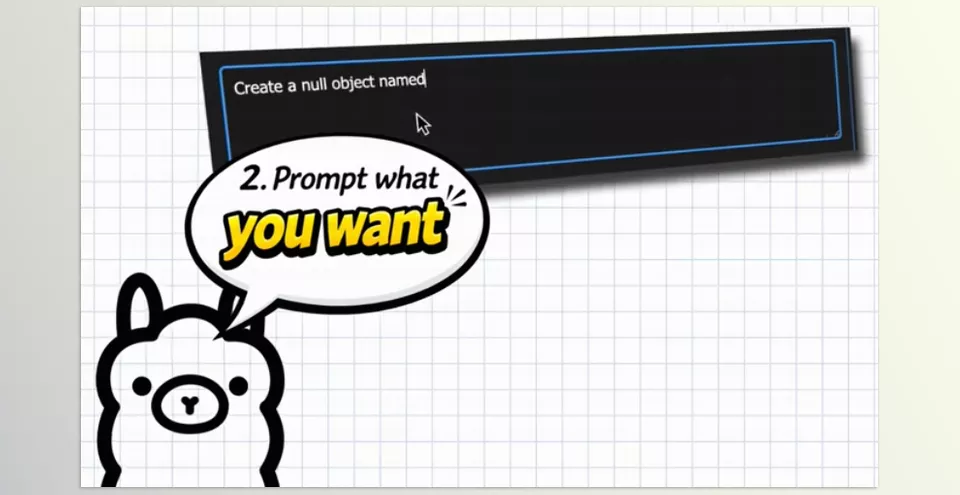
You describe what you want to happen, and the plugin writes and runs the required code for you. Instead of spending hours searching for ready-made scripts or diving into coding, you simply write your goal in plain language.
For example, you can make requests like:
- Make all selected layers blue
- Add a loop to the Rotation property
- Evenly distribute layers across the composition width
- Arrange keyframes with a specific spacing
- Rename all Shape Layers
- Create a square that spins faster and faster over time
The plugin then uses AI models to generate the appropriate script and execute it directly inside After Effects 💡
What’s interesting is that Claude Scripter isn’t limited to very simple tasks. It can also be useful in real-world projects for layer management, project organization, creating expressions, automating repetitive workflows, and even building simple animations. This can save significant time, especially on large, complex projects.
What Makes Claude Scripter Appealing? ✨
Control Using Natural Language 💬
The most important feature of this tool is that you don’t need to know scripting.
Instead of writing code, you simply write your request the same way you’d explain it to another person, and the plugin attempts to convert it into actual code.
This is especially attractive for people who have always avoided the technical side of After Effects or never had enough time to learn ExtendScript and Expression writing 😄
At the same time, professional users can also use it to speed up everyday tasks. After all, even writing a small script manually often takes more time than you’d expect.
Direct Script Execution Inside After Effects ⚡
One of the best aspects of Claude Scripter is that everything happens directly inside After Effects.
There’s no need to copy code from ChatGPT or various websites and execute it manually afterward.
The plugin generates the script, runs it, and displays the result directly in your project. This makes the workflow much faster and smoother—especially when you’re in the middle of a project and don’t want to constantly switch between different applications.
Saving Useful Scripts 📚
Another practical feature of Claude Scripter is the ability to save successful scripts and reuse them later.
For example, if you discover a useful command for organizing layers or creating an animation, there’s no need to rewrite the same request next time. You can simply run the saved script.
This feature is incredibly valuable for projects with repetitive workflows and can even improve team productivity 🚀
Support for Multiple AI Models 🌍
Unlike some tools that are limited to a single service, Claude Scripter supports multiple AI models.
Including:
- Claude
- ChatGPT
- Gemini
- Grok
This gives users the flexibility to choose whichever model best fits their needs.
It also supports connections to local models such as Ollama and LM Studio. This means you can use your own models without API costs—or even work completely offline 🖥️
What Types of Projects Benefit Most from This Tool? 🎬
Claude Scripter shines most in projects with many layers or a high volume of repetitive operations. These are typically projects where a significant amount of time is spent on management and setup rather than actual design work.
For example, it’s particularly useful for:
- Commercial advertisements
- Social media motion graphics
- Typography projects
- Template creation
- Large and complex projects
- Producing multiple versions of the same motion design
- Organizing collaborative team projects
In these situations, automating part of the workflow can save a considerable amount of time ⏳
Especially when deadlines are approaching, and you need to deliver results faster.
Of course, this tool isn’t meant to replace creativity or design skills. Ideas, composition, animation, and major creative decisions still depend entirely on the designer. What it does is reduce the burden of repetitive and tedious tasks so you can focus more on the creative side of the project ✨

A Few Tips to Help You Get Better Results 💡
If you want to get better results from Claude Scripter, there are a few simple tips that can genuinely improve both the quality of the output and your workflow speed. Most of these come down to how you write your requests and manage your scripts.
The better your interaction with the tool, the more professional and accurate the results will be 🚀
Write Clear and Specific Requests ✍️
Try to make your prompts as clear as possible. The more complete your explanation is, the more accurate the AI’s output will be.
Start with Simple Tasks First 😄
It’s usually best to begin with lighter tasks such as renaming layers, adding loops, or organizing objects, and then gradually move on to more advanced capabilities.
Save Good Scripts 📚
If you achieve a good result, make sure to save the script. This can save you a significant amount of time in future projects.
Review the Output Before Final Execution 👀
AI can speed up your workflow, but it’s still a good idea to review the final result before rendering or delivering a project to ensure everything has been executed correctly.
Use It More in Complex Projects ⚡
When you’re dealing with a large number of layers or repetitive operations, this tool can significantly reduce workload and help you complete projects faster.
Ultimately, Claude Scripter becomes most valuable when you want to handle repetitive and time-consuming tasks more efficiently, giving you more time to focus on the creative side of your project ✨
Why Are Tools Like Claude Scripter Gradually Becoming Essential? 🚀
Artificial intelligence is gradually evolving from a supplementary tool to a core part of the motion graphics industry’s workflow. Tools like Claude Scripter demonstrate that AI is not limited to generating text or images—it can also play a direct role in practical design and animation workflows. Instead of spending hours dealing with repetitive tasks, technical settings, or scripting, you can delegate part of those processes to an intelligent assistant.
The most exciting part is that interacting with the tool feels completely natural and simple. You don’t need to be a programmer or spend hours learning how to code. You simply describe what you have in mind, and the AI attempts to turn it into a real After Effects script 🤖 This means that work that previously required searching, testing, troubleshooting, and significant time investment can now be completed in just a few seconds.
For many motion designers, the real value of Claude Scripter isn’t just about working faster—it’s about changing the way they work. When AI becomes part of the production process, users can spend less time on technical tasks and more time focusing on creativity, ideation, and improving project execution ✨ And that is probably exactly the direction in which the future of motion graphics tools is moving.
Stop making your After Effects workflow harder than it needs to be. Our easy-to-follow guide introduces useful tools and practical techniques that can help you edit faster and more effectively. Check out the After Effects Tools guide today and take your creative workflow to the next level.



