

🌤 When Photos Need to Convey a Feeling Too
Have you tried the Joshua Mannila Presets at any point? Often, your photo may be technically correct – yet when you look at it for a few seconds, you realize that there is some important feeling missing from the image. Perhaps the photo needs to capture warmth or some cinematic atmosphere. It may look great in terms of lighting and quality, but it simply isn’t the photo you had in mind when you took it. In this situation, you realize that there is a difference between having a technically correct photo and an emotionally impactful one.
The truth is that many photos don’t have problems when they’re captured; the real challenge begins when the image is expected to communicate emotion. A good photo isn’t meant to be seen only—it should create a specific mood, make the viewer pause for a brief moment, or even bring back a familiar memory or feeling. When that doesn’t happen, the image becomes nothing more than a clean but lifeless result, something people can easily scroll past without feeling connected to it.
Ultimately, the element that plays the biggest role is not photography techniques or even editing—it’s the image’s color identity. 🎨 It’s the visual signature that makes photos feel connected rather than simply placed next to each other, creating a unified visual world. When the right colors and emotions come together, even the simplest photos become part of a cohesive story rather than standalone images.

🎨 What Exactly Are Presets and Why Have They Become So Important?
Presets are essentially pre-made adjustments for color, lighting, and contrast that can be applied to a photo to quickly achieve a specific visual style. Instead of starting from scratch every time and manually adjusting every setting, you begin with a professional foundation that significantly shortens the editing process.
This means you can quickly transform an ordinary photo into a warm golden atmosphere 🌅, a cold cinematic mood ❄️, or even an emotional black-and-white image ⚫️. What makes these tools valuable isn’t just their speed—it’s their ability to help you achieve a consistent visual style, something that is incredibly important in professional work.
🧰 What Is the Workflow Without Presets?
If you decide to edit without presets, the entire editing process practically starts from zero, and everything must be adjusted manually inside applications like Adobe Lightroom Classic or its mobile version, Adobe Lightroom Mobile. Instead of having a ready-made foundation, every photo requires you to work through the details individually and build every adjustment based on that specific image. This approach is more like creating a color signature from scratch rather than using a shortcut.
In this workflow, the editing process usually includes several repetitive steps:
- Adjusting Exposure to control the overall brightness of the image.
- Correcting White Balance to achieve natural-looking colors.
- Working with the Tone Curve to create contrast and depth.
- Adjusting HSL for precise color control.
- Applying final color refinements and finishing effects.
Each of these steps requires careful attention, and the final result is usually highly dependent on the editor’s experience and personal taste.
⏳ Challenges and Limitations of This Method
The biggest drawback is that although this approach gives you complete control, it quickly becomes a time-consuming, repetitive workflow. When every photo requires you to decide from scratch how the colors, lighting, and overall mood should look, the editing process becomes slower and consumes a significant amount of mental energy. On top of that, because everything is adjusted manually and influenced by your mood at the moment, it’s very easy for the final results to become inconsistent, causing the visual cohesion of an entire project to disappear. For photographers and creators working with large collections of images or ongoing projects, this eventually leads to both fatigue and inconsistency.
✨ What Does Joshua Mannila Presets Actually Offer?
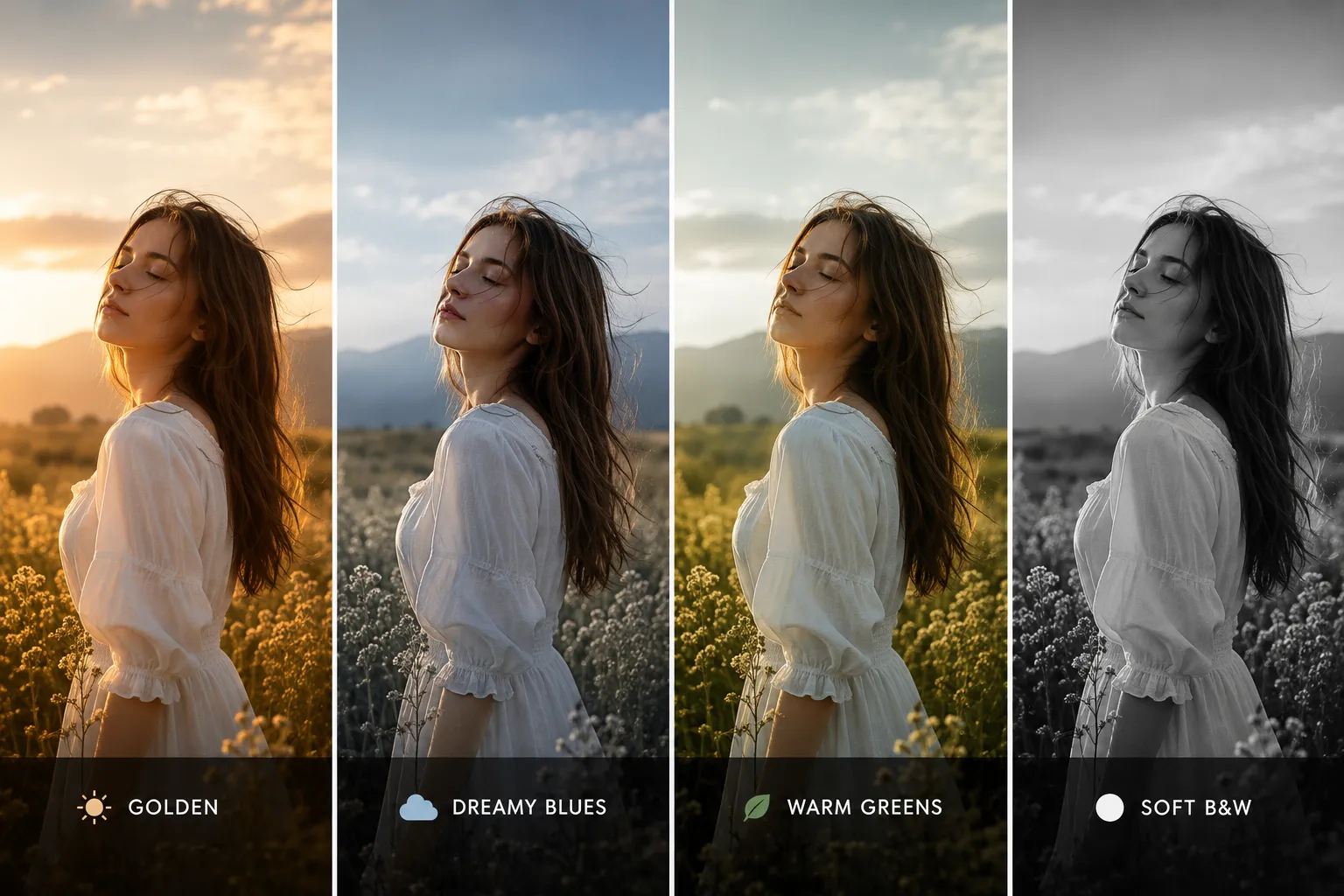
Joshua Mannila Presets is a collection of four ready-made presets for Adobe Lightroom Classic and Adobe Lightroom Mobile, designed to help users build a consistent cinematic color identity much faster. 🎬 Instead of starting from scratch with lighting, color, and contrast adjustments, you begin with a professionally designed foundation that immediately moves your image toward a defined visual style. The important point is that these presets are more than simple color filters—they combine tone adjustments, contrast, color grading, and image softening to deliver a consistent, predictable final result.
This package is especially useful for anyone who wants to maintain a consistent style throughout their work—for example, photographers specializing in portraits or outdoor photography, or content creators who want their Instagram feed to have a unified visual appearance. Rather than designing each photo individually, you start with a ready-made base and make only small adjustments, such as exposure or white balance, to reach the final result. This significantly speeds up the workflow while ensuring that all your images feel visually connected through their colors and atmosphere.
🌅 Golden
This preset focuses on warm, golden lighting and is inspired by the atmosphere of the golden hour—the moment when sunlight becomes soft, diffused, and highly cinematic. The result is a warm, gentle, slightly nostalgic image that performs especially well on naturally lit portraits or backlit scenes. It helps skin tones appear more natural while also giving them a subtle glowing look without making the image overly orange or artificial.
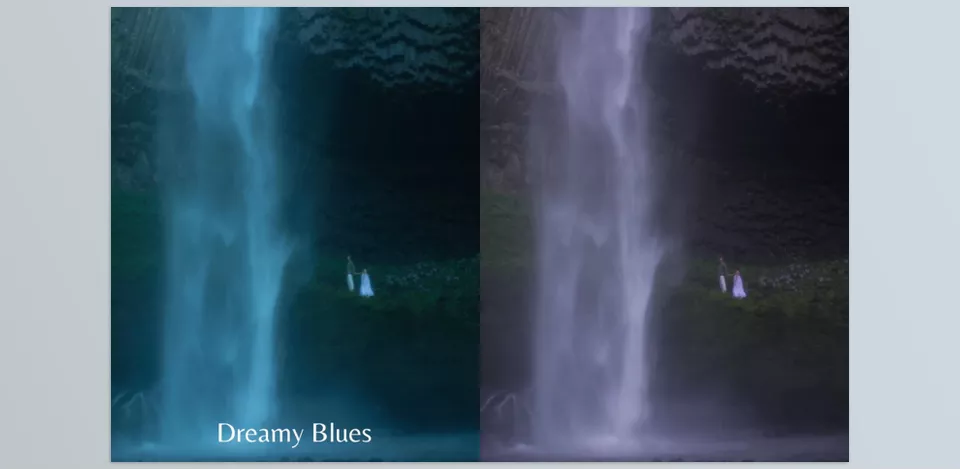
🌫 Dreamy Blues
This preset is designed to create a cooler, calmer, and slightly emotional atmosphere. ❄️ Its primary focus is on blue tinting, combined with a slight reduction in contrast, giving images a softer, more cinematic appearance. It works particularly well for photos captured on cloudy days, in shaded environments, or under low-light conditions, producing a dreamy, cinematic feel without sacrificing detail or making the image overly gray.
🌿 Warm Greens
This preset is specifically designed for nature photography and outdoor environments, focusing on richer yet carefully controlled green tones. It transforms ordinary greens into warmer, more cinematic colors. 🌿 As a result, images appear both more vibrant and more natural, making it an excellent choice for forests, parks, or outdoor portrait photography.
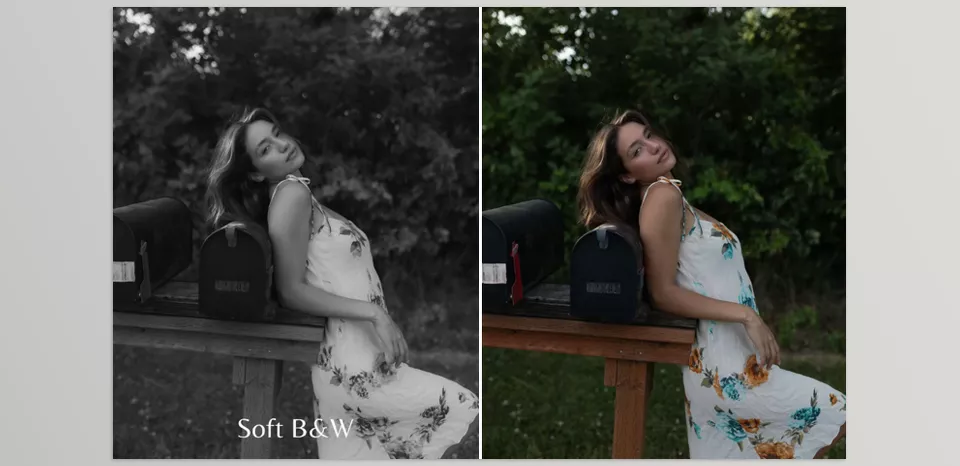
⚫ Soft B&W
This preset is intended for situations where you want to remove color entirely while preserving the image’s emotion. Unlike harsh black-and-white conversions, this one maintains softer contrast and preserves skin details and lighting more naturally. The result is a clean, minimalist, and emotional image that draws all attention to the subject’s form, lighting, and expression rather than its colors.
Ultimately, Joshua Mannila Presets can be seen as a smart shortcut to achieving a distinctive color style. 🎬 Instead of repeatedly adjusting the same settings and rebuilding every photo from scratch, you begin with a solid foundation that immediately guides your images toward a consistent cinematic atmosphere. As a result, the editing process becomes much faster and significantly easier, producing professional, controlled results without sacrificing the flexibility and personal touch of manual editing.
🧠 How to Get the Best Results from Joshua Mannila Presets
If you want to get the most out of Joshua Mannila Presets, there are a few simple yet important tips that can make your final results look much more professional. This section is really about how to turn a ready-made tool into a personalized and refined result.
Adjust Exposure First, Then Apply the Preset
Always correct the base exposure of your photo before doing anything else. When the image has the proper exposure and overall brightness, the preset will blend much more naturally and cleanly with the photo.
Always Check the White Balance
After applying the preset, review the White Balance, as colors often need slight adjustments based on lighting conditions to appear more natural.
Control the Color Intensity
Sometimes a preset may produce a result that looks slightly too warm or too cool. In those cases, adjusting the Vibrance or Saturation helps create a more balanced final image.
Pay Attention to the Lighting Conditions of Each Photo
Not every preset is designed for every lighting situation, so before applying one, consider the conditions in which the photo was taken (sunny, cloudy, indoor, etc.).
Avoid Constantly Switching Between Presets
Instead of continuously jumping from one preset to another, choose one and gradually refine and customize it to match your own style. 🎯
Ultimately, the most important thing to remember is that a preset is only a starting point—not the final version of your work.
🎯 When Colors Become Part of the Story
Ultimately, Joshua Mannila Presets serve as a well-designed shortcut to achieving a distinctive color identity more quickly. 🎬 Instead of diving into complex lighting and color adjustments from scratch every time, you start with a ready-made foundation that immediately defines the direction of your image and helps your results reach the desired mood and atmosphere much faster.
Instead of focusing on the technical skills required to achieve such distinctive color edits, Joshua Mannila Presets allow photographers to focus on the image’s feel and the story they want to tell their viewers. 🎨 A great photo is more than just a technically correct image – it should show a specific mood or emotion to the viewer.
That’s why having a ready-made, controllable color style can clearly distinguish an ordinary edit from a professional result. 📸 And that’s exactly where Joshua Mannila Presets become more than just a simple photo effect—they become a powerful tool for creating your own visual signature.
If you’re looking for a Lightroom preset pack that focuses more on natural, timeless edits while maintaining a consistent visual style, Authentic Love Presets is another excellent choice. Check out our full review to see how it compares and which preset collection best fits your editing workflow.



