

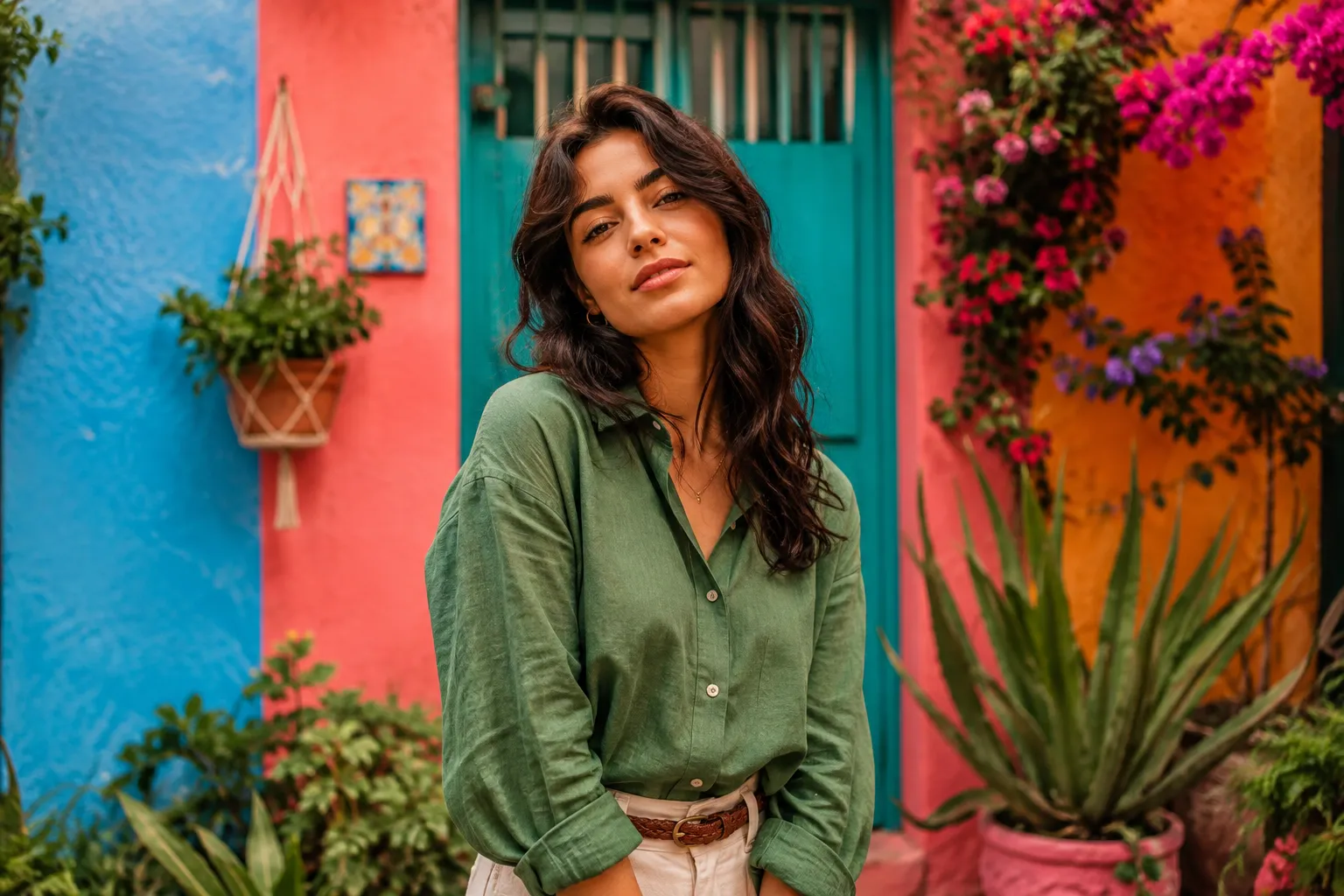
The Secret to a Consistent Style for Everyday Photos 🎨
Do you know about the PW Daily Pack III by Polina Washington? Have you ever taken an amazing photo, only to open it in Lightroom and feel like the scene’s real mood got lost? Often, the problem isn’t the camera; it’s that achieving an attractive, professional color look takes more time than we think.
Now imagine having hundreds of photos after every shoot and wanting them all to share the same visual identity. Adjusting the light, contrast, and color sliders from scratch every time is exhausting, and it can also make each photo look different from the last.
That’s why many photographers and content creators look for a fast and consistent workflow: a method that can make their photos look more professional in just a few seconds without sacrificing creativity, while giving their gallery a distinctive color signature.

What Exactly Is a Color Preset and What Is It Used For? ✨
A preset in Lightroom is a collection of saved settings for Color, Contrast, Exposure, Tone Curve, and other editing parameters that you can apply to a photo with a single click. Instead of editing every image from scratch, you can start with a ready-made base and adjust the details to fit that specific photo.
This isn’t just for professional photographers; if you create content for Instagram, a personal brand, travel, or even everyday iPhone photos, having a consistent style makes your entire gallery look more organized and professional.
You Can Do It Without Presets Too; But… 🛠️
Before turning to ready-made presets, it’s worth knowing that Lightroom itself gives you all the tools you need to create a professional color style. Many photographers spend years editing only with these panels, designing the color and lighting of each photo completely from scratch.
🎛️ Creating a Color Style Manually
If you want to create a custom color look without using any presets, you’ll usually work with these tools:
- Tone Curve: For controlling the contrast, depth, and brightness of the image.
- HSL: For separately adjusting the hue, saturation, and luminance of each color, such as blue, green, or red.
- Color Grading: For independently coloring the shadows, midtones, and highlights.
- Calibration: For changing the overall character of the camera’s colors and creating a distinctive color signature.
- Basic Panel: For adjusting exposure, white balance, highlights, and shadows as the foundation of the edit.
The right combination of these panels can create almost any color style, from warm, cinematic colors to bright, minimal, or energetic looks.
⏳ Why Isn’t This Method Always the Best Choice?
Manual editing works incredibly well for one or two photos, but when you have 50 to 200 photos from a trip or project, the situation changes completely. Repeating the same adjustments on every image takes a lot of time, and even small differences in lighting or white balance can keep the final results from staying consistent. That’s why many photographers use a preset as a smart starting point instead of starting from scratch, then adjust each photo’s details to match its conditions.
Getting to Know PW Daily Pack III: Colors for Giving Your Photos a Personal Signature 🌈
PW Daily Pack III is the third collection of everyday presets from photographer PW; a collection born from the creator’s real needs in everyday photography. The main idea was to create a tool for photos taken throughout the day that lets you quickly achieve an attractive color result without adjusting everything from scratch for every photo.
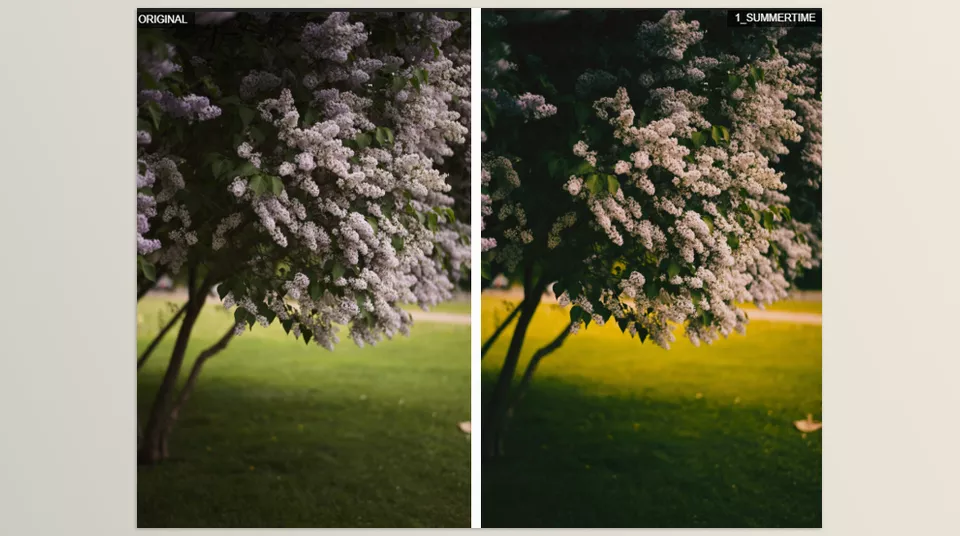
But what separates this pack from a simple collection of filters is the creator’s approach to color. Color is an important part of PW’s personal style, and the presets in this collection follow exactly the same approach: bright, saturated, vibrant, and artistic colors that aren’t meant to simply add a slight tint to a photo, but can change the overall atmosphere of the image and its color combinations.
🎨 Vibrant, Saturated, and Completely Artistic Colors
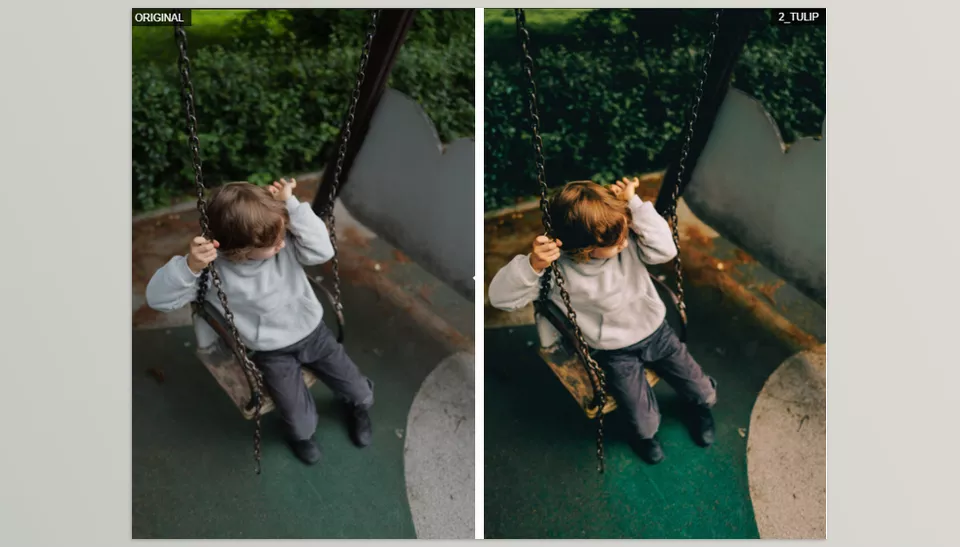
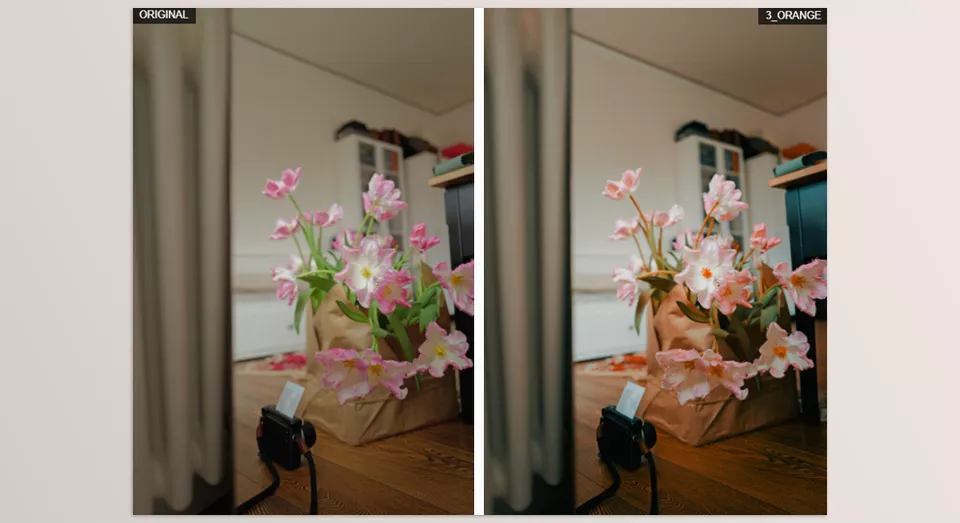
The most important feature of PW Daily Pack III is its approach to color. This collection is for people who don’t like overly neutral, muted photos and prefer colors with a stronger presence. Here, the goal isn’t simply to make the shadows slightly blue or the highlights slightly warmer; the presets can influence the photo’s overall color character.
This processing style allows different colors to play a more prominent role alongside one another and gives the photo a more distinctive visual feel. So if you’re looking for a clearly noticeable, artistic Color Grade, this pack will be more useful than a subtle filter.
⚡ Made for Fast Editing of Everyday Photos
The main idea behind this collection came from a real need: in addition to professional and Portfolio photography, the creator also takes a lot of everyday photos and doesn’t want to spend a lot of time processing them every time. Daily Pack III is designed specifically for this scenario.
That means instead of starting with the Basic Panel for every photo, moving on to the Tone Curve, adjusting colors in HSL, and finally making several other corrections, you can use the preset as your starting point and then make only the necessary changes. This becomes especially valuable when you have a large number of photos.
📸 Suitable for Files from Different Cameras
One important point about this collection is that the presets aren’t limited to a specific camera model or brand. According to the creator’s description, they can be used on files from different cameras and can even process photos taken with an iPhone.
Of course, this doesn’t mean the result will be identical across all cameras. Every camera has its own color characteristics in the original file, and these differences can cause a preset to produce slightly different results on two photos. That’s why the creator also recommends adjusting the settings after applying the preset, based on the original file and your preferences.
🎛️ Customizable for Every Photo
One important thing to remember about presets is that a Preset isn’t supposed to be the end of the editing process. Even if a preset works perfectly on one photo, the same settings may need adjustments on another photo with different lighting, skin tones, or White Balance.
That’s why, after applying the preset, you can change settings such as Exposure, White Balance, Contrast, Saturation, and other adjustments according to that specific image. This flexibility means you don’t have to choose between a “ready-made style” and “complete control”; the preset gives you a color foundation while the final decision remains entirely in your hands.
🌈 Part of a Personal Color Style
PW Daily Pack III isn’t designed simply to make a photo “prettier”; its main goal is to convey a specific approach to color. The creator explicitly explains that color is a major part of his personal style and that the color combinations he uses in his photos form part of the visual identity of his work.
So if you expect a preset to simply make a photo slightly warmer or cooler, the philosophy behind this collection may feel different. This pack is more suitable for someone who wants colors to be visible in the photo, have personality, and work together to create a distinctive visual atmosphere.
🔄 Suitable for Consistent Photo Collections
Another important use of this type of preset is when you have multiple photos from the same situation or project. Imagine that you’ve taken a large number of photos during a trip, a workday, or a lifestyle shoot. If you edit all of them from scratch, the color and contrast will likely vary significantly between images.
Using a shared color style can create better Visual Consistency. Of course, you still need to review the photos individually and make corrections when necessary, but you no longer have to create a completely new Color Grade for every image.
📱 Suitable for Everything from Mobile Photos to Professional Cameras
The creator himself mentions that he uses his presets on different cameras and on the iPhone. So this collection isn’t limited to professional projects. If you create most of your content on a mobile phone, you can use the same color approach for everyday photos; if you shoot with a professional camera, you can apply it to your camera files as well.
This flexibility is useful for people who create content with both a camera and a mobile phone, because they can try to bring photos captured from different sources closer to the same color language.
🧑🎨 Which Styles Is It Most Useful For?
Considering the colorful and everyday nature of PW Daily Pack III, it can be used across a wide variety of projects:
- Lifestyle Photography: For everyday photos, urban environments, and natural moments.
- Portrait Photography: For creating a distinctive color look across portrait collections.
- Travel Photography: For travel photos that usually contain a wide variety of colors.
- Street Photography: For placing greater emphasis on the existing colors of the environment and urban atmosphere.
- Fashion Photography: When the colors and combination of clothing, background, and environment are an important part of the image.
- Social Media Content: For quickly creating a coordinated collection of photos for social media.
- iPhone Photography: For giving everyday mobile photos a distinctive color style.
Ultimately, PW Daily Pack III is more than a collection of ready-made filters; it’s a set of Color Presets with a distinctive visual taste, designed to speed up the process of reaching the final color while still letting you adjust each photo as needed. This combination of speed, bold colors, compatibility with different cameras, and customization makes the pack useful for everyday editing and creating a consistent color identity.
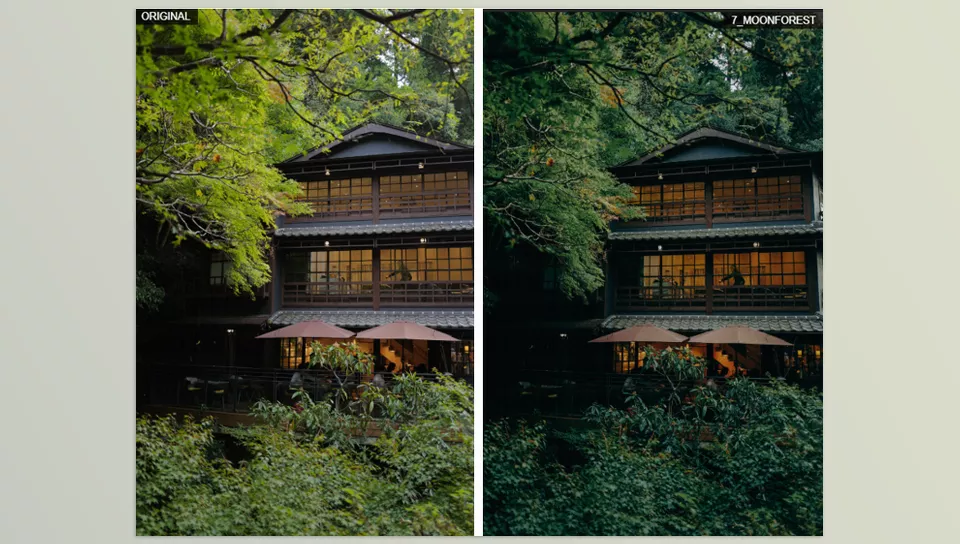
A Few Techniques for More Professional Results 🎯
A preset can shorten much of your editing process, but to get a result that truly works with the photo, a few simple adjustments after applying the preset are important. With a few small changes, you can keep the colors more natural while also having better control over your desired style.
- Adjust the exposure first. Before applying the preset, bring the Exposure as close as possible to the correct level.
- Don’t ignore white balance. Even the best preset won’t look natural on a photo with incorrect WB.
- Customize the Intensity. If the colors become too saturated, slightly reduce Vibrance or Saturation.
- Use one preset across a collection. This helps your entire album or feed maintain a more consistent visual identity.
- You’ll get better results from RAW. A RAW file gives you more room to adjust color and lighting.
Ultimately, a preset isn’t supposed to make every decision for you. It’s better to use it as a starting point and, with a few small adjustments, match the result precisely to the lighting, subject, and your own taste.
Color That Becomes Your Signature 📸
Professional editing doesn’t always require hours of slider adjustments. PW Daily Pack III helps you start from a ready-made foundation, reach vibrant, saturated, and artistic colors faster, and have more time for the photo itself and your creativity.
These presets aren’t just simple filters; they can change a photo’s color personality while still letting you customize the result for each image. From portraits and lifestyle photography to travel photos and even iPhone images, you can use a consistent color style.
If you want your photos to have a more distinctive color identity and don’t want to build everything from scratch for every image, PW Daily Pack III can make an important part of your editing Workflow faster and simpler.
If you want to try more color styles in addition to PW Daily Pack III, Dualistic can be a useful companion. It offers Cinematic, Classic, Film, Flash, and Black & White styles, giving you more creative options while still allowing you to tailor the final look to your satisfaction.



