

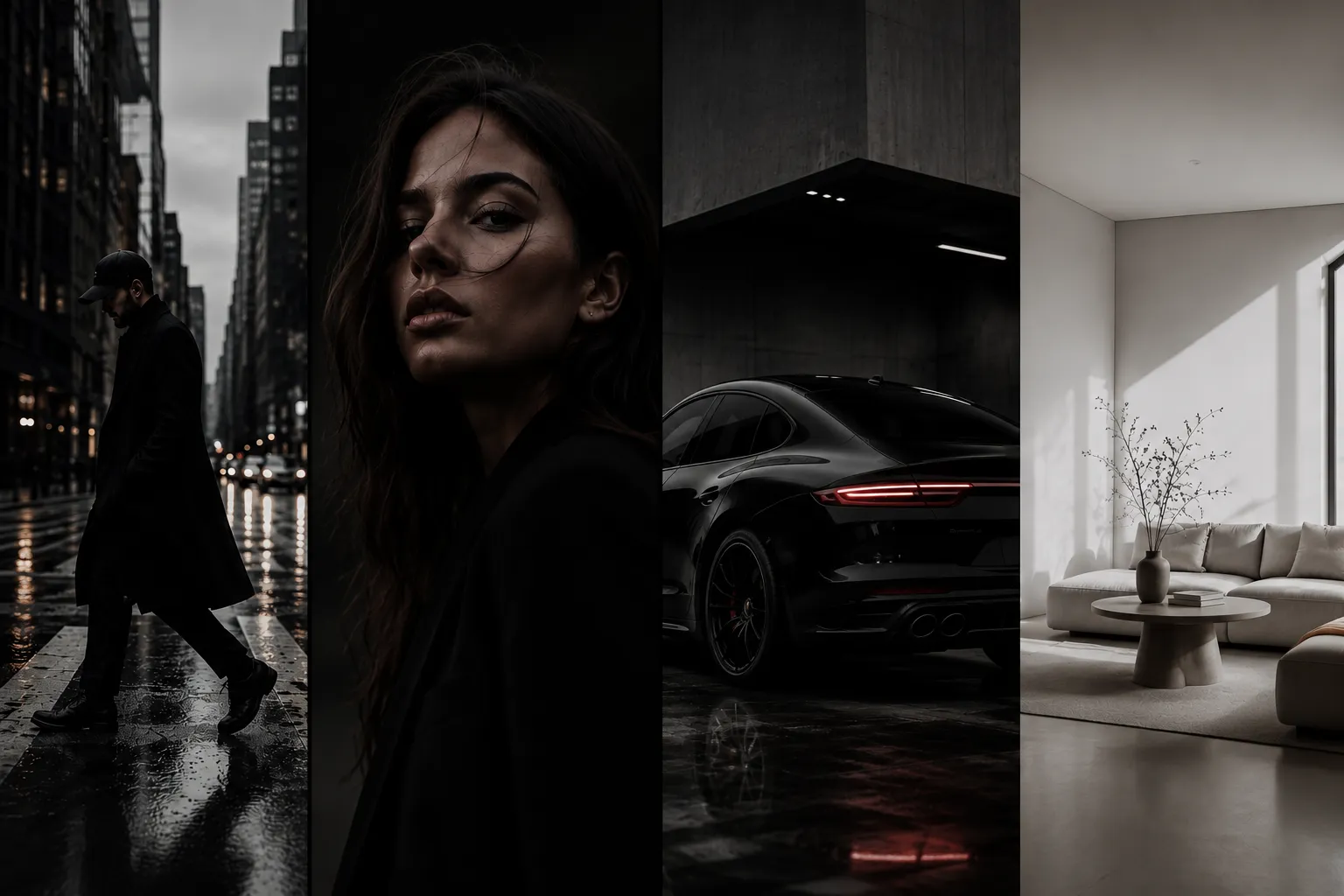
The Never-Ending Hassle of Repeating the Same Editing Adjustments 🎨
Are you familiar with the features of the Blvck Presets? Have you ever edited a photo, been completely happy with the result, and then moved on to the next one—only to realize that no matter what you do, you can’t recreate the exact same colors and mood? In the end, you have to start all over again, adjusting the exposure, contrast, colors, and dozens of other sliders one by one.
Imagine if you are editing multiple photos for Instagram or a project. It’s a hassle to edit them with different colors and styles because you lose the professional look you want your project or Instagram account to have.
That’s why many photographers and content creators look for a way to both speed up their editing process and maintain a consistent style across all of their photos—without having to recreate every adjustment from scratch each time.

What Is a Lightroom Preset, and Why Is It Useful? 📷
Simply put, a Preset is a collection of pre-configured Lightroom adjustments that can be applied to a photo with a single click. Instead of changing every slider manually every time, all of those settings are already prepared, and you simply apply the preset to your image.
Of course, this doesn’t mean every photo will look exactly the same. Every image has its own lighting, colors, and conditions, but a preset helps you get very close to your desired result in seconds. After that, you usually only need to make a few small adjustments.
For example, imagine you’ve taken 30 photos during a trip. If you edit each one manually, it could easily take hours. But with a suitable preset, you can bring all of them close to the same style in just a few minutes and only fine-tune the details.
That’s exactly why photographers, content creators, bloggers, and even online stores rely on presets today. They save time while maintaining a consistent visual identity.
Can You Create These Styles Without Presets? 🤔
Absolutely. Lightroom already includes all the tools you need to create almost any color style. If you have enough time and patience, you can achieve your desired look without using any presets.
To create a dark, minimal, bright, or cinematic look, you’ll typically work with several Lightroom panels and adjust each one based on your image. The most commonly used tools include:
- Light: Adjust exposure, contrast, highlights, shadows, whites, and blacks.
- Tone Curve: Fine-tune brightness and create the desired contrast.
- Color Mixer (HSL): Adjust the hue, saturation, and luminance of each individual color.
- Color Grading: Add color to the shadows, midtones, and highlights.
- Calibration: Change the overall color character and achieve unique professional styles.
- Effects & Detail: Adjust texture, clarity, sharpening, vignette, and noise to complete the final look.
But This Method Has Its Own Challenges… 😅
The real problem starts when you’re editing a large number of photos. Manually editing one or two images can be enjoyable, but when you need to prepare dozens of photos with the same visual style, you’ll find yourself repeating the same adjustments over and over again. On top of that, every image requires slightly different tweaks depending on its lighting conditions. As a result, editing takes much longer, and maintaining a consistent appearance across all of your photos becomes more difficult than it seems. That’s why many photographers and content creators prefer to start with a ready-made preset instead of beginning from scratch, then simply make a few final adjustments for each image.
Blvck Presets: A Unique Style with Just a Few Clicks 🖤
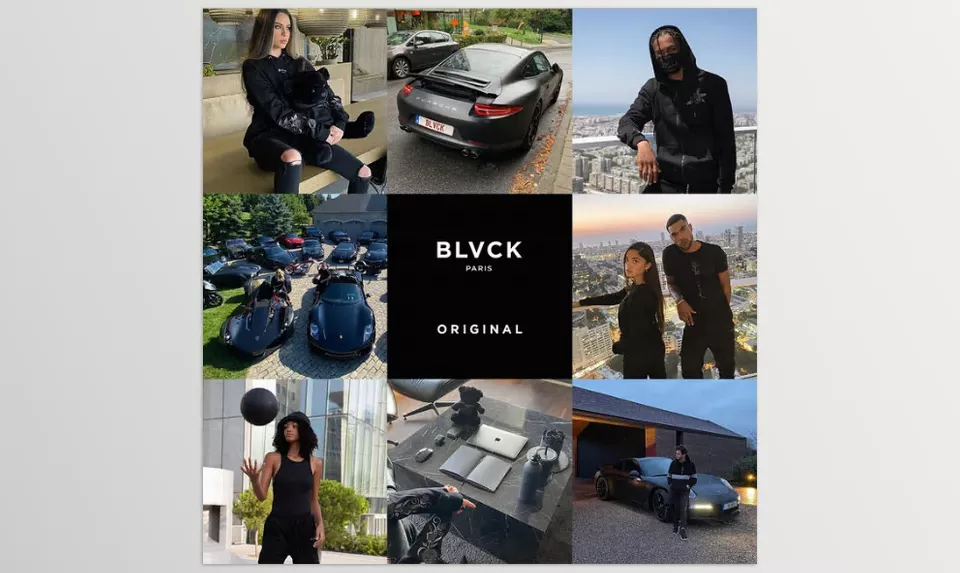
Blvck Presets is a professional Lightroom preset collection designed to make photo editing much faster. Instead of spending time adjusting dozens of sliders, simply choose one of the presets, and within seconds your image will have a dark, minimal, and modern appearance—the same kind of style that’s widely seen on fashion, lifestyle, and luxury brand pages today.
What’s even more interesting is that Blvck Presets isn’t made just for photos. In addition to Lightroom presets, the package also includes LUT files, allowing you to apply the same color style to your videos if you edit with software such as Premiere Pro, DaVinci Resolve, or Final Cut Pro, keeping your photos and videos perfectly consistent.
Five Presets, Five Different Looks 🎨
One of the great things about Blvck Presets is that it isn’t limited to a single style.
The package includes five different presets, each designed for a different type of photo or atmosphere.
🖤 Blvck Signature
This is the signature Blvck Paris look.
It makes colors more minimal, adds balanced contrast, and creates a clean, luxurious appearance that works beautifully for everyday, fashion, and lifestyle photography.
🌈 Rainbow
If you prefer your photos to have a more dramatic and moody atmosphere, Rainbow is a great choice.
This preset deepens the colors and gives your images a more cinematic and emotional feel.
⚫ Pitch Blvck
This preset focuses heavily on darker tones.
It creates stronger contrast and is an excellent choice for night photography, street photography, cars, architecture, or any image where you want a bolder, more powerful look.
☁️ Faded
If you’re looking for something softer and calmer, Faded is exactly what you need.
It gives colors a softer, slightly faded appearance and works especially well for portraits, romantic photography, and lifestyle images.
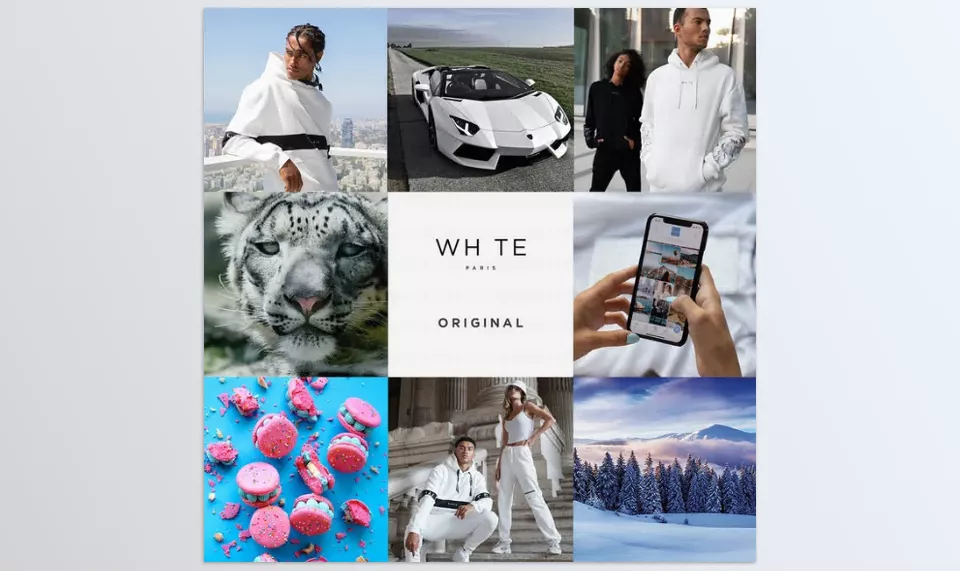
🤍 Whte
Unlike the other presets in the collection, Whte creates a brighter and cleaner look.
It’s ideal for product photography, interior design, cafés, indoor spaces, or anywhere you want a bright, minimal aesthetic.
Works on Mobile, Desktop, and Even Video 🎬
One of the biggest advantages of Blvck Presets is that it isn’t limited to a single device or software.
Whether you edit on your phone or your computer, the package includes the files you need.
Inside the Collection You’ll Get:
- 5 Mobile Presets in DNG format for Lightroom Mobile (Android & iOS)
- 5 Desktop Presets in XMP format for Lightroom Classic and Lightroom Desktop
- 5 LUT Files in CUBE format for use in video editing software
This allows you to maintain the same color style across both your photos and videos, ensuring that everything you publish feels visually consistent.
Just a Few Clicks Until Your Photo Is Ready ✨
One of the reasons Blvck Presets has become so popular is how simple it is to use.
There’s no need to spend hours creating a color style from scratch. Simply open your image in Lightroom, choose one of the presets, and in most cases you’ll get an excellent result on the very first try.
Of course, like any professional preset, if your photo has significantly different lighting or white balance, you can simply make a few quick adjustments to the Exposure or White Balance after applying the preset to achieve a completely natural result.
Who Is It Best For? 📷
If you’re a portrait, fashion, lifestyle, or street photographer, or you create content for Instagram and other social media platforms, Blvck Presets can be extremely useful. Even if you run an online store or take photos for your personal brand or business, having a consistent color style makes all of your images look more professional and organized.
In fact, the real strength of Blvck Presets isn’t just changing the colors of your photos. It helps all of your images—and even your videos—share the same visual identity. That consistency allows people to recognize your style much more quickly, making your entire page or project appear more professional.
Tips for Getting Better Results with Blvck Presets 💡
Although these presets deliver great results on most photos with just one click, following a few simple tips can make your final edits look even more natural, polished, and exactly the way you want them.
- Before applying a preset, take a quick look at your photo’s lighting. If the Exposure or White Balance is significantly off, it’s natural that the result won’t look exactly as expected.
- Use each preset for the type of image it’s designed for. For example, Pitch Blvck is amazing for night photography, but it might not be the best choice for a bright indoor photo.
- After applying a preset, spend another minute or two making final adjustments. Sometimes simply tweaking the Exposure or Contrast slightly can make the result dramatically better.
- For a project or an Instagram page, try to stick with one consistent style whenever possible. This makes all of your photos look much more professional together.
- If you also create videos, don’t overlook the included LUTs. They help your photos and videos match perfectly in terms of color.
- Think of a preset as a starting point, not the finish line. The best edits are usually the ones that receive a little personal customization after applying the preset.
In the end, the more you work with presets, the better you’ll understand which one works best for each type of photo, allowing you to achieve your desired results much faster.
Spend Your Time Taking Photos, Not Repeating Edits 🎯
A great color style does much more than simply make your photos look better. It gives everyone who visits your page an immediate impression of your work within just a few seconds. That’s exactly what many professional pages pay close attention to.
The truth is, nobody enjoys deciding from scratch how every photo should look or how much contrast and color adjustment it needs. Once you develop a consistent visual style, many of those repetitive decisions disappear, allowing you to focus more on photography itself and creating better content.
If you love dark, minimal, and modern aesthetics and want both your photos and videos to share a consistent, professional appearance, Blvck Presets could easily become one of those tools that turns into a permanent part of your editing workflow after just a few projects.
If you enjoy the dark, minimal, and modern look of Blvck Presets but also work with wedding, portrait, or emotional photography, The Wedding Pack by Ratta Studio is another collection worth exploring. Be sure to read our The Wedding Pack review to learn how its color and black-and-white presets can help you create elegant and consistent wedding albums.



