

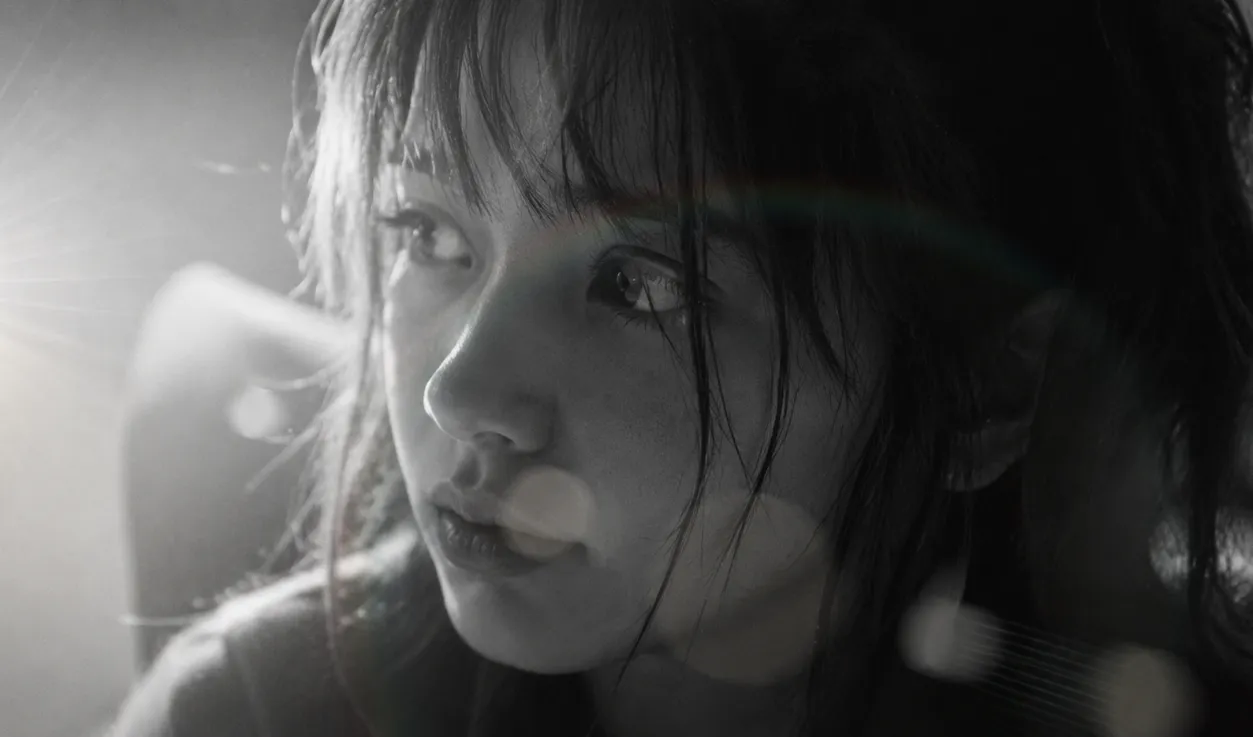
✨ When Your Shot Has Everything… But Still Feels Like Something Is Missing
Have you explored the features of the LightsOn Plugin by aescripts? There are plenty of times in Adobe After Effects when everything feels in place. You’ve built the shot, the animations are working perfectly, the colors are balanced, and the composition looks clean. But when you watch the final render, it still doesn’t deliver that final feeling. It’s as if the image is “finished,” but it hasn’t truly “come alive.” That subtle quality that makes viewers think “this looks professional” still isn’t quite there.
Most of the time, the issue isn’t with the big elements—it’s hidden in the smallest details. The kinds of things you barely notice at first have the greatest impact. Lighting is one of those details. A soft lens flare, a subtle reflection, or even a slight adjustment to light intensity can completely transform the mood of an image. These aren’t the elements that immediately grab attention, but they subconsciously add depth and make the scene feel more realistic.
In the world of motion graphics and visual effects, lighting can often dictate the emotion the viewer feels while viewing your composition. The lighting can make your project look warm, cold, cinematic, or anything in between. Furthermore, these lighting details are often the difference between an average project and a professional-level composition.

💡 Light Isn’t Just Brightness—It Creates Emotion
If you take a closer look at high-quality motion graphics, you’ll quickly realize that lighting isn’t there just to illuminate the scene or make everything visible. In many cases, lighting is exactly what defines the atmosphere of the entire composition. Before viewers even begin thinking about the subject itself, the lighting is already telling them what they’re supposed to feel.
For example, a soft and carefully controlled lens flare can make an ordinary scene feel far more emotional and cinematic. On the other hand, a sharp, directional light can instantly make the entire composition feel modern, technological, or even more commercial. Even a very subtle Light Leak, when used correctly, can soften the sterile digital appearance of a scene and give it a more natural, organic feel. It may not stand out consciously, but it has a significant subconscious impact on the viewer.
Ultimately, lighting isn’t simply a technical tool—it’s a visual language. A language that allows you to communicate the emotional tone of a scene without a single line of dialogue, whether it’s calm or energetic, warm and emotional, or cold and futuristic.
🧰 When You Build Everything Yourself…
Adobe After Effects gives you enormous freedom when it comes to creating lighting and lens flare effects. In practice, you can build almost anything you imagine using its native tools. Most workflows begin by combining several effects that gradually shape the final result. A simple lens flare, for example, may consist of multiple Glow effects, Blur, and a Shape Layer, which are then refined with masks and animation. Sometimes Expressions are introduced to create more natural movement or responsive lighting behavior, making the entire setup even more sophisticated.
🎨 Common Ways to Create Lighting in After Effects
- Using Glow to create light bloom and halos
- Combining Blur effects to soften and spread the light
- Building light shapes with Shape Layers and masking
- Controlling light movement using Keyframes or Expressions
- Layering multiple effects to achieve a more cinematic appearance
The challenge is that, despite their flexibility, these methods all follow the same repetitive workflow, which quickly becomes time-consuming. For almost every new project, you often find yourself rebuilding the same setup from scratch—or at least close to it—before reaching a satisfying result. Achieving that natural cinematic look isn’t something tools alone can provide, either. It requires plenty of experience and experimentation before the lighting feels believable instead of artificial. As a result, production slows down, and your focus shifts away from the overall creative design of the project.
⚡ Where Does LightsOn Fit In?
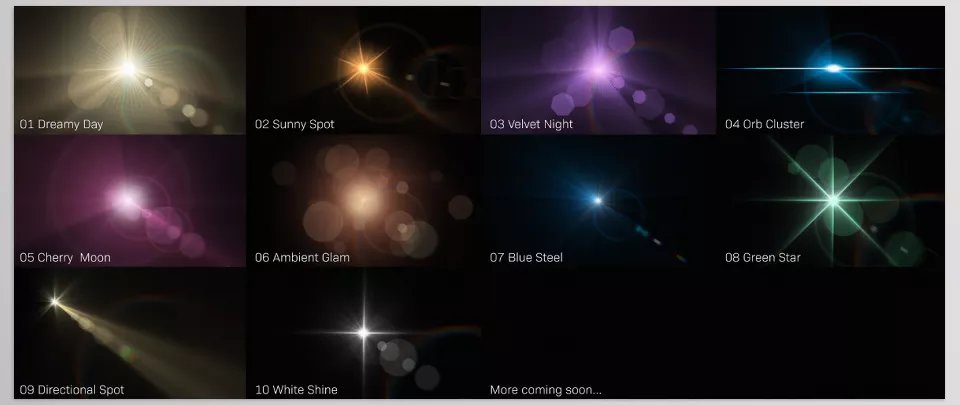
LightsOn is a ready-made collection of lighting, glow, and Lens Flare assets for Adobe After Effects that works entirely without third-party plugins. Everything is built using After Effects’ native tools, making it lightweight, reliable, and easy to integrate into virtually any project. Its core idea is simple: instead of rebuilding lighting from scratch every time, you simply import professionally designed lighting assets and start customizing them.
🎯 Much Simpler Than Building Everything Manually
Its biggest advantage is eliminating the most time-consuming part of the process—creating lighting from the ground up. Instead of constantly working with Shape Layers, Glow, Blur, and masks just to achieve a decent result, you simply choose the light you want, place it into your scene, and focus on designing the mood rather than constructing the effect itself.
🎛 Complete Control Over Every Light
Although the lighting assets are pre-built, they remain highly customizable. Nearly every aspect can be adjusted with precision:
- Change light colors to match your project’s visual style
- Control brightness and glow intensity (Intensity / Glow)
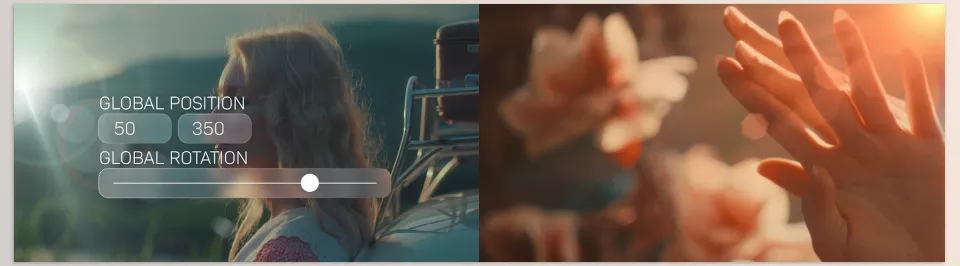
- Adjust the position and angle of each light within the scene
- Animate lighting to match camera movement or subject motion
- Use Global controls to synchronize multiple lights
- Access Essential Properties for quick adjustments directly in the timeline
🎬 Built for Professional Projects
LightsOn is especially useful for projects where lighting plays a major role, such as commercial advertisements, music videos, and cinematic motion graphics. It allows you to achieve a polished, professional lighting setup much faster, without spending valuable production time on repetitive lighting details.
What it really provides isn’t just a collection of ready-made lights—it’s a faster path toward achieving the cinematic atmosphere that normally requires significant time and experience to create manually.
Ultimately, LightsOn can be summarized as a solution that replaces the lengthy process of building lighting from scratch with a clean, ready-to-use workflow. The effects that usually consume so much time and effort become faster to implement, easier to control, and far more practical for real-world production. At the same time, nothing limits your creativity—you still have complete freedom to customize everything according to your project’s style and artistic direction. The result is both greater speed and greater creative flexibility.
🧠 A Few Tips That Will Make Your Work More Professional
Before diving into the tips, remember one important thing: in motion graphics, lighting is less about adding effects and more about creating emotion. That means how you use it matters far more than the effect itself.
🎚️ Control Light Intensity Instead of Maximizing It
It’s tempting to push a lens flare to its maximum strength to make a shot look more dramatic, but the result is often the opposite. Good lighting creates emotion—it shouldn’t overwhelm the image, blow out the highlights, or distract attention from the main subject.
📍 Always Keep Your Light Source Logical
If viewers can’t tell where the light is coming from, even the most beautiful lens flare will feel artificial. When lighting direction makes visual sense, the entire scene immediately becomes more believable and cinematic.
🌗 Several Soft Lights Are Better Than One Powerful Light
Instead of placing one extremely bright flare in the center of your composition, use several softer, layered light sources. This creates greater depth and produces a much more natural result, especially in cinematic shots and commercial work.
Ultimately, remember that the goal isn’t to have more light—it’s to have the right light, and that’s exactly where LightsOn helps you achieve professional-looking results with greater speed and control.
💡 Everything Starts with the Right Lighting
In the end, LightsOn is one of those tools that offers much more than a collection of ready-made effects. It provides a faster route to achieving professional-quality results. Since lighting is often one of the most time-consuming and delicate parts of motion graphics, it can easily transform the entire mood of a scene—from ordinary to cinematic, or the other way around.
More importantly, its value isn’t limited to saving time. When lighting is placed thoughtfully and controlled carefully throughout a scene, even a very simple shot can gain depth and deliver a far more professional appearance. What might initially seem like a small detail often becomes one of the most important elements of the project’s overall visual quality.
That’s exactly why the difference between an average result and a truly eye-catching one often comes down to these subtle details. They may not immediately attract attention, but they have a powerful influence on how viewers ultimately experience the work. LightsOn is designed specifically to make those details easier, faster, and more controllable, allowing you to focus your energy on the creative side of your project instead of repeatedly rebuilding the same lighting effects.
Make every After Effects project easier to complete. Our guide introduces useful tools that can help you work faster and with more confidence. Check out the After Effects Tools guide today.



