

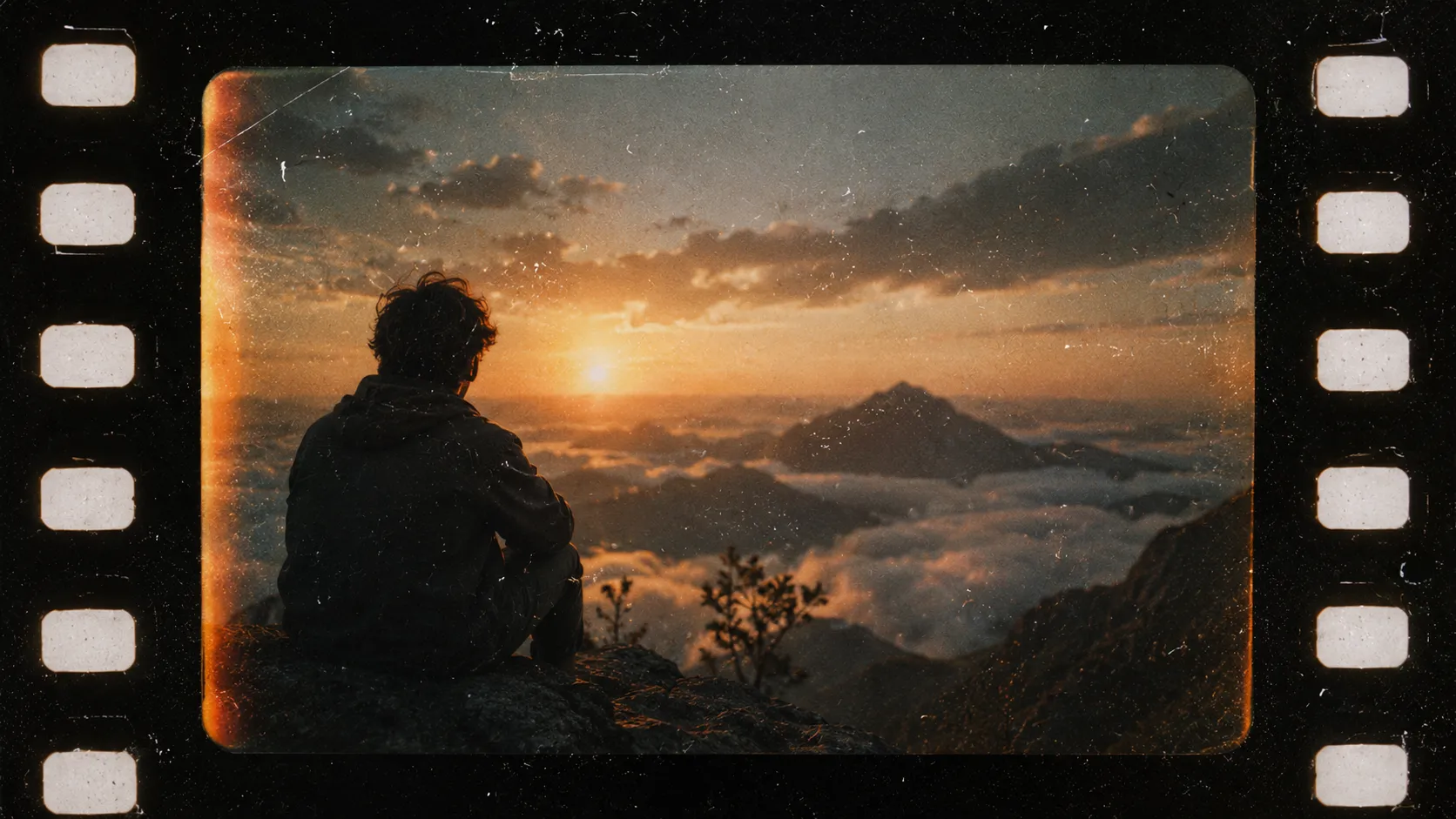
🎞️ When Your Videos Look Too Digital…
Are you experienced in using the 8MM Film Grain Toolkit by Tropic Colour? Have you found yourself in the situation where you’ve spent hours editing a video to perfection, only to feel like something is still notably missing from the video that was exported from your editing software? 🤔 An edited video may technically be of high quality, but it may lack that special feeling that is often associated with certain films or videos.
Today, the quality of the cameras and editing software available to consumers can produce images that are incredibly sharp, clean, and flawless. While this is undoubtedly a benefit of modern editing and filmmaking software, excessive “cleanliness” can make footage feel cold and lifeless. To combat this feeling, many filmmakers and editors may wish to incorporate the same characters and elements from past analog films into their editing projects. 📼✨
Film textures, natural grain, and other analog elements can help to transform a digital video into one that incorporates elements of nostalgia, memories, and the sense of authenticity of a video that was recorded years ago with an analog film reel. 🎬❤️

🎥 What Exactly Is Film Texture, and Why Is It So Popular?
When we talk about the look of old films, we’re not just referring to vintage colors. There are countless subtle details that give an image its character.
For example:
✨ Film Grain
✨ Dust and Scratches
✨ Film Borders and Negative Edges
✨ Subtle Image Jitter
✨ Light Leaks and Analog Effects
These small details make an image feel more alive and realistic.
Nowadays, you can see traces of this style almost everywhere—from creative music videos and short films to travel videos, personal documentaries, Instagram Reels, and even some professional advertisements. The reason is simple: these effects don’t just change the appearance of an image; they give it emotion and personality. A bit of grain, a few subtle scratches, or even a vintage film border can make viewers connect more deeply with a video and feel like they’re watching a memory or a real moment rather than just another ordinary digital video. 🎞️✨
🛠️ How Can You Create This Look Without Specialized Tools?
If you want to build everything manually, it’s possible—but it requires a lot of patience 😅
For example, you can:
🔹 Use Noise or Grain effects.
🔹 Add dust and scratch overlays.
🔹 Blend textures using Blend Modes.
🔹 Design vintage film frames manually.
🔹 Use Color Grading to create an older-looking image.
The problem is that achieving a natural-looking result usually requires a lot of trial and error. Even then, the final result might end up looking more like an artificial effect than a genuine film.
That’s why many editors and motion designers prefer using professional, ready-made toolkits.
🎞️ Introducing 8MM Film Grain Toolkit
If you’ve ever tried to add the look of old films to digital footage, you’ve probably realized that creating a natural vintage effect is far more complex than simply placing a layer of noise over an image. What makes analog film so appealing is a combination of small details, such as film grain, dust, scratches, film borders, and natural imperfections that together create that beloved nostalgic feel.
8MM Film Grain Toolkit was designed specifically for this purpose. 8MM Film Grain Toolkit package includes a collection of authentic 8mm film textures and elements scanned directly from real film reels and prepared for editors and motion designers. Instead of spending hours creating these effects manually, you can achieve that same classic cinematic look in just a few clicks. ✨
One of the most attractive features of this toolkit is that all its elements originate from real film. As a result, the final output looks far more natural than typical digital effects and delivers the organic, living quality people expect from analog film.
🌾 Real Film Grain
The core of the 8MM Film Grain Toolkit consists of high-quality scans of authentic 8mm film grain. To create the collection, the developers sourced thousands of feet of real film and scanned it at high resolution to preserve the medium’s natural texture.
At first glance, grain may appear to be nothing more than tiny dots on an image, but these subtle details have a major impact on the overall feeling of the footage. Real grain helps video feel less digital and overly clean while conveying the character of footage captured on actual film stock.
The important point is that the grain in the 8MM Film Grain Toolkit is not software-generated artificial noise. It was extracted directly from real film, which makes its movement, texture, and details appear significantly more natural.
🧹 Dust, Scratches, and Analog Details
If you pay attention to old films, you’ll almost always notice a small amount of dust, stains, minor jumps, or scratches in the image. Technically, these are imperfections—but they’re exactly what give footage its personality.
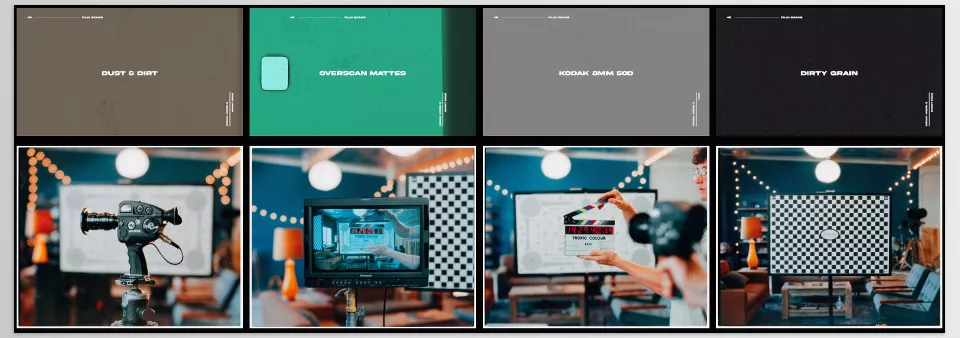
8MM Film Grain Toolkit includes various Dust and Dirt overlays that you can place over your videos to recreate the look and feel of archival footage, family films, or classic cinema.
When used correctly, these elements make footage feel much more realistic and believable, especially when you want to communicate a sense of memory, history, or nostalgia.
🎬 Film Mattes and Ready-Made Frames
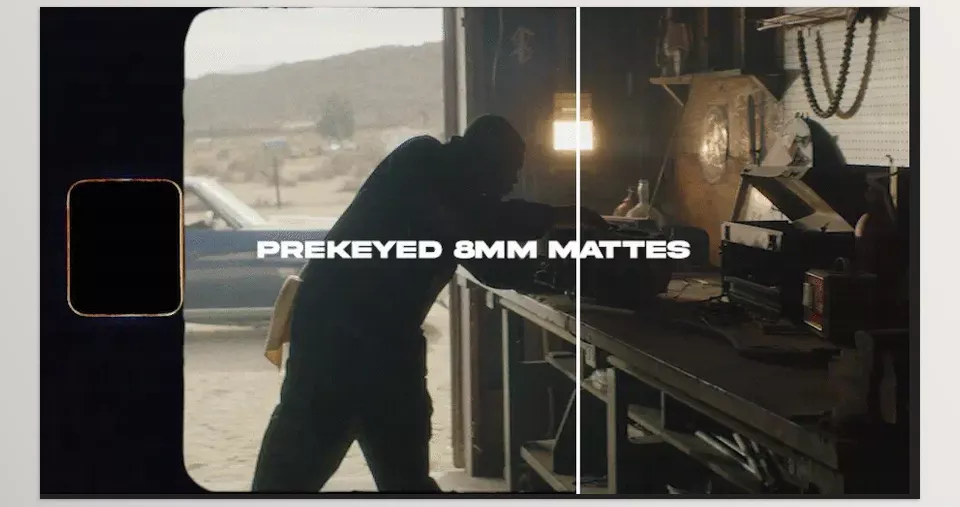
One of the most exciting parts of the 8MM Film Grain Toolkit is its collection of Film Mattes. These files are real 8mm film borders and frames scanned directly from actual film stock.
Normally, creating such frames requires significant masking, frame design, and technical setup, but here everything is already prepared. Simply place the desired file on your timeline, and your footage instantly appears as genuine 8mm film.
Another advantage is that these mattes come pre-keyed, meaning there’s no need for background removal, chroma keying, or additional adjustments. You can start using them immediately.
✨ Overscan and Authentic Film Scan Details
One feature often missing from vintage effects is the detail that comes from actual film scanning. 8MM Film Grain Toolkit includes Overscan elements, meaning portions of the original film edges and borders captured during the scanning process.
These subtle details make footage look more like material scanned from real archival film and contribute significantly to a greater sense of authenticity.
🎁 Additional Textures and Effects
In addition to all the 8mm film assets, the package also includes a collection of textures and elements sourced from 16mm film.
This gives you greater creative flexibility and prevents you from being limited to a single style. Depending on the nature of your project, you can choose different textures and aesthetics.
For example, you might choose a heavier grain for a music video, while using more subtle textures for a travel video or personal documentary. This variety makes the toolkit useful across a wide range of projects rather than restricting it to one specific look. 🎞️
Overall, the 8MM Film Grain Toolkit is far more than a simple grain overlay or a handful of ready-made effects. It’s a complete collection of textures and details that work together to recreate the look and feel of authentic analog film. From natural grain and dust to scratches, film borders, and scanned textures, everything has been designed to help you achieve professional and believable results without spending countless hours building effects from scratch.
The question now is: how can you get the best possible results from these tools and make your final output feel even more natural and cinematic? 🤔🎞️
🚀 Tips for Achieving More Professional Results
Even the best tools produce better results when used thoughtfully and intelligently. If you want your work to look more natural, professional, and closer to real film, these tips can make a huge difference:
✨ Less Is More
One common mistake is applying too much grain to the image. In many cases, a subtle and controlled amount of film grain looks far more natural and professional than a heavy, exaggerated effect. The goal is for viewers to feel the film’s aesthetic—not to focus entirely on the effect itself.
🎨 Always Combine It with Color Grading
Film textures are most effective when paired with proper color grading. Combining grain with warm tones, controlled contrast, and cinematic color palettes can dramatically enhance the realism and appeal of your footage.
📚 Layer Multiple Elements Together
For a truly believable result, don’t rely on grain alone. Combining grain, dust, scratches, and film mattes typically creates a much more realistic and professional outcome while better conveying the feeling of genuine film.
📺 Consider Your Project Resolution
If you’re working on Full HD or 4K projects, it’s best to use high-quality, high-resolution assets. Low-quality effects applied to high-resolution footage can make the final result appear unprofessional.
🎭 Match the Effects to the Project
Not every project requires heavy grain or excessive scratches. For example, a travel video or modern advertisement may only need a very subtle texture, while a music video or nostalgic project can benefit from stronger effects.
⚖️ Balance Clean Imagery with Analog Character
The goal isn’t to bury all the image details beneath layers of effects. Always maintain a balance between the quality of the original footage and the film effects so the result remains both professional and rich in analog character.
👀 Preview at Full Size Before Exporting
Some effects can appear much stronger or weaker when viewed zoomed in on the timeline. Before rendering your final export, watch the video at actual size or in full-screen mode to ensure the grain intensity and textures are properly balanced.
In short, the real magic lies in using these effects intelligently. You don’t need to push everything to the extreme. Sometimes, a few subtle, carefully chosen adjustments are enough to create the cinematic and nostalgic atmosphere you’re looking for. 😉🎬
🎬 A Simple Way to Add Mood and Character to Your Videos
The reality is that these days, simply having a high-quality image is no longer enough to capture an audience’s attention. Modern cameras can all produce sharp and clean footage, but what makes a video truly memorable is the feeling it conveys. That same sense of nostalgia, warmth, and authenticity we experience when watching an old film or a memory captured on film stock. 🎞️❤️
The challenge is that creating this atmosphere manually is usually time-consuming and error-prone. You have to spend hours finding the right grain, creating film borders, adding dust and scratches, and fine-tuning every detail. 8MM Film Grain Toolkit shortens that long process by providing a collection of real film textures and elements, allowing you to achieve the same results professionals seek much faster. Instead of spending your time building effects, you can focus on the creativity and storytelling of your project. ✨
As such, whether you are an editor, motion designer, filmmaker, or content creator, the 8MM Film Grain Toolkit can be a helpful editing plugin for your editing projects. Whether you are looking to produce content that has more emotion and personality to it, these editing tools can be the difference between an ordinary editing project and one that can be remembered by its viewers. 🚀🎬
If you’re interested in retro aesthetics and transforming the visual personality of your footage, the RetroDither Plugin might be your next stop. By recreating the graphical limitations of classic computers and gaming systems, it delivers a different kind of nostalgia—one that pairs surprisingly well with the analog charm of 8MM Film Grain Toolkit and is well worth exploring.