

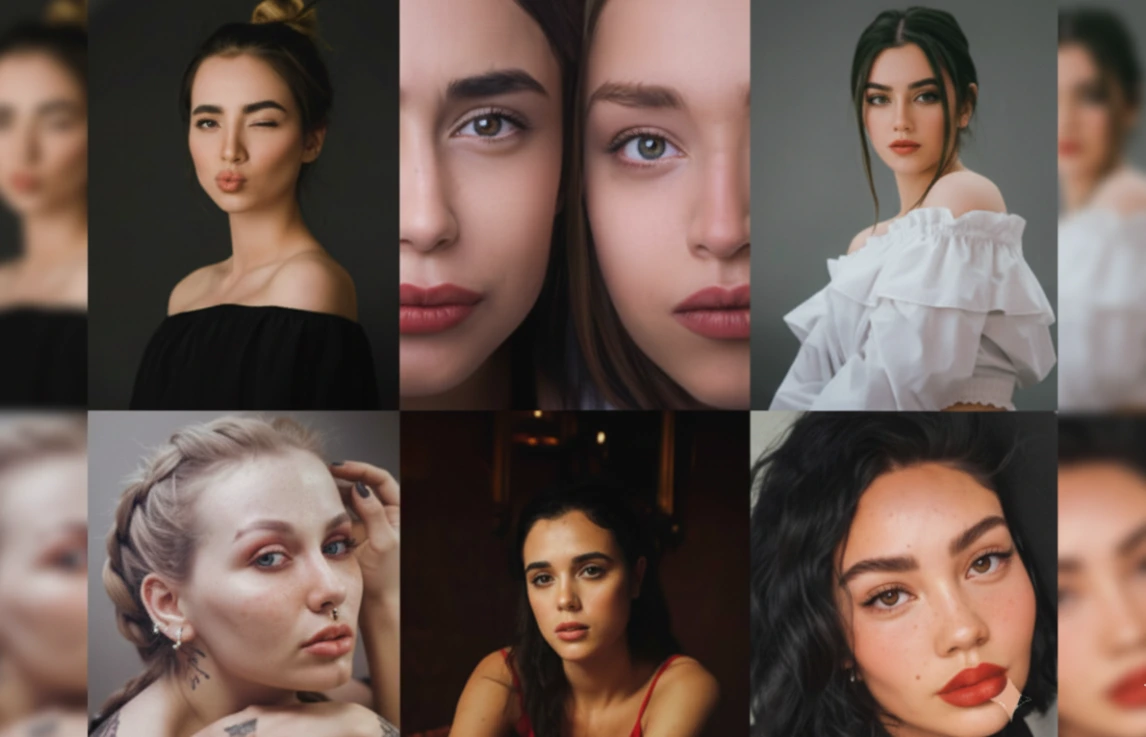
When a Photo is Good but Not “Perfect”
Have you ever used the 60 Perfect Bundle Lightroom Presets? You’ve probably taken a photo that you loved—the angle, the ambient light, even the mood—but when you look at it, something feels off. The colors aren’t as vibrant as they should be, skin tones don’t look natural, shadows don’t blend nicely, and the overall image feels raw and flat—far from a professional, eye-catching photo.
In a world where everything is scrolled past in seconds, photos need to grab attention immediately. They must be clean, bright, consistent, and professional enough to hold the viewer’s gaze. But reaching this point is not always easy—especially when you’re short on time, lack professional editing experience, or don’t want to spend hours adjusting every Lightroom slider.
This is why many people seek a smart, instant solution—a way to take a photo from “good” to “wow!” with just a few clicks. A method that brings colors to life, makes skin look clean and natural, and adds the professional personality every photo deserves.

Manual Editing in Lightroom
The truth is, you can edit your photos without any presets. Lightroom offers powerful tools that allow you to adjust everything from scratch. You can:
- Balance light with Exposure, Highlights, Shadows
- Fine-tune colors with HSL
- Control skin texture with Texture and Clarity
- Add cinematic mood using Color Grading
But…
This is where the difficulty begins.
Manual editing is like painting a full masterpiece from zero: it’s possible, but it takes a lot of time and energy.
To make a photo truly clean and professional, you need to:
- Understand color tones
- Recognize how light behaves
- Know how to correct skin so it’s not too soft or artificial
- Avoid overdoing color grading
- Ensure consistency across all photos
Manual editing is especially time-consuming if you have a series of photos that need consistent color and style. You’ll find yourself repeating the same steps again and again.
For beginners?
It’s even harder. Lightroom is full of sliders and settings that, if you don’t know exactly what they do, can make results worse. This complexity often leads beginners to give up or skip manual editing entirely.
In the end, most people realize:
They need a solution that is faster, smarter, and more reliable.
This is why photographers, bloggers, and content creators turn to presets—not out of laziness, but because they want professional, consistent results without spending hours on every slider.
60 Perfect Bundle Lightroom Presets for Portraits & Selfies
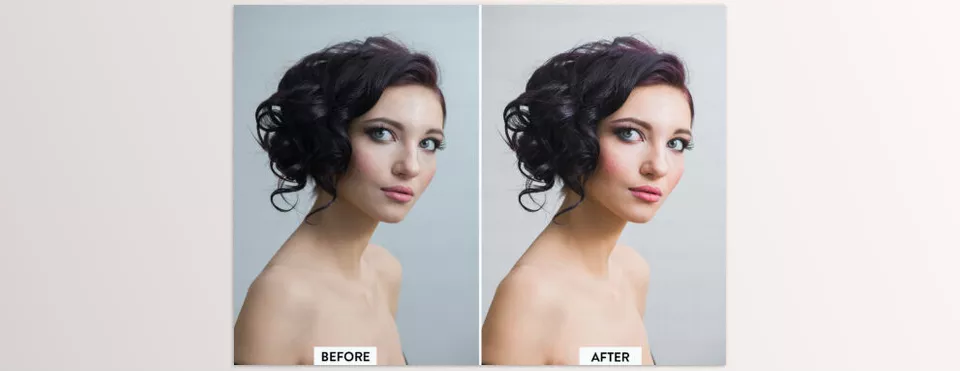
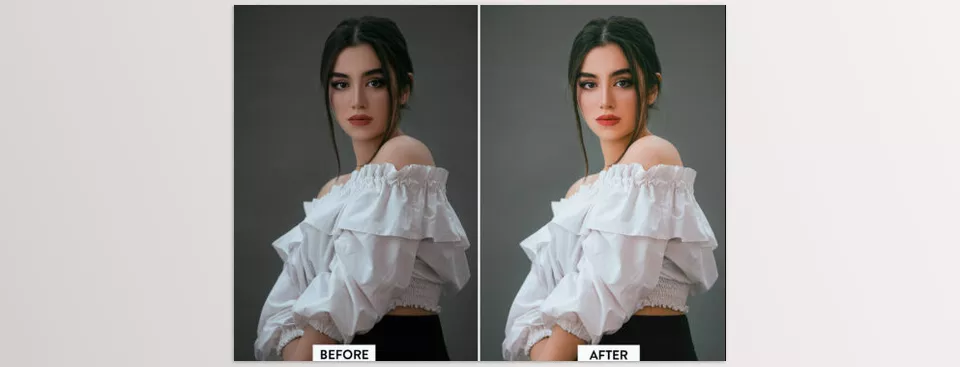
60 Perfect Bundle Lightroom Presets isn’t just “a few presets”; it’s a complete toolbox for adjusting light, color, and skin. Each preset combines professionally-engineered Lightroom settings to give results similar to long manual editing in just one click.
Here’s what these presets do in detail:
🎨 Color & Tonality Adjustments
- Full white balance correction without losing skin color
- Precise Temperature and Tint control for natural tones
- Improved Contrast and Clarity for facial features
- Skin tone adjustments using pre-made Tone Curves
- Full Color Grading for cinematic warm/cool styles
✨ Enhancing Facial Details
- Gentle skin smoothing without plastic-like effects
- Improved Texture for natural skin feel
- Precise Sharpening for eyes and facial features
- Noise reduction in low light without losing detail
- Enhanced Eye Contrast and eye highlights (in some presets)
🌈 Intelligent Color Control (HSL)
Presets target specific colors to ensure consistent results:
- Separate adjustments for red, orange, and yellow tones (skin)
- Improved colors for clothing without affecting the face
- Correct blue/green shades in tricky lighting conditions
- Controlled saturation to prevent exaggerated colors
💡 Light & Exposure Adjustments
- Automatic Exposure correction for very bright or dark photos
- Smart Shadows enhancement without losing depth
- Highlights correction to avoid overexposed areas
- Vignette control to focus attention on the subject
🧡 Selfie-Specific Settings
Perfect Selfie and Perfect Skin groups focus on:
- Balanced skin tone, even in challenging lighting
- Brightening the face without affectingthe background colors
- Reducing redness or yellow tones
- Even light distribution on the forehead, nose, and chin
📸 Professional Portrait Settings
Perfect Portrait and Perfect Makeup groups:
- Enhance makeup (especially eyes and lips)
- Increase depth and dramatic lighting
- Studio-like atmosphere even with natural light
- Control Split Toning for cinematic tones
🌟 Instagram-Specific Settings
Perfect Insta group:
- Create minimal, matte, classic, or bold tones
- Optimized for a consistent feed
- Reduce distracting colors for a unified style
- Ideal for photos that need to look clean and cohesive
🔧 Practical Features
- Works on mobile (DNG) and desktop (XMP)
- Compatible with RAW, JPEG, and other formats
- Predictable results across different lighting and color profiles
- 60 presets covering a variety of light, color, skin, and environments
60 Perfect Bundle Lightroom Presets gives you everything professional manual editing would—from light adjustment to skin and color correction—in just one click
Pro Tips – How to Get the Best Results from Presets
Even though these presets do 90% of the work, a few simple tips will make your results cleaner and more professional:
🎚 1) Adjust Exposure
After applying a preset, tweak Exposure slightly.
Every photo has unique lighting, and no preset can guess the perfect brightness.
Sometimes, just a 5% adjustment can dramatically improve the output.
🌤 2) Correct White Balance
Presets define the main tone, but the real color feel comes from Temperature and Tint adjustments:
- If photo looks too yellow → cool it slightly
- If pink/green → adjust Tint toward balance
These sliders are key to natural skin tones.
✨ 3) Restore Skin Texture if Over-Softened
Some presets are designed for harsh lighting. Using them on soft light may over-smooth skin. Fix it by:
- Slightly increasing Texture
- Raising Clarity by a small amount
A few units adjustment brings natural skin back.
🌿 4) Outdoor Photos – Use Tone Presets
For outdoor shots—especially with blue skies or tree shadows—Perfect Tone presets are best because:
- Greens, blues, and yellows stay natural
- Skin tones match ambient light
- Colors remain realistic
Result: natural yet polished photos.
🧩 5) Instagram Feed Consistency
To maintain a signature style:
- Pick one preset group and apply it across most posts
- Ensures consistent tones across all images
- Your feed looks clean, professional, and instantly recognizable
Adjust only exposure and white balance if needed.
Conclusion – Why This Pack is Worth It
60 Perfect Bundle Lightroom Presets offers a fast, professional way to improve photos. No need to spend hours on Lightroom sliders or have advanced experience; with a few clicks, your photos look attractive and consistent.
Results are consistent on mobile and desktop. Whether selfies, portraits, or environment shots, the presets adjust color, light, and skin tone for professional-ready output.
Another major benefit is photo consistency. Perfect for Instagram or projects, the presets ensure all images share a cohesive, eye-catching style.
Ultimately, 60 Perfect Bundle Lightroom Presets is perfect for anyone who wants maximum quality in minimum time—a reliable tool to turn ordinary photos into professional, striking images.
If you want to bring more confidence and clarity to your color grading process, we’ve put together an in-depth walkthrough that simplifies the entire approach. I think you’ll find it extremely beneficial—there’s a lot you can apply right away.



