


When Space Scenes Become Real!
Have you explored the Mettle Flux Plugin before? Imagine working on a project where you need to create a breathtaking nebula, a stellar explosion, or a flow of cosmic energy. All standard software can deliver to some extent, but when you want to add realistic details like volumetric light, interactive rays, real-time color shifts, and precise sci-fi effects, everything suddenly becomes complex and time-consuming.
You might have experienced spending hours on an effect, messing up layers and masks, yet the result still lacks that real, dynamic feeling. Or when you try to create a 360° or stereo camera, you realize how limited the default software is and how much you have to sacrifice creativity for cumbersome technical tricks.
You feel like something is missing — a tool that lets you have full control over light, volume, and effect movement without spending hours on manual adjustments. To easily adjust parameters, create shapes with dynamic feasibility, and play around with concepts. To channel your imagination and make things not just “digital pictures,” but “physical spatial experiences.”

Without a Plugin: A Hard but Possible Path
If you want to create these sci-fi and space effects without professional tools, you usually rely on standard After Effects tools or general plugins like Trapcode Particular. Common approaches include:
- Particle Systems and Glow: Create glowing particles and use Glow to add light effects, like stellar explosions or energy flows.
- Masks and Adjustment Layers: To simulate volumetric light and effects, you need to manipulate layers and masks to give depth and motion.
- Manual Parameter Animation: For random changes and dynamic movement, you must animate each parameter individually, which is time-consuming and complex.
However, the problems are obvious:
- Long Renders: Even small changes can add hours to render time.
- Limited Control: You don’t have enough freedom over parameters, and achieving natural random variations is difficult.
- Limited Interaction and VR: Creating interactive effects or 360° stereo output is almost impossible without complex tricks, and even then the result may not be accurate or realistic.
In short, standard tools allow basic effects, but for professional, interactive, volumetric visuals, the process becomes long and challenging.
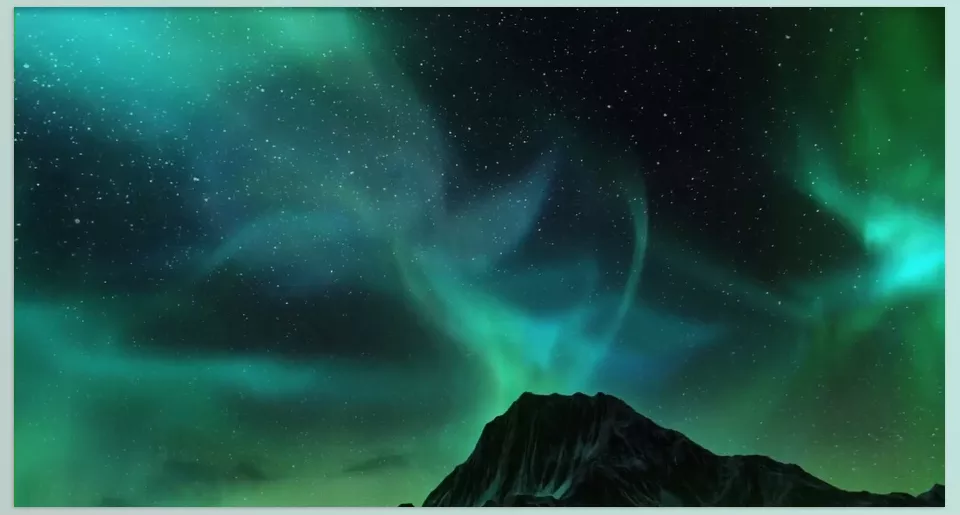
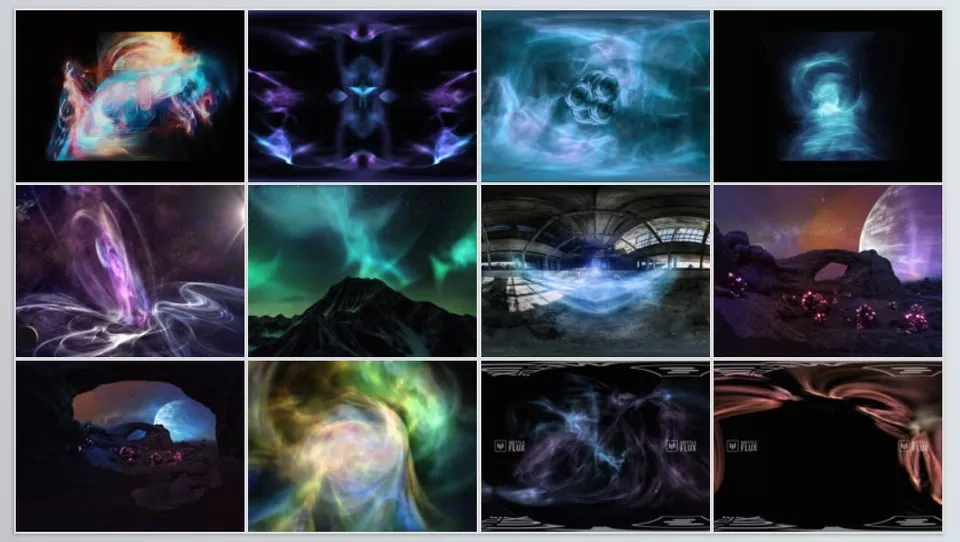
This Is Where FLUX Comes In
When standard tools create limitations, Mettle Flux Plugin enters as a professional plugin, removing all these barriers. With FLUX, you can build space scenes and sci-fi effects quickly, interactively, and with incredible detail.
Key Features of FLUX:
Presets:
With a single click, create ready-made effects like nebulae, explosions, or energy flows, and then customize them as you like. This feature saves a huge amount of time.
Interactive Control:
Change parameters like Force Field, Mutations, Iterations, Lights, and Symmetry, and see the result instantly. This interactive control allows every idea in your mind to be translated quickly and precisely into the scene.
Volumetric Rendering and GPU Acceleration:
Mettle Flux Plugin uses GPU hardware acceleration for volumetric rendering, so you no longer have to wait hours for effects to build and render.
VR and 360° Stereo Support:
With Globe Preview, you can view scenes in 360° and output both Monoscopic and Stereoscopic, without struggling with the usual 360° camera complexities.
Using OBJ as a Force Field:
Any custom shape (OBJ) can be used as a force field in the scene, making effects align perfectly with the environment and objects.
Real Example:
Imagine you want to create a nebula with precise light and color details, viewable interactively in 360°. With Mettle Flux Plugin, all of this is done without hours of wrestling with masks, layers, and complex expressions. The result: a dynamic, realistic scene ready for VR or cinematic projects.
Pro Tips for Space Effects
To make your space scenes and sci-fi effects look more natural, dynamic, and professional, keep these key tips in mind:
- Use Randomize Mutations:
Randomize fractal parameters and effects for unique, non-repetitive results. This gives scenes a sense of life and motion. - Clipping Planes and OBJ Shapes:
Limit or shape parts of effects to make them appear more natural and harmonized with the environment. - Combine Lights and Symmetry:
Proper lighting combined with symmetry creates visually appealing and balanced effects, giving scenes a professional, cinematic look. - Start with the Preset Panel, Then Customize:
Save time by starting with ready-made presets, then tweak parameters to style effects according to your vision. This speeds up workflow while keeping creative control.
Following these tips, you can create space scenes that are not only beautiful and dynamic but also convey a sense of realism and professional depth.
Space Scenes, Hassle-Free
Mettle Flux Plugin allows you to create everything from sci-fi scenes to beautiful nebulae and volumetric effects in record time, professionally and interactively. No more spending hours trying to mask the perfect layer with the most nuanced settings. Conventional technologies create challenges; they place us technically in a box that restricts creativity. FLUX allows you to create without hesitation or boundaries and unleash your imagination through color and movement.
Shift your parameters, explore presets and Force Fields, and watch nebulae bloom and lights and energy flows emerge. The ultimate product is a kinetic image that feels real and transforms your project into a spectacular, dynamic experience for any viewer.
Ultimately, Mettle Flux Plugin transforms the process of creating space scenes from a long, complex task into a playful, interactive experience, giving your projects professional value.
For a detailed look into After Effects and its range of auxiliary tools, dive into our ultimate guide about AE Tools.



