


How to Bring Projects to Life?
Motion Bro products provide a complete toolbox for editors and motion designers, making every project faster, simpler, and more professional. If you work with editing and motion graphics, you probably know that every project, even with the best software like After Effects or Premiere Pro, sometimes feels like it’s missing something. Maybe the transitions aren’t smooth, the effects don’t feel professional, or fine-tuning details takes hours. This is where Motion Bro can really be a lifesaver.
But the truth is, even Motion Bro alone can’t cover all the needs of a professional editor. This is where complementary Motion bro products come in: packages that can make face tracking and facial effects professional, create smooth transitions and motion effects, add high-tech graphic elements to the project, and optimize content for social media. These tools make your projects truly alive, engaging, and professional, and allow any idea in your mind to be executed easily on video.
If you’re not familiar with Motion Bro, check out our article “Motion Bro Plugin” to learn everything you need to know.
In the continuation of this article, we want to look at 5 of the best Motion bro products; products that not only make work easier but also let any idea in your mind come to life in your video, with a striking final result.
5 Tools That Turn Motion Bro Into a Superpower
Now that we understand how Motion Bro creates a solid foundation for video projects, it’s time to see the tools that can strengthen and complete this foundation. Each of these Motion bro products covers a part of the needs of professional projects: from videos with facial effects and smooth transitions to high-tech elements and social media content. With their help, projects are not only ready faster but also look truly striking and professional.
Let’s take a look at these magical tools and how they can make Motion Bro projects more realistic and impressive!
AE Face Tools
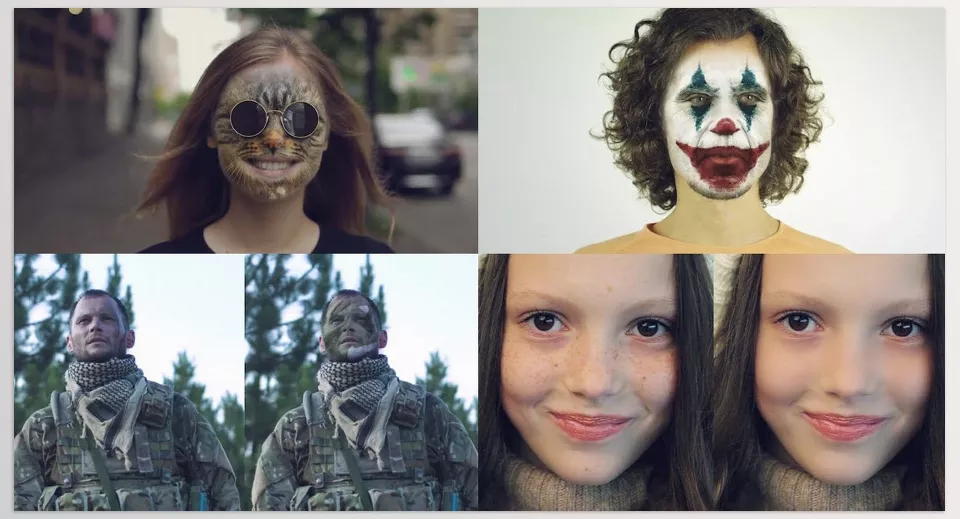
AE Face Tools is a professional plugin for After Effects and Premiere Pro focused on facial tracking and effects. As part of Motion Bro products, it enhances face tracking and effects, making videos truly professional. This tool is essential for any editor or motion designer who wants their videos to feature real, natural, and engaging faces.
With AE Face Tools you can:
- Face Replacement: Easily replace faces or apply special effects to them.
- Makeup Applications: Apply makeup, correct skin tone, and add digital cosmetic details.
- Skin Imperfection Removal: Remove blemishes, acne, and other skin imperfections.
- Eye Effects: Change or add special effects to eyes, like light, color, or icons.
- Distortion & Facial Transformations: Creatively alter faces and create fun or unusual effects.
- Primary Stabilization: Stabilize facial movements to prevent shakes or unwanted changes.
- Adjustment Masks: Full control over different facial areas using masks and adjustment layers.
- Face Tracking: Accurately follow facial movements throughout the video without complex manual work.
- HUD & Scan Effects: Add sci-fi and high-tech effects to faces, like scans, digital info, or gaming-style visuals.
The key feature of AE Face Tools is that all functions are fully customizable. You can change any effect, color, size, or detail according to your project’s needs. Even a simple click can apply changes to the entire video without complex adjustments.
When you combine this tool with Motion Bro, the power of face tracking, effects, and facial enhancements on Motion Bro videos significantly increases. In other words, AE Face Tools acts as a complementary plugin that allows you to take projects from good to truly professional and captivating.
Videolancer’s Transitions for After Effects
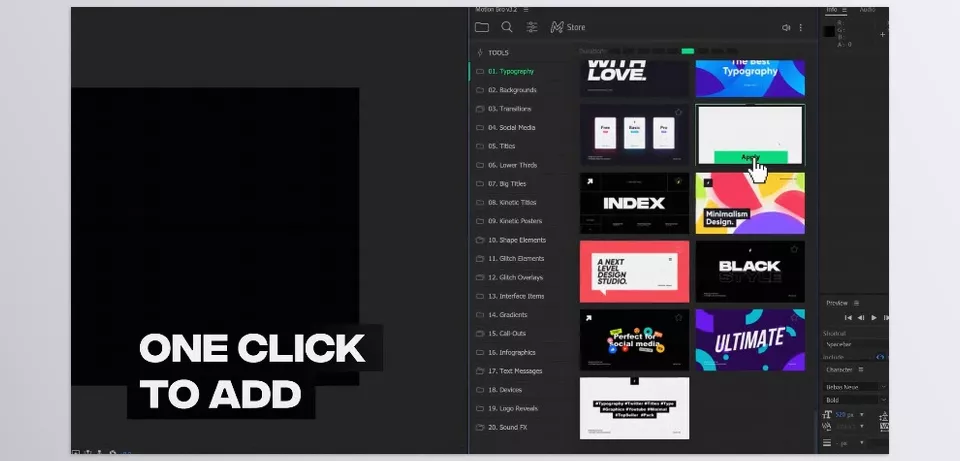
Videolancer’s Transitions for After Effects is a large, professional collection of transitions and motion effects for After Effects and Premiere Pro, bringing videos to life in a strikingly smooth way. This tool is essential for anyone who wants natural, engaging, and professional movement between scenes.
With this package you can:
- Smooth & Dynamic Transitions: Thousands of transitions including zoom, spin, stretch, split, 3D, and glitch effects create natural and engaging scene movements.
- Resizable & Adaptive: These transitions work at any resolution up to 4K, whether your project is horizontal, vertical, or square.
- Social Media Ready: Suitable for IGTV, stories, posts, and other formats without complicated adjustments.
- Full Customization: Change colors, zoom levels, speed, and transition movements as needed.
- Quick Use with Motion Bro Extension: Add your chosen transition to the project in a few clicks without spending hours finding and applying it.
- Audio Effects: Each transition comes with a short synchronized sound effect for a more realistic movement and energy in the video.
The important feature of this collection is that all transitions are fully professional and ready to use, without requiring advanced After Effects skills. When combined with Motion Bro, transitions and motion effects become several times more impressive and professional, making your video projects dynamic, smooth, and eye-catching.
Graphics Pack
Graphics Pack is a massive collection of ready-to-use graphic elements for After Effects and Premiere Pro, allowing you to quickly and professionally decorate and enhance your projects. This tool is essential for anyone who wants their content to be striking while spending less time.
With this package you can:
- Ready-to-Use Elements: Over 1,450 elements including titles, lower thirds, backgrounds, graphic lines, and typography.
- Audio FX: Over 500 sound effects accompany the elements, adding energy and harmony to your video.
- Resizable & 4K Compatible: All elements are resizable and usable up to 4K without quality loss.
- Full Color Control & Customization: Change colors, sizes, fonts, and details of each element according to your project’s needs.
- Quick Use with Motion Bro Extension: Add elements to the project in a few clicks, eliminating time spent searching or preparing.
- Complete Tutorials & Documentation: Video tutorials and text guides help even beginners quickly use the elements in projects.
When combined with Motion Bro, the Graphics Pack turns your projects into a comprehensive creative toolbox. Ready-made elements reduce content creation time, and the final result is visually and professionally striking.
HUDGE | Generator of Hi-Tech Elements | 1850+ HUD UI
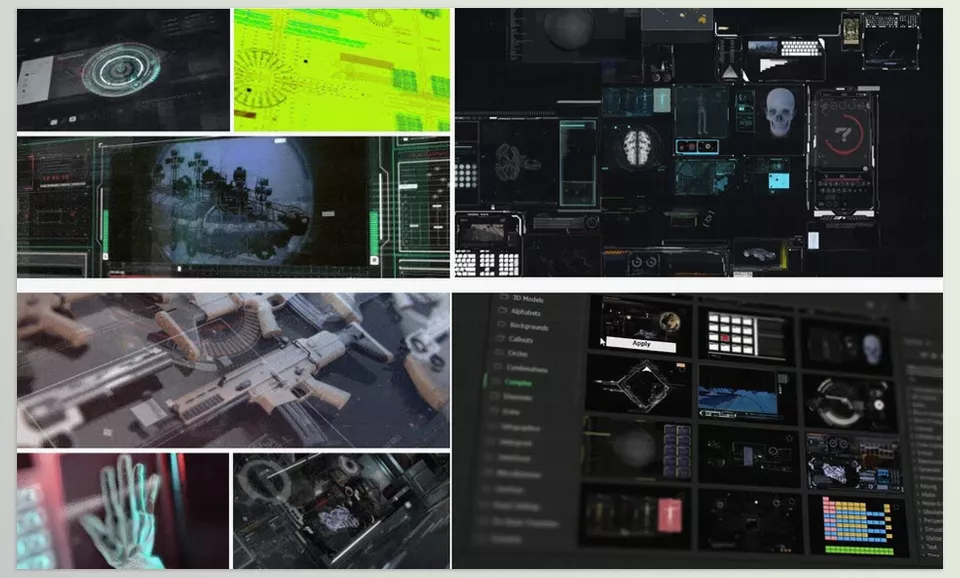
HUDGE Generator of Hi-Tech Elements (UI HUD V2.1) is an outstanding tool for creating high-tech and UI (HUD) elements in After Effects. This package is essential for projects that need a sci-fi, technological, or modern feel.
With HUDGE you can:
- Custom HUD Generator: Build your own elements in a few clicks. Set paths, colors, and animation lengths, and everything is generated automatically.
- 1850+ Hi-Tech Elements: Includes 3D elements, typography, charts, timers, callouts, infographics, overlay layers, lower thirds, and even complete ready-made scenes.
- Professional Organization & Quick Access: All elements are categorized, and with the Motion Bro Extension you can quickly access any desired element.
- Fully Editable & Customizable: Elements are vector-based, so you can change size, color, text, and effects without quality loss.
- Smooth & Adjustable Animations: Animation length, colors, and details of all elements are controllable and can be adjusted to your project.
- Synchronized Audio Effects: Over 100 audio effects accompany the elements, enhancing the realistic and technological feel of the HUD.
When combined with Motion Bro, high-tech and HUD elements give your projects depth and appeal. This tool allows you to create projects that look professional, modern, and striking, without limiting your creativity.
Lava Social Media Pack
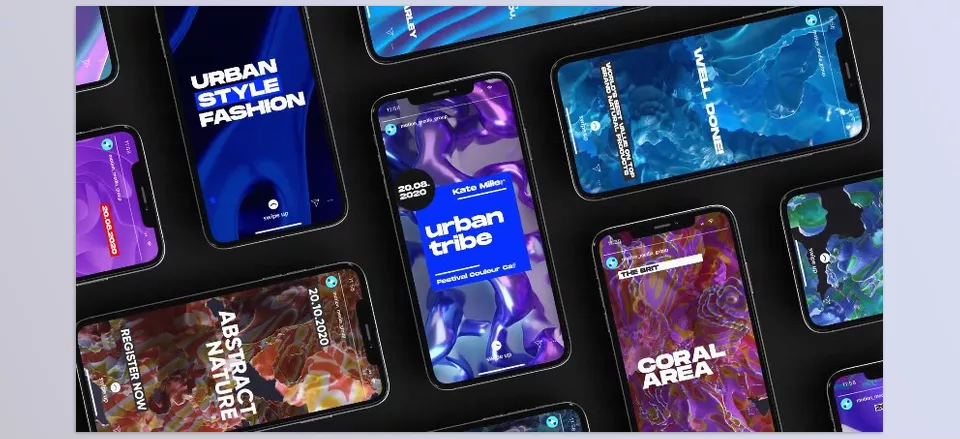
Lava Social Media Pack is a complete package for creating engaging video content for social media. This tool lets you produce professional, platform-standard videos without designing from scratch.
With Lava you can:
- Social Media Content: Create stories, openers, posters, and promos for Instagram, YouTube, Facebook, and even TV.
- Consistent & Modern Design: Use attractive colors, simple shapes, and clean typography to deliver your video’s message easily.
- Templates & Placeholders: Replace photos and videos, change text and colors, and prepare content quickly for publishing.
- Mix & Match: Combine multiple scenes or posters to create longer videos or a series.
- Resizable & Adaptive: Suitable for posts, stories, IGTV, and other formats without manual adjustments.
- Quick Use with Motion Bro Extension: Add templates and elements to your project in a few clicks, minimizing preparation time.
When combined with Motion Bro, Lava Social Media Pack allows you to create social media content that is consistent, eye-catching, and professional. This tool gives you complete freedom to produce videos with visual appeal, ready for any platform.
A Quick Overview of the 5 Essential Motion Bro Complements
To better understand what each tool does and how it enhances Motion Bro projects, this table summarizes all the key information of these Motion Bro products. From facial effects and smooth transitions to graphic elements and social media content, everything can be reviewed at a glance to see which tool is best suited for your needs.
| Product | Main Use | Features & Capabilities | Connection with Motion Bro |
|---|---|---|---|
| AE Face Tools | Face tracking & effects | Face replacement, digital makeup, skin correction, eye effects, distortion & facial transformations, primary stabilization, adjustment masks, HUD & digital effects | Makes Motion Bro’s face tracking and effects more professional and precise |
| Videolancer’s Transitions for After Effects | Transitions & motion effects | Smooth transitions, zoom, spin, 3D, glitch, split, resizable for any resolution/aspect ratio, full parameter control, synchronized audio, quick use with Motion Bro Extension | Makes projects smooth and dynamic, creating natural movement between scenes |
| Graphics Pack | Ready-to-use graphic elements | 1450+ elements including titles, lower thirds, backgrounds, typography; 500+ audio effects; 4K resizable; full color control & customization; tutorials & documentation | Speeds up projects, makes them more attractive, and professionally decorates content |
| HUDGE Generator | High-tech & HUD/UI elements | 1850+ elements, 3D elements, charts, callouts, infographics, lower thirds, overlays, fully customizable, smooth animations, synchronized audio, works with Motion Bro Extension | Makes projects modern, technological, and visually deep |
| Lava Social Media Pack | Social media content | Stories, openers, posters, promos, attractive colors, modern typography, templates & placeholders, mix & match, resizable for any resolution/aspect ratio, Motion Bro Extension | Makes social media content professional, consistent, and ready to publish |
Conclusion: Complementary Motion bro products, the Difference Between Good and Great
As we’ve seen, Motion Bro provides an excellent foundation for video projects, but when combined with the right complementary Motion bro products, its true power emerges. These tools allow any idea in your mind to be executed on video without limitations, accurately and smoothly.
With their help, you can implement effects and transitions professionally, make movements and scenes smooth and coordinated, deliver ready and engaging social media content and graphic elements, and even give your project a modern and technological feel. In fact, these Motion Bro products not only reduce preparation time but also elevate the final project quality to a level where viewers immediately notice its professionalism.
If you want your projects to be truly alive, dynamic, and impactful, having these complements is no longer an option—it’s a necessity.



