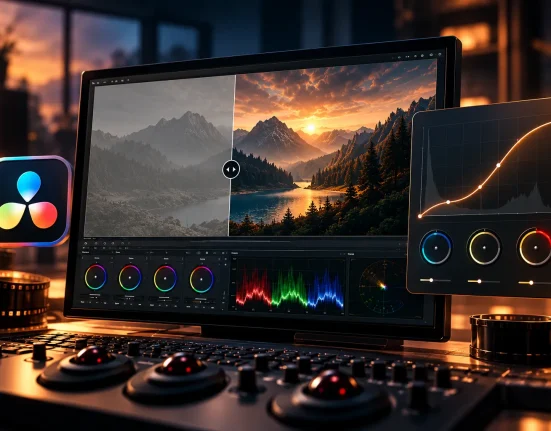
When Everything Seems Right… But It’s Not
Have you ever used the Nirav Patel LOTUS Presets? Sometimes in portrait photography, everything goes according to plan. You have good lighting, the composition is correct, and the subject is exactly where you wanted them in front of the camera. But when you look at the result, a feeling in the back of your mind tells you the photo isn’t quite what it should be. It feels “right,” but it’s not “engaging.”
You’ve probably experienced this feeling—a photo that is technically flawless, yet missing that depth, that mood, that color tone that holds the viewer’s gaze. Something is lacking; something that usually has nothing to do with the lens or camera but is entirely dependent on color, light, and the subtle relationship between the two.
But it’s not easy. Balancing the skin tones, manipulating the contrast, and enhancing the general atmosphere of the shot. It’s a balancing act. One little shift in the hue of a shade or light manipulation can take a shot from melancholy to edgy. Therefore, portrait editing is typically one of the most touchy aspects of the game.
Ultimately, you reach the point where you realize the most important part of the photo’s story lies here—the stage where you must decide whether the photo should be just “correct” or truly “special” and memorable. This challenge pushes us to look for tools, techniques, or methods that can bring that lost feeling back into the image.

Manual Editing in Lightroom
When you want to work without a preset, you have to adjust everything from scratch. This means even a simple photo can take hours, and there’s always a sense that something is missing. Simultaneously controlling light, color, and contrast is complex and delicate, and even the slightest adjustment can change the mood of the entire image.
Parameters You Need to Adjust Individually
To achieve a complete edit, you usually have to deal with these settings:
- White Balance – color temperature and overall feel of the image
- Shadows / Highlights – balancing light and shadows
- Tone Curve – shaping contrast and depth
- Color Mix – precise adjustment of each color
- Split Toning / Color Grading – creating the desired mood in shadows and highlights
- Calibration – overall color identity of the photo
- Noise / Grain – adding texture for a natural or filmic look
Each of these steps requires time and precision. Without sufficient experience, the final result may feel inconsistent or uneven.
Real Challenges
Even after adjusting every parameter, a few major problems remain:
- Spending a lot of time on each photo
- Differences in tone and mood across a project, especially in large collections
- Achieving natural skin tones often requires trial and error
- The need for experience and a strong color sense to achieve professional output
In the end, manual editing offers complete freedom but is often time-consuming and challenging, and the final project output may lack consistency.
Lotus Presets: Professional Editing, Hassle-Free
If you’ve ever spent hours on manual portrait or wedding photography editing, you know that achieving natural skin tones, proper color balance, and overall photo mood is not easy. This is where Nirav Patel LOTUS Presets comes in. Developed by Nirav Patel over five years of experience, trial and error, and continuous refinement, this advanced collection makes editing faster and more professional.
What Problem Does It Solve?
Nirav Patel LOTUS Presets helps you:
- Achieve flawless, natural skin tones without hours of manual adjustment
- Ensure photos look perfect in any lighting, from soft morning light to harsh studio lighting
- Create completely different styles with various presets—from clean, classic portraits to artistic, cinematic, matte, or high-contrast images
- Maintain consistency across large projects, even when editing many photos
What’s Included in the Pack?
Nirav Patel LOTUS Presets includes:
- Four main presets designed for different moods:
- Lotus → smooth, filmic, versatile; suitable for most conditions and styles
- Chroma → vibrant, painterly; ideal for lively, expressive portraits
- Gamma → warm, soft, matte; perfect for high-contrast or bright-light images
- Luma → cinematic with yellow highlights and blue shadows; great for dramatic, deep moods
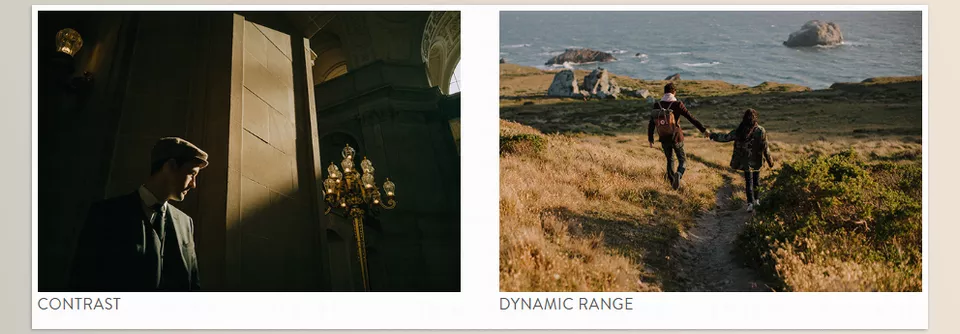
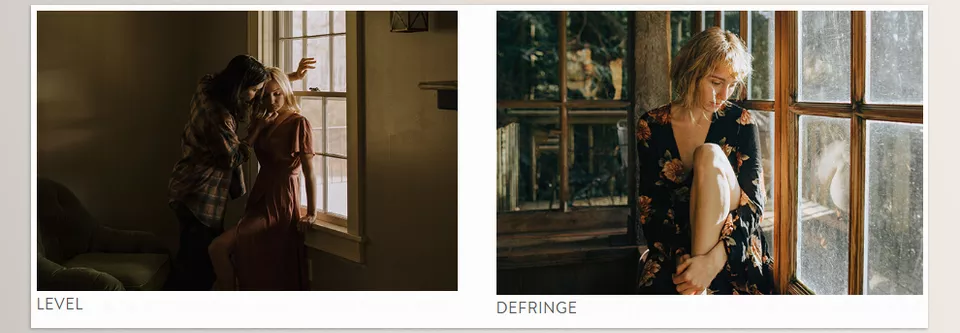
- Modifiers and Toolkit for further customization: adjust contrast, exposure, color tone, and shadows without breaking the main preset
Why Lotus Presets Are Worth Using
With this collection, you no longer need to wrestle with Tone Curve, Split Toning, or Calibration for hours. Simply choose the right preset and make minor adjustments to ensure your photos:
- Are consistent and harmonious
- Feature natural, beautiful skin tones
- Convey lasting emotional impact
Nirav Patel LOTUS Presets not only speed up editing but also elevate your photos from “good” to a professional, cinematic visual experience. For any photographer seeking fast, precise, and impactful edits, this collection is the perfect combination of professional quality and convenience.
Pro Tips for Better Use of Nirav Patel LOTUS Presets
Even the best presets won’t deliver ideal results if used incorrectly. By following a few simple tips, you can edit your photos naturally and professionally:
- Adjust White Balance before applying presets
Correct WB ensures colors appear realistic and balanced. If WB is off, even professional presets can’t render accurate skin tones or colors. - Use Modifiers carefully
Modifiers are powerful tools, but overusing them can make your photos look unnatural. Usually, applying them to only 5–10% of the image is enough to achieve the desired effect. - Always test Skintone / Warm Shift for skin
Skin is the most sensitive part of a photo. Before final adjustments, use Skintone and Warm Shift to ensure natural, attractive skin color, making the photo feel human and alive. - For very bright photos, use Lift Black Point
This softens shadows and gives bright or direct-light photos a professional, smooth feel. - Don’t overdo saturation
While increased saturation can enhance a photo’s appeal, exaggerating it can make the image look artificial. Minor adjustments keep colors natural and balanced.
💡 Friendly Tip: Following these guidelines allows even complex and challenging photos to appear natural, harmonious, and professional with a simple preset.
Why Lotus Presets Are Worth Trying
Good photo editing is more than adjusting a few sliders. Professional editing is a visual language—a language that conveys emotion and storytelling through color, light, and tone. Nirav Patel LOTUS Presets simplifies this language, allowing your photos to look professional and consistent without spending hours.
With these presets, colors appear more realistic and accurate, tones become uniform, and the mood of the images gains depth. Each photo will not only be beautiful but also impactful and memorable.
If you want to create a distinct color identity, save time, and elevate your projects from ordinary to professional, Nirav Patel LOTUS Presets can be that turning point.
💡 Friendly Tip: Even beginners can create professional-quality photos and dramatically reduce editing time by following the simple usage tips.
If you’re genuinely interested in taking your skills to the next level, we’ve put together a full, in-depth article that breaks everything down in a simple, practical way. I highly recommend giving it a read in Color Grading.