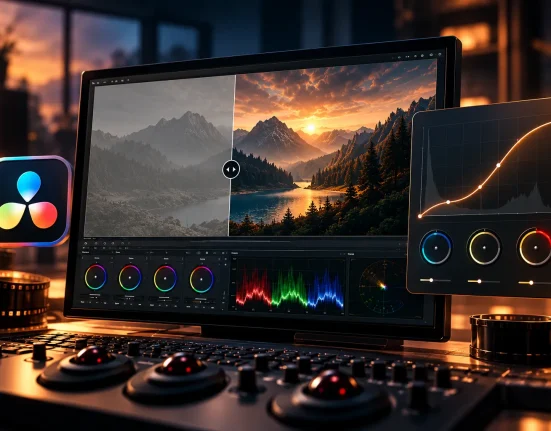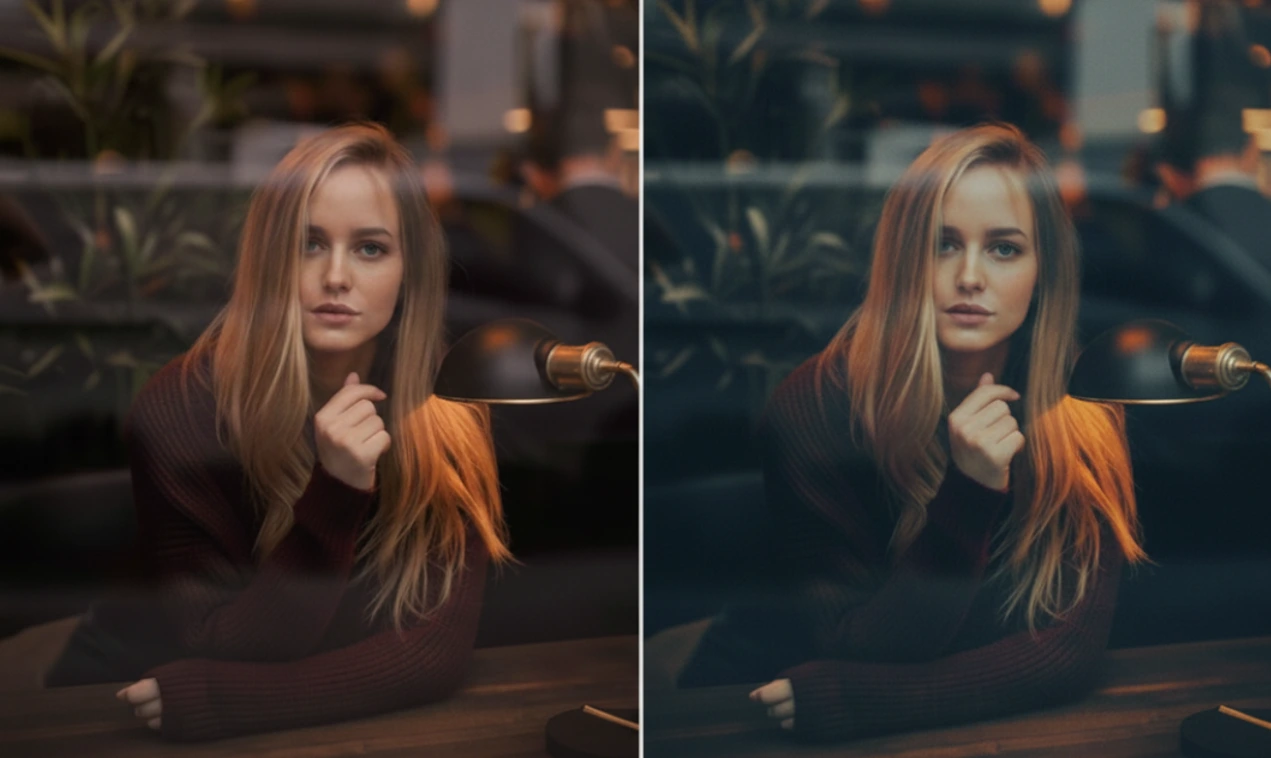
Why Don’t Our Photos Always Turn Out the Way We Want?
Do you know much about the WithLuke Presets The Cinematic Collection? We all love taking photos—whether of our travels, friends, or everyday moments. But when we later view them on a computer or phone, something often feels off: the lighting and colors aren’t right, the photo’s tonal range feels flat and lifeless, or that special feeling we had in mind doesn’t come through.
We might have tried adjusting the exposure with default sliders, tweaking contrast, or adjusting highlights and shadows, but the result often isn’t what we expected. Sometimes colors become oversaturated, people’s skin looks artificial, or our landscape photos lack the dramatic, cinematic appeal we imagined.
This problem is very common: our eyes are extremely sensitive to subtle tonal, color, and contrast variations, and even small changes can ruin the overall feeling of a photo.
This is where cinematic color grading comes in—a method that gives your photos depth, character, and that “professional film look,” without requiring hours of tweaking or advanced experience.

When There Are No Presets: Wrestling With Sliders
Before presets existed, photographers had to adjust every detail of an image step by step to achieve that cinematic and professional feel. This meant:
- Adjusting Exposure, Contrast, Highlights, and Shadows for hours until light and shadow looked just right.
- Tweaking Color Balance and HSL for each color individually to make skin look natural, skies beautiful, and other colors harmonized.
- Reducing noise and increasing clarity, especially in high ISO photos, is a tedious task where even a small mistake could ruin the shot.
The Main Problems With This Method:
- Time-consuming: Even a simple photo could take hours, and you might still not achieve the ideal result.
- Inconsistent results: Each time you worked on a new photo, you had to start from scratch.
- Requires experience and trial-and-error: Finding the perfect color and contrast combination without professional experience was guesswork. A small change could ruin the entire feel of the photo.
In fact, without professional tools, digital photography was more a game of trial-and-error than a fast, creative process.
Introducing Professional Tools: Cinematic Lightroom Presets
Imagine all those hours of manual slider adjustments, searching for the right color and light combination, and exhausting trial-and-error—solved instantly with a single click.
That’s exactly what WithLuke Presets The Cinematic Collection provide. This collection is a professional tool that transforms your photos into cinematic, professional works in seconds, without needing extensive editing experience.
What’s Included in WithLuke Presets The Cinematic Collection?
- 40 professional presets
- 30 presets for natural landscapes
- 5 portrait presets
- 4 Creator styles for modern, travel, and lifestyle photography
- 1 astro photography preset
- ISO-adaptive: Even noisy photos are enhanced with clarity and noise control
- Desktop and mobile compatible: Works in Lightroom CC, Classic, and Mobile versions without complicated setups
- Includes RAW files and tutorial guide: Not only can you edit photos quickly and professionally, but you also learn how to handle colors and tonalities
Main Uses and Effects of the Presets
Landscape Presets:
- Skies and natural lighting appear dramatic and cinematic
- Nature details and textures are enhanced
- Suitable for day and night shots, sunsets, mountains, and beaches
Portrait Presets:
- Natural skin tones without unrealistic colors
- Attractive color balance for personal, commercial, or fashion portraits
- Professional control over light and shadows
Creator Style:
- Vibrant, storytelling colors for blogging, travel, and lifestyle photos
- Perfect for expressing your unique personal style in images
Astro Preset:
- Enhances stars and night skies
- Reduces noise and increases clarity without losing detail
- Ideal for astro and night photography
Why This Tool is Different
- Speed and convenience: All complex adjustments are done in one click
- Consistent results: Every photo achieves the same professional, harmonized quality
- Simultaneous learning: Reviewing preset settings teaches professional color grading techniques
- Suitable for all styles and genres: From landscapes and portraits to travel, lifestyle, and astrophotography
With WithLuke Presets The Cinematic Collection, you no longer need to spend hours on each photo or worry about the results. Apply once, and all your images gain a cinematic feel.
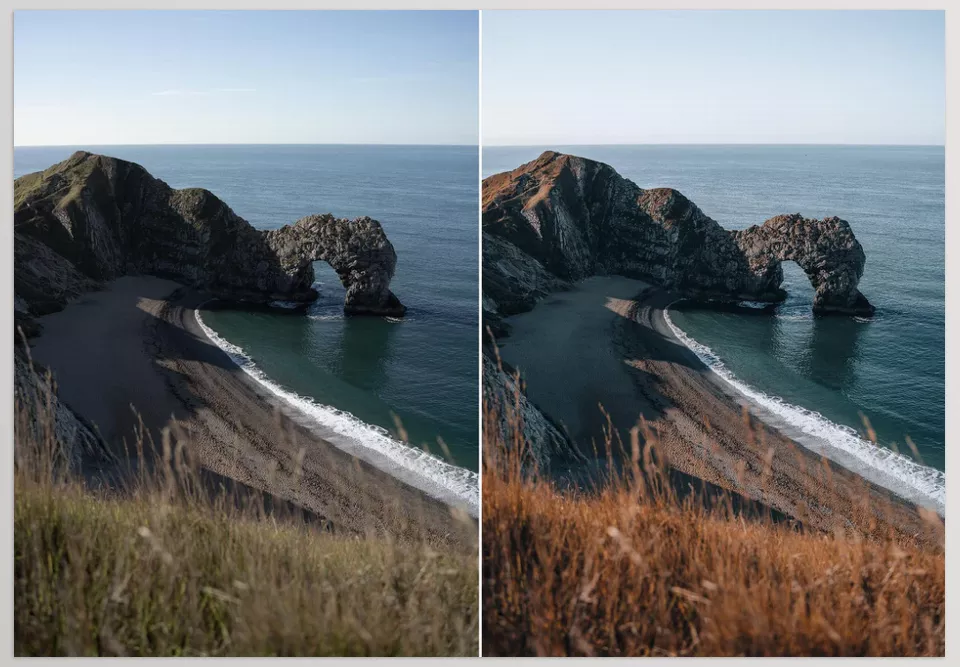
Professional Techniques and Tips for Better Preset Use
Even the best presets cannot deliver ideal results if not used correctly. Here are some professional tips to improve your editing experience:
1. Start With a Suitable Preset
- Always apply a preset as the base before any other adjustments.
- Choose a preset according to the photo’s genre (landscape, portrait, lifestyle, or astro) to save time and effort.
- This base acts like an initial sketch, guiding your editing path.
2. Treat the Preset as a Starting Point
- After applying the preset, review final exposure and shadow/highlight adjustments.
- The goal is to adapt the photo to real light conditions and your personal taste, not blindly follow the preset.
- Minor adjustments are usually enough for a natural-looking result.
3. Learn by Reverse Engineering
- Instead of only focusing on the final result, study the sliders and preset settings.
- This reveals how colors and tones were created, teaching you professional techniques.
- Eventually, you can edit photos in a cinematic style even without presets.
4. Less is More
- Often, there’s no need for major changes after applying a preset.
- Over-adjusting sliders can ruin natural color harmony.
- Let the preset do its work, and make only final tweaks.
5. Additional Tips for More Professional Results
- For high-noise or high-ISO photos, adjust Clarity and Noise Reduction gradually to preserve details.
- For photos with varied lighting, slightly adjust White Balance for natural skin tones and colors.
- For landscapes, tweak HSL and Vibrance slightly to make colors realistic and eye-catching.
- Always compare before-and-after images to ensure a natural, cinematic look.
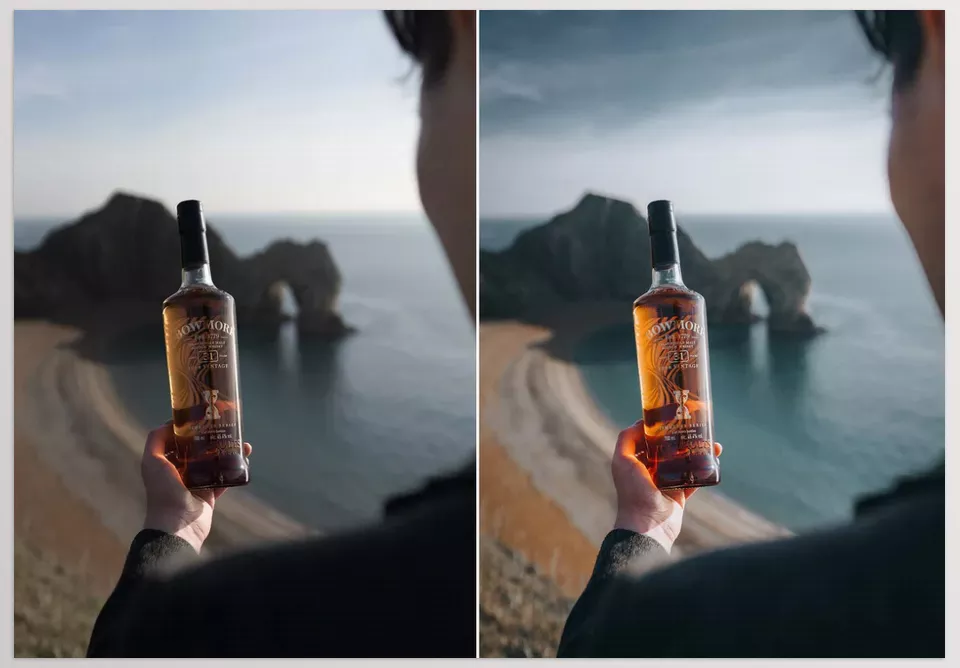
Why WithLuke Presets The Cinematic Collection Truly Change the Game
WithLuke Presets The Cinematic Collection, you go beyond being a simple photo editing tool. They create a ready-made professional system that elevates your photos to a cinematic, harmonized level with just a few clicks. No more spending hours adjusting light, color, and tonality manually—the presets do it accurately and intelligently.
Creating consistency and cohesion in your portfolio is easy when you use WithLuke Presets The Cinematic Collection. Whether you have landscapes, portraiture, or lifestyle images, your collection maintains a cohesive look and feel without any dull or competing images. Thus, each project comes out professionally and beautifully without a second thought.
And lastly, when the presets do much of the heavy lifting for edits, it allows you to save your energy and time for genuine creativity. You can think about the story, the capture, and the creative aspects instead of worrying if your edits will hold up. In addition, WithLuke Presets creates quick, effortless, and reliable paths for professional editing – one main concern is already solved, and a dependable problem-solving editing approach is established.
If you want to boost your color grading efficiency and quality, we’ve prepared a full article that walks you through everything clearly. I really recommend checking our Color Grading —you’ll gain insights that quickly improve your workflow.