


Every Frame, Thousands of Tiny Stories
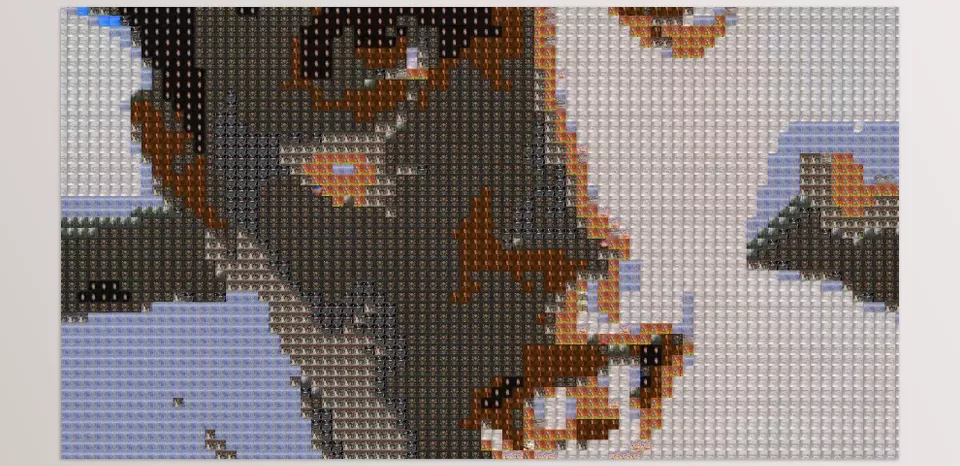
Have you ever used the Photo Mosaic Plugin? Your video becomes a photo mosaic, not a singular moving image, but thousands of tiny images. At a distance, it looks impeccable. Up close, however, you miss the bigger picture and reveal the little secrets within each photo’s image. It compels the audience to get lost in the artistry and entices curiosity; each frame becomes a world of its own, down to the miniature intricacies.
This approach is effective for artistic and advertising projects that need immediate response and long-term visual memory. Even the simplest scenes can become engaging and interactive when composed of tiny images, inviting viewers to explore the details and experience something beyond ordinary videos.

How to Do It Without a Plugin?
If you want to create a photo mosaic effect without professional tools, there are a few common methods. In After Effects, you can use effects like Mosaic Effect or Pixelate to divide the image into small blocks, creating a mosaic-like appearance. Additionally, scripts and expressions can help manually arrange tiny images on frames for more detailed control.
However, these methods come with significant limitations:
- Time-consuming and complex: Manual or script-based methods, especially for long videos, are extremely labor-intensive.
- No use of real images: Most effects manipulate pixels only, making it impossible to use thousands of real photos for detailed composition.
- Limited control over details and quality: Adjusting colors, arrangement, and placement of small images requires precision, and results often remain limited or unprofessional.
Despite these limitations, these methods can work for short or experimental projects, but professional and impactful results remain challenging.
Photo Mosaic: The Detail Wizard
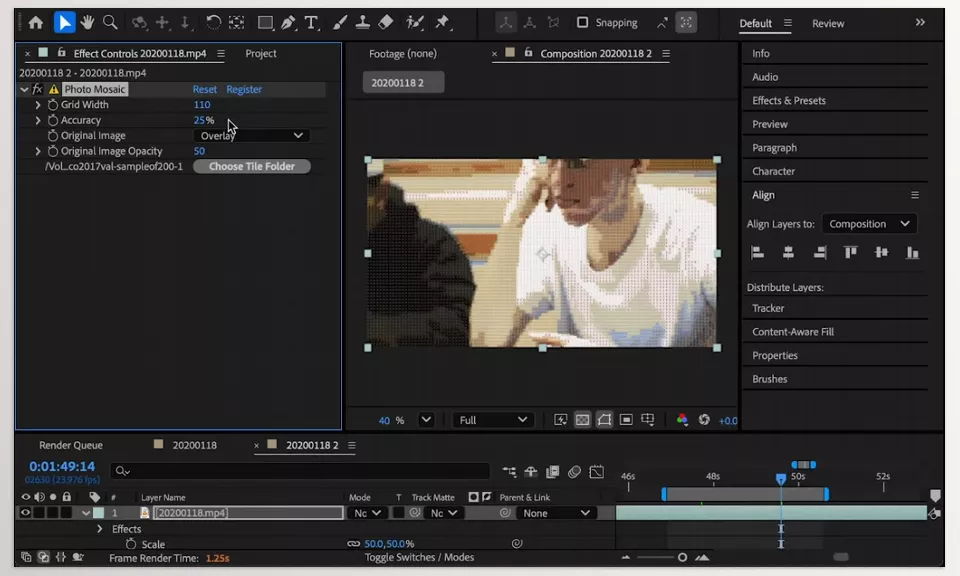
Imagine every frame of your video not as a simple image, but as a combination of thousands of real tiny photos. What once required hours of work and technical expertise can now be done automatically and quickly with Photo Mosaic Plugin. This tool provides a unique experience for motion graphics and promotional videos, capturing the audience’s attention from the very first second.
Key Features:
- Fast video-to-mosaic conversion: Any video, short or long, is processed without quality loss.
- Use of thousands of real images: Instead of simple pixels, you can use a personal photo library or ready-made images for precise, visually stunning details.
- Full control over arrangement and details: Adjust the size, order, and color of small images to achieve a professional result that aligns with the main design.
- Variety in styles and effects: Customize the mosaic’s appearance, combine images creatively, and create artistic, unique visuals.
- Optimized for long projects: Fast and efficient processing ensures even long videos can be prepared in high quality without slowing down your system.
- Wide range of applications: Music videos, promotional logos, educational teasers, and artistic projects that require high visual detail are all possible with this tool.
With Photo Mosaic Plugin, there’s no need to spend hours manually arranging or combining effects. The final result is professional, visually stunning, and impactful, allowing your projects to feature rich detail and high visual appeal. Every frame can now become a small, interactive, detailed world for the audience.
Golden Tips for Professional Mosaics
To make your photo mosaic professional and visually appealing, keep these simple but crucial tips in mind:
- Use content-relevant small images: Choosing images that align with your video’s theme helps convey your message better and creates a stronger visual experience.
- Keep color combinations harmonious: This ensures the main image remains clear, preventing the mosaic from becoming cluttered or confusing.
- Minimize overly tiny details: Too many small images can tire the viewer’s eyes and distract from the main image.
- Test on short videos first: Optimize colors and image composition before applying mosaics to long projects.
Following these tips will make your mosaic both natural and professional, while maximizing visual appeal for viewers.
Small Details, Big Impact ✨
Every frame of your video can become a lively, detailed artwork that fully captivates the audience and creates a unique, entertaining experience 😍. Using the Photo Mosaic Plugin, this method elevates motion graphics, advertisements, and even simple videos beyond the ordinary, giving them a professional and eye-catching touch. When small details are arranged thoughtfully and colors are harmonious, even the simplest scenes can astonish viewers.
Aesthetically, the Photo Mosaic Plugin brings things to a new level with a few suggestions—utilizing proper pictures, blending hues, and controlling every little detail—that make a project all the more exciting for an audience to dig deeper into 👀. An aesthetic addition, as well as something you can play with and interact with makes this such a fulfilling viewing experience. This plug-in can differentiate your next video project in professional and engaging ways to create something uniquely special 💡.
Discover how to make After Effects more powerful than ever — our comprehensive article about AE Tools breaks down the tools, plugins, and workflows professionals rely on.



