

When a Logo, Image, or Video Turns into an Animated Work of Art ✨
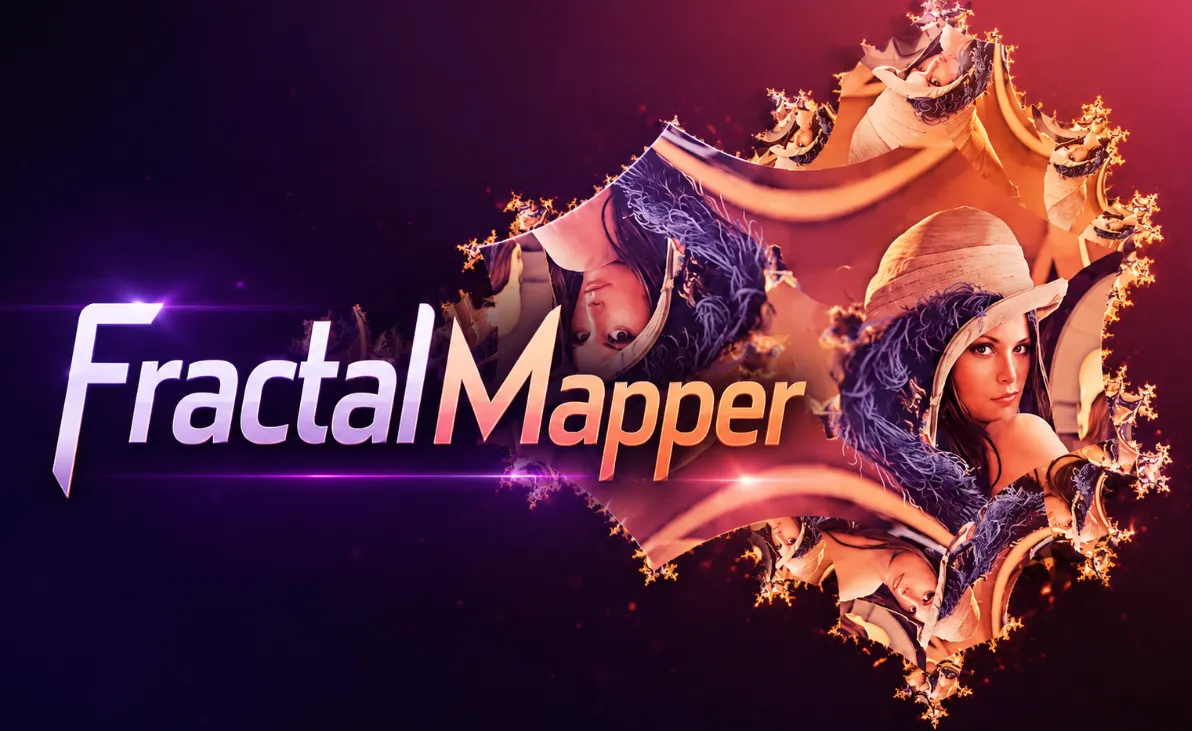
Are you familiar with what the FractalMapper Plugin by aescripts can do? Have you ever noticed those music videos or visualizers where the image keeps repeating within itself, creating strange and captivating patterns? Effects that seem to pull the image into an infinite world, keeping viewers’ eyes on the screen for a few extra seconds.
Creating these kinds of visuals usually requires more than standard effects. Especially when you want to transform a photo, logo, text, or even a simple video into abstract imagery, captivating loops, or unique transitions that give a project a more distinctive appearance.
Of course, achieving these results is not always simple and often requires combining multiple tools along with plenty of trial and error. That is exactly why tools have been developed to significantly speed up the process and enable the creation of complex fractal effects directly in After Effects.

What Is a Fractal and Why Is It So Fascinating? 🤔
If you look at it in the simplest terms, a fractal is a special mathematical pattern that repeats within itself over and over again. The result of these repetitions is a collection of complex and fascinating shapes that reveal more details the longer you look at them.
This characteristic is exactly why fractals have been used for years in digital art, motion graphics, and visual effects. They can transform even the simplest images into outputs that look completely different and visually striking.
For example, fractals can be used to create abstract backgrounds, music visualizers, infinite loops, surreal transitions, or even transform logos and typography into animated works of art. The result is a project that moves beyond an ordinary look and gains a much more distinctive visual identity.

Creating Fractal Effects with Native After Effects Tools 🎬
If you want to create this style of effect without specialized plugins, After Effects provides several tools that can help generate abstract imagery and repeating patterns to some extent. Designers have been combining these tools for years to create creative and engaging visuals, and in many projects, the results are completely satisfactory.
Some of the most important tools commonly used for this purpose include:
- Fractal Noise for creating organic textures and patterns
- Turbulent Displacement for generating distortion and complex motion
- CC Kaleida for creating symmetrical and repeating patterns
- Mirror for generating reflections and image repetition
- Polar Coordinates for transforming linear structures into circular and abstract patterns
- Transform and Repeater for creating various repetitions and creative animations
By combining these tools, it is possible to achieve interesting results and even simulate effects resembling fractal-style visuals.
Why Isn’t This Method Always Ideal? 🤔
The challenge begins when you want to achieve more complex and professional fractal structures. In these situations, you usually need to stack multiple effects together, adjust a large number of settings, and spend a considerable amount of time experimenting before getting close to the desired result.
In addition, most of these techniques do not actually generate true fractals; they are more of a visual simulation. As a result, controlling fine details, structural depth, and animating them in a way that feels natural and visually appealing can become time-consuming and sometimes frustrating.
This is where specialized tools such as FractalMapper come into play, removing much of that complexity from the workflow. 🚀✨
What Exactly Does FractalMapper Do? 🎨
FractalMapper is a creative plugin for After Effects that can bring any layer into the world of fractals. Whether you are working with video, a simple image, typography, or even a complete precomp, this plugin can transform that content into intricate, repeating, and visually stunning patterns that would be extremely difficult to create using standard After Effects tools.
One of the first things you notice while working with FractalMapper is its speed. All processing is GPU-accelerated, allowing you to see the results of your adjustments almost instantly and move between settings without interruption.
Multiple Fractal Worlds Inside a Single Plugin 🌌
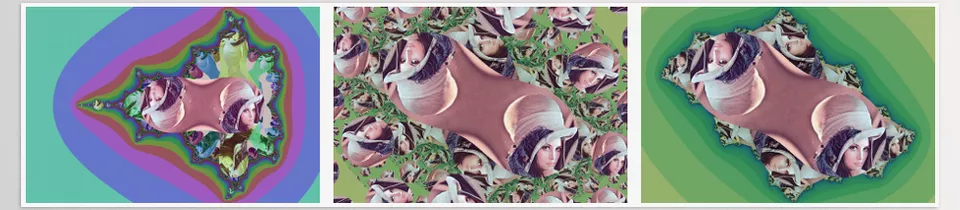
FractalMapper does not produce just one type of output. The plugin includes several different fractal models, each with its own unique appearance and personality:
- Mandelbrot for creating classic infinite fractal patterns
- Julia for softer and more artistic forms
- Exponential Julia for generating more complex and unpredictable structures
- Thorn Mapping for creating strange, abstract, and surreal visuals
This variety enables the generation of entirely different results from the same source image, achieving a unique visual style for every project.
Morph: The Feature That Brings Images to Life ✨
Without a doubt, the most exciting feature of FractalMapper is Morph.
This feature allows you to create seamless animations between the original image and its fractal version. The result looks incredible for creating transitions and creative motion sequences.
For example, you can:
- Gradually pull a logo into a fractal world
- Transform simple text into an animated pattern
- Dissolve a face into abstract structures
- Create a completely unique transition between two shots
- Design dynamic and lively effects for music videos and visualizers
Independent Control Over the Image and Fractal Space 🎛️
One feature that offers a great deal of creative freedom is the ability to control the original image and the fractal space separately.
As a result, you can independently:
- Change the position
- Zoom in and out
- Rotate
- Adjust the scale
- Control the direction of movement
This allows animations to feel much more natural and intentional rather than looking like a simple preset effect.
Complete Control Over Color and Visual Style 🎨
Once the fractal has been generated, it is time to customize its appearance.
FractalMapper provides a complete set of color tools that allow the final result to match the visual atmosphere of your project perfectly:
- Hue
- Saturation
- Brightness
- Opacity
- Inside Color
- Outside Color
With these controls, you can easily create anything from dark and mysterious visuals to vibrant and psychedelic color combinations.
Creating Stunning Detail with Recursive Passes 🔥
If you are aiming for truly complex and visually impressive results, Recursive Passes is one of the most important features of this plugin.
This feature repeatedly sends the image through the fractal process, adding more detail to the final structure with each pass. The result can be patterns that look as though they took hours to create, even though everything happens directly inside After Effects.
Higher Quality with Supersampling and Edge Repeat
FractalMapper does not focus solely on appearance; it also includes useful tools for improving image quality.
The Supersampling feature helps reduce jagged edges and produce smoother visuals, while Edge Repeat ensures that images remain clean and natural even during heavy zooming or large positional shifts.
These small details make the final output look more professional and better suited for real-world production work.
Why Does FractalMapper Feel Different?
Many effects simply apply a new look to an image, but FractalMapper actually moves the image into an entirely new mathematical space and allows you to interact with that space.
Because of this, the visuals created with this plugin often feel much more unique and far less like the repetitive, ready-made effects that have already appeared countless times in different projects.
A Few Tips for Getting Better Results with FractalMapper 💡
FractalMapper is one of those tools that can generate incredible results with a little experimentation. However, a few simple tips can help you achieve more appealing, professional outcomes much faster.
Start with Simple Images
Clean, minimal images usually produce more refined, visually pleasing fractal results. They also provide greater control over the final fractal shape, making it easier to achieve the desired outcome.
Always Animate Morph
Morph is one of FractalMapper’s most exciting features. Instead of keeping its value static, animate it over time to create smoother, more creative transitions and motion sequences.
Experiment with Colors
Sometimes, a completely different result can be achieved simply by changing a few colors. Settings such as Hue, Saturation, and Inside/Outside Color can dramatically transform the mood and character of a fractal.
Apply It to Precomps
If you place multiple layers inside a precomp and then apply FractalMapper to that precomp, you will often achieve results that are impossible to create with a single layer. This approach is particularly useful for building visualizers and complex backgrounds.
Don’t Overdo It
Fractals are naturally full of detail. Sometimes, a simple and controlled setup looks far more professional than an output that is excessively busy and overloaded with detail.
Ultimately, the best way to learn FractalMapper is to experiment with different images, settings, and visual styles. Many of the plugin’s most impressive results emerge when you combine a bit of creativity with its fractal capabilities. 🚀✨
A Creative Playground That’s Hard to Walk Away From 🌌
FractalMapper is not the kind of tool that simply adds another effect to After Effects; it feels more like a playground for building ideas you may never have imagined before. A place where a simple image can become an infinite world of animated patterns and unique visual effects.
If your work is related to music videos, visualizers, artistic motion graphics, or abstract and surreal projects, this plugin can be exactly what helps your work move beyond the ordinary and develop a distinctive visual signature. Something your audience will notice within the first few seconds.
The reality is that some tools simply make work faster, while others change the way you think. FractalMapper belongs more to the second category—a tool that not only gives you results but also inspires entirely new ideas. ✨
For a deeper look at After Effects and the tools that can make your workflow easier and more efficient, be sure to check out our comprehensive After Effects Tools guide. It covers some of the most useful tools, tips, and resources that can help you get more done and improve your overall editing experience.