
✨ What Makes Digital Images Look Like Cinematic Film?
Are you aware of what the Filmbox plugin by Video Village does? You’ve probably watched a video or a movie at some point and felt that there was something different about the way it looked. Those videos where the colors feel more pleasing, the lighting appears more natural, and the overall image has a professional, cinematic quality. On the other hand, there are videos that, despite being high-quality and highly sharp, somehow feel lifeless and fail to create the desired impact on the viewer.
Interestingly, this isn’t always about using cameras that cost tens of thousands of dollars or some exotic piece of equipment. Many times, what makes an image so visually appealing is its visual appearance and character. The way colors are rendered, how light behaves, the texture of the image, and even small details that we may not notice at first glance all influence the feeling we get from an image.
It’s the same atmosphere and mood we used to see in analog and film photography for years, before everything became completely digital. Films that, despite the technical limitations of their time, still have a look that many filmmakers and cinema enthusiasts find appealing. That’s why today many editors, colorists, and content creators are looking for ways to bring that distinctive, timeless feeling into their digital projects and move away from the overly clean, mechanical appearance of modern imagery.

What Exactly Is a Film Look? 🎬
When we talk about a Film Look, we’re not just talking about changing an image’s colors.
Analog films had many characteristics that made their output different from digital images. The way colors were rendered, the behavior of intense light sources, grain texture, contrast, shadow details, and even the glowing halos around lights were all part of a film’s character.
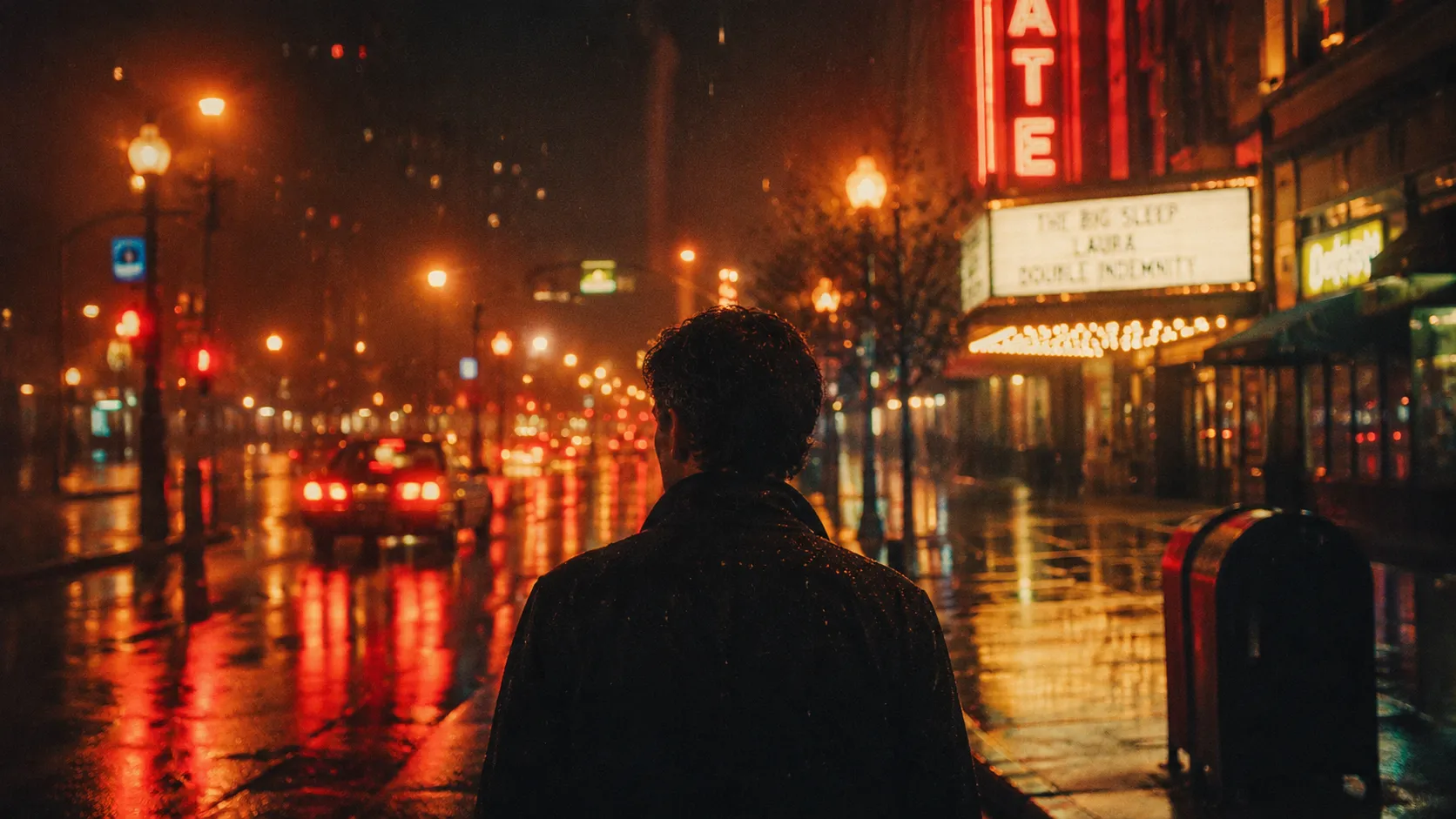
For example, imagine you’ve shot footage of a street at night. In the camera’s raw image, lights usually appear sharp and overly clean. But in film negatives, those same lights can create soft, attractive halos that give the image a completely different feel.
Or think about photos captured on famous Kodak and Fuji film stocks. Much of the appeal of those images isn’t just related to the subject itself; it’s also the result of the film’s unique response to light and color.
That’s why film emulation has become one of the most popular areas of color grading and post-production over the years.
How Did People Create a Film Look Before These Tools? 🛠️
Achieving a film look before the arrival of specialized tools was completely possible—and still is.
Most editors and colorists use a combination of several different tools, such as:
- Cinematic LUTs
- Curves
- Color Wheels
- Film Grain
- Glow
- Advanced color adjustments
These tools can bring an image quite close to the look of real film.
The challenge, however, is that achieving a natural film look usually requires considerable time and experience. Real film is not simply a LUT or a grain effect.
The grain has to work with the colors, the light halos need to appear natural, the contrast must be controlled, and ultimately, all of these elements need to work together. That’s why many people spend hours adjusting details to achieve a result that may still not completely resemble a real film.
Filmbox; When Film Emulation Gets More Serious 🎞️✨
This is where Filmbox enters the picture.
Filmbox is a professional film emulation plugin developed for software such as DaVinci Resolve, Premiere Pro, After Effects, and several other professional tools in the editing and color grading world. What makes this tool different is that it’s not just another “color filter.” It’s more like a complete system for recreating the feel and behavior of real film.
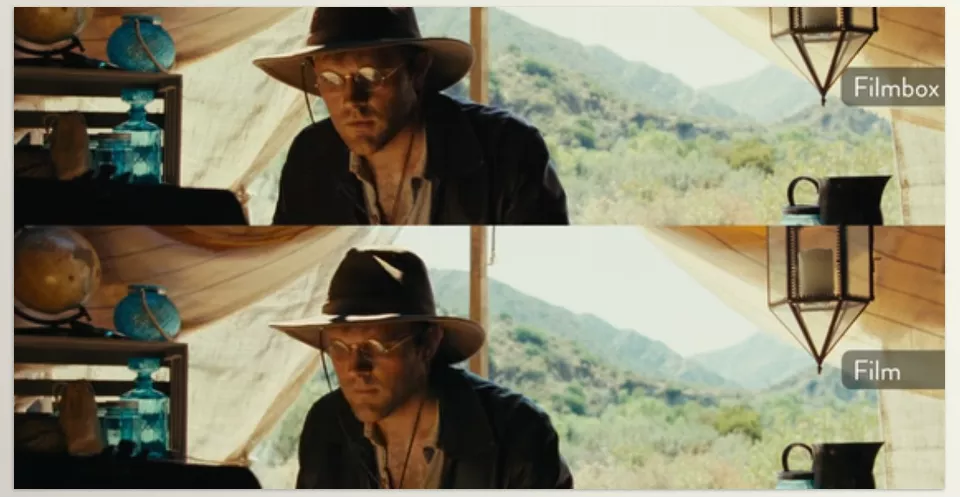
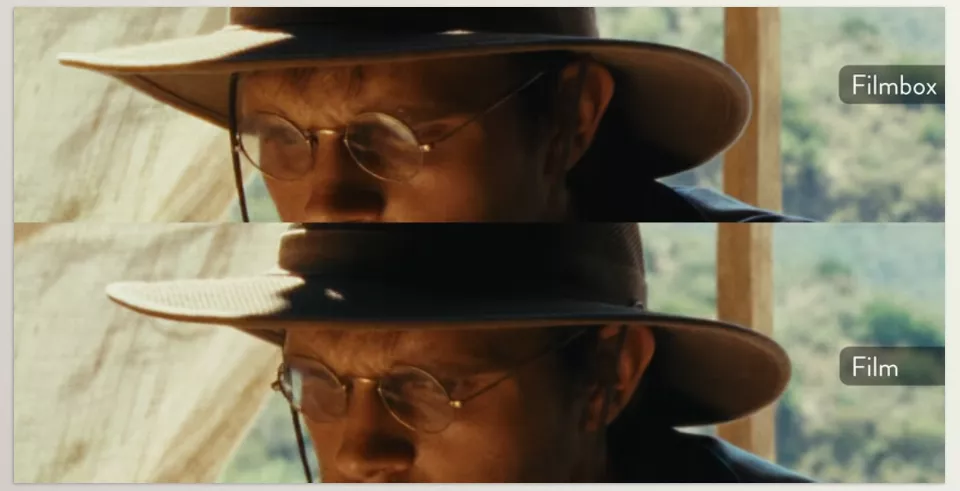
The main difference between Filmbox and many similar tools is that it doesn’t simply apply a LUT or a preset style and call it a day. Instead, it attempts to recreate the actual behavior of analog film—the way colors react to light, contrast shifts across different parts of the image, grain texture, and even the subtle natural imperfections visible in real scanned film.
Simply put, Filmbox aims to move a digital image away from the “clean, straight-out-of-camera” look and closer to something that feels as though it came from a real film camera. Not only in terms of color, but also in terms of feel, texture, and visual character.
🎨 Access to the Real World of Cinematic Film Stocks
One of the most exciting aspects of Filmbox is its extensive collection of film stocks that have been emulated within the plugin.
It includes well-known stocks such as:
- Kodak Vision3
- Portra
- CineStill
- Ektachrome
- Velvia
- Tri-X
- HP5
And many more, each with a completely different personality.
Some deliver warmer, softer colors; some offer stronger contrast; some create a rougher, documentary-style feel; while others fully recreate the atmosphere of classic analog photography. The important thing is that simply switching between these film stocks can completely transform the mood of an entire project.
🌾 Grain That Isn’t Just Noise
One of the major differences between Filmbox and many similar tools is its approach to grain.
Many plugins simply add a layer of noise to an image and call it Film Grain. But real film doesn’t work that way.
Filmbox attempts to recreate the actual structure of grain. Grain doesn’t behave identically across the entire image. It reacts differently across shadows, midtones, and highlights, helping create a more natural appearance.
The result is that when you look at the final image, instead of feeling like “an effect has been added,” it feels more like you’re looking at a genuine film scan.
✨ Halation That Brings Images to Life
If you’ve ever looked closely at cinematic films or even certain professional videos, you’ve probably noticed the red/orange glow around lights and bright light sources.
This phenomenon, known as Halation, is a natural characteristic of film negatives and occurs because of how light interacts with the film emulsion layers.
Filmbox recreates this effect with remarkable accuracy—not as a simple glow effect, but as part of the actual behavior of film. The result is softer light, greater depth, and an overall image that feels warmer and more cinematic.
🎞️ Film Format Selection; Completely Changing the Feel of an Image
Another interesting aspect of Filmbox is that it goes beyond color and effects. You can also determine what type of film your image should resemble.
For example:
- 8mm for an old, shaky, nostalgic feel
- 16mm for a documentary and independent-film atmosphere
- 35mm for a classic cinematic look
- 65mm for a cleaner, wider, and more cinematic image
These aren’t just numbers. They genuinely affect image texture, detail, depth perception, and even grain type.
📼 Imperfections That Become Beauty
One reason old films remain attractive is that they weren’t completely flawless.
Filmbox incorporates this idea as well and can emulate things such as:
- Dust (dust particles on film)
- Gate Weave (subtle frame movement)
- Flicker (minor light fluctuations between frames)
These details may not be immediately obvious, but they’re exactly what make an image feel more alive and authentic, rather than completely digital and sterile.
What Types of Projects Is Filmbox Best For? 🚀
Filmbox can be useful in almost any project where image appearance matters, elevating the final result to another level. From short films and music videos to documentaries, commercials, and branding projects, it can create a more cinematic and engaging visual experience. Even for YouTube and Instagram content, when you want your image to be more than just “sharp” and to have a unique, distinctive atmosphere, Filmbox can be incredibly valuable.
In reality, anywhere you want viewers to feel something from the image rather than simply see it, Filmbox can be a very serious option. Especially for Retro and Vintage projects that aim to revive the feel of old film, this tool can easily transform the project’s entire atmosphere and give it personality.
A Few Tips for Getting the Best Results from Filmbox 💡
To achieve a Filmbox result that feels clean, professional, and cinematic, there are a few simple but important tips that can improve your results dramatically 👇
Don’t Sacrifice Naturalism for Grain
In many cases, less grain yields better results. If the viewer constantly notices the grain itself, you’ve probably gone too far, and the image has lost its natural appearance.
Choose the Right Film Stock for the Project
Every film stock has its own personality. Before selecting one, it’s important to know exactly what mood and atmosphere you want to communicate because that single choice can completely change the feel of the image.
Correct Your Image Before Applying Filmbox
If the base exposure, color, and contrast aren’t properly balanced, even the best film emulation won’t deliver ideal results. Build a solid foundation first, then move on to the film look.
Keep Halation Under Control
Halation is very attractive, but if it’s overused, it can quickly make an image feel artificial. It’s best to adjust it so it adds character to the lights rather than becoming the main subject itself.
Overall, these tips help Filmbox become more than just an effect, turning it into a genuine part of your project’s visual identity.
🎯 When an Image Isn’t Just Clean—It Has Character
In the end, what separates an ordinary image from a cinematic one isn’t simply sharpness, high resolution, or accurate colors. That special feeling you see in professional films comes from countless small details working together—things like the behavior of light, the nature of grain, the way colors react, and even those tiny imperfections that make an image feel alive rather than merely digital and lifeless.
That’s exactly why Filmbox was created. Instead of forcing you to work with multiple effects and settings separately, it recreates all these details in a single unified system. The result is a much shorter, more predictable path to achieving a professional film look, without adding an artificial or exaggerated feel to the image.
If it’s important to you that your work not only looks “clean” but also has a genuine visual identity and a cinematic feel, Filmbox is a tool that quickly becomes a permanent part of your workflow. Especially when you see how easily it can transform an ordinary project into something that truly feels like a film 🎞️🔥
For DaVinci Resolve users who want to speed up their editing process, improve productivity, and get more out of the software’s capabilities, our latest article on essential DaVinci Resolve tools can be a valuable resource worth exploring.