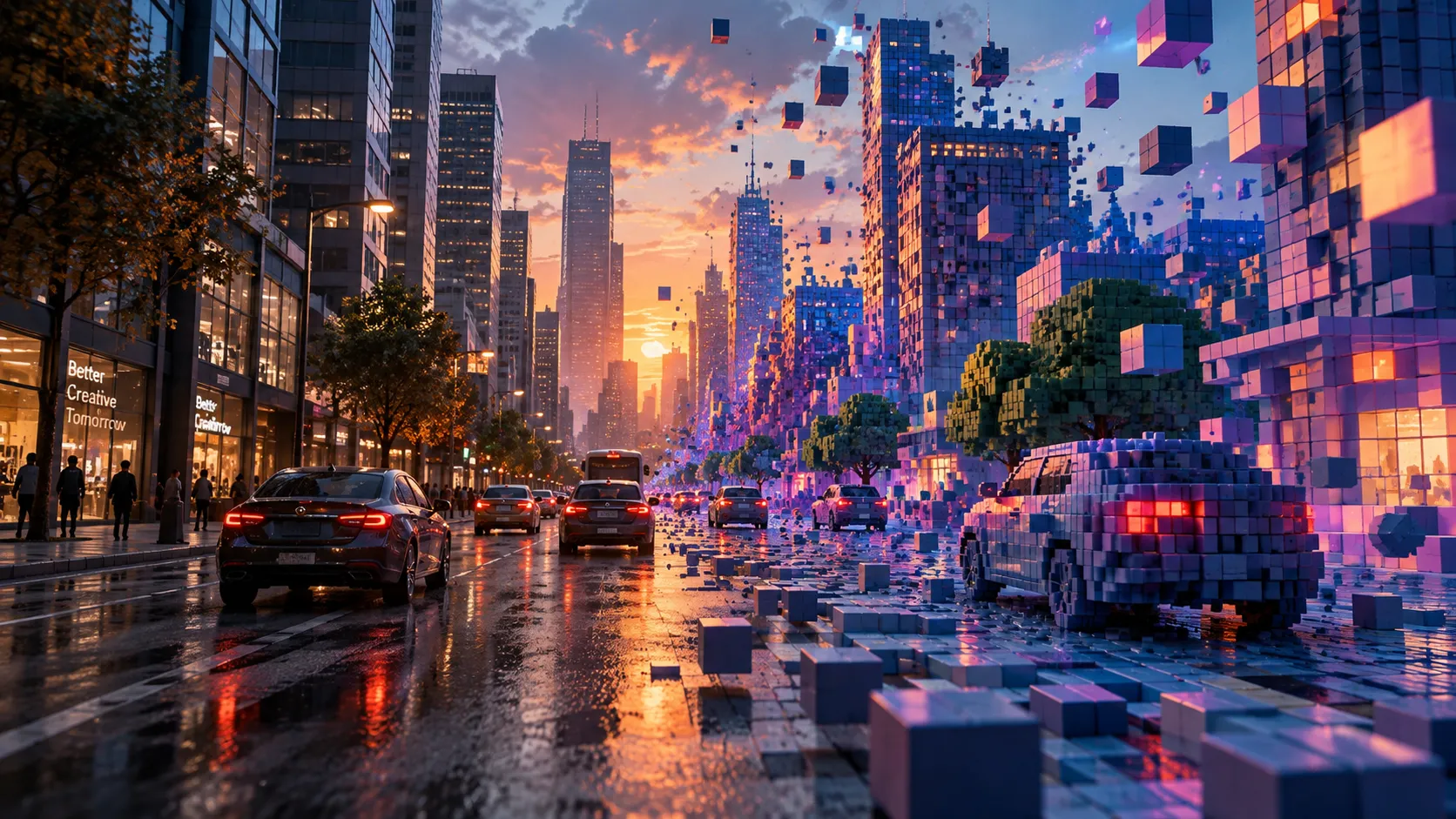
When a Video Can Look Like a Digital Sculpture 🧊
Are you familiar with what the Voxel Sorter Plugin by aescripts can do? Have you ever had a video that was completely fine in terms of editing and color, but still didn’t have that “wow” factor? Often, what’s missing isn’t a complex effect; it’s a different, volumetric look that makes the viewer stop on the image in the first few seconds.
These days, 3D and pixel-style looks are more common than ever in motion graphics, music videos, and tech promos. These styles take the image out of its flat and ordinary state and give it depth, texture, and the feeling of a digital world, without needing to model the entire scene from scratch.
This is exactly where the idea of turning a video into an interesting cubic world becomes exciting. Imagine the same ordinary footage as if it were made of thousands of small blocks; blocks that receive light, have depth, and look like a living digital sculpture as the camera moves. This is the kind of effect that can make a simple shot completely different and memorable.

What Is a Voxel World and What Is It Used For? 🎮
A Voxel can be considered the 3D version of a Pixel. Just as an image is made up of thousands of pixels, a Voxel model consists of thousands of small cubes, each with its own color and position.
This technique creates a volumetric space where the image is no longer just on a flat surface; instead, it becomes a 3D structure you can move around, light, and view from different angles.
You’ve probably seen this style used in music videos, tech promos, gaming videos, or glitch and cyberpunk works. For example, imagine a city scene suddenly turning into thousands of colorful cubes, or a person’s face emerging from the image like a digital sculpture. This unique feeling makes the video stay in the viewer’s mind much longer.
How Can We Create This Effect Without This Tool? 🛠️
Before specialized tools for this style existed, designers tried to get close by combining several different features. These methods are still useful, but they usually require manual adjustments and a multi-step Workflow.
Depth Map: Turning image brightness into depth to create a 3D feeling.
3D Layers + Camera: Arranging layers in 3D space and moving the camera to create volume.
Lights and Shadows: Using After Effects’ built-in lighting to make the scene’s depth look more natural.
Cinema 4D: Moving footage into a 3D environment and creating advanced volumetric effects.
Pixel Sort and Trapcode Form: Creating glitch, particle, or pixel-based looks that are close to Voxel.
Why Aren’t These Methods Always Ideal?
The biggest challenge is that none of these tools can produce a real Voxel output on their own, and you usually have to combine several techniques. Adjusting the Depth, lighting, camera, and effects takes a lot of time, and each new piece of footage needs to be customized from the beginning. If the image depth isn’t accurate, the result can quickly look artificial, and achieving a clean, professional look becomes a process of trial and error.
Voxel Sorter: Turning Video into a 3D World ✨
When you want a completely different look, you usually have to choose between 2D effects and 3D software. Voxel Sorter removes this gap and turns ordinary footage into a 3D world made of colorful cubes; a world where you can move the camera, add lighting, and even perform Pixel Sorting in real space.
The interesting thing about this plugin is that it does all of this directly on the video itself, meaning you can achieve outputs that look more like a volumetric render than a regular effect without modeling or building a 3D scene from scratch.
Turn Any Footage into a Voxel World 🧊
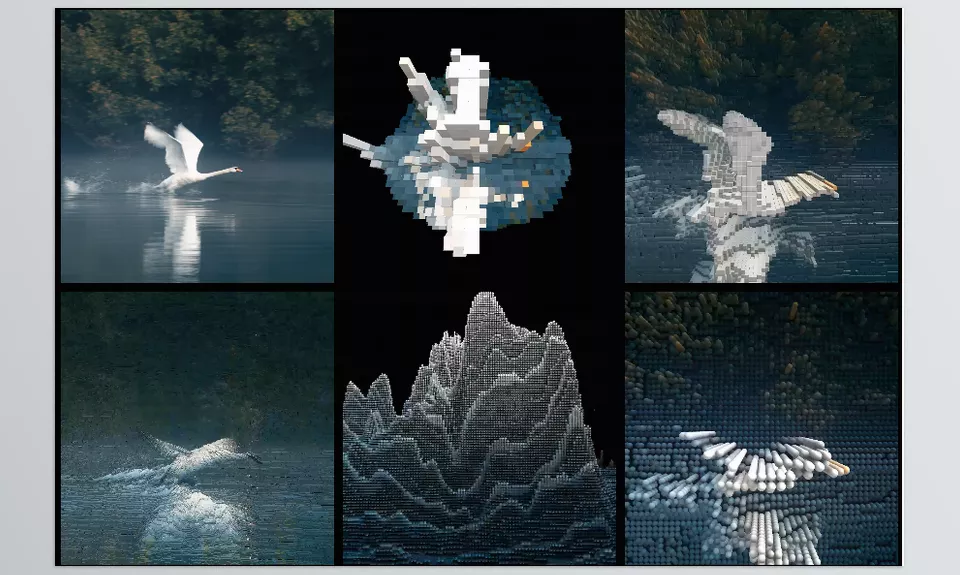
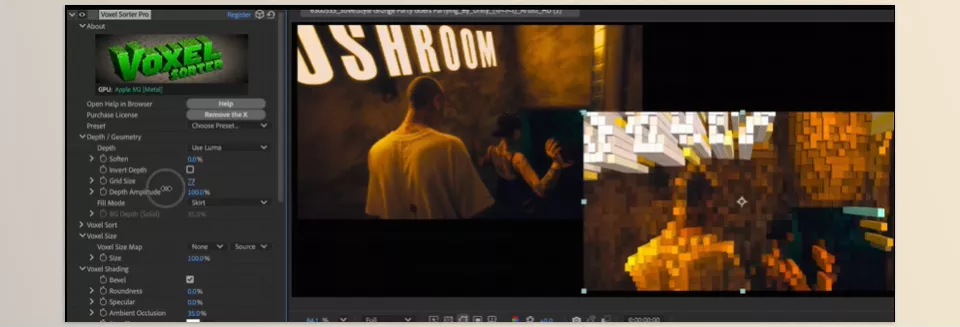
The core of Voxel Sorter is turning image pixels into Voxels, or 3D cubes. The plugin analyzes each frame’s color and brightness and uses that information to create a volumetric structure that looks like the video is made of thousands of small blocks.
This means a city scene, portrait, or even a nature shot can become a digital sculpture that looks different from every angle. You can also adjust the size and density of the cubes, as well as the level of detail, letting you create anything from a minimal look to a fine, detailed structure.
Smart Depth with AI Depth Generation 🤖
One of the most important features of the new version is AI Depth Generation. If your video doesn’t have a Depth Map or any 3D information, the plugin estimates the scene’s depth and uses it to create the Voxel world.
The advantage is that you don’t need separate tools or Depth-generation plugins. Even ordinary footage recorded on a phone can be turned into a volumetric scene in just a few moments, providing a solid foundation for 3D effects.
Pixel Sorting, But This Time in 3D Space 🌈
Pixel Sort usually happens on a flat image, but Voxel Sorter brings this idea into 3D space. You can move the Sort axis up, down, forward, or backward and watch the cubes flow through the scene’s volume instead of simply moving across the image surface.
The result is a mix of glitch, digital art, and architectural structures; colorful trails, geometric stretches, and forms that look completely alive as the camera moves. For music videos, tech promos, and experimental work, this is one of the plugin’s most distinctive features.
Full Control Over the Camera and Viewing Angle 🎥
After creating the Voxel world, the image is no longer limited to the original camera angle. You can tilt the entire structure, rotate it, or move through it with a 3D camera and create completely new shots from a single piece of footage.
This feature is especially useful when you want to create a cinematic intro or transition from simple footage without rebuilding the scene in 3D software.
Realistic Lighting and Volumetric Shadows 💡
Volume has little meaning without light, so Voxel Sorter also lets you light the cubes. By changing the light direction, brightness, and angle, each block gets its own shadow and highlight, making the image look much more natural.
For example, blue light from behind can create a cyberpunk look, while warm side light can make the cubes’ texture stand out more.
Professional Depth of Field 🎯
To make the scene look more realistic, the plugin provides a Depth of Field tool with full controls. You can control the focus point, blur intensity, and focus falloff so the main subject stays clear while farther parts naturally blur.
This effect makes the output look more like a 3D render or footage shot with a cinematic lens rather than a digital effect.
Motion Blur Synchronized with Camera Movement 🌪️
When the camera moves inside the Voxel world, the lack of Motion Blur can make the movement look stiff and artificial. Voxel Sorter solves this with built-in Motion Blur and synchronizes it with the camera animation and cube movement.
As a result, even fast movements look smoother and more natural, while preserving the sense of weight and space.
Which Software Does It Work With? ⚙️
One strength of this tool is its support for several professional software applications. Voxel Sorter is not only made for After Effects but can also be used with these programs:
- After Effects
- Premiere Pro
- DaVinci Resolve
- Nuke and NukeX
- Adobe Media Encoder for rendering projects
This means that if your Workflow moves between several software applications, you don’t need to look for a separate version of the effect for each program.
What Projects Does It Work Best For? 🚀
The plugin’s volumetric, digital look has made it especially popular for specific styles. These include:
- Music Videos: Creating glitch, cyberpunk, and digital scenes.
- Tech Promos: Showcasing products, artificial intelligence, and futuristic environments.
- Gaming Videos: Effects inspired by Minecraft and 3D Pixel Art.
- Intros and Transitions: Turning a simple shot into an eye-catching entrance or exit.
- Experimental Projects: Creating artistic works by combining light, Voxel, and Pixel Sorting.
This combination of features makes Voxel Sorter more than just an effect; it becomes a tool for creating a completely different visual language on ordinary footage.
A Few Tips for a More Professional Output 💡
To make sure Voxel Sorter isn’t just an interesting effect and the output looks professional, a few simple tips can make a big difference. Most of these points simply come down to choosing the right footage and setting the parameters correctly.
- Choose the right contrast: Videos where the subject and background have a greater difference in brightness create more natural and readable Voxel depth, making the 3D result look more convincing.
- Adjust Voxel density intelligently: The smallest cubes are not always the best choice. For promos and music videos, larger Voxels can sometimes create a more artistic and graphic look.
- Use side lighting or Rim Light: A colored light from the side or behind the subject helps the edges of the cubes stand out and makes the 3D volume of the image much more visible.
- Keep Pixel Sorting balanced: Strong effects can remove the subject’s details. A moderate amount of Sort usually creates a cleaner and more professional look while still keeping the glitch feeling.
With these tips, even simple footage can become a volumetric, eye-catching scene. The best results usually come from combining subtle adjustments rather than using exaggerated effects.
A 3D Look Without Building a Model from Scratch 🎯
When you want to turn an ordinary video into something that looks truly different, adding volume and depth can completely change the result. But creating this kind of environment using traditional methods usually means dealing with Depth Maps, modeling, lighting, cameras, and many different settings, especially when you want to repeat this look across several different shots.
Voxel Sorter shortens this process and brings many of these steps together in one place. You can turn your footage into a Voxel world, create depth with AI, control the camera and lighting, and even perform Pixel Sorting inside the same 3D space. The result: instead of building a 3D scene from scratch, you can start with your own footage and experiment with different looks.
If you work on projects such as music videos, tech promos, gaming content, or Experimental motion graphics, these features can open up new ways to approach visual design. Especially when speed matters and you want to turn a simple shot into a cubic, volumetric, moving world without complicating your workflow, Voxel Sorter can be a great tool for adding this style to your projects.
Every After Effects creator eventually runs into plugins, scripts, and extensions—but knowing where to start is the hard part. Our After Effects Tools guide explains each category in a practical, beginner-friendly way with real workflow benefits.