


Let’s Talk Masks—Or Catch Up First
If you want to get the most out of your projects, these After Effects Mask Plugins can be real game changers. Masks are one of the most powerful tools in After Effects—especially when you’re trying to take full control over your visuals.
They let you hide, reveal, animate, and shape your footage in creative ways. But working with them isn’t always easy.
If you’re not 100% sure what masks are or how they work, no worries. I’ve already written a full article explaining everything from the basics to the biggest challenges of using masks in After Effects.
👉 Check it out here before diving in—it’ll help you get the most out of what we’re about to explore.
These After Effects Mask Plugins can seriously upgrade the way you work with masks. In this article, I’ll show you five more awesome tools that can seriously upgrade the way you use masks in your projects.
If you want to see how After Effects tools are generally classified, you can find the link to our overview at the end of this post.
Ready to Rock Your Masks? Check Out These 5 Plugins!
Now that we’re all caught up on the basics, let’s dive into five powerful plugins that will take your mask game to the next level. Whether you want to speed up your workflow, add complex effects, or make mask creation smarter and smoother, these tools have got you covered.
1. Masks to Cropped Layers II
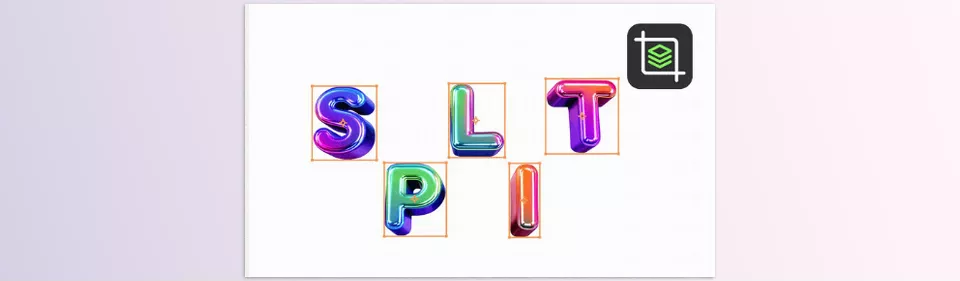
Masks to Cropped Layers II plugin is a lifesaver when working with layers that have multiple masks. It’s one of the most useful After Effects Mask Plugins for improving performance and control. What it does is separate each mask onto its own new layer, cropping that layer exactly to the mask’s size.
Why is this so helpful? First, it dramatically improves After Effects’ performance because it’s no longer processing large empty areas—just the parts of the layer that actually contain visible content. Second, it gives you much more control and flexibility when animating masks, since each mask lives on its own layer.
If you’ve ever manually duplicated and cropped layers to isolate masks, this tool will save you tons of time and computer resources, especially for complex vector art or VFX projects.
2. MaskShapeConverter
Switching between masks and shape layers can be tedious if done manually. MaskShapeConverter is a top-rated After Effects Mask Plugin that speeds up this process. MaskShapeConverter simplifies this by letting you convert masks to shape layers and vice versa in just a few clicks.
This is perfect for motion designers who frequently toggle between masks and shapes for different animation effects or when working with Illustrator artwork inside After Effects.
Not only does it speed up your workflow, but it also preserves precision, ensuring your shapes and masks stay clean and accurate during conversion.
3. BAO Mask Brush
BAO Mask Brush plugin lets you paint with custom brushes directly along mask paths, creating lively, dynamic paint strokes and effects inside After Effects.
One of its standout features is the ability to switch between 2D and 3D modes—meaning your brush strokes can react realistically to camera movements in 3D space. Plus, it calculates motion blur per brush stroke, adding natural smoothness to animations.
If you want to add an organic, hand-drawn feel or animated brush effects to your masks, BAO Mask Brush is an incredibly powerful and creative tool.
4. Mask Prompter
Mask Prompter uses AI to simplify the tricky job of creating masks in video footage. This innovative After Effects Mask Plugin saves countless hours on rotoscoping.
Just select an object or area, and the plugin intelligently generates accurate masks in seconds, using smart point and box detection. This makes it perfect for rotoscoping, isolating subjects, or any task that needs precise mattes without hours of manual work.
It even supports GPU acceleration on compatible Nvidia cards, speeding up the process further.
If you want to cut down on the tedious parts of mask creation and get more done fast, Mask Prompter is a game-changer.
5. Mask & Layer Splitter
When working with complex projects packed with masks and layers, keeping everything organized can be a nightmare. Mask & Layer Splitter helps by splitting masks into individual layers, batch renaming layers, pre-composing with automatic cropping, and even offsetting layer start times.
It also offers handy options like creating or removing reference layers during the split, giving you extra control over your timeline and composition.
Integration with KBar means you can add your favorite tools to custom toolbars and speed up repetitive tasks.
If you want to save time managing your masks and layers so you can focus on the creative side, this script is a must-have.
Wrapping It Up: Take Your Masking Skills Further
Masks are already a powerful part of After Effects, but with these five plugins, you can truly elevate your workflow and creativity. Whether it’s speeding up the tedious task of cutting up and transforming masks into animated brush strokes, to easily accessible brush options, to AI-sensitive recommendations for masking, these plugins make masking easier, faster, and more fun.
Whether you have a big VFX job or a small one with animated components that need careful work, mastering these plugins in a short amount of time will give you the best of your rendering experience with minimal hassle.
So go ahead, try them out, and watch your mask game reach a whole new level!
If you’re curious about how these plugins fit into the bigger ecosystem, we recommend reading our guide to different types of After Effects tools.



1 Comment