

When Every Project Needs a New Character… 🎭
Do you know how the Character Builder Plugin by aescripts works? Have you ever had everything ready for a project—the script is written, the scenes are designed, and even the animation timing is set—but you still don’t have the main character of the story? This stage is often one of the most time-consuming parts of motion graphics production.
When every project requires different characters with new outfits, faces, and styles, redesigning everything from scratch quickly turns into repetitive work. Especially when you need to create several visually consistent characters for an educational or promotional video.
That’s why many designers look for a way to quickly create unique characters instead of spending hours on the initial design, leaving more time to focus on storytelling and animation.

What Does Creating a 2D Character Mean, and Where Is It Useful? 🎨
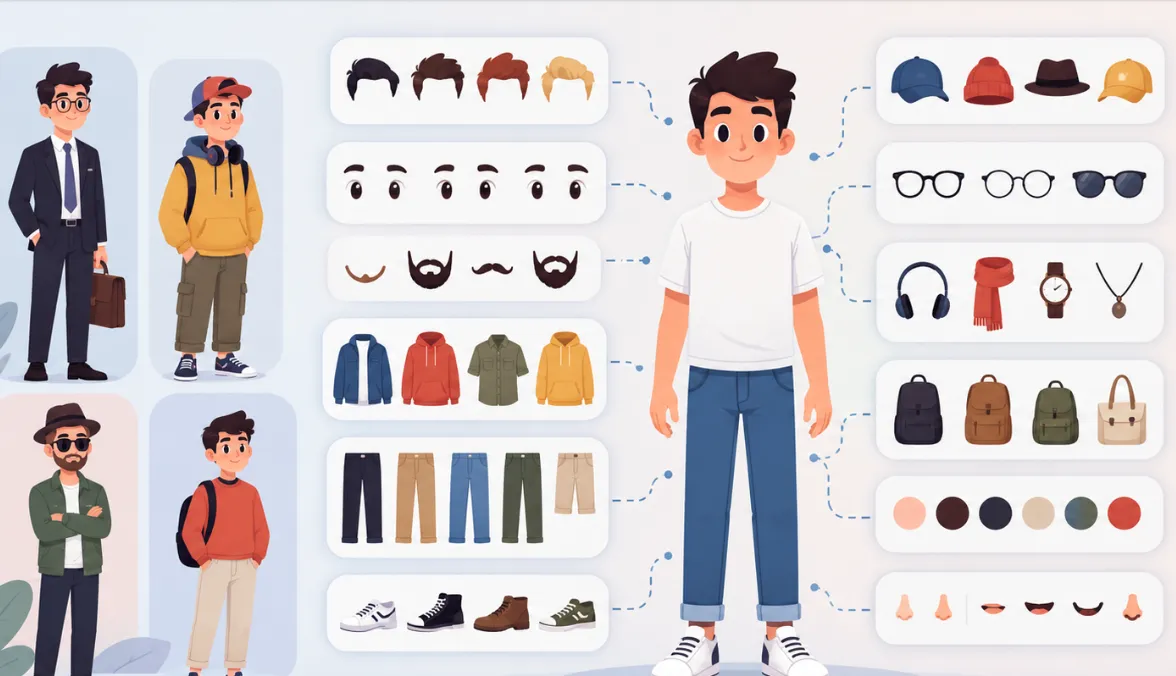
Creating a 2D character means combining different character elements such as the face, hair, clothing, eyes, accessories, and colors to create a unique character without the need for manual drawing. This method has been used for years in motion graphics production, educational animations, and promotional videos.
For example, imagine that you need to design five employees with different appearances for an educational video. Or create a family consisting of a father, mother, and child for an advertisement, with all of them following the same graphic style. In projects like these, ready-made components let you focus on the story and animation instead of repeatedly designing the same elements.
The main advantage of this approach isn’t just speed; it also maintains visual consistency throughout the project. All characters use the same design language, making the final result look more professional.
How Can You Create Characters Without a Dedicated Tool? 🛠️
If you don’t have a dedicated tool, you can still create a 2D character in After Effects; however, this workflow usually starts with design, then moves to rigging and preparation for animation. Many designers create character elements in Illustrator or with Shape Layers, then import each part separately into After Effects for animation.
The common steps in this workflow usually include:
- ✏️ Designing the face, clothing, and body parts on separate layers
- 📥 Importing the files into After Effects
- 🔗 Creating relationships between layers using Parenting
- 🦴 Rigging the arms and legs with Puppet Pins or manual controllers
- 🎭 Creating different versions for facial expressions, clothing, or color schemes
Challenges of the Traditional Method: More Time-Consuming Than You Think ⏳
The main difficulty begins when a project requires several characters with different appearances. Even a simple change such as switching a hairstyle, outfit, or accessory can require editing multiple layers and even adjusting the rig. As a result, the more characters you have, the harder it becomes to manage different versions, and a significant amount of time that could be spent on creativity ends up being consumed by repetitive and technical tasks.
Meet Character Builder 2; A Factory for Creating 2D Characters 🚀
When you need to design several characters with different appearances for every project, you often spend most of your time creating repetitive elements such as clothing, faces, and accessories. Character Builder 2 turns this process into a character-building system; instead of designing from scratch, it gives you access to hundreds of ready-made elements so you can create completely new characters and bring them directly into your After Effects projects.
The important point is that this extension is designed to be completely standalone, and you don’t need rigging tools to create characters. It also includes more than 400 ready-made characters and, by combining different elements, can generate more than 52 trillion unique characters.
Create Characters with the Mix & Match System 🎨
At the core of Character Builder 2 is its incredibly extensive customization system. Every part of the character’s body and appearance can be changed independently, allowing you to mix and match elements without disrupting the design.
For female characters, you can change the following elements:
- 👚 20 clothing styles
- 👖 12 pants styles
- 👟 12 shoe styles
- 💇♀️ 5 hairstyles
- 🧤 9 glove styles
- 👓 9 glasses styles
- 🎀 7 hat styles
- 💎 14 earring styles
- 👂 5 ear styles
- 👁 6 eye styles
- 🎯 7 pupil styles
- 〰️ 5 eyebrow styles
- 👄 5 mouth styles
- 👃 5 nose styles
For male characters, an even larger collection is available:
- 👕 48 clothing styles
- 👖 22 pants styles
- 👟 11 shoe styles
- 💇 5 hairstyles
- 🧔 6 beard styles
- 🧤 9 glove styles
- 👓 9 glasses styles
- 🎩 11 hat styles
- 👂 6 ear styles
- 👁 6 eye styles
- 🎯 7 pupil styles
- 〰️ 5 eyebrow styles
- 👄 5 mouth styles
- 👃 5 nose styles
This variety lets you create characters with completely different appearances for every project while keeping them consistent with your own graphic style.
More Than 400 Ready-Made Characters for a Quick Start 👥
You don’t always have to start designing from scratch. The extension includes more than 400 ready-made characters, including women, men, children, and a diverse collection for different motion graphics styles.
These characters aren’t just static files; you can change their clothing, faces, accessories, and color schemes and create your own custom version in just a few minutes. For promotional projects and educational videos, this feature noticeably reduces preparation time.
No Rigging Required; Ready for Animation ⚡
One of the biggest differences between Character Builder 2 and manual design is that you don’t have to spend hours creating skeletons and initial controllers. The characters are designed to move directly into a motion graphics workflow and be ready for animation.
This is especially useful for freelancers and studios that deliver several projects every week, saving significant time.
Full Compatibility with Duik Bassel and Limber 🦾
If you use Duik Bassel or Limber for professional rigging, Character Builder 2 supports the structures of both.
This means you can create your character inside Character Builder, then easily bring it into Duik or Limber and use their IK controllers, arm and leg animation systems, and professional rigging features. This compatibility ensures no extra steps between design and animation.
Display Characters from 6 Different Angles 🔄
In animation, a front view alone isn’t enough. Character Builder 2 allows you to change the character view across 6 different directions, from front and back views to side and three-quarter views.
This feature gives animations a more natural feel in scenes such as walking, turning, conversations between two characters, or narrative sequences, while eliminating the need to design several separate versions of the same character.
A Library of Objects and Handheld Props 🎒
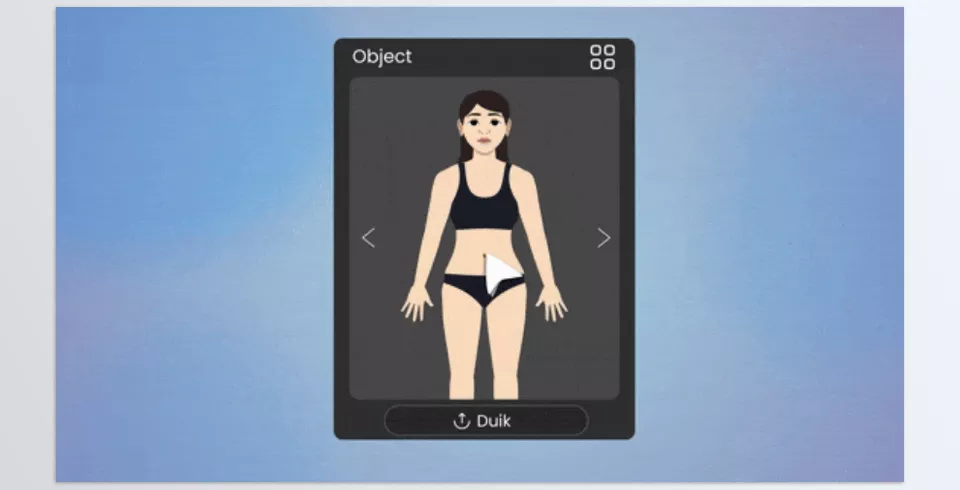
To make sure characters aren’t simply standing around, the extension also includes more than 20 types of objects (Props). Items such as books, bags, tools, everyday objects, and other handheld props can easily be added to the scene.
These props make narrative and promotional scenes look more realistic without requiring you to redesign every object from scratch.
Animal Characters and Special Characters 🐻
In addition to humans, the library includes several rigged animal characters useful for children’s animations, educational content, and entertainment projects.
The previous version of Character Builder even offered a collection of special characters and religious figures such as Jesus and the Virgin Mary, and this variety has made the collection’s library suitable for a wide range of projects, from educational to narrative work, giving designers plenty of options.
Simple and Completely Standalone User Interface 🖥️
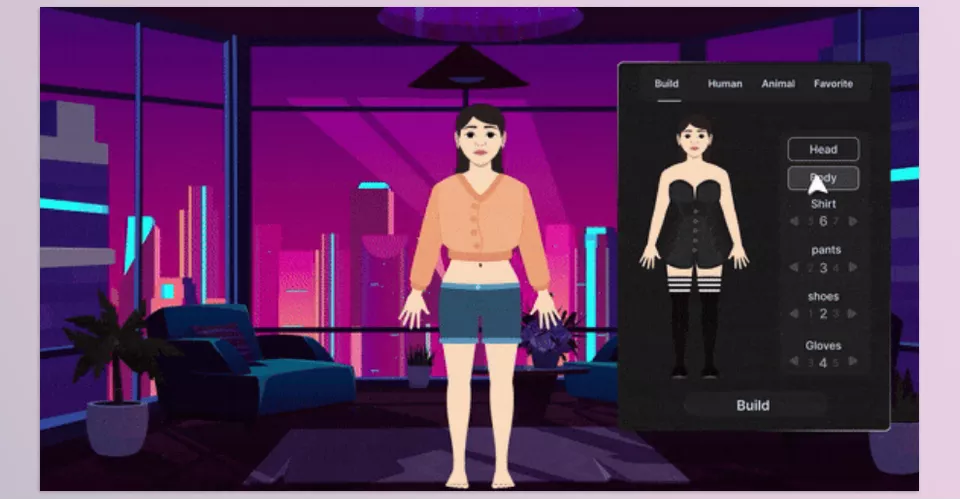
One less noticeable feature is the extension’s simple interface. All character elements are managed through a single panel, so you don’t have to move between dozens of compositions and layers just to change clothing, a face, or an accessory.
In practice, Character Builder 2 works more like a character factory than a ready-made project; with just a few clicks, you can create a new character every time and immediately start animating it.
A Few Tips to Make Your Work Look More Professional ✨
To make sure these features don’t just improve speed but also lead to a clean, professional final result, a few simple tips can help. Especially when you’re using several different characters in one project, visual and motion consistency becomes even more important.
- 🎨 Choose a consistent color palette for each character: This helps preserve the visual identity of the story.
- 🕶️ Use accessories purposefully: Glasses, hats, and gloves are more effective when they relate to the character or their role in the story.
- 👤 Use ready-made characters as a starting point: A few small changes to clothing, hair, or facial features can create a completely different character.
- 🔄 Choose the right viewing angle before animating: This helps prevent rework later in the project.
- 🦾 Complete the rig with Duik or Limber: If you’re creating more complex animations, using these tools gives you greater control over character movement.
Ultimately, it’s better not to look at Character Builder 2 as simply a collection of ready-made characters; combining elements properly and using rigging capabilities smartly can create characters that perfectly match your project’s atmosphere.
Less Time Designing, More Time for Storytelling 🎬
If a large part of your projects involves 2D characters, you probably know how time-consuming it can be to design every character from scratch. Choosing clothing, creating facial elements, coordinating the appearance of several characters, and preparing them for animation can easily multiply a project’s time. Especially when you need a large number of different characters for a video that’s only a few minutes long.
This is where Character Builder 2 can truly change the workflow. Instead of starting every design from a blank page, you have access to a large library of ready-made elements and more than 400 characters, allowing you to combine clothing, hair, faces, and accessories to create the character you need. On top of that, you don’t have to build the rig from scratch for every character, and you can also use Duik Bassel and Limber structures.
For motion graphics, video narratives, advertisements, and/or educational videos, if you are creating characters regularly, the value of this product isn’t so much in the vast number of assets available as in the time it can save in the production pipeline. By speeding up repetitive tasks in the prep and design phase, you can spend more time on what makes a video interesting: ideas, story, and movement.
New to After Effects and wondering what all those plugins, scripts, and extensions are for? Our After Effects Tools guide provides an easy-to-follow overview of the different types of After Effects tools and explains how they can help simplify your workflow and enhance your projects.



