Why Do Some Photos Not Look as They Should?
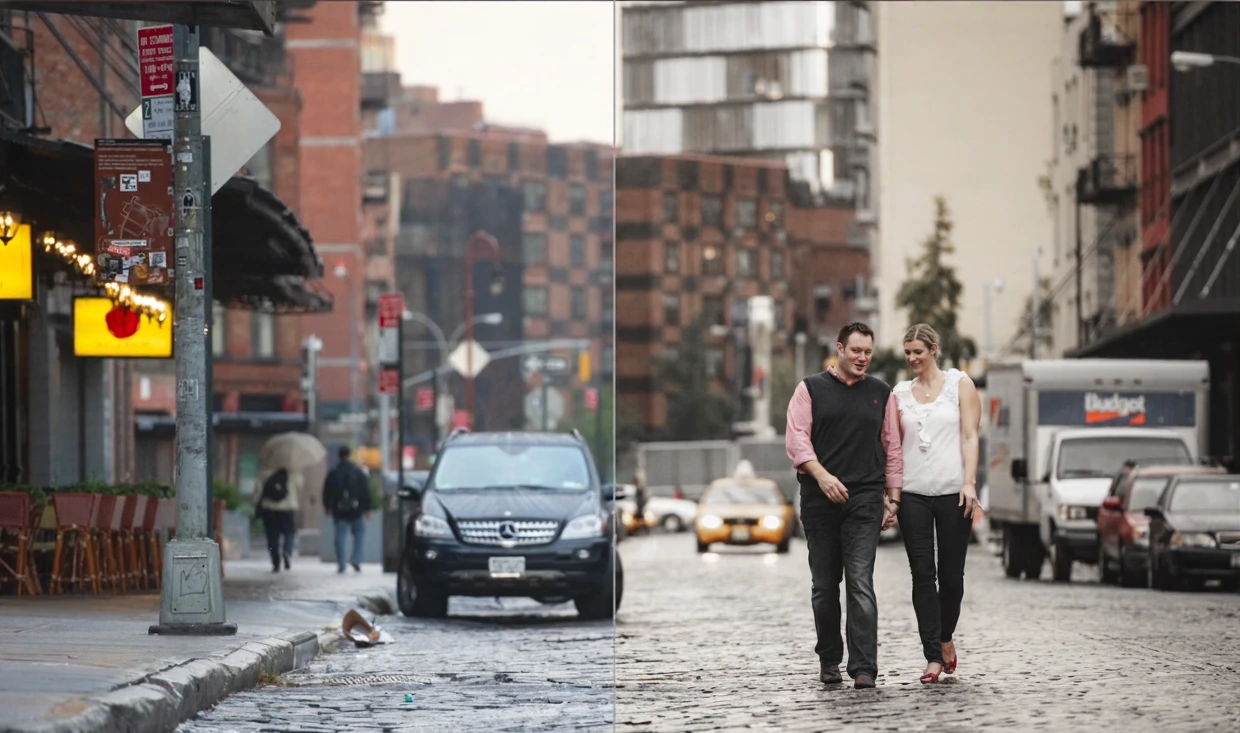
Have you ever used the FroPack 3? Sometimes, a picture is perfectly executed. The lighting is perfect, the composition is pleasing, and the subject is exactly where they need to be. But when it’s all said and done, you look at the picture and your gut says… This could be so much better. It’s like there’s a story behind the picture that still hasn’t been rendered to make it feel so emotional to the viewer.
Sometimes the colors are a little bland or the ambiance of the image isn’t what it should be. It’s an okay image, but it doesn’t have character. That’s when you start questioning how to adjust things, just a hint of color? A cinematic quality? A softer look to add personality to the image?
This is where people look for a fast and reliable solution—a way to transform the mood of a photo without hassle, not by spending hours adjusting sliders, but with a simple action that gives exactly the result you envisioned.
Especially when you have a lot of photos and want them all to share a consistent and appealing vibe, having an easy-to-use, dependable tool can be a lifesaver. Something that not only improves the photo’s look but also delivers the right atmosphere. This is exactly why a good tool for color and style is so important.

What Are Presets and Why Are They Important?
Presets in Lightroom are essentially a set of pre-saved adjustments that can be applied to a photo with a single click. Instead of tweaking color, light, contrast, tones, and details one by one every time, a preset does all that at once. The result? A quick, dramatic transformation in the mood of your image.
Put simply: presets are not just ordinary filters; they are precise, professional adjustments that can give a photo new life and personality. It’s like having a professional editor by your side saying: “Forget the sliders… let me handle it!”
Practical Everyday Uses of Presets
- Transforming a regular photo into something cinematic or vintage.
- Ensuring all photos in a project, album, or Instagram feed have a consistent, cohesive look.
- Saving time when you don’t want to spend hours on detailed edits for each image.
- Getting inspiration when you’re unsure how to start an edit.
For photographers, presets play the same role brushes do for painters:
A fast, precise, creative, and inspiring tool that helps you achieve professional results effortlessly.
Presets don’t just make editing easier—they make it smarter.
Traditional Editing Without Presets — Possible, But Painful
If you want a specific color or mood without presets, you have to start from scratch. This means adjusting each Lightroom slider individually: exposure, contrast, highlights, shadows, curves, and then diving into colors separately to achieve harmony.
The problem? You have to repeat this for every photo. For a project with 50–60 images, that means re-editing, comparing, syncing, and switching between images to maintain a consistent style.
And here’s what traditional editing really shows:
- It takes a lot of time.
- Without enough experience, you might not get the desired result.
- The final output may lack consistency across photos.
- For large projects, it’s often not worth the time or cost.
Even professional editors usually look for a “strong starting point” to continue editing mid-process. Presets provide exactly that: saving time, energy, and sanity!
FroPack 3 — 15 Professional Presets That Transform Photos!
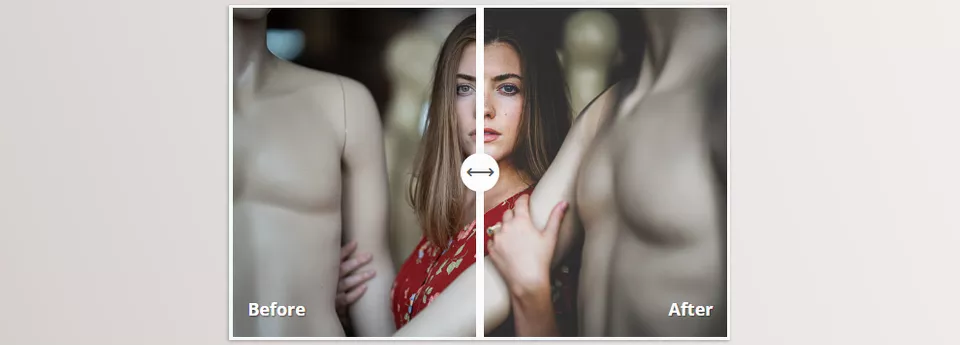
FroPack 3 is a professional Lightroom preset pack containing 15 unique and practical styles. Designed to dramatically change the mood of your photos without hours of manual adjustments, it covers everything from cinematic and dark images to bright, cheerful, vintage, fashion, and colorful looks. Some presets are even inspired by famous characters and films, giving your photos personality and narrative.
Key Features and Uses of FroPack 3
1. Variety of Styles for Every Project
- Gotham: Urban, cinematic vibe with deep colors and soft neon.
- November Rain: Cold, emotional, and moody atmospheres with green and blue tones.
- Almost Famous: Analog film look, matte finish, subtle grain.
- Mentos: Bright, clean, and energetic for portraits and nature.
- Zoolander: Modern, fashionable colors for vibrant photos.
- Capone: 1920s-inspired matte and modern tones, great for minimal portraits.
- Mount Airy: Light and airy with soft greens and high highlights for landscapes.
- Prestige Worldwide: Vibrant, dynamic colors for striking images.
- Eckert: Classic style, favorite of the pack creator, versatile for any project.
- Winnebago: Deep browns and soft blues, vintage and rustic style.
- MDMA: Neon, dynamic colors for party and dance vibes.
- Canadian Tuxedo: Cool blues and denim tones for a unique look.
- Walter White: Soft creams and blacks for a scientific, minimal aesthetic.
- King Contrast: High contrast without affecting skin tones; ideal for flat and RAW images.
- 5th Element: Deep greens and Ancient Egyptian-inspired tones, suitable for portraits and landscapes.
2. One-Click, Fast Operation
With a single click, all light, color, contrast, and tonal adjustments are applied. Presets are fully adjustable, and intensity can be easily modified.
3. Designed for RAW, but Works on JPEG
Optimal results with RAW files, but also works on JPEGs with minor manual adjustments.
4. Fully Compatible with Professional Tools
Compatible with Lightroom Classic, Lightroom CC, Photoshop, and Adobe Camera Raw, making it ideal for professional or everyday projects.
5. Advanced Features for Professional Editing
- Adjust Preset Strength: Control how much a preset is applied.
- Combine Presets: Use one preset as a base and apply another for custom styles.
- Color Consistency: Maintain uniform style across multiple photos.
- Easy Setup: Quick installation and syncing with Lightroom CC mobile.
6. Suitable for Any Project
- Portraits and fashion
- Landscapes and nature
- Urban and cinematic projects
- Instagram feeds or photo albums
- Anywhere professional color and style are needed
Why FroPack 3 Is Worth Trying?
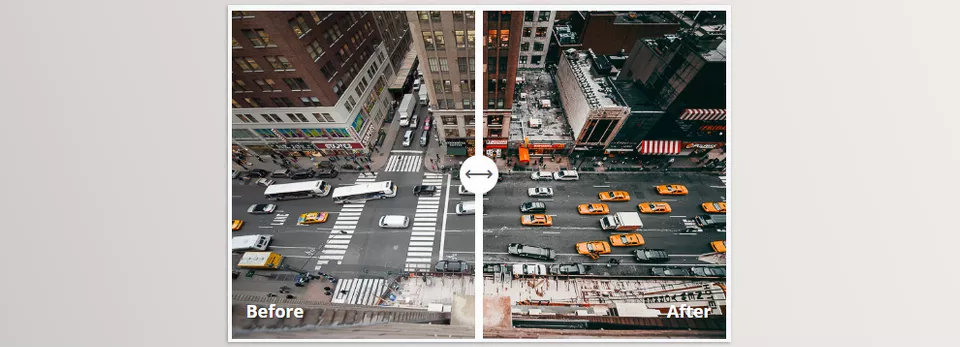
This pack gives speed, creativity, and professional results. No more spending hours fixing color and lighting—one click makes your photos publication-ready and appealing. FroPack 3 is not just a tool; it’s a creative companion for professional photo editing.
Pro Tips for Using FroPack 3
Even the best presets need proper usage to achieve the desired result. Here are some tips:
- Control Preset Intensity
Use the Amount Slider in the Develop panel to adjust how much the preset affects the photo. Increase for subtle images, decrease if it looks too exaggerated. - Manual Adjustments for Better Control
After applying a preset, tweak Exposure, White Balance, and Contrast to make photos look natural and professional. - Test on Well-Lit Photos
Best results come from properly exposed images. Ensure your photo has correct lighting and color balance before applying presets. - Create Consistent Project Styles
Use a base preset for a project or Instagram feed, then apply other presets for subtle variation. This keeps a unified visual identity. - Combine Presets Smartly
Apply one preset as a foundation, then layer another for a unique style. Perfect for creative portraits or projects. - Experiment Confidently
FroPack 3 is easy to use and flexible. Try different presets until you find the perfect look. Even small changes can transform a photo from good to amazing.
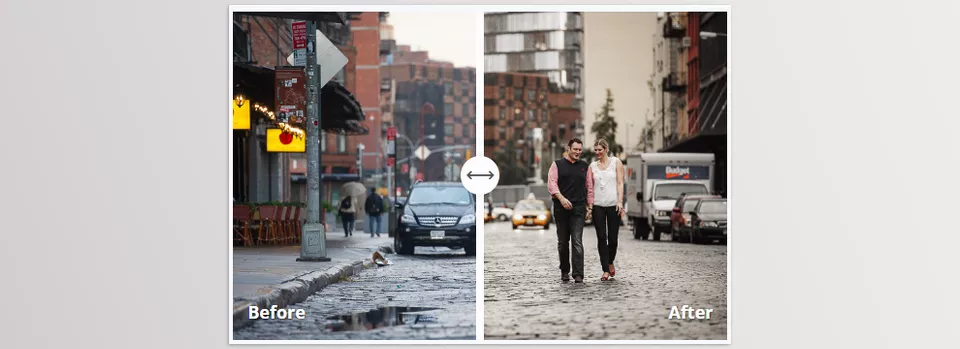
FroPack 3, Your Creative and Fast Editing Companion
FroPack 3 is a quick, professional assistant for creating unique, personal photo styles. No more hours spent adjusting light, color, and contrast—one click applies a ready-made, professional tone.
These presets save time and inspire creativity. Even ordinary-looking photos can become cinematic, memorable, and visually striking with FroPack 3.
If you want faster editing, consistent professional results, and a distinctive style for your projects or Instagram, FroPack 3 is absolutely worth trying.
With FroPack 3, every photo is an opportunity to express creativity and emotion while making editing enjoyable and effortless.
If you’re genuinely interested in taking your color grading to a higher standard, we’ve created an extensive resource that breaks things down in a very practical way. It’s absolutely worth checking out—you’ll come across tips that elevate your workflow right away.