


When a 360° Video Has Limitations…
Are you aware of what the Mantra V2 Plugin offers? Imagine you have a 360-degree video where everything looks real and stunning… but there’s one big problem: the camera is fixed, and movements feel stiff and artificial. The effects? Well, they’re ordinary and don’t create much excitement.
Now imagine you want to drop a 2D logo or text into this 3D world—or even create an AR experience—but you don’t know where to start. Without the right tools, all of this could take hours, and in the end, it still won’t have that “wow factor.”
The truth is, even with a 360° video, if you can’t create real depth, movement, and interaction, the viewer’s experience feels dry and lifeless. The question is: how can you add your creativity to a video without technical hassle and actually create that “wow factor”?

From 2D to 3D and Augmented Reality
Here’s where tools come into play: the ability to convert 2D layers and graphics into 3D shapes, 360° spheres, and AR-ready outputs. Tasks that once required multiple software programs and hours of complex setup can now be done directly within After Effects or Premiere Pro.
Practical Applications:
- Creating 360° Spheres: Imagine you’re working on a music video, virtual tour, or educational project; you can turn scenes into 3D spheres, giving viewers the feeling they’re truly inside the space.
- Converting 2D Logos and Text to 3D Models: Your brand logo or project text can rotate in 3D space, be properly lit, and even be prepared for AR—all without needing separate 3D software.
- Synchronizing Effects with Sound: Effects can sync with the music rhythm or sound effects, creating an engaging, interactive experience—like a 360-degree music video where every beat changes the environment or visual motion.
- Creating Interactive and AR-Ready Environments: USDZ and glTF outputs can be used directly in Adobe Aero or Reality Composer, allowing your project to instantly become a real AR experience.
- Boosting Creativity and Reducing Production Time: No more wasting time simulating camera movement, lighting, or manually converting layers; everything is fast, flexible, and editable.
In short, this tool acts as a bridge between 2D and 3D worlds. Projects appear more natural, lively, and professional, and your creative work has no limits.
Key Concepts for Working with Mantra V2
Augmented Reality (AR): AR means adding digital elements to the real world. For example, pointing your phone’s camera at a table and seeing a 3D logo or 360° sphere appear on it.
Virtual Reality (VR): VR means placing the user in a fully digital 3D environment experienced via a headset or 360° display. Everything is digital, creating a real sense of presence.
Extended Reality (XR): XR is an umbrella term encompassing all forms of digital reality experiences: AR, VR, and MR (Mixed Reality). The goal of XR is to create deeper interaction and a more immersive experience with digital content.
💡 Practical Tip: When working with Mantra V2 Plugin, the key skill is understanding what content works for AR or VR and how to prepare it, not diving into complex modeling details.
The Hard Way Without Professional Tools
Before tools like Mantra V2 Plugin existed, creating 360° videos or AR projects wasn’t easy:
- You could use the VR Comp Editor in After Effects to preview and edit 360° videos, but it was mostly for previewing, not creating advanced effects.
- Adding text or logos required placing them as 2D layers on the video, with no way to convert them into real 3D models or interact with the environment.
- Camera movement? You had to simulate it with keyframes and transforms, spending hours to make it feel natural.
- Preparing a project for AR? There were almost no direct options, and you had to navigate a complex path of format conversions and external software.
💡 Main Challenge: Default methods are time-consuming, limited, and often produce unnatural results. Movements and effects look artificial, and the viewer’s experience feels like an ordinary video—not a 360°, 3D, interactive experience.
Simply put, without professional tools, you must manually build every detail step by step, consuming energy and limiting creativity.
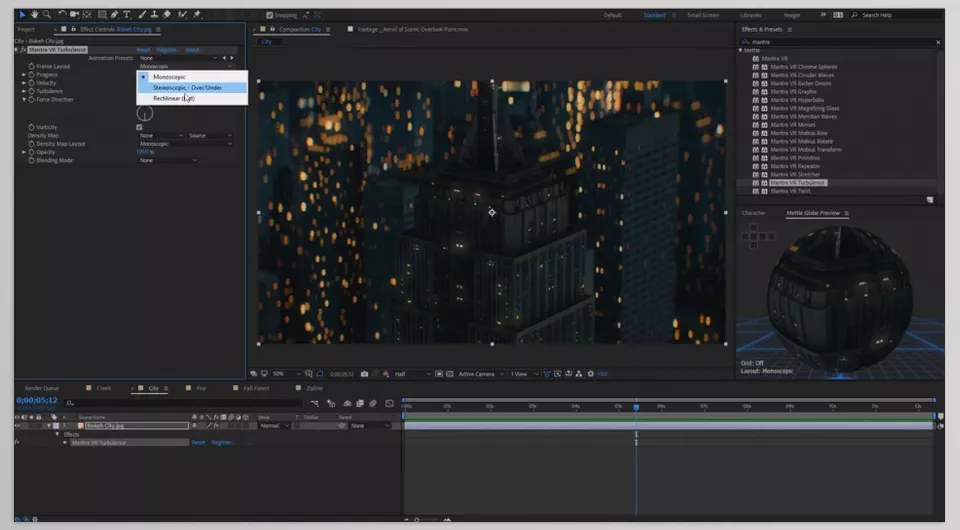
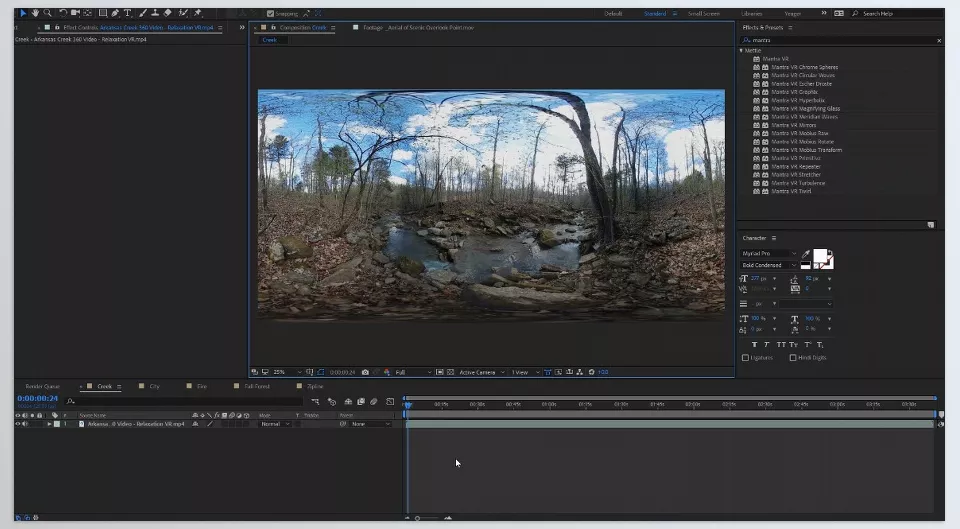
Mantra V2 Plugin: From Idea to Reality
If you’re looking for a way to create 360° videos, AR projects, or 3D effects without hassle, Mantra V2 Plugin is exactly what you need. This all-in-one tool for After Effects and Premiere Pro offers features beyond default tools:
Main Features and Applications:
- Mantra ObjX: Import 3D files like FBX, OBJ, Alembic, glTF, and USDZ, modify materials, and export AR-ready outputs directly without separate software.
- Mantra Spherify: Turn images or 360° videos into 3D spheres (portals) usable in AR projects. You can even set different images for the front and back of the sphere for a realistic experience.
- Mantra Graphix: Convert 2D graphics, logos, and text into interactive 3D shapes. No more switching between 2D and 3D software; everything happens inside AE or Premiere.
- Mettle 3DNA: A dedicated rendering engine for volumetric effects, advanced lighting, and real depth. Make 3D environments look more natural and alive.
Practical Examples:
- 360° music videos that immerse viewers and add excitement with Little Planet or Wormhole effects.
- AR educational projects where students or users interact with 3D content.
- Virtual tours and interactive experiences that become more engaging and realistic with 3D spheres and environments.
💡 In short, Mantra V2 Plugin is the bridge between 2D creativity and 3D/AR worlds, making projects faster, more natural, and interactive.
Quick and Natural Tips
To make your Mantra V2 Plugin projects look professional and natural, follow these simple but important tips:
- Use Virtual Dolly and Virtual Jib to create smooth, dynamic camera movements in 360° videos. Keep motions slow and gradual for a real sense of presence.
- Sync effects with music or sound effects; audio rhythm can animate lighting, sphere motion, or text to make it feel alive.
- In Mantra Graphix, adjust extrusion and materials carefully and consider environmental lighting for realistic 3D shapes.
- Apply Little Planet or Wormhole effects precisely to add real depth and movement, making the viewer’s experience interactive and engaging.
💡 Following these simple tips ensures projects are natural, professional, and fast—without time-consuming, complex methods.
Why Mantra V2 Is Worth Your Time
When you work with Mantra V2 Plugin, all the limitations of 360° video, VR, and AR disappear. Your projects become more lively, natural, and interactive, with effects delivering exactly the feeling you envisioned. No more wasting hours or switching between software—everything happens in a single, simple environment.
AR and VR-ready outputs, like USDZ and glTF files, can be used directly in Adobe Aero, Reality Composer, or VR headsets. Your creative ideas can be experienced and interacted with instantly, without extra complexity. Even simple projects, like 360° music videos or 2D logos converted to 3D, can exceed expectations with Little Planet and Wormhole effects.
To summarize, the Mantra V2 Plugin is the freedom to create. Create more quickly, more interactively and more professionally to submerge your audience into the 3D and AR realm you’ve always wanted to create.
Ready to take your After Effects skills to the next level? Our ultimate guide to After Effects tools covers everything you need to know.



