

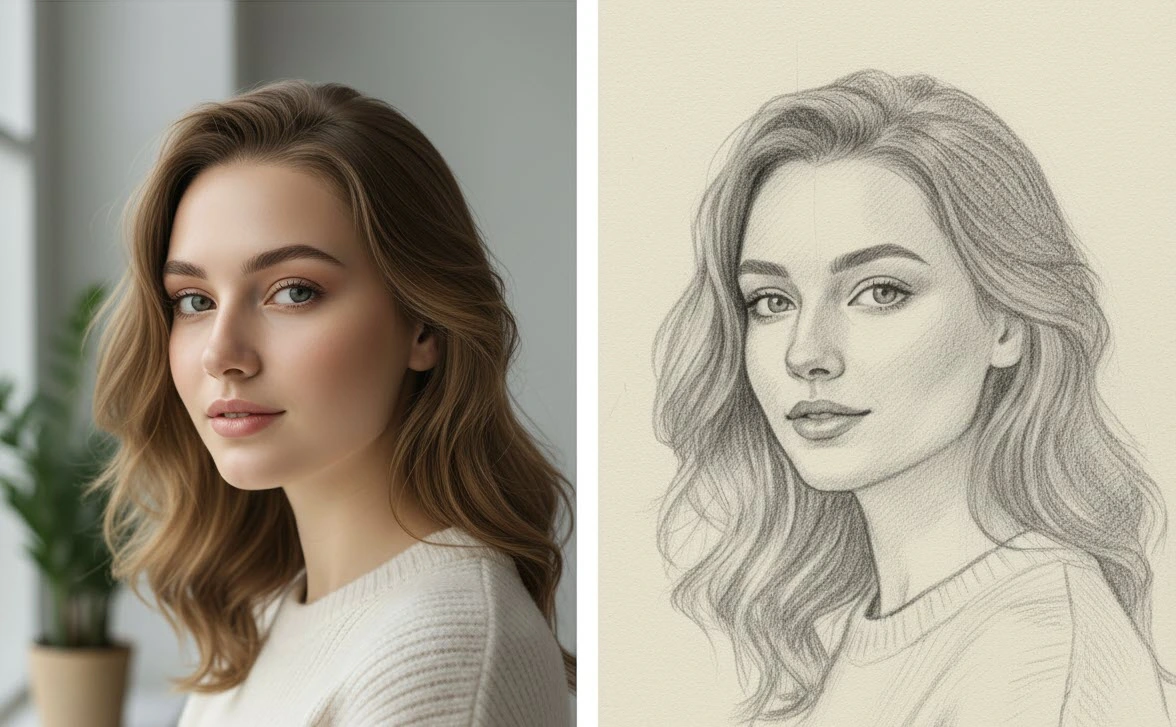
The Magic of Pencil on Photos
Pencil Drawing Photo Effect makes it possible to turn ordinary photos into delicate and captivating sketches with just a few simple clicks. Pencil sketches always carry a special feeling; soft lines, gray shadows, and the texture of the paper create an atmosphere that regular photos cannot convey. It’s as if each image becomes part of an artist’s sketchbook and tells a new story.
Now, what if that same feeling could be added to your photos? From personal portraits to work images, any photo could be turned into a pencil sketch that comes alive through lines and shading. A world of possibilities would open before you—a place where every simple click could create a fresh and unique image.
When You Want to Do Everything Manually
Photoshop itself offers many tools that can partially recreate a pencil drawing effect. Simply convert an image to black-and-white, increase the contrast, use filters like Filter Gallery > Sketch > Graphic Pen, or combine duplicate layers with blend modes to simulate pencil lines. With some patience, you can even use custom brushes to imitate pencil strokes.
The problem is that this process is time-consuming and the results don’t always look natural. Shadows can become too dark in one area, while lines may appear overly artificial in another. Plus, each photo requires repeated trial and error to possibly reach the desired result. This means spending hours on an effect that could ideally be applied to a simple photo in seconds.
This is where the need for a faster and more reliable solution arises—one that adds the authentic feel of pencil on paper to photos without the hassle of layering, adjusting blend modes, or dealing with complex settings. A solution we will explore in the next section.
Tools for Quickly Creating Pencil Drawings
If you once thought achieving a real pencil effect was only possible manually, now there are faster and simpler ways. These tools allow you to transform ordinary photos into pencil artworks in seconds while preserving the natural feeling of lines and shading.
Below, we review five standout products in the field of Pencil / Sketch Photo Effect, each helping turn photos into hand-drawn sketches with its unique features and capabilities:
Pencil Drawing Photo Effect – 91973057
Pencil Drawing Photo Effect by Design Squad is a professional Photoshop effect that converts ordinary images into delicate and natural pencil drawings. Even simple, everyday photos gain an artistic, hand-crafted feel, as if a real artist sketched them on paper.
Features and Capabilities:
- Ready PSD File: Includes two high-resolution files (4500×3000 px and 3000×4500 px, 300 DPI), suitable for both horizontal and vertical images.
- Smart Object: Allows you to quickly turn your photo into a pencil drawing by simply placing it in the designated layer, with no complex settings required.
- Professional Layering: All layers are organized, enabling you to customize elements like line intensity, shadows, and textures.
- Customizability: You can add more details or enhance parts of the image using Photoshop tools, ensuring results match your exact preferences.
Benefits and Uses:
- Ideal for personal projects, graphic design, portfolios, and digital artwork.
- Time-saving; while manual pencil effects can take hours, this product delivers results in seconds.
- Creates a natural and artistic feel in photos without looking artificial or over-filtered.
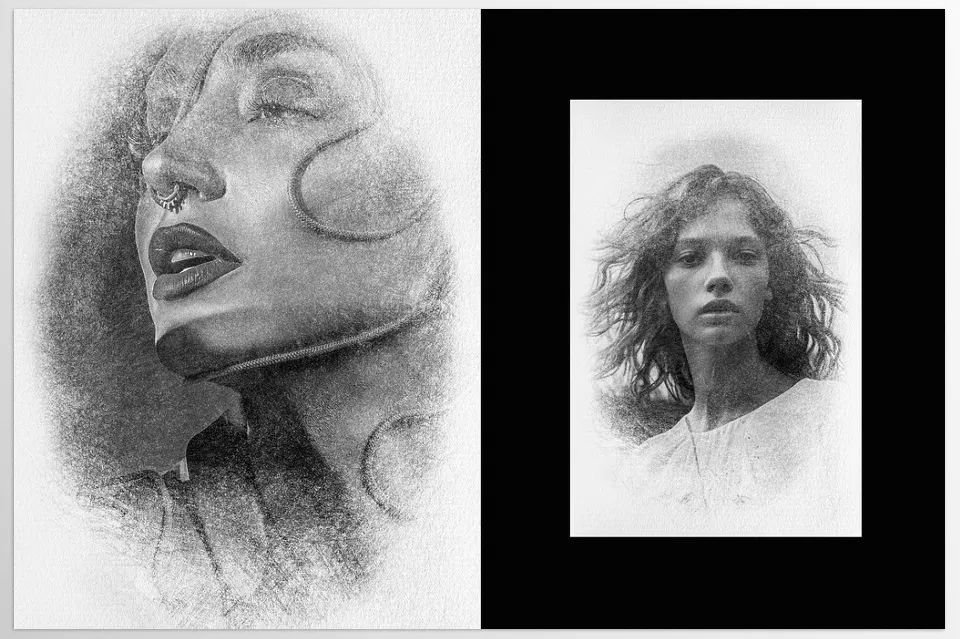
Pixelbuddha – Pencil Drawing Photo Effect
Pixelbuddha – Pencil Drawing Photo Effect lets you transform your photos into professional, hand-drawn pencil sketches. Unlike manual methods that require hours of work and complex settings, this effect reconstructs the authentic details of pencil lines and shading, giving images an artistic and natural look.
Features and Capabilities:
- Two High-Quality PSD Files: Includes horizontal and vertical files, suitable for projects ranging from portraits to advertising images.
- Smart Object: Quickly insert photos without complex adjustments; just place the image in the designated layer.
- Realistic Pencil Line Details: Designed to ensure shadows and lines appear natural, not artificial.
- Customizability: Adjust line intensity, shading, and texture to give each image a unique style.
Benefits and Uses:
- Perfect for advertising projects, lookbooks, branding, and social media requiring artistic, eye-catching visuals.
- Significantly reduces time compared to manual pencil effects.
- Produces attractive, professional images that convey the natural and artistic feel of pencil drawings, without advanced Photoshop skills.
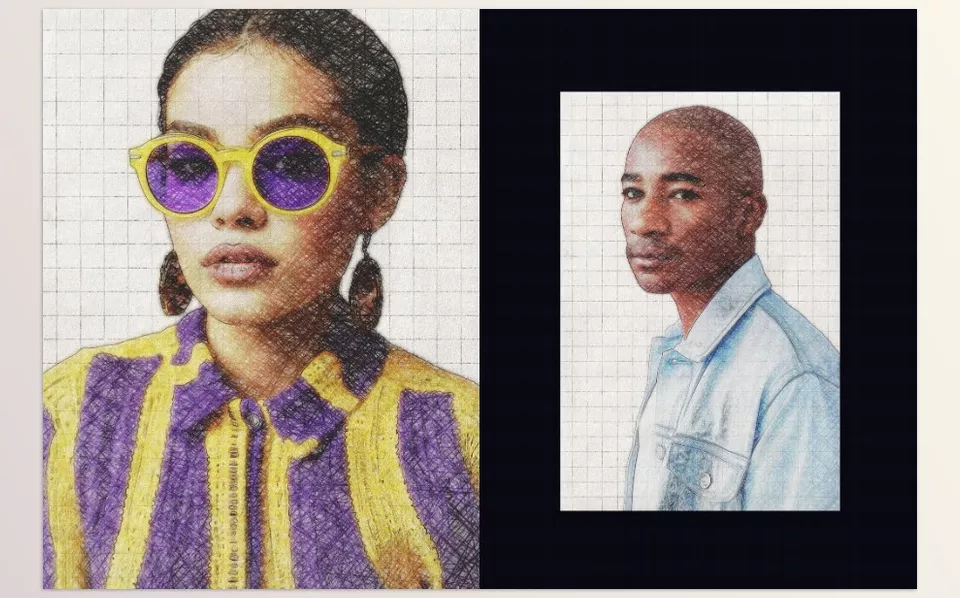
Pencil Drawing Photo Effect by Hypography
Pencil Drawing Photo Effect by Hypography offers a simple, fast effect for turning photos into pencil drawings. With this tool, you can convert images into designs with natural pencil lines and shading, even beginners can achieve professional results.
Features and Capabilities:
- Ready PSD File: Resolution 2000×2500 px, 300 DPI, suitable for small to medium projects.
- Ease of Use: Pencil effect is applied by simply placing the image in the designated layer.
- Customizability: Quickly and easily adjust line and shading details.
- Organized Layering: All layers are structured for fast and easy editing.
Benefits and Uses:
- Ideal for quickly applying pencil effects to photos.
- Saves time compared to manual Photoshop methods.
- Perfect for personal projects, social media, and fast creative work.
- Suitable for beginners with limited Photoshop experience.
Pencil Sketch Drawing Photoshop Effect GR – 35374860
Pencil Sketch Drawing Photoshop Effect GR is a professional effect for turning photos into realistic pencil sketches. It transforms ordinary photos into images with precise lines and natural shading, conveying the feel of a hand-drawn artwork.
Features and Capabilities:
- Ready PSD File: 3000×2000 px resolution and Smart Object for quick image placement.
- Organized Layering and Grouping: Easy editing of each part of the image.
- High Customizability: Adjust line intensity, shading, and textures to match your style.
- Quick and Simple Use: No complex filters or long setups required.
Benefits and Uses:
- Suitable for professional projects, portfolios, and personal images with artistic effects.
- Reduces time compared to manual pencil effect creation.
- Produces natural, realistic sketches that convey hand-drawn charm.
- Perfect for professionals seeking precise control over details.
Pencil Sketches Photo Effect – 93121978
Pencil Sketches Photo Effect by Design Squad is a detailed, professional effect for converting photos into sketches or pencil drawings. It transforms simple photos into artistic, eye-catching images that convey authentic pencil lines and shading.
Features and Capabilities:
- Two High-Resolution PSD Files: 4500×3000 px and 3000×4500 px, 300 DPI, suitable for horizontal and vertical images.
- Smart Object: Quickly insert photos without complex adjustments.
- Professional Layering: Organized and grouped layers for easy customization.
- Detail Adjustment: Modify line intensity and shading to create the desired effect.
Benefits and Uses:
- Ideal for photographers, graphic designers, and social media projects.
- Significantly saves time compared to manual methods.
- Produces professional, natural, and artistic images without advanced Photoshop skills.
- Perfect for personal projects, portfolios, and advertising works requiring an artistic touch.
With these tools, you can turn photos into artworks with realistic lines and shading without spending hours or needing advanced skills. In essence, these products fill a gap that manual Photoshop methods cannot easily cover, making pencil image creation accessible to everyone.
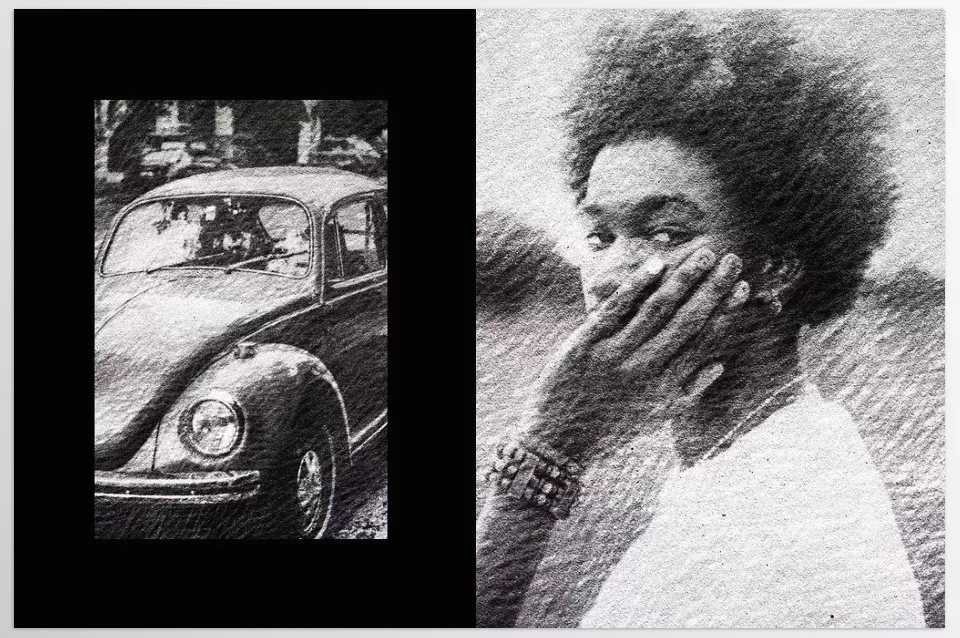
Quick Comparison of Pencil Drawing Tools in Photoshop
If you want to know which product suits your project best, this table helps you quickly see differences and key features of each tool—from resolution and professionalism to main use and standout benefits—allowing for an easier, informed choice.
| Product | Resolution | Professional Level | Main Use | Key Feature |
|---|---|---|---|---|
| Pencil Drawing Photo Effect – 91973057 | 4500×3000 px & 3000×4500 px | Professional | Personal projects, digital artwork | Natural lines & shadows, quick photo placement |
| Pixelbuddha – Pencil Drawing Photo Effect | High, horizontal & vertical | Professional | Advertising, lookbooks, branding | Realistic pencil line details, suitable for creative projects |
| Pencil Drawing Photo Effect by Hypography | 2000×2500 px | Beginner to intermediate | Quick personal projects | Simple & fast, ideal for beginners |
| Pencil Sketch Drawing Photoshop Effect GR – 35374860 | 3000×2000 px | Professional | Portfolios & professional projects | Organized layers, precise detail control |
| Pencil Sketches Photo Effect – 93121978 | 4500×3000 px & 3000×4500 px | Professional | Photography, social media, professional projects | High detail, natural & artistic |
Overall Summary
There’s nothing quite like the pencil sketch artistic renderings for photographs. The line work, faded shading, and paper grain turn regular photos into animated, breathtaking pieces. Achieving that in Photoshop, however, takes time, effort, and a skilled hand. Even the slightest imperfection in the line work or shading can compromise the natural effect and hours of work can go to waste.
That’s why having plugins and actions that make the process easier and more customizable can improve your overall experience with rendering. The faster and more reliable the tools can get you to the final product while maintaining a realistic pencil feel, the better. In other words, these methods make achieving professional, precise, and artistic results accessible to everyone—beginners and experts alike—allowing every image to gain new life effortlessly.
Imagine if your everyday photos could convey the same unique and artistic feeling; that’s exactly what makes it worth trying.
Our detailed guide to Photoshop tools is a must-read for anyone eager to discover all the features available.



