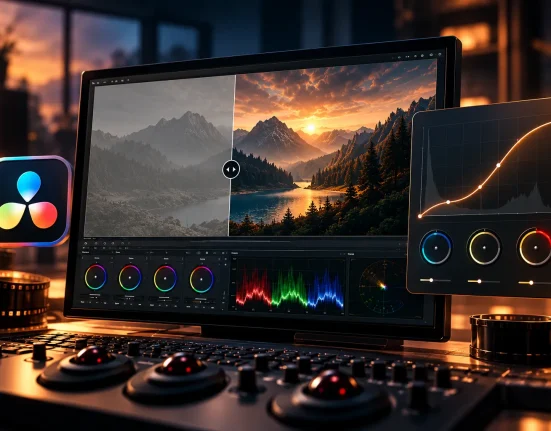
🎬 Colors That Tell a Story
Have you seen the Peter McKinnon Presets in action? When you create a video, you’re not just looking for a clear image or the right frame; you’re looking for an emotion that engages the viewer. Much of that feeling doesn’t come from lighting or movement—it starts with color. Color decides whether your image feels warm and inviting or cold and mysterious.
Raw camera footage usually doesn’t carry that feeling. Even with good lighting, a video without proper color can look flat and lifeless. This is where color grading comes in, giving your video a cinematic look and conveying a genuine emotion.
But doing this manually isn’t always easy and takes a lot of time. That’s why editors use tools like LUTs to achieve the desired color and tone in seconds—precisely, consistently, and professionally.

🌈 What is a LUT and Why Does It Matter?
A LUT is essentially a “pre-made color recipe” for your videos. It’s a small file that, when applied to an image, instantly changes the colors, contrast, and overall tone to achieve a specific style—just like a professional filter for film.
With LUTs, you can quickly decide the mood of your video: warm and cinematic, cool and emotional, or natural and clean. This tool is especially useful for those who want a consistent look and color across their projects without spending hours on manual adjustments.
For this reason, LUTs have become a cornerstone of color correction in software like Premiere Pro, DaVinci Resolve, or Final Cut. With just a few clicks, your raw footage transforms into something ready for release and impact.
🎥 What Was It Like Without LUTs?
Before LUTs, color correction was entirely manual. You had to adjust lighting, contrast, saturation, and color balance for each clip individually to achieve the desired result. This process was not only time-consuming but also made keeping color consistent across multiple shots extremely challenging.
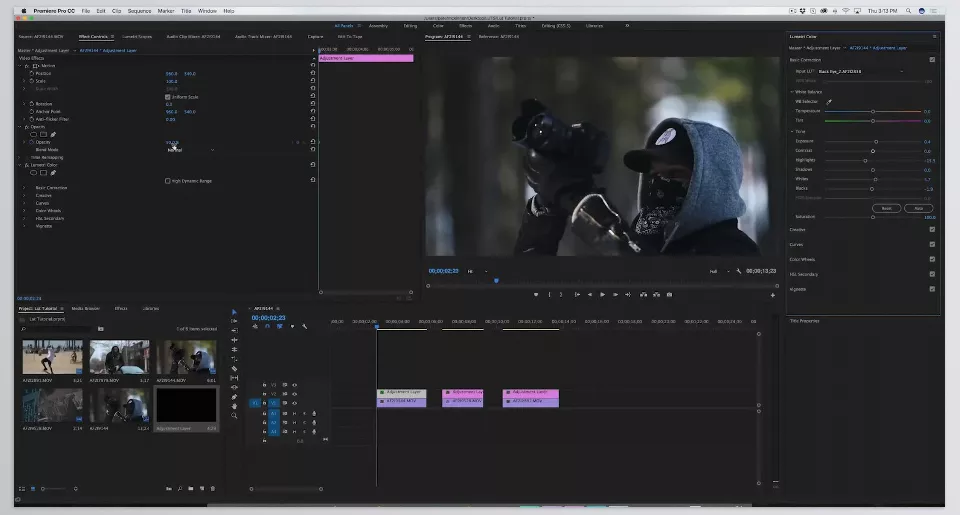
Built-in tools in software like Premiere or DaVinci are great, but when projects get large, the process slows down significantly. This is especially true for content creators or filmmakers who deal with large volumes of video every day.
The result? Clips with inconsistent looks, varying colors, and outputs that lacked cohesion. This is exactly where a faster, more precise, and standardized solution is needed—something like a LUT that delivers that professional result in seconds.
🧩 Peter McKinnon Lightroom Presets – Ready-Made Color for a Professional Look
This is where the Peter McKinnon LUT Pack comes in. Peter McKinnon Presets includes 7 exclusive LUTs from the renowned filmmaker and YouTuber Peter McKinnon, whose color and lighting style has inspired thousands of filmmakers. These LUTs deliver the same cinematic and clean feel you see in his work.
Each LUT is designed with a specific purpose to change the overall color of your image in just a few clicks and give it a distinct mood:
🎞️ Fade Out – Soft, faded colors for calm and emotional scenes.
⚫ Black Eye – Strong contrast and dark tones for dramatic moments.
🧼 Clean & Tidy – Natural and balanced look for everyday videos.
🎬 Noir – Classic black-and-white for a vintage cinematic feel.
🎥 Kodak Killer – Analog-film-like warm and vivid colors.
❄️ Arctic Circle – Cool, blue tones for quiet, snowy atmospheres.
🍊 That Orange & Teal Though! – The iconic cinematic look with orange skin tones and blue shadows.
Peter McKinnon Presets is compatible with Premiere Pro, DaVinci Resolve, Final Cut Pro X, After Effects, and even Photoshop, so you can use it almost anywhere you edit videos or photos.
The result? Videos that transform from flat, lifeless footage into vibrant, consistent, and professional-looking images—without hours of manual tweaking.
🧠 Pro Techniques and Tips
To get the best results from LUTs, here are some simple but effective tips:
- Control LUT intensity: Keep the LUT strength between 60% and 80% to maintain a natural look and avoid an artificial appearance.
- Adjust exposure before LUT: If raw footage is slightly dark or bright, correct the exposure first. LUTs only change color tone, not lighting.
- Combine with manual correction: For important projects, slight adjustments with Color Wheels or Curves after applying a LUT will yield a more precise, professional result.
- Choose LUTs according to video style: Fade Out or Clean & Tidy works great for calm, everyday scenes; Black Eye or Orange & Teal are better for cinematic and dramatic projects.
- Maintain consistency across clips: When using multiple videos, apply the same LUT or similar settings to keep color uniform.
Following these tips, Peter McKinnon Presets not only speed up your workflow but also produce highly consistent, professional, and visually appealing results.
🌟 Summary and Conclusion
As we’ve seen, controlling color and tone is a crucial part of making videos look professional. When projects are numerous or outputs need to be consistent, manual correction becomes time-consuming and tiring. Even experience and technical knowledge don’t always guarantee the desired result and can lead to hours of effort with little payoff.
You can concentrate on inventive aspects and narrative construction when you have a reliable tool that provides this level of consistency. Solutions like Peter McKinnon Presets simplify the process for creators and provide a cinematic look to their projects. It has a more polished and professional feel and look when you change the color and pay a little attention to the details. Even routine assignments acquire a cinematic touch and feel when you change the color and pay a little attention to the details. It is because of this that the viewer is impacted and their experience is enhanced.
Standardized and efficient approaches for color and tone manipulation save time and energy and enhance the quality and effect of your videos. This also communicates the professionalism of your work. This difference is palpable, and your audience is sure to appreciate it.
If you’re unsure about what a LUT is or how it can enhance your video projects, we recommend reading our comprehensive LUT guide.