


When Particles and Effects Speak…
Are you familiar with the Superluminal Stardust Plugin? You’ve probably wanted to create an animation or video full of movement and energy—where floating particles, natural smoke and fog, or 3D objects interact with each other—but when you open After Effects, everything inside the software feels flat and simple. Maybe you want to create a big explosion, a magical mist swirling around a character, or a particle rain playing with the scene’s light, but finding the right way to execute these ideas can be difficult and time-consuming.
The problem is that default tools and common effects sometimes lack the ability to create a realistic sense of motion, particle interaction, and volumetric effects. The result? A project that looked amazing in your mind ends up appearing simple and flat in reality.
This is where you need an advanced yet accessible and flexible solution—a tool that can bring your complex and creative ideas to life quickly, realistically, and impressively, without spending hours on manual work and complex settings.

When You Only Have After Effects…
The truth is, After Effects itself has basic tools for working with particles and effects. For example:
- Particle Systems and CC Particle World for simple particle sprays.
- Mask and Shape Layers to draw paths or create animated lines.
- Several built-in effects like Smoke or Fog to create a misty or artificial smoke atmosphere.
But the problem is that these tools are very simple and limited. Particles barely interact with each other, natural behaviors like movement in the air or realistic collisions are not simulated. Creating smoke or fog that actually looks three-dimensional is nearly impossible.
Challenges That Waste Your Time
When you try to work only with After Effects’ default tools, you quickly run into some serious headaches:
- Hard particle-model integration: Aligning particles with 3D objects is usually impossible or very time-consuming.
- Lack of real physics simulation: Particles in the air don’t behave naturally; they don’t collide correctly or convey real weight and gravity.
- Limitations in volumetric effects: For smoke, fog, or volumetric simulations, you have to turn to other software because AE alone won’t cut it.
- Time-consuming projects: To achieve even a moderately acceptable effect, you end up doing a lot of manual work and combining multiple tricks.
The result is that either you spend hours on a simple effect or you end up with a result far from what you imagined.
On the other hand, if you want to import 3D models and combine them with particles, you have to rely on complex solutions or external software. The result is that the project not only takes a lot of time but usually doesn’t produce the effect you envisioned.
A Tool That Makes Everything Easy
When you get tired of the limitations of default tools, Superluminal Stardust Plugin is exactly what transforms your workflow. This plugin is a modular 3D particle and effects system inside After Effects. That means you no longer need to jump between multiple software for simple tasks; you can create everything right here.
What makes Superluminal Stardust Plugin special is the combination of several major capabilities in a simple, node-based environment:
- Particles and Models Together: Unlike AE, which keeps particles and 3D models separate, Stardust allows them to coexist in the same 3D space. For example, you can create a rain of particles that collides with a 3D model and spreads over it.
- Volume Rendering: One of Stardust’s standout features. You can create smoke, fog, or fire with realistic quality, or even import VDB files from software like Houdini and render them directly inside AE. This means what you previously had to do in 3D software can now be done within After Effects.
- Physics and Replica Engine: Stardust gives your particles physical rules—natural movement, collisions, gravity, airflow. Replica allows you to duplicate an object or particle multiple times with creative patterns to create complex effects.
- Ready-made Library: If you don’t want to start from scratch, hundreds of presets and 3D models are available. Just choose one and modify it according to your needs.
- Professional Light and Material Control: With settings like Subsurface Scattering or Refraction, you can create materials like skin, glass, or liquids realistically. Volumetric Lights and AO make the depth and lighting of your scenes more striking.
🔹 The Magic of Superluminal Stardust Plugin in Action
Seeing applications is always more exciting than just reading explanations. Here are a few real examples of where Stardust shines:
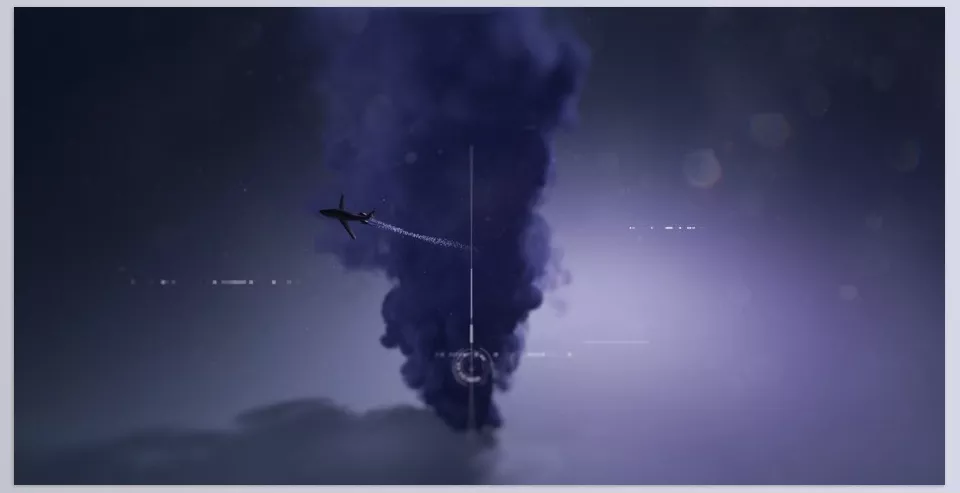
- Cinematic Explosion: Instead of combining several simple effects, you can create a real explosion. Fire and smoke particles follow physical rules, smoke disperses volumetrically, and the explosion light reflects on the surroundings. The result? A scene like a Hollywood movie, all inside After Effects.
- Logo Reveal: Imagine your logo forming from glowing particles in the middle of a scene. Smoke clears from the sides, golden particles dance like sparks, and realistic lighting makes the logo appear alive and radiant. This is easily done with just a few Stardust nodes.
- Particle Rain and Environmental Effects: Rain, snow, dust, or even glowing particles (Bokeh) can be created with full control over speed, density, and lighting. Particles interact with 3D objects, meaning you can have snow land on a 3D model.
- Space and Sci-Fi Effects: From star-filled galaxies to wormholes and energy waves. Stardust quickly creates these futuristic effects and gives you extensive control over particle shape and behavior.
🔹 Key Note:
The main difference is in volume, light, and real physics. What would be just a flat 2D image with AE’s default effects becomes 3D and alive with Superluminal Stardust Plugin.
A Few Stardust Tips
Working with Superluminal Stardust Plugin isn’t just adding nodes; a few small tricks make your output much more natural and professional:
- Combine Multiple Particle Systems: One particle system is not always enough. For an explosion, create a layer of fire particles, a volumetric smoke layer, and a layer of tiny sparks. When combined, the scene looks much more realistic.
- Use Volumetric Lights: Don’t underestimate lighting. When light passes through smoke and particles, the depth and drama of the scene multiply.
- Reduce Scene Clutter: Too many particles aren’t always better. Sometimes lower density + better lighting produces a more striking result than thousands of cluttered particles.
- Play with Replica Engine: Replica isn’t just for simple duplication. You can create geometric patterns, light tunnels, or even complex 3D arrays.
- Use Presets as a Starting Point: Don’t start from zero! Presets are like initial sketches. Choose one, modify it, and customize it to your needs.
- Smart Export: Since Volume Rendering can be heavy, use lower quality for tests and only enable high quality for the final render. This saves a lot of time.
🔹 With just these few simple tips, your outputs can not only be produced faster but also reach studio-level quality.
When Your Creativity Breathes
Ultimately, what matters is that tools should help you bring your ideas to life without hassle or limitation. Superluminal Stardust Plugin does exactly that; instead of wasting time creating manual and limited effects, it puts all professional tools at your fingertips so you can focus on creativity and storytelling.
From cinematic explosions to delicate effects like snowfall or logo reveals, this plugin can elevate your projects to a level that looks like the work of major studios.
🔹 If you’ve ever felt that After Effects’ default effects aren’t enough, maybe it’s time to try Superluminal Stardust Plugin and see how easily it can transform your motion graphics and visual effects world.
For a deeper understanding of After Effects and its various auxiliary tools, be sure to check out our complete After Effects tools article.



