


What is Rigging and Why is it Vital for 3D Animation?
Blender rigging is essential in turning static models into fully movable characters. Have you ever tried to animate a 3D character in Blender or any other software but got stuck? You made the model and it looks great, but when you want to animate it, something feels missing.
Exactly what you’re missing is a “rig” — the digital skeleton of your model. A rig is the structure that allows your character to move and appear alive. Without a rig, your model remains like a solid lifeless piece that you can’t easily rotate its arms, legs, or even head.
But here’s the thing: building a rig isn’t simple. You have to place bones correctly, set up movement controls, and everything must be done so that the motions feel natural and smooth. If you make mistakes or don’t spend enough time, your model might look stiff and lifeless in animation, or the controls might be hard and confusing to use.
Now imagine starting rigging from scratch; you’d have to spend hours or even days to get everything precise and right. And even after all that effort, when using the rig in games or rendering, problems might arise that require you to make lots of adjustments again.
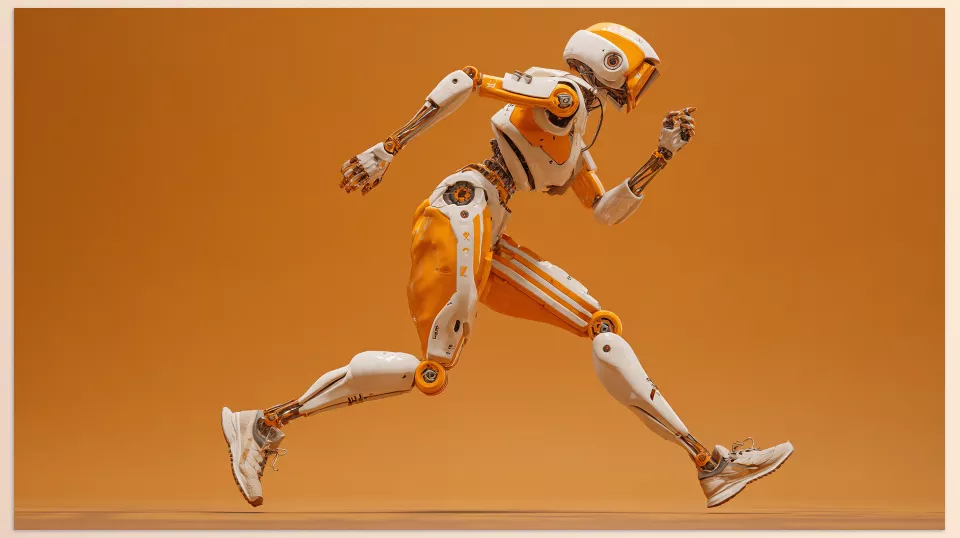
I know this process can be exhausting, but don’t worry. Stay with me and I’ll show you how you can do it faster, easier, and more professionally. There’s a better way that helps you bring your characters to life without hassle or confusion and gives you full control over your projects! With the right Blender rigging workflow, you can skip technical obstacles and focus on creativity.
For more detailed information and a full review of Blender tools, our main article is a great resource, and you can find the link at the bottom.
Challenges of Rigging in Blender: Why Moving Models is Not Always Easy?
Blender has good tools for rigging. However, Blender rigging often requires a deep understanding of bone placement and control setup. You can start by adding bones (called “armatures”) and then place those bones inside your model. But the problem is, this is not simple at all.
First, you must know exactly where each bone should be located, how long it should be, and how it connects to other bones. Any mistake here makes the model’s movement look messy and unnatural.
Then, you have to create movement controls — the handles and levers that make it easier for you to move the model. Creating these controls is a whole separate world, and if you don’t know how, it becomes cumbersome and confusing.
Even experienced users can face challenges when trying to scale their Blender rigging setups for complex models. Also, when your model gets more complex, for example, a character with clothes, long hair, or accessories, simple rigging isn’t enough. You have to add many extra setups, which takes a lot of time and energy.
Even if you do everything right, when you want to transfer your animation to a game or render engine, problems like bone misalignment, scale differences, and engine limitations might cause headaches.
In short, rigging in Blender is a time-consuming and complex process that, without experience, can frustrate you and sometimes even make you lose hope.
That’s why it’s important to explore better Blender rigging tools that can reduce complexity and time. But don’t worry, because there are ways to make this process much easier and faster for you. Let’s move forward and discover them together.
A Fast and Easy Way for Professional Rigging
New tools help you build the skeleton and movement controls of your model quickly with just a few clicks. These methods make Blender rigging simple and enjoyable and prepare your models for animation or games. Below, I introduce some of these tools that can really help you:
1. Auto Rig & Ragdoll Wizard
Auto Rig & Ragdoll Wizard is an all-in-one rigging wizard that automates many tasks. From creating complex rigs for humans and animals to physical rigs for objects and even vehicles and moving plants!
- Dynamic Rig and Ragdoll: You can add real physics to your models so they react naturally when they fall or get hit.
- Ready-to-animate Controls: Easily creates controls for moving hands, feet, rotation, and physical behaviors.
- Destruction Simulation: If you have models that need to break or crash (like a car accident), this add-on uses physics and rigs to make these movements look natural.
- Support for Various Models: Usable for characters and non-human objects with flexible settings.
This tool is perfect for those who want to build complex, realistic rigs with physical features without spending hours on manual setup.
2. Any Rig To Rigify
Any Rig To Rigify is a golden shortcut for when you have a rig from another source and want to use Rigify’s features in Blender.
- Automatic Rig Conversion to Rigify: Just select your rig, and the add-on builds bones and controls on top of Rigify.
- Bone Mapping Creation: If your original rig’s bones differ from Rigify’s, you can create manual mappings to make everything neat and precise.
- Non-destructive: You can change settings and rebuild Rigify anytime without harming your model or animation.
- High Speed: Convert various rigs to Rigify with a few clicks and start animating faster.
This add-on is excellent for those using different rigs who want to standardize everything to Rigify for easier work.
3. Vehicle Rig Factory Plus
An amazing tool for rigging all kinds of vehicles, especially for cartoon-style and animated designs.
- Advanced Wheel Rigging: Wheels rotate realistically and have dynamic pivot adjustment for more natural or cartoony movements.
- Flat Tire Simulation: Easily simulate a flat tire or wheel deformation with simple controls.
- Wagon Separation System: If you have a car or train with multiple connected parts, you can detach or connect wagons and control their movements.
- Movement on Paths (Splines): Move cars or wagons automatically along designated paths.
- Complex but Easy Controls: A sophisticated control system lets you customize everything and create attractive animations.
Vehicle Rig Factory Plus is the best choice for those who want to rig cartoon or complex vehicles quickly and professionally.
4. Game Rig Tools
Game Rig Tools is for those who want to prepare Blender models and animations directly for game engines like Unreal, Unity, or Godot.
- Convert Rig to Game-Friendly Model: Creates a simplified, optimized rig from the main control rig, making it easy to use in game engines.
- Bake Animations: The “Action Bakery” tool lets you transfer animations from the main rig to the game rig and export them for game engines.
- Toggle Controls On/Off: Easily disable extra or complex controls so only what you need is in the game.
- Advanced Rig Cleanup Tools: For users with complex rigs, it provides tools to remove unnecessary bones, fix hierarchies, and solve rig problems.
- Complete Tutorials: Comes with videos and files that help you get familiar with the add-on faster.
This add-on is fantastic for anyone who wants hassle-free preparation of rigged models for games and to fix common problems when transferring rigs to game engines.
5. Rig-GNS (Pro)
Rig-GNS is a professional add-on for Blender rigging and animating Genesis characters from Daz Studio, integrated with Blender’s Rigify system.
- Complete Rig for Genesis Characters: Automatically creates all necessary bones and controls for natural movements of Genesis characters.
- Advanced Animation Features: Includes lip-sync capabilities to synchronize facial animation with sound.
- Cloth and Fabric Simulation: Adds physics so clothes move naturally.
- Simple and Intuitive Interface: No complex knowledge required; rig and prepare characters for animation quickly.
- Integration with Rigify: Use all advanced Rigify features for animation.
If you work with Genesis characters or want an advanced rig for human characters, this add-on helps you do the job easier and more professionally.
Comparison Table of Professional Rigging Add-ons in Blender
To make choosing the right tool easier, this table compares the key features and uses of each add-on:
| Add-on | Main Purpose | Special Features | Best For | Speed of Use | Complexity of Setup |
|---|---|---|---|---|---|
| Auto Rig & Ragdoll Wizard | All-in-one dynamic and physics rigging | Dynamic rigs, ragdoll physics, destruction simulation | Characters, objects, vehicles | Very fast | Medium to advanced |
| Any Rig To Rigify | Convert rigs to Rigify standard | Bone mapping, non-destructive, easy rebuild | Users with various rigs | Fast | Low |
| Vehicle Rig Factory Plus | Rigging cartoon and precise vehicles | Dynamic wheels, tire puncture simulation, spline path movement | Cartoon and complex vehicle rigs | Medium | Medium |
| Game Rig Tools | Optimize rigs for game engines | Game-ready rigs, animation baking, rig cleanup | Game developers | Fast | Medium to advanced |
| Rig-GNS (Pro) | Professional rigging for Genesis characters | Lip-sync, cloth simulation, Rigify integration | Human character animators | Medium | Advanced |
Easier and More Professional Rigging with Smart Tools
Blender Rigging might seem hard and complicated at first, but with new smart tools like these add-ons, you no longer need to spend hours struggling. Each of these tools is specially designed to simplify, speed up, and improve parts of the rigging process — from building dynamic skeletons and professional controls to preparing models for animation and games.
With these add-ons, the tedious work of rigging will become easier, and so will other forms of animation work. They ensure that all the work you put into the vector animation will seem more polished. Instead of getting stuck on technical issues, you will have more opportunities to exercise your creativity!
If you want to get fully acquainted with Blender’s tools and features, be sure to read our article: Everything You Need to Know About Blender Tools in One Place.



