

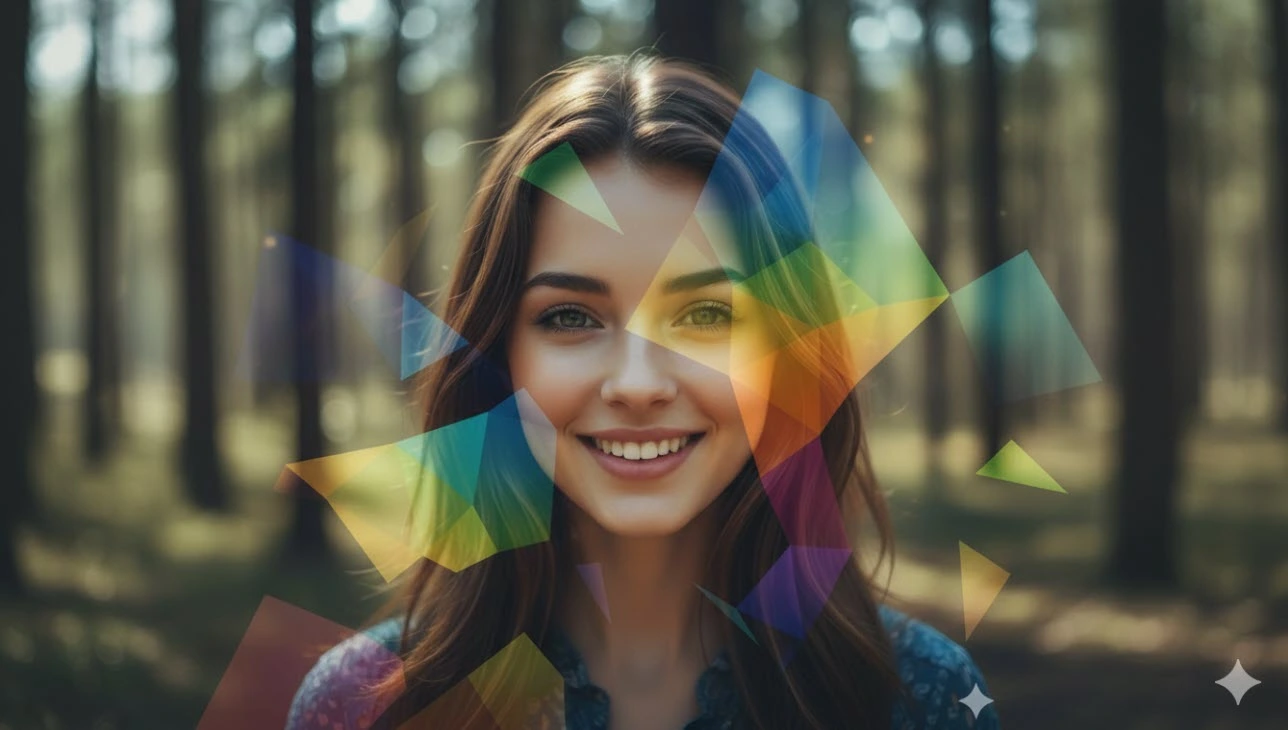
When Light and Color Work Their Magic
Using Prism Photo Effect, sunlight hits your camera lens at just the right angle, spreading colors across your image in a magical way. Light bends, shadows become miniature rainbows, and the entire frame radiates with a palpable sense of life. What could have been an ordinary image transforms into an extraordinary vision as reality and fantasy become one.
In such instances, colors are fluid. Light refracts in unusual angles. Small, unnoticeable features—reflections or refractions—become apparent. But the image doesn’t need words to create its narrative; something beyond the ordinary invites the viewer to become one with it.
Creating Prism and Light Reflection Effects in Photoshop
You might think a few gradients and a warp are enough to make light and colors magical in your image. But once you start, you realize every color needs careful adjustment, layers are interconnected, and the smallest change can affect the effect you’ve built. You try multiple times, yet the perfect light refraction and reflection don’t appear easily.
Even if you know all the Photoshop tools, achieving a result that is natural, eye-catching, and precise takes a lot of time. And when you want to add more complex effects like prismatic lines or fractal patterns, you quickly realize the process can be tedious and full of trial and error. At moments like these, you always wish there were a way to simplify all these steps with a bit of magic!
In the rest of this article, we’ll introduce several ready-made Photoshop products that solve exactly this problem: they allow you to apply magical light and color effects to your images easily, without spending hours adjusting gradients, warps, or masks. With these tools, you can focus on creativity and composition, achieving professional and striking results.
6 Top Products for Creating Prism and Light Reflection Effects
Now that we’re familiar with the challenges of manually creating prismatic effects, it’s time to look at ready-made professional solutions that can bring those magical light and color effects to your images with just a few clicks.
1. YellowImages – Sunlight Prism Photo Effect
YellowImages – Sunlight Prism Photo Effect is a ready-made Photoshop effect (PSD) that lets you decorate your images with a magical sunlight and rainbow prism effect. It includes 6 PSD files with diverse effects and high resolution (4500×3000 and 3000×4500 pixels, 300 dpi), suitable for detailed images.
Using this effect is very simple: just replace your image, and the layers automatically apply the light and color dispersion effect. The collection includes three different effect styles, giving you more variety and customization.
This product is especially suitable for:
- Professional and amateur photographers who want their images to gain a surreal and artistic look,
- Graphic designers creating posters, album covers, or eye-catching social media posts,
- Anyone who wants their images to appear vibrant and luminous.
With YellowImages – Sunlight Prism Photo Effect, you can equip your photos with a professional and stunning effect without spending hours on gradients, masks, and complex adjustments.
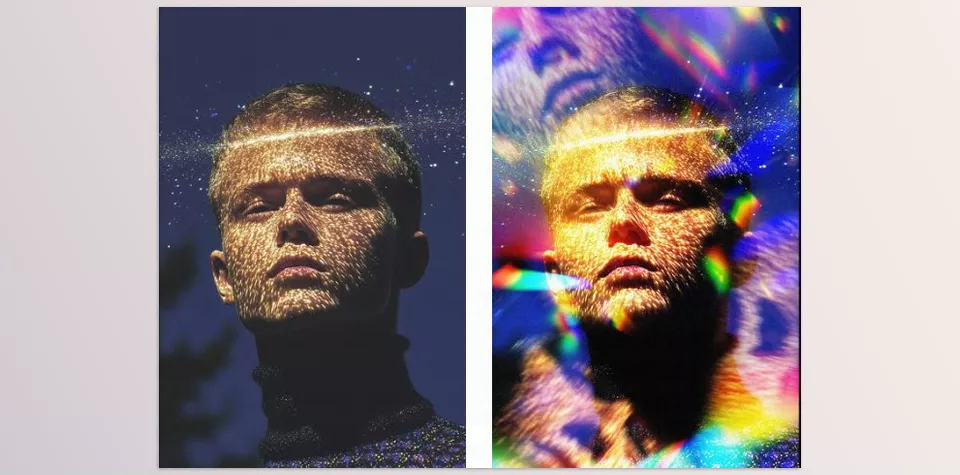
2. Sunlit Prism Photo Effect
Sunlit Prism Photo Effect is a professional PSD collection with Smart Object layers, allowing you to transform your images with a magical and beautiful sunlight prism effect. Using Smart Objects makes it easy to replace the original image, with the effect applied automatically, no complex adjustments needed.
The product includes two PSD files in high resolution (4500×3000 and 3000×4500 pixels, 300 dpi) and is fully customizable, allowing you to adjust light intensity, colors, and effect dispersion exactly to your taste. This makes every image uniquely professional.
Applications:
- Creating surreal and dreamy images for album covers or posters,
- Enhancing professional photography and portraits,
- Designing visually appealing social media posts,
- Suitable for designers who want to highlight creativity and personal style.
With Sunlit Prism Photo Effect, just a few clicks can turn your images into stunning and captivating works without spending hours on manual adjustments.
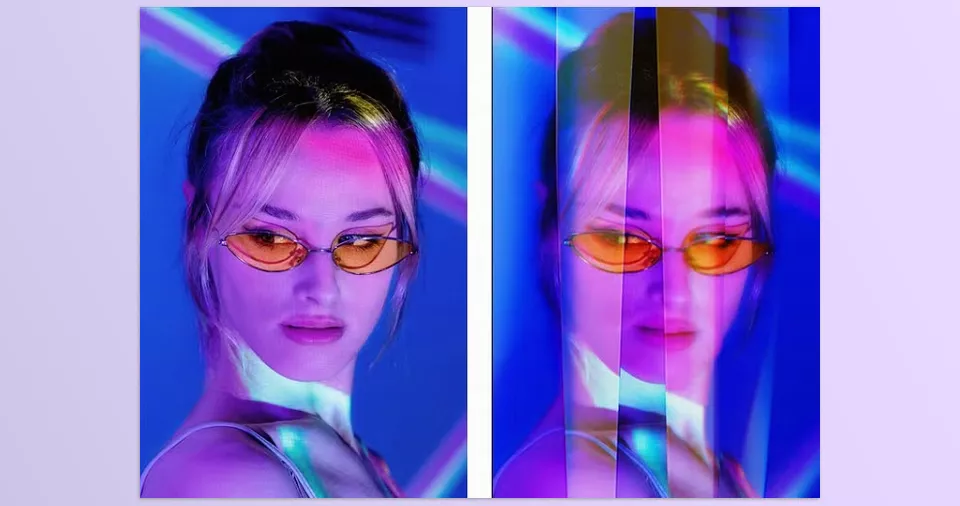
3. Fractal Prism Photo Effect
Fractal Prism Photo Effect with Smart Object layers adds fractal and prismatic light effects to your images. Fractal effects allow you to turn ordinary photos into surreal, complex, and eye-catching scenes, with light and colors spreading in a repeating, magical pattern.
The collection includes two high-resolution PSD files (4500×3000 and 3000×4500 pixels, 300 dpi). Using Smart Objects, the effect is applied automatically just by replacing the image. You can also adjust light details, colors, and effect intensity to create a completely unique and professional result.
Applications:
- Creating surreal and striking images for album covers, posters, or advertisements,
- Designing digital artwork with fractal light and color effects,
- Enhancing professional photography with prismatic and colorful effects,
- Ideal for designers and photographers seeking creativity and uniqueness.
With Fractal Prism Photo Effect, you can equip your images with magical, professional effects without hours of trial and error in Photoshop.
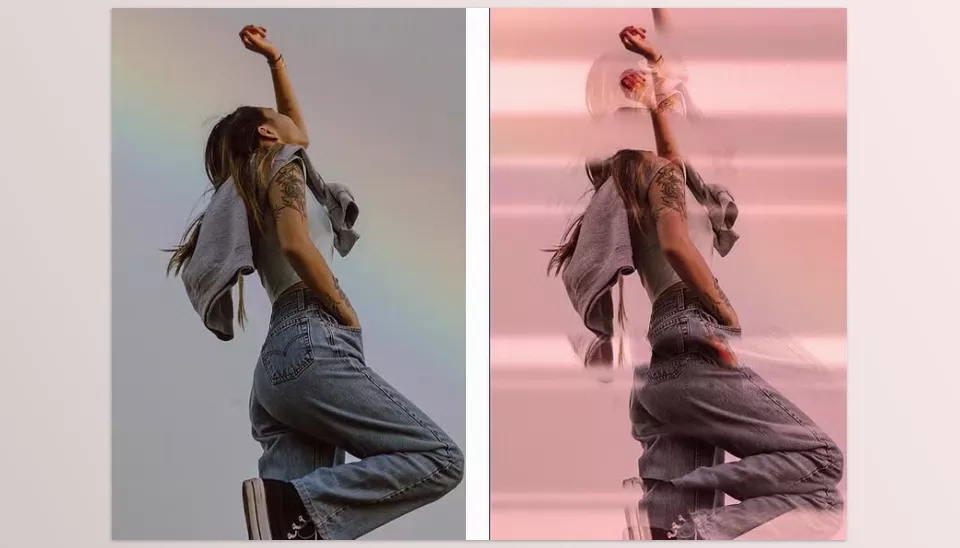
4. Pixelbuddha – Vibrant Prism Photo Effect
Pixelbuddha – Vibrant Prism Photo Effect with Smart Object layers transforms your images into a colorful, dreamlike world with soft gradients, color splits, and glass-like glow. The effects give a surreal and creative feel, making every image captivating and unique.
The collection includes two high-resolution PSD files in both horizontal and vertical formats. Using Smart Objects, simply replace your image to apply the effects automatically. You can also adjust colors, light intensity, and effect details to create a unique professional look.
Applications:
- Designing album covers, posters, and magazines with artistic, colorful effects,
- Creating eye-catching content for social media and digital advertising,
- Enhancing portraits and professional photography,
- Perfect for designers and photographers looking to increase creativity and visual appeal.
With Pixelbuddha – Vibrant Prism Photo Effect, just a few clicks can give your images a magical, colorful, and professional look without spending too much time on complex adjustments.
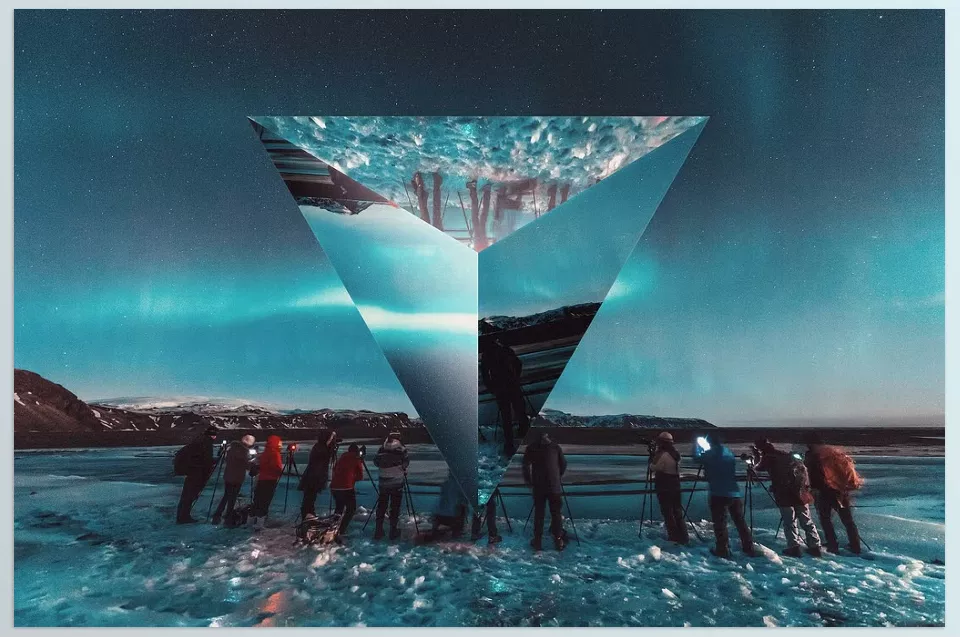
5. Prism Lens Distortion Photo Effect
Prism Lens Distortion Photo Effect adds a sci-fi, mysterious, and otherworldly look to your images. Using glass pyramids and light distortion, a simple image transforms into a surreal and captivating scene, evoking the feel of another world.
The PSD includes a single file with pre-made effects and several color presets. It’s very simple to use: replace your image, the effects are applied automatically, and you can adjust opacity, angle, and color to create a unique result.
Applications:
- Designing sci-fi posters and music covers with a unique look,
- Creating creative, eye-catching digital campaign visuals,
- Producing surreal and artistic content for social media,
- Suitable for designers and photographers who want their images to be unique and magical.
With Prism Lens Distortion Photo Effect, you can equip your images with a sci-fi, captivating, and professional look without spending hours on manual adjustments.
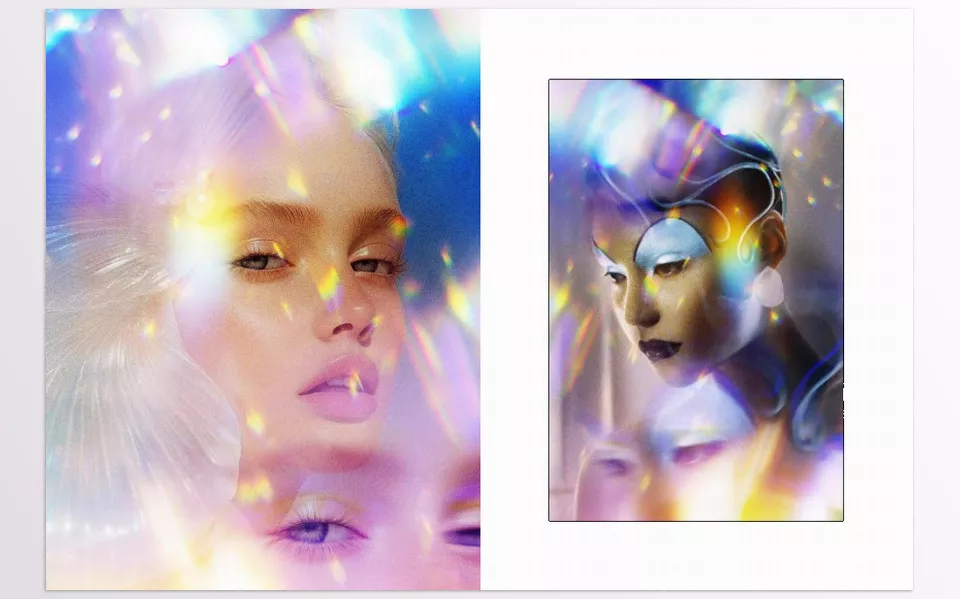
6. 42 Prism Reflection Photo Overlays
42 Prism Reflection Photo Overlays includes 42 ready-made overlays with prismatic reflection effects, allowing you to quickly and easily apply colorful, surreal effects to your images. Unlike PSD Smart Objects, these overlays are JPGs and can be used on any photo via drag & drop or Photoshop actions.
Each overlay adds a unique light and color effect, and by adjusting blend mode, opacity, and mask, you can achieve exactly the result you want. This collection is perfect for projects that need speed and variety, letting you create professional, eye-catching effects without spending hours.
Applications:
- Adding prismatic reflections to portrait and landscape photos,
- Quickly producing surreal and attractive content for social media, posters, or album covers,
- Ideal for photographers and designers who want visual variety and appeal without complexity.
With 42 Prism Reflection Photo Overlays, a few clicks can transform simple images into magical, colorful, professional visuals, providing a fast and creative experience with light and color.
All six products are professional, ready-made tools for creating prism, light reflection, and colorful effects that shorten hours of manual work in Photoshop. From sunlight and fractal effects to fast and attractive overlays, each provides customization, variety, and creativity, turning simple images into striking, professional works. Now that we’re familiar with these tools, it’s time to see how easily these effects can be applied to real images in just a few minutes and enjoy magical results.
Comparison and Summary of 6 Photoshop Prism Effect Products
After exploring each of the six tools, here’s a quick look at their features, file types, and applications. This table helps you choose the most suitable effect for your project at a glance:
| No. | Product Name | File Type | Number of Files/Overlays | Key Feature | Main Use |
|---|---|---|---|---|---|
| 1 | YellowImages – Sunlight Prism Photo Effect | PSD | 6 files | Sunlight and prism effect | Professional photos, covers, social media posts |
| 2 | Sunlit Prism Photo Effect | PSD (Smart Object) | 2 files | Full effect customization | Surreal images, album covers, professional design |
| 3 | Fractal Prism Photo Effect | PSD (Smart Object) | 2 files | Complex fractal effect | Digital art, surreal photography |
| 4 | Pixelbuddha – Vibrant Prism Photo Effect | PSD (Smart Object) | 2 files (horizontal & vertical) | Soft gradients and glass-like glow | Covers, magazines, social media posts |
| 5 | Prism Lens Distortion Photo Effect | PSD | 1 file | Distortion and glass pyramids | Sci-fi posters, music covers, creative ads |
| 6 | 42 Prism Reflection Photo Overlays | JPG/Overlay | 42 | Light reflection and prismatic colors | Portraits, landscapes, social media posts, album covers |
This table shows that each product, based on file type, effect, and application, can meet different needs. From customizable PSDs to fast overlays, all tools allow you to turn simple images into professional, striking works.
From Creativity to Professionalism: All with One Click
These six pre-made products offer the quickest, professional way to create prismatic, sunlight, fractal, and rainbow reflections in your images. The time saving and professional, creative quality of such tools transform any image into something jaw-dropping, professional and artistic without the hours of gradients, masks or warps.
In each product, you can let your creative potential and composition run wild without worrying about elaborate steps to recreate them. Any task that would otherwise take hours ends up being seconds. Photographers, graphic designers and social media content creators will appreciate the time savings, professional quality and originality of such products.
Using these collections allows you to deliver your projects faster, more attractively, and more uniquely than competitors, elevating your images to a magical, creative, and professional level. In fact, if you want stunning results with minimal effort and maximum creativity, these products are essential tools.
If you’re interested in Photoshop and want to learn more about it, make sure to check out our comprehensive guide to Photoshop tools.



