

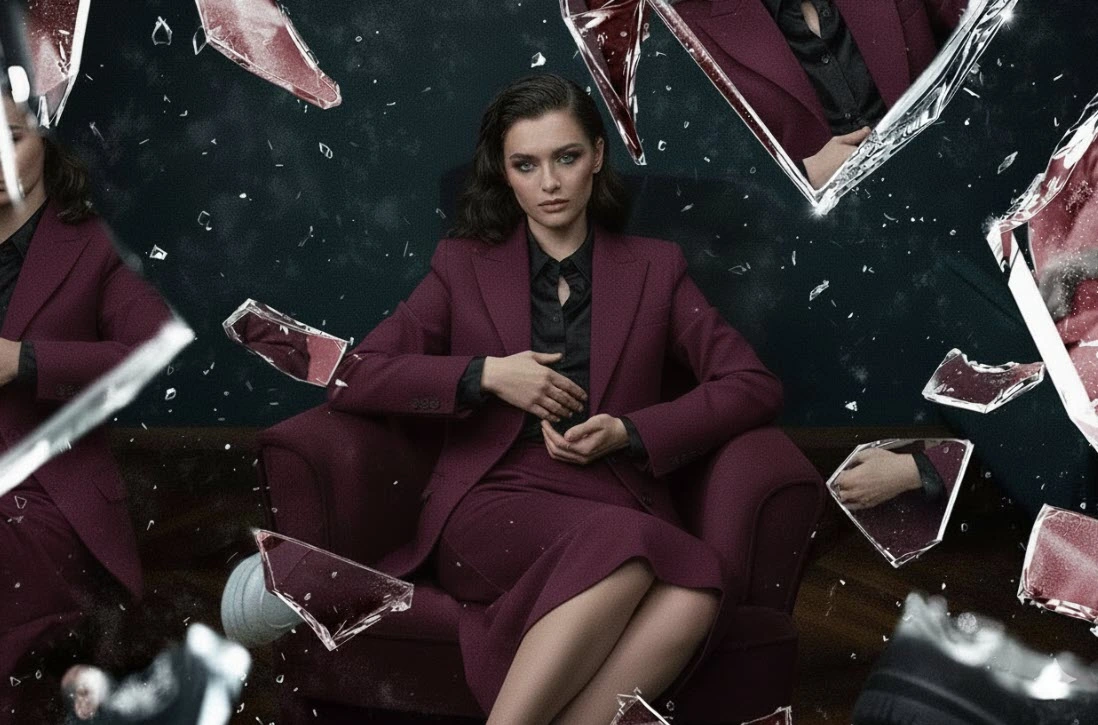
How Broken Glass Transforms Images
Broken Glass Photo Effect adds a sense of motion and excitement to images, immediately capturing attention. Sometimes a simple image has a lot to say, but when we add a small detail, it seems to come alive. Broken glass is one of those details that can give a sense of motion and excitement and immediately capture attention. Cracks and breaks in the image create depth and character and make photos tell their story better. This effect, on posters, covers, or even advertisements, adds a different and striking feeling to the work without being too cluttered.
How can we manually create the broken glass effect in Photoshop?
If we want to manually create a broken glass effect in Photoshop, we usually use a combination of Brush, Pen, Layer Mask, and Distort or Displace filters. The process usually goes like this:
- Designing cracks and breaks: Using a brush or Pen, we draw the crack paths. For more natural results, each crack should be created separately, and its angle and thickness should vary.
- Creating depth and reflection: To make the glass look realistic, we simulate depth and light reflection with Layer Styles like Bevel & Emboss, Drop Shadow, or Inner Shadow.
- Combining with the main image: We mask the main photo with the cracks and breaks and match the color and brightness of the cracks with the image.
But this manual method has several important problems and limitations:
- Time-consuming: Even a simple effect can take hours, especially if we want the cracks to look natural and precise.
- Complexity in layers: Each crack and reflection requires a separate layer, making management difficult.
- Low repeatability: If we want to recreate the same effect on different photos, we must redo all the steps from scratch.
- Difficult control over color and light: Matching the cracks with the colors and brightness of the main photo without assistance often results in an artificial look.
In fact, manually creating a broken glass effect is both time-consuming and requires high skill, and even with a lot of experience, achieving a completely natural and professional result is challenging.
Now imagine if all these complex steps could be done with just a few simple clicks and produce a professional and realistic result—something that not only saves your time but also allows full customization and flexibility in design.
In the next section, I want to introduce several professional broken glass effects for Photoshop that make this task easier for you and elevate your design experience to a new level.
Introducing 5 Professional Broken Glass Effects for Photoshop
Now that we understand how much a broken glass effect can give images a sense of motion and depth, it’s time to look at some professional tools and effects that can make this work easier and faster. Each has its own special features and can give a different style to your work.
Broken Glass Photoshop GraphicRiver (PSD)
Broken Glass Photoshop GraphicRiver is one of the simplest yet most attractive ways to create a broken glass effect on images. If you want to make your photos professional and eye-catching with just a few clicks, this product is one of the best options.
Key features:
- PSD with organized layers: All layers are named and easy to work with.
- Smart Object: Just replace your image, and the effect is applied automatically.
- Color and brightness adjustment: You can change the colors and effect intensity to your liking.
- Suitable resolution: 3075×2075 pixels at 300 DPI, suitable for print or digital display.
- Compatible with Photoshop CS6 and higher, English version.
Advantages and applications:
- Suitable for posters, covers, advertisements, and digital images.
- Without advanced Photoshop skills, you can create a real broken glass effect.
- Fast and repeatable: You can apply the same effect to different images without repeating all manual steps.
In short, Broken Glass Photoshop GraphicRiver (PSD) is for those who want their images to be attractive, professional, and with a real broken glass effect without spending a lot of time or dealing with manual design complexity.
Fractured Broken Glass Photo Effect
Fractured Broken Glass Photo Effect is for those looking for more detailed and natural broken glass. With this product, the cracks and breaks look realistic and energetic, bringing a sense of motion and excitement to the photos.
Key features:
- Two high-quality PSD files: 4500×3000 and 3000×4500 pixels, both at 300 DPI.
- Smart Object: Replacing your image is very easy, and the effect is applied automatically.
- Adjustable: Color, brightness, and crack details can be changed to match your image.
- Natural details: The cracks and breaks are designed to look very real and natural, not artificial.
Advantages and applications:
- Suitable for posters, covers, advertisements, and digital images that want a stronger impact.
- Focus on broken details gives the image a lively and dynamic feeling.
- Quick and easy: You can apply this effect to different images without spending hours on manual design.
In short, Fractured Broken Glass Photo Effect is a great choice for those who want realistic and professional broken glass effects while keeping the process fast and easy.
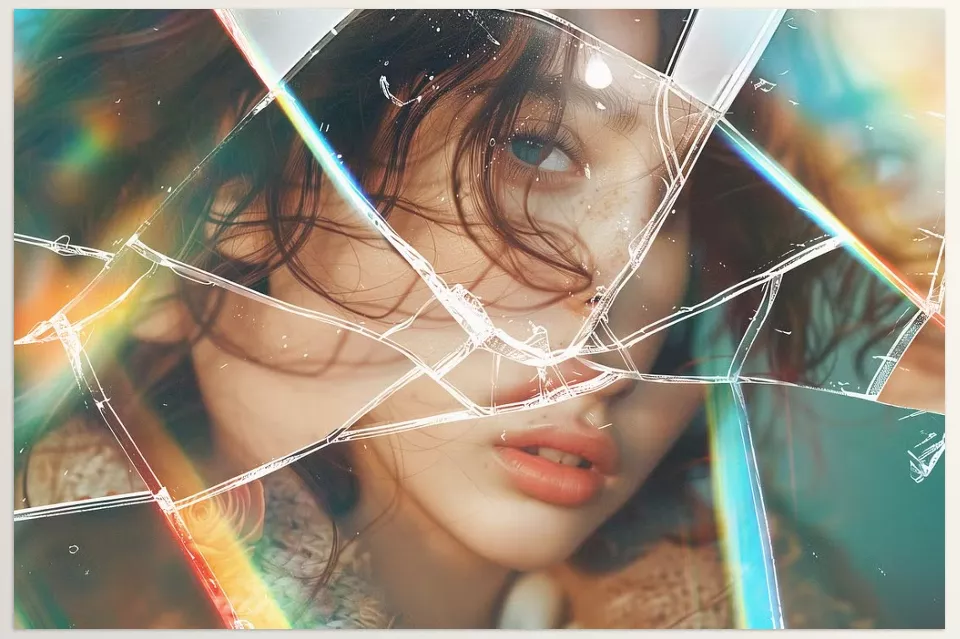
Keen Broken Glass Photo Effects
Keen Broken Glass Photo Effects is a bit different and designed for those who want broken glass effects with shine and glossy effects. In other words, the images are not only broken but also attractive and eye-catching.
Key features:
- Six high-quality PSD files, each offering different styles for broken glass and shine.
- Resolution 4500×3000 pixels, 300 DPI; suitable for print and digital display.
- Fully customizable: Color, light, and effect intensity can be adjusted.
- Unique style: Combining broken glass with reflections and shine creates a luxurious and professional look.
Advantages and applications:
- Excellent for posters, covers, advertisements, and branding that need a different, energetic effect.
- Allows creating broken and glossy images simultaneously without manual design complexity.
- Each file has different styles that can be used for variety in different projects.
In short, Keen Broken Glass Photo Effects is for designers who want their images to look luxurious, professional, and energetic while saving time.
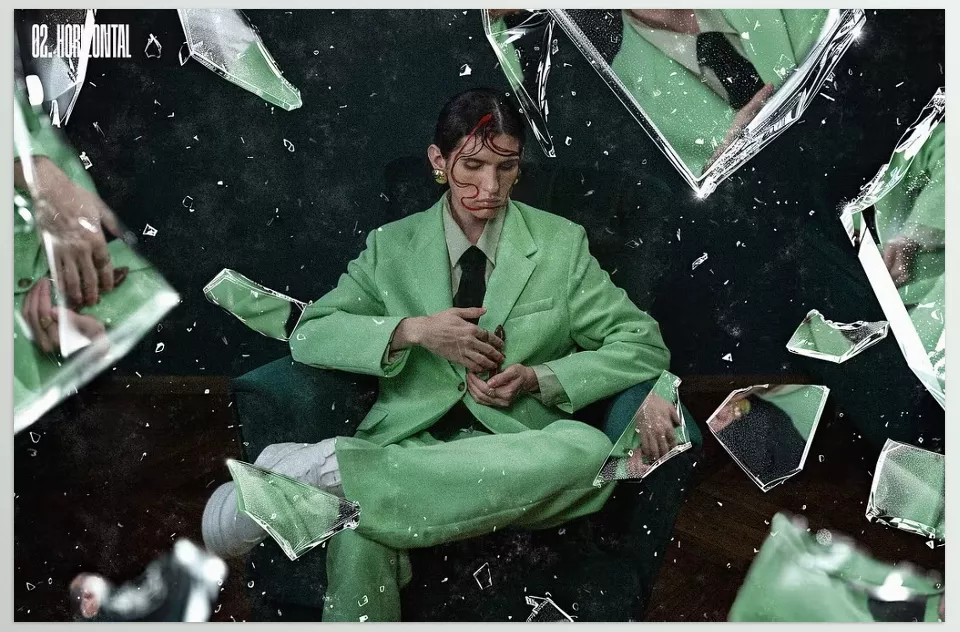
Broken Glass Pieces Photo Effect
Broken Glass Pieces Photo Effect is designed for those who want their text or logos to be seen with a realistic broken glass effect. The cracks and breaks are designed to convey realism and depth.
Key features:
- Two high-quality PSD files: 4500×3000 and 3000×4500 pixels, both at 300 DPI.
- Smart Object: Placing your text or image is easy, and the effect is applied automatically.
- Customizable: Color, brightness, and crack intensity can be adjusted.
- Guide: Includes a guide file for easy and quick use.
Advantages and applications:
- Suitable for logos, text, posters, and branding that need a professional broken glass effect.
- Easily applied to any text or image without spending much time.
- Helps text or logos look striking and impactful.
In short, Broken Glass Pieces Photo Effect is an excellent option for those who want their text and logos to look realistic and attractive with broken glass effects while keeping their workflow fast and easy.
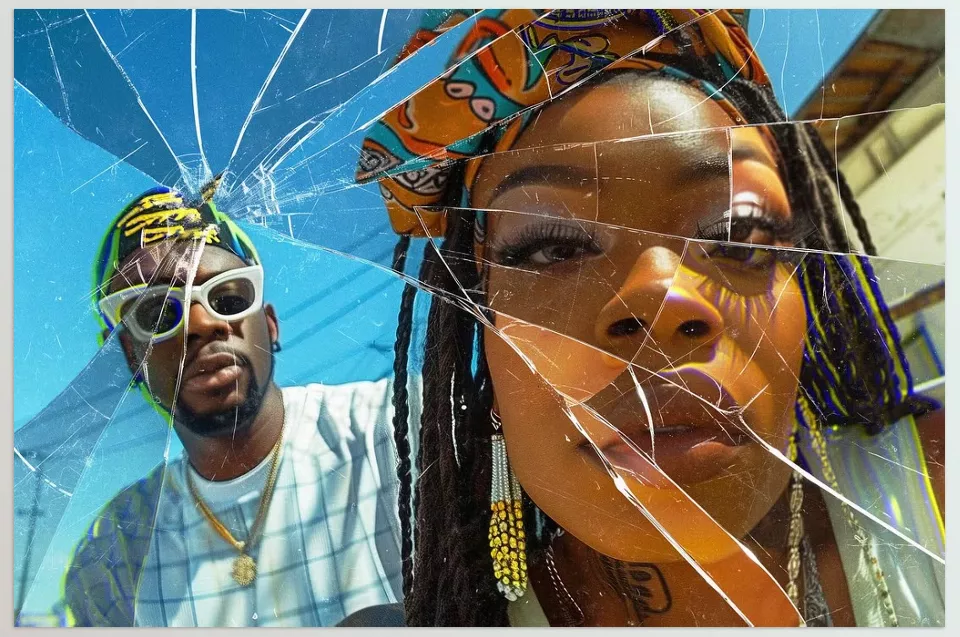
Broken Glass Photoshop Template By amorjesu
Broken Glass Photoshop Template by Amorjesu is one of the most classic and practical options for those who want to quickly apply a broken glass effect on their images. Its simple and organized design makes it easy and enjoyable to work with.
Key features:
- PSD with resolution 3075×2075 pixels at 300 DPI; suitable for print and digital display.
- Smart Object and organized layers: Placing an image is very easy, and the effect can be applied quickly.
- Includes visual and video tutorials: Complete guide for usage and settings.
- Color and effect intensity adjustment: The effect can be customized according to project style and needs.
Advantages and applications:
- Suitable for posters, covers, advertisements, and digital images that need a professional broken glass effect.
- Ideal for beginners who want to start working with broken glass effects easily and quickly.
- Offers a combination of simplicity, speed, and professional results without advanced Photoshop skills.
In short, Broken Glass Photoshop Template By amorjesu is an excellent choice for designers who want their images to be quickly, attractively, and professionally ready with a broken glass effect, without the hassle of manual complexity.
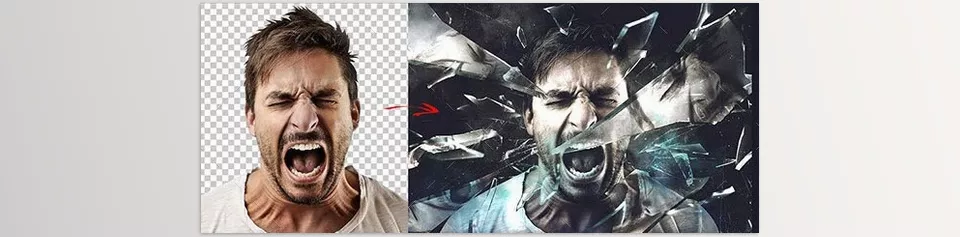
Each of these effects has its own style and character. Some focus on natural and realistic crack details, some make the image more striking with shine and glossy effects, and some are designed specifically for text and logos. With these tools, we can turn simple images into professional and attractive works without spending hours.
Comparison and Summary of 5 Broken Glass Effects
To make it easier to decide which effect is more suitable for your project, we summarized the features, applications, and style of each product in the table below:
| Product | Key Feature | Suitable for | Style and Application |
|---|---|---|---|
| Broken Glass Photoshop GraphicRiver (PSD) | Smart Object, organized layers | Regular images, posters, covers | Fast and easy, simple and realistic broken glass effect |
| Fractured Broken Glass Photo Effect | Smart Object, natural crack details | Dynamic images, ads, covers | Natural and detailed effect, high sense of motion and excitement |
| Keen Broken Glass Photo Effects | Glossy and shiny effects | Posters, covers, branding | Combines broken glass and shine, luxurious and attractive |
| Broken Glass Pieces Photo Effect | Smart Object, for text and logos | Logos, text, branding | Realistic broken glass effect for text and logos, striking and professional |
| Broken Glass Photoshop Template By amorjesu | Smart Object, visual and video tutorial | Simple images, posters, covers | Classic and practical, fast and easy for starting |
Final Summary
Broken glass can give your images depth, energy, and a sense of motion, instantly drawing anyone’s attention. Achieving such a result manually, besides being time-consuming, requires high skill and precision, and even professionals sometimes spend hours making cracks and breaks look natural and realistic. Having a tool that provides these details ready to use means you can focus on your ideas and creativity without stress and technical complexity and achieve professional results.
With such a collection, every project progresses faster, and its quality and impact significantly increase. These effects help make your images more eye-catching and attractive, and the experience of working with them becomes more enjoyable and creative. In short, having these tools means you are ready to create professional projects with just a few clicks, drawing attention and adding real energy and depth to your work.
Discover all the features Photoshop has to offer with our detailed and easy-to-follow Photoshop tools guide.



