

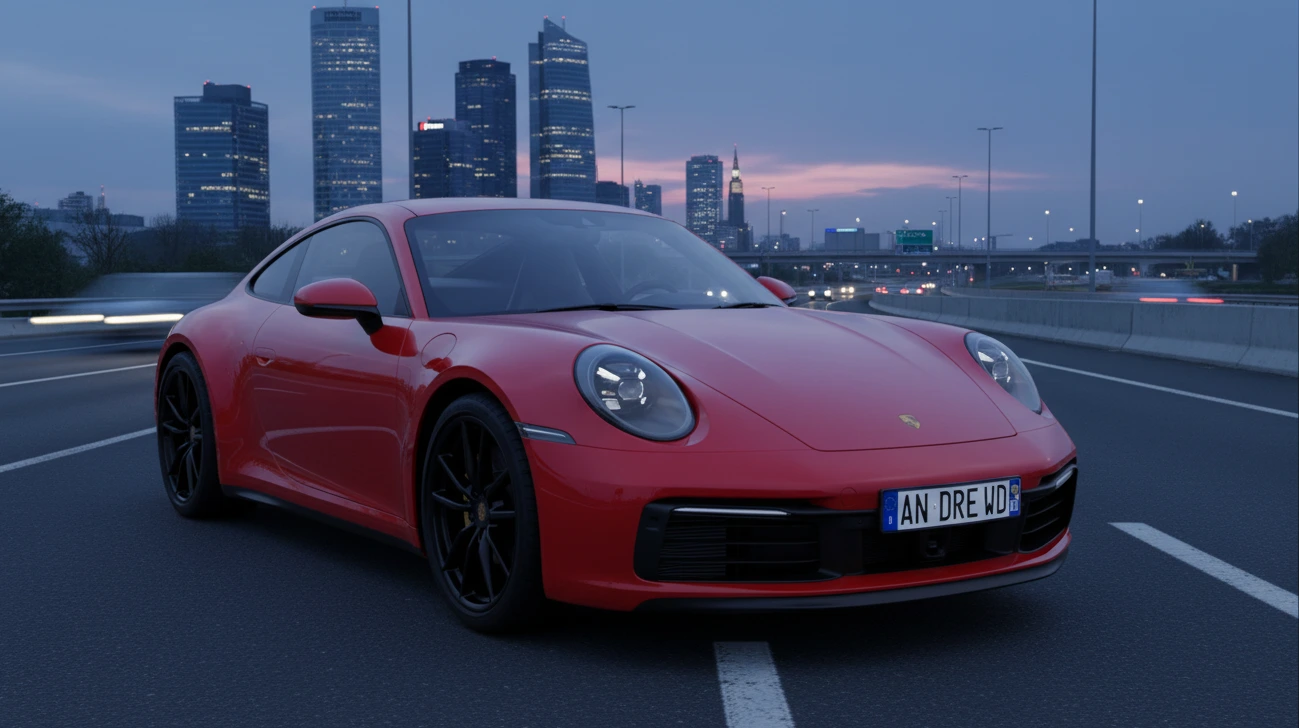
Realistic Lighting and Environment: Always a Big Challenge
Ever used the HDRi Maker Addon for Blender? But as impressive as a 3D project can be with detail from every angle, sometimes, it still looks too flat and unrealistic without proper lighting and context. For example, a car or character perfectly rendered still seems to float if the scene around it doesn’t seem real. Shadows don’t fall correctly, reflections look fake, and the sense of the model actually existing in the scene disappears entirely.
In the world of design and animation, this problem not only reduces the quality of the visuals but also wastes a lot of time: hours spent adjusting lights, creating the ground and shadows, and generating realistic reflections on models.
But is it possible to create a scene that looks natural and realistic while being quick and easy to set up, without complex workflows? This is where professional tools come in, simplifying the design process and making it enjoyable.

HDRI: Real Lighting for 3D Scenes
HDRI stands for High Dynamic Range Image, meaning an image that captures both very bright highlights and very dark shadows—just like the human eye.
Why is it different?
- Regular images (JPG or PNG) only show mid-range lighting and lose details in bright and dark areas.
- HDRI contains the full range of brightness, so natural environmental lighting is reflected accurately on models.
Applications in 3D
- HDRI works like a 360° omnidirectional light, reflecting the environment onto the models.
- Models appear natural, with accurate shadows and reflections, eliminating the need to place each light manually.
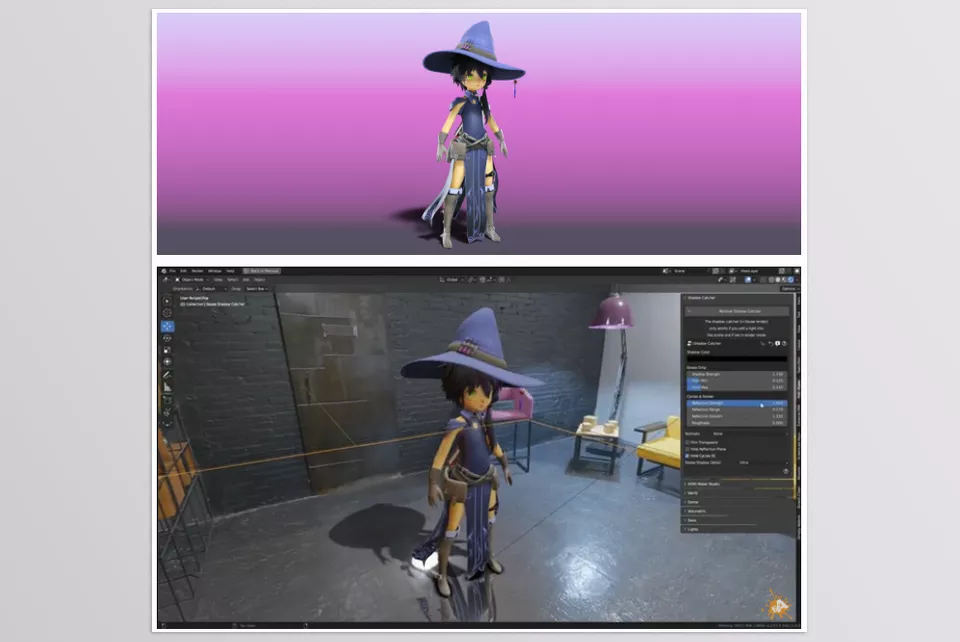
How does Blender add HDRI and environment lighting?
- In Blender, you can connect an HDRI or environment image to the World Shader to simulate scene lighting.
- This allows models to have basic ambient light and reflections.
- You can supplement it with a Sun Lamp or other lights for more precise illumination.
- In Cycles, you can use Shadow Catcher to capture shadows on the ground.
Problems and Limitations
- Models aren’t truly grounded: HDRI provides light and reflections, but there is no actual ground for shadows or model contact, making them appear to float.
- Shading is difficult: Shadow Catcher works in Cycles, but precise shadow adjustment is time-consuming and hard to use in Eevee.
- Real ground and reflections require manual modeling: To have uneven terrain or natural reflections, you must build each element manually or use Geometry Nodes.
- Long and complex setups: Achieving natural light and realistic reflections requires repeated testing and adjustment of lights, materials, and ground.
- Animation challenges: Maintaining consistent shadows and environmental lighting in animations is even more complex and time-consuming.
💡 Summary:
Blender’s default tools can create lighting and environment, but it is hard, lengthy, and sometimes unrealistic, especially for professional scenes or animations.
HDRi Maker: Realistic Scenes with Just One Click
HDRi Maker is a Blender add-on that simplifies, speeds up, and professionalizes the entire process of lighting and creating a realistic environment. With this tool, you no longer need to spend hours setting up lights, ground, and shadows.
Key Features:
Dome and Ground Projection
- Models sit correctly on the ground, and shadows are accurately calculated.
- No more floating models.
- Zooming and free camera angles don’t break shadows or model contact with the ground.
Hook and Wrap System
- Adjust the ground and environment to match the HDR image.
- Create hills, mountains, streets, or other terrain variations.
- Precisely match the HDR environment for natural reflections and shadows.
Shadow Catcher and Reflections
- Shadows and reflections are ready in Cycles and Eevee without complex settings.
- Even in Eevee, which normally has limited Shadow Catcher support, you can achieve realistic shadows and reflections.
- Models integrate perfectly with the environment for a realistic feel.
Volumetrics and Fog
- Create fog, dust, and atmospheric effects with a single click.
- Adjust the intensity and color of the fog to make the scene more vivid and professional.
- Extremely useful for animations and cinematic scenes.
Light Studio
- Professional lighting without long setups.
- Soft, uniform lighting without manually adding and adjusting individual lights.
- Ideal for quick renders of products, characters, and vehicles.
HDR/EXR Library Management
- Import and organize your HDR or EXR images.
- Quickly access and build a personal library.
- Supports batch import and automatic categorization.
Real-World Example
Imagine you modeled a car and want to place it on a real street:
- Ground and shadows are automatically correct, without manual modeling.
- Ambient lighting and reflections are applied automatically.
- You can add fog or environmental dust for extra realism.
Result: The model looks completely natural and professional, without spending hours on lighting, ground, or shadows.
💡 Why HDRi Maker is Important:
This add-on prepares everything for fast and accurate scene creation. Beginners can create cinematic-quality scenes, while professionals can control lighting and environment details without the hassle of traditional methods.
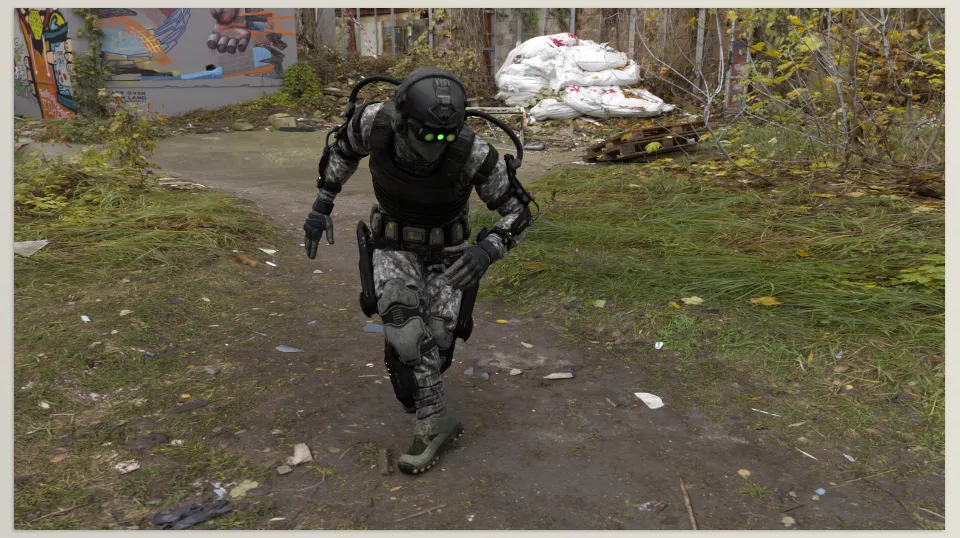
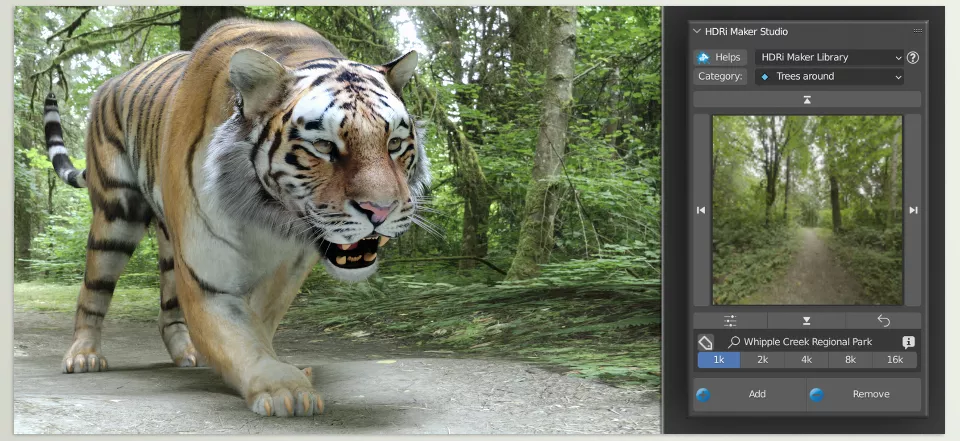
Professional Techniques for More Realistic Scenes
HDRi Maker offers many features for professional-quality scenes. A few simple tips can make models and environments appear even more realistic and engaging:
Use the Wrap System for Uneven Terrain
- Modify the ground according to the HDR image to create hills, mountains, streets, or any terrain variation.
- Ensures models sit naturally and shadows appear realistic.
Add Volumetrics in Moderation
- Excessive fog or dust can make the scene look artificial.
- A subtle amount adds depth and a natural atmosphere.
- Match fog intensity and color with the environment.
Combine HDR with Light Studio
- HDR provides environmental lighting, while Light Studio adds soft, uniform light to the model.
- This combination ensures models have natural ambient light while their details stand out.
Combine Multiple HDRs with Hooks
- Combine multiple HDR images and use Hooks to align ground and environment.
- Creates dynamic, unique scenes impossible with a single HDR.
Control Reflections and Shadows
- Always check and adjust reflections and shadows before the final render.
- Adjust Dome angle or HDR intensity for a more natural result.
💡 Final Tip:
HDRi Maker is powerful, but small tricks and smart settings make scenes fully realistic and professional. The goal is for models to integrate naturally with the environment and bring the scene to life without spending excessive time.
Lighting and Environment Are No Longer a Hassle!
HDRi Maker makes 3D scene creation easy and fast. Models sit properly on the ground, shadows and reflections are accurate, and you can add or remove fog or dust with just a few clicks. No more wasting hours on lighting and ground—you can focus on creativity and scene details.
Blender’s default tools are often slow and complex, and achieving a natural feel has always been difficult. With HDRi Maker, everything becomes quick and easy. Scenes look natural and lively without sacrificing quality or detail.
Even with intermediate experience, this add-on significantly eases your workflow. Lights and reflections are accurate, scenes look professional, and you’ll gradually realize that without this tool, everything is harder and slower. HDRi Maker takes your projects to the next level in a subtle yet real way.
If you enjoyed this article and want to master Blender while exploring all its tools, don’t miss our comprehensive guide to Blender’s tools.



