

🎨 When 3D Models Eat Up Your Time
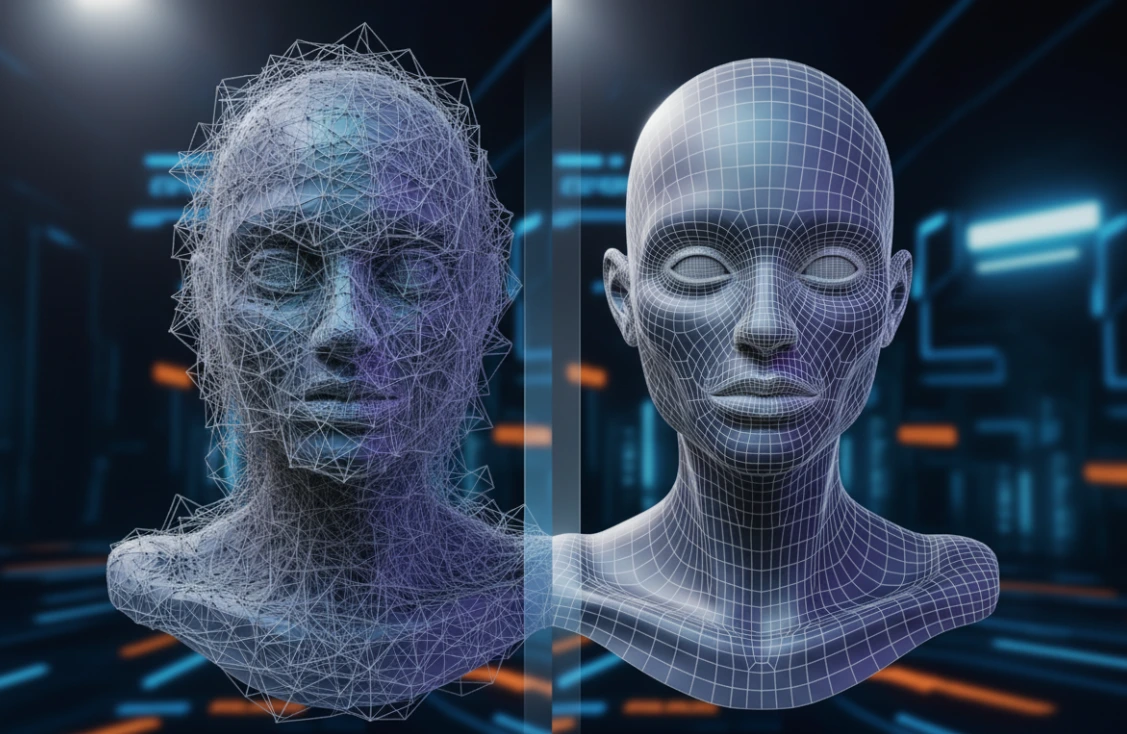
Are you familiar with the Softwrap Addon? You’re working on a 3D model. A human. A creature from fantasy. Something that was scanned in from reality. You’ve got all the details. Everything is perfect… except the topology of the model is convoluted and disheveled! 😅 You can’t even breathe near it without breaking the edges and vertices; it looks like all edges are crossed and slightly moved by an external force, like playing with a spider’s web.
Now you’ve got to rig it for animation or rendering. You need to have the vertices and edges in order, keeping the mesh clean so it can maintain a natural motion. But it’s a long process. The manual retopology process requires moving vertex-by-vertex, line-drawing edges to ensure integrity. It could take hours—maybe days—to make it worthwhile, but who has time for that? It’s testing beyond one’s patience!
This is when everyone asks: Why does a task that should be quick and creative take so much time and energy? 😬 Is there a way to organize a model’s topology effortlessly and quickly, without losing detail or quality?

🎯 Topology: The Heart of 3D Modeling
Topology is essentially the skeleton or the 3D mesh framework that shapes a model. It defines how vertices, edges, and faces are arranged to form a 3D object. Simply put, good topology ensures that a model moves naturally and smoothly without ruining its details.
For example, when a human or animal character is animated, proper topology lines follow joints and muscles so that skin and clothing bend naturally. Or when designing an industrial object, clean topology allows for quick, problem-free modifications.
Now imagine models with complex details or scanned data; without organized topology, preparing them for rendering or animation is like trying to solve a thousand-piece puzzle in the dark! 🧩 That’s why understanding topology and maintaining a clean structure is one of the most important skills in 3D modeling.
🛠️ Blender Without Shortcuts: The Long, Challenging Path
If you want to do retopology without an add-on, Blender provides basic tools—but the road is rarely smooth:
Available Tools:
- Shrinkwrap Modifier: Snaps the mesh onto the surface of the model, following its shape.
- Snapping + Surface Project: Allows precise manual placement of vertices on the model.
- Poly Build & BSurfaces: Build a new mesh network on complex or sculpted models.
Problems and Limitations:
- ⏳ Time-consuming: Each vertex must be placed manually, edges drawn, and you constantly check that everything looks natural.
- 🎯 High precision required: Even the smallest mistake can ruin the mesh, forcing you to start over.
- 🧩 Complex or scanned models: Maintaining shape, detail, and smoothness is difficult and exhausting.
- 😬 Confusion and fatigue: On a messy model, finding the best path for edge loops and organizing the mesh is truly taxing.
Manual retopology is like navigating a long, winding road with an incomplete and unclear map. Anyone who has experienced it knows how much time and energy it consumes and dreams of a faster, hassle-free, and intelligent method.
🚀 SoftWrap: Smart Topology Without the Hassle
Imagine working on a complex 3D model and wanting a clean, organized mesh ready for animation and rendering. You already know manual retopology can take hours or even days 😅. But now there’s a tool that reduces all that effort, making the process fast, smooth, and fun: Softwrap Addon!
🔑 Key Features:
- Reuse Previous Topology:
No need to start from scratch! SoftWrap wraps the topology from previous models onto the new model while preserving the original shape. That means incredible speed and energy savings. - Custom Softbody Simulation:
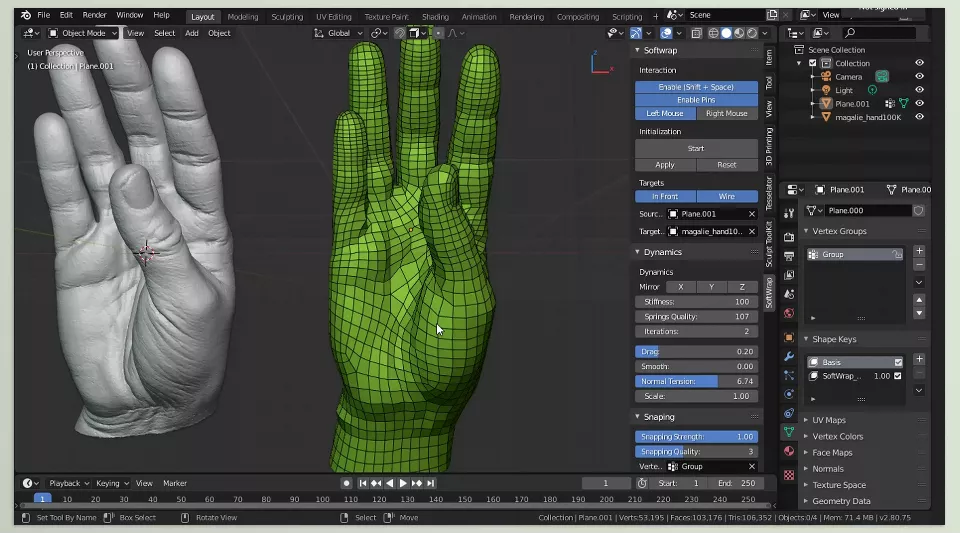
SoftWrap uses a custom soft simulation that makes the mesh stick to the base model like a flexible material. Result? Accurate, natural mesh that’s adjustable for future changes. - Smart Snap:
The mesh perfectly follows the model surface without losing detail. Even complex models with thousands of details are easily controlled. - Full Force Control:
Adjust Stiffness, Plasticity, and Gravity to make the mesh behave exactly as you want. This flexibility ensures both soft and rigid models simulate correctly. - Adjustable Pins:
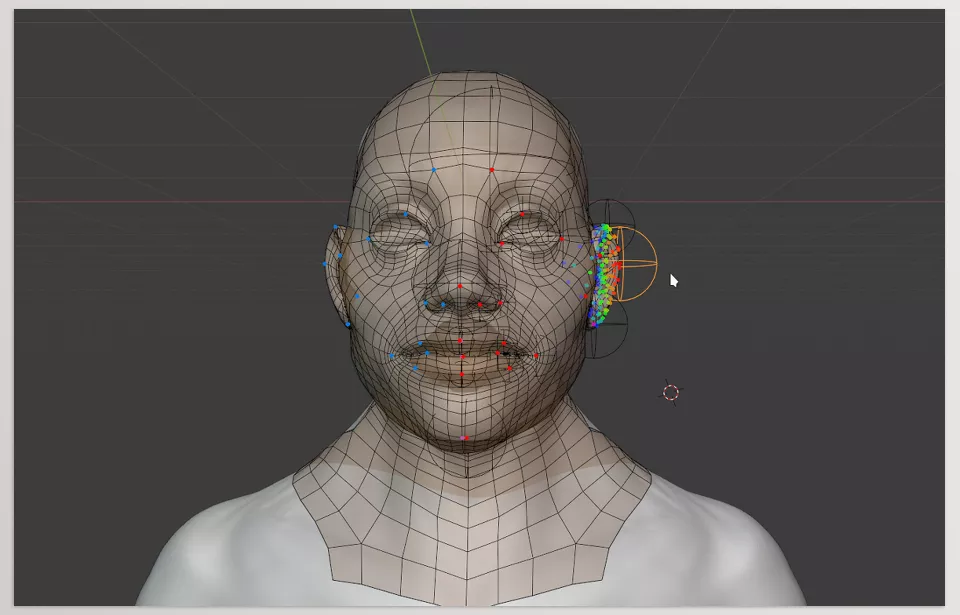
Lockable points can be resized so each pin affects the mesh exactly as intended. - Multiple Snap Modes:
Inside, Outside, and Surface modes give freedom to place the mesh precisely and make every project easy to handle.
🖌️ A Real-World Example
Imagine a highly detailed human character with intricate skin, clothing, and accessories. With Softwrap Addon, you can wrap the old model’s topology onto the new model and, in just minutes, get a clean, organized mesh ready for animation and rendering—without spending hours placing vertices and drawing edges manually.
This tool turns retopology from a long, exhausting journey into a fast, controllable, and even enjoyable process 🎨✨. It frees your time to focus on what truly showcases your creativity, not moving every single vertex.
🛠️ Tips for Mastering SoftWrap
Softwrap Addon is incredibly useful, but a few small techniques make it even smoother and more professional:
- Start with a clean base mesh:
Always begin with tidy base topology. The cleaner it is, the more natural and controllable the final result. - Adjust Pin Radius:
Resize pins to control their effect precisely, reducing the need for extra pins. - Choose the right Snap mode:
Depending on the project, select Inside, Outside, or Surface mode to adhere the mesh to the model while preserving details. - Experiment with Plasticity and Stiffness:
For soft or rigid models, tweak these forces to achieve the mesh behavior your project requires. - Check the mesh in motion:
Even with SoftWrap, inspect the mesh during animation or minor changes to ensure no deformations occur.
💡 Following these tips, Softwrap Addon is not only fast and precise, but also makes the retopology experience enjoyable and even fun.
✨ Summary: Spend Your Time on Creativity
SoftWrap makes retopology not tedious or boring! 😎 Retopology and accessibility are as easy as a button push, making your complex meshes animation-ready without sewing them vertex by vertex for hours on end.
Your time is freed to focus on the creative parts of a project—lighting, character motion design, or adding artistic details 🎨. No more worrying about small, tedious mistakes that used to consume hours. Softwrap Addon lets you spend your energy on real creativity, not exhausting technical details.
In conclusion, the Softwrap Addon takes a magical approach to make 3D modeling even faster, easier, and more fun 🥳. Being able to implement it with such easy control means you’ll never lose sight of your project and you can revel in your artistic endeavors. When tackling complex models, you can now take the less stressful road and enjoy the modeling experience again. 🚀
Loved this article? Take your Blender skills to the next level by exploring our ultimate guide to Blender tools.



