

📄 Paper Fold Animation; A Simple Way to Stand Out
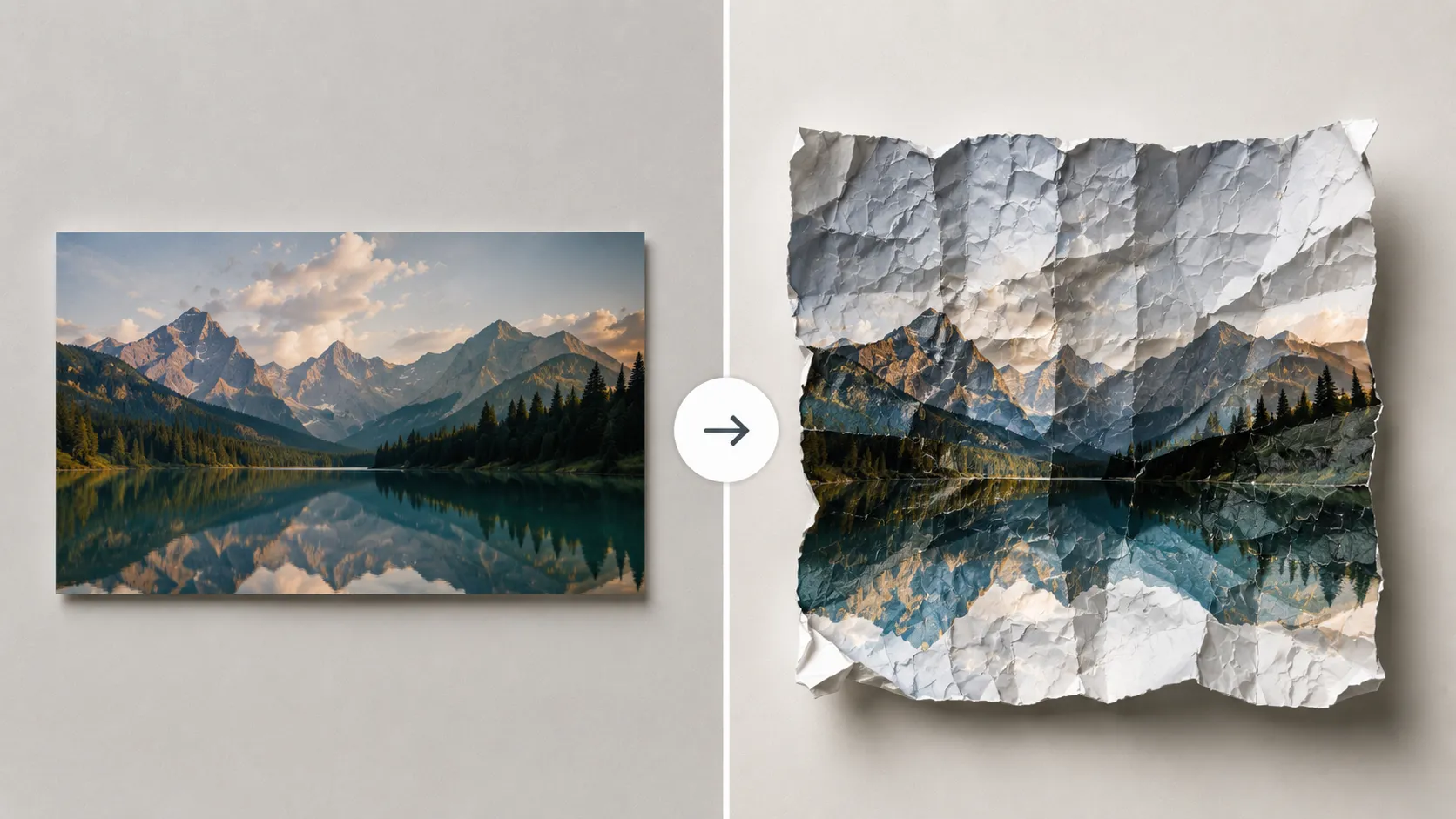
Have you used the FoldCraft plugin by aescripts in any projects? One of the styles that has gained a lot of attention recently is folded-paper-style animation, also known as Paper Fold. In this technique, an image or text is divided into multiple sections, and then animated in a way that makes it feel like it’s actually made of paper — folding, unfolding, and layering over other sections. These movements are usually smooth and layered, which helps create a stronger sense of depth in the design.
The Paper Fold effect is appealing largely due to its familiarity. As many of us have interacted with folded paper in various ways throughout our lives, using this effect immediately allows us to relate to the media and to the elements within it. It creates the sensation of the image or text being constructed before our very eyes.
In terms of usability, it’s also highly flexible. You can use it for creating unique titles, logo reveals, promotional videos, or social media posts. Especially when you want to add a creative and distinctive feel without making the design overly complicated, this style works extremely well and gives the final result a more professional look.

🛠️ Can This Effect Be Created Without a Plugin?
The short answer is: yes, absolutely. However, achieving this effect requires combining multiple tools and techniques inside After Effects and essentially building everything from scratch. It’s more like assembling several different techniques together in order to create something close to a real paper-fold effect.
These are usually the main steps involved:
- Cutting the image or text using Masks or Shape Layers
- Using 3D Layers and Rotation to simulate folding
- Adjusting Light & Shadow to create depth
- Working with Pre-comps and Track Mattes to control layers
- Using the Puppet Tool or Mesh for more natural movement
When combined properly, these methods can produce a solid result, especially if you’re already comfortable with the tools.
⚠️ Challenges and Limitations
Even though these methods work, they usually take a lot of time and require precision and experience. Properly adjusting the movements, syncing the layers, and creating a believable folding effect isn’t simple, and often needs multiple rounds of refinement. On top of that, if you want to repeat this effect across different projects, you’ll likely need to rebuild a large part of the setup from scratch every time.
In the end, while the manual approach is definitely possible, it isn’t always the fastest or easiest option — especially when your goal is a clean and professional result.
🚀 FoldCraft; When Everything Becomes Simpler
This is where tools like FoldCraft really shine. This plugin is built for After Effects and Premiere Pro, and instead of dealing with countless techniques and complicated settings, it helps you achieve the result much faster. Essentially, it turns a long and manual workflow into a few simple and controllable adjustments.
The core idea behind FoldCraft is very simple: it divides your content — whether it’s text, an image, or a video — into multiple sections and animates those sections like real paper. Folding, unfolding, rotating, and layering all happen in a way that creates a highly believable sense of space and depth.
The result feels like something is being “constructed” rather than just animated.
🎥 Anything Can Fold!
One of the most exciting features of this plugin is that it doesn’t limit you. You can apply this animation style to almost any type of file:
- Text and typography for unique titles
- Logos for brand reveals
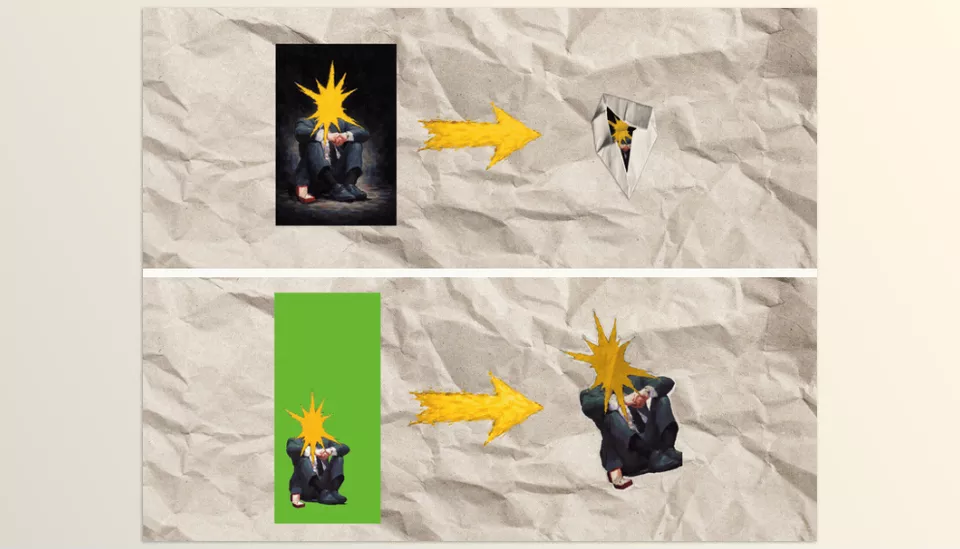
- Green screen videos to bring people or subjects into the scene
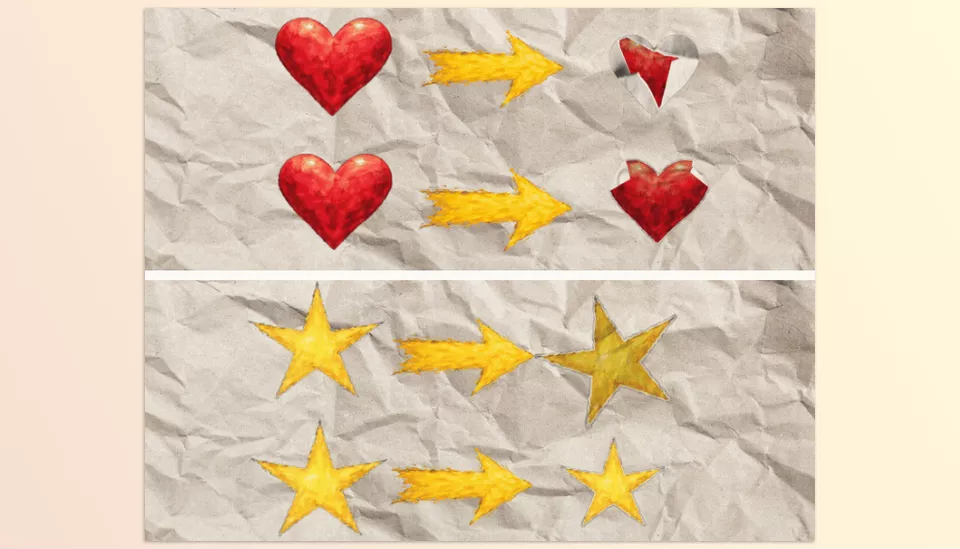
- Alpha channel files for more complex graphic work
In other words, almost anything you have can be transformed into an engaging folded animation.
🎛️ Full Control Without the Hassle
FoldCraft isn’t just a ready-made effect — it’s a highly controllable tool. You can fine-tune the appearance of your project to match exactly what you have in mind:
- Changing textures for a paper-like or handmade feel
- Adjusting edges and fold lines
- Controlling layer blending
- Adding subtle jitter for more natural motion
- Adjusting animation speed and timing
This means the workflow stays fast while still giving you complete creative control.
🧩 Layer-Based Motion, Not Just a Simple Effect
What separates FoldCraft from many standard effects is that it doesn’t simply apply a surface-level transformation. Instead, it works as a true layered system where every section of the image plays its own role, and movements happen with real depth.
That’s exactly what makes the final output feel far more professional and visually distinctive.
🔄 Different Modes for Different Scenarios
Depending on the type of project you’re working on, you can use different modes:
- Standard for regular images and videos
- Text for folded title animations
- Alpha for transparent and graphic-based files
- Green Screen for isolated subjects removed from backgrounds
This flexibility allows you to use the plugin across different projects without changing your workflow.
FoldCraft helps improve both speed and output quality at the same time. You save time while achieving results that look cleaner, more natural, and more professional — exactly the kind of quality that’s much harder to achieve consistently with manual methods.
🎯 Tips to Make Your Work Look More Professional
Even when using a ready-made tool like FoldCraft, there are still small details that make a huge difference. These subtle adjustments can transform an ordinary animation into something far more polished and eye-catching.
Use the Right Texture
A soft paper texture (without being overly busy) can make the animation feel much more realistic and less overly digital.
Add Slightly More Natural Motion (Subtle Jitter)
A tiny amount of irregularity in movement helps the animation feel less stiff and more organic.
Take Lighting and Shadows Seriously
Proper shadow settings make the folds more visible and enhance the depth of the scene. Without shadows, the entire effect can feel lifeless.
Create Contrast Between Layers
A very subtle difference in brightness or color between layers helps make the folds clearer and prevents the design from looking flat.
Adjust the Motion Rhythm
Using Ease In/Out makes the folding and unfolding movements feel smoother and more natural instead of rigid and linear.
Keep It Simple
Control the number of folds and the overall complexity. In most cases, a clean and minimal animation looks far more professional than something overly crowded.
In the end, it’s these small details that elevate the overall quality of the work. Paying attention to them can help you achieve results that feel much more polished and impactful.
🎬 Small Details, Big Differences
At the end of the day, what separates ordinary work from professional work is often the small details. Effects like paper folding may seem simple at first glance, but they’re exactly the kind of details that capture the audience’s attention and make a project memorable. This style helps your projects break away from repetitive and predictable visuals while adding a more creative and distinctive feel.
On the other hand, when you try to build these kinds of animations manually, you quickly realize how much time and energy they require — especially if you want the final result to look clean and professional. That’s where using a specialized tool like FoldCraft becomes a smart decision. Instead of getting lost in technical details, you can focus your energy on ideas and design rather than building every element from scratch.
FoldCraft allows for a significant increase in speed in creating paper fold animations in After Effects. Beyond that, the results are visually appealing and look professional. For those looking to produce impressive results from their projects, FoldCraft is essentially an investment in the quality of their work.
If you feel like you’re ready to move past the basics and try something more advanced, our After Effects Tools guide can help you level up step by step while keeping everything clear and approachable.



