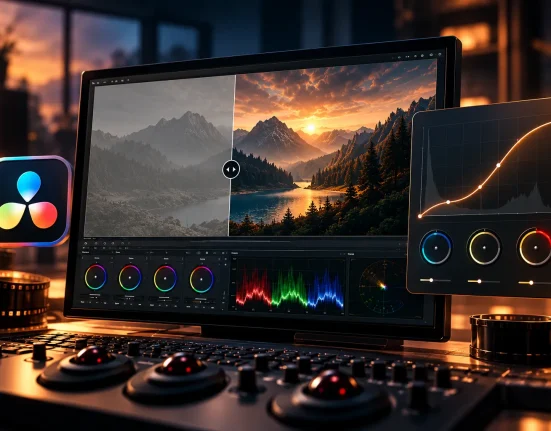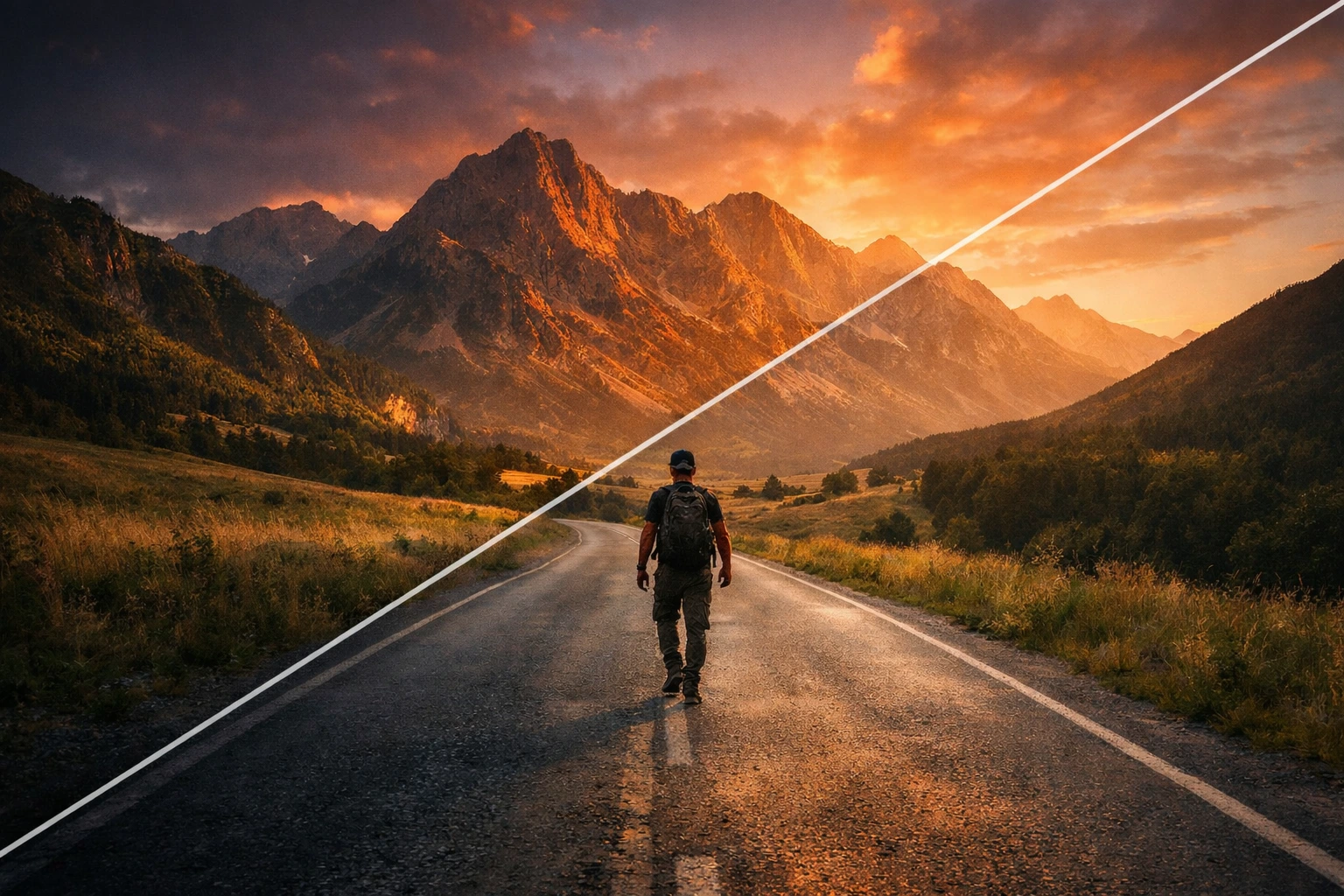
Why Don’t Your Videos Still Have That Cinematic Feel?
Are you familiar with using the Immersion by Gamut? Have you ever shot a travel video with an amazing location and decent lighting… but when you sit down to edit, it feels like your footage lacks that cinematic depth and atmosphere? Everything seems technically fine, yet the final result feels kind of ordinary — not bad, but not breathtaking either.
The colors look flat, skin tones are either lifeless or overly saturated, the sky doesn’t have that clean blue, and the shadows lack depth. The image is sharp, but there’s no clear “style.” It feels like the video doesn’t have a visual identity.
This is where color grading becomes important — where colors stop being ordinary and turn into storytelling tools. The right color adjustments can transform a simple video into a memorable visual experience that stays in people’s minds.

What Exactly Does a LUT Do and Why Does It Matter?
In the simplest terms, a LUT is a color adjustment file that you apply inside your editing software to transform your footage with a specific style. Think of it as a ready-made “color signature” that can instantly change the mood of your video.
From creating a cinematic atmosphere for travel videos to enhancing sunrise and sunset tones, or building a soft teal & orange look — a LUT helps you achieve a consistent and more professional result.
More importantly, color isn’t just about aesthetics; it creates emotion and adds depth. A good LUT strengthens the overall atmosphere while keeping skin tones natural and helping you color large projects faster. The result? Footage that feels more engaging and stays in the viewer’s mind.
How Can We Achieve This Without a LUT?
If you don’t want to use ready-made LUTs, you still have powerful tools inside your editing software to build a professional color style. This approach relies more on your skill and precision and gives you full control over the image.
The process usually involves a combination of these tools:
- Manually adjusting Curves for precise control over contrast and color tones
- Using Color Wheels to balance shadows, midtones, and highlights
- Correcting Temperature and Tint for proper white balance
- Separately masking skin tones to maintain natural-looking faces
- Building a custom preset from scratch for future projects
With practice and experience, you can gradually develop a consistent color signature and achieve professional results even without LUTs.
Challenges and Limitations
The reality, however, is that this process can be time-consuming — especially when handling multiple projects. Achieving a fully repeatable style becomes difficult, and each time you may need to test and tweak your adjustments again.
Maintaining natural skin tones while shifting the overall mood of the image is delicate work. A slight misstep can make the image look artificial. In the end, a large portion of your energy goes into technical adjustments, pulling focus away from creativity and storytelling.
This Is Where Immersion Comes In
When you want to reach a specific, professional style faster — without starting from scratch every time — the Immersion LUT Collection is exactly the tool that simplifies the process.
Immersion LUT Collection is designed around the travel filmmaking color style of Sam Newton, where colors are vibrant and bold, the image has controlled depth and contrast, and skin tones remain natural and believable.
In other words, the atmosphere is enhanced without making faces look artificial — a balance that’s crucial in professional color grading.
What’s Inside This Collection?
This pack includes 7 main LUTs, each creating a different mood depending on your project’s needs:
- Arctic Sunrise – Bright, cool, and clean; perfect for misty mornings and minimal locations
- Chromatic Cream – Warm and soft; ideal for intimate vlogs and golden light
- Distant Teal – Cinematic and balanced; that professional mood with controlled teal tones
- Ember Coast – Golden and coastal; great for sunsets and warm travel scenes
- Ethereal Blue – Deep and atmospheric; perfect for cold landscapes and calm moments
- Native Light – Natural and realistic; when you just want a subtle, clean enhancement
- Tonal Eclipse – High-contrast and dramatic; for scenes that need impact
Even more interesting, each LUT also comes in a “+” version — the same style, but with stronger contrast and deeper depth. Perfect for moments when you don’t just want your image to look good — you want it to stand out and feel impactful.
A Complete Package — Not Just a Few Color Files
Immersion LUT Collection isn’t just a few LUTs you drop onto your footage and call it a day. It also includes educational content so you can achieve the best results without guesswork:
🎓 A 30-minute color grading course
🎥 Five raw practice clips for hands-on training
.cube files are compatible with most editing software (NLEs)
Technically, the LUTs are designed for the Rec.709 color space and are compatible with DSLRs, mirrorless cameras, and cinema cameras.
If you shoot in Log format, you can first convert your footage to Rec.709 and then apply the Immersion LUTs for a clean and accurate result.
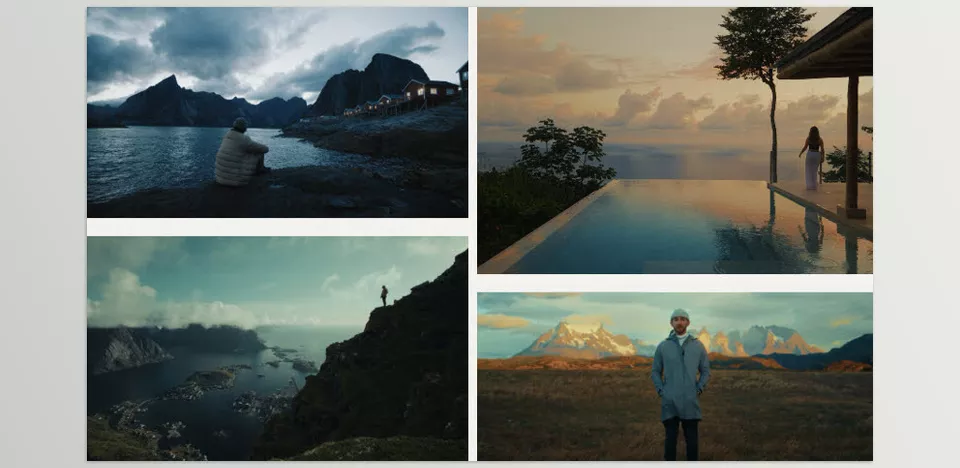
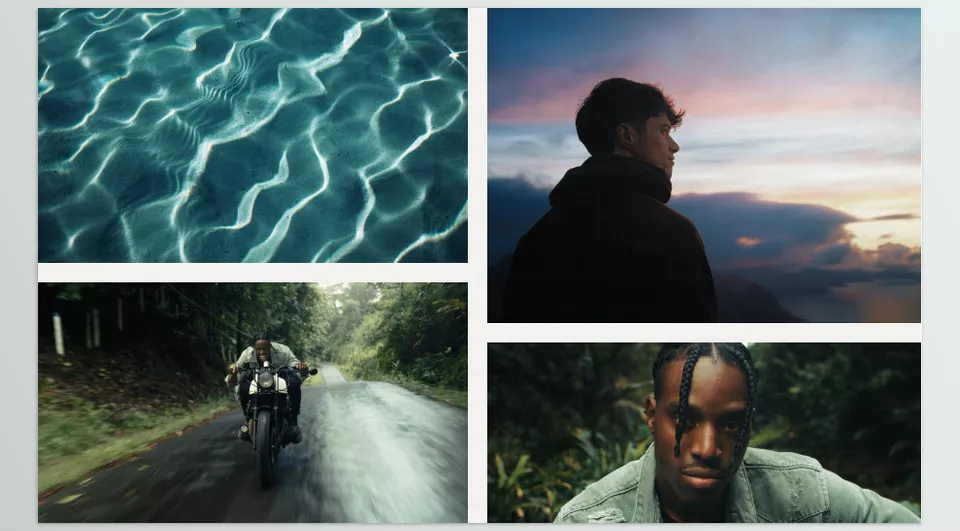
How to Use It More Professionally
Here are a few practical tips that can elevate your final result 👇
🎯 Adjust the LUT intensity
You don’t always need to apply it at 100%. Often, 60–80% gives a more natural and professional look while preserving skin details and lighting nuances.
🎯 Fix exposure first
Adjust Exposure and White Balance before applying the LUT. When your base image is correct, the LUT works more accurately and cleanly.
🎯 Use the “+” versions intelligently
The higher-contrast versions are great for dramatic scenes and wide shots, but for close portraits or harsh lighting, the regular version usually provides a more balanced result.
🎯 Build a consistent style
If you’re working on a series (like a travel vlog), choose one LUT as your consistent color signature to maintain a unified visual identity across all episodes.
Ultimately, a LUT is a supporting tool — not a replacement for taste and creativity. When used intentionally, it becomes part of your personal style, not just a ready-made effect.
In the End, Why Does This Tool Matter?
Color grading is where your video finds its identity. Your footage might be technically correct, but it’s the colors that give it emotion, depth, and personality. Immersion helps you reach a consistent, professional style faster — without getting lost in complex adjustments.
With Immersion LUT Collection, you can achieve vibrant and engaging colors without making skin tones look artificial or exaggerated. More importantly, you spend less time on repetitive corrections and more time focusing on storytelling, composition, and the feeling of each scene — the elements that truly set your work apart.
For those creating travel videos, short documentaries, or story-driven projects, having a defined color signature can make a significant difference. Often, the line between a “good” project and a “memorable” one comes down to one thing: a smart and intentional color choice.
If you’re looking for a clear and complete explanation of color grading, we’ve assembled a detailed color grading article that simplifies the entire workflow. I really recommend giving it a read—you’ll gain knowledge that makes a real difference.