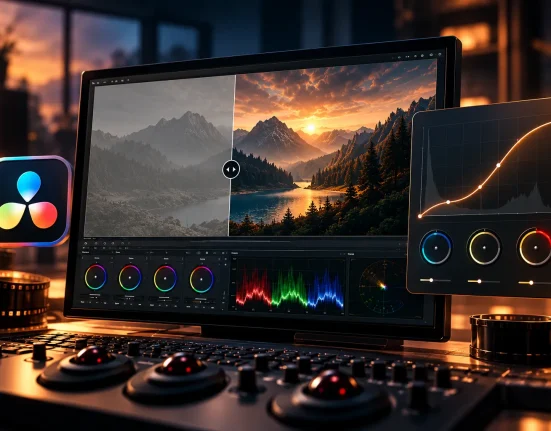
When Our Photos Feel Lacking
Are you aware of what the Instant Everyday Lightroom Desktop Presets offer? There are those photos that have everything: good exposure, a clean composition, and the subject at the right time. But then you look at it and something feels off…something emotional, something atmospheric that resonates with the heart and makes a photo stick. Good photo. Not a living photo.
Have you ever seen an old Polaroid or Instax photo? They look a little different, like they have a certain nostalgia about them. The colors are just off enough, a little faded, a little warm or cool…but it’s these tiny details that make a good photo a great memory. Even the grain and filmic texture make it feel like the photo has a story of
That’s why many people, especially those working with photography and content, look for ways to bring that feeling back to modern digital photos. Everyone wants their photos to do more than just look “good”; they want them to convey emotion, capture a moment, and hold attention. And this is exactly where film simulation tools come into play.

Traditional Methods Without This Product – Possible, But Harder
If you try to do everything manually…
To make a photo look like film without ready-made tools, you usually:
- Adjust colors and white balance
- Work with Curves to create the film’s mood
- Add appropriate grain
- Mask skies and recover highlights
- Adjust skin tones
- Create light leaks in Photoshop
- Find or create Polaroid frames and apply them to the photo
All of this is possible; none of it is impossible. The problem is…
Where the Challenges Begin
- These tasks are time-consuming. Fine for one photo, exhausting for several.
- Outputs are inconsistent. Every photo develops a new mood.
- Skin tones, grain, and lighting degrade quickly and don’t stay natural.
- Masking skies or adjusting exposure sometimes takes longer than the editing itself.
- Achieving a good result requires color grading experience; otherwise, you hit a dead end fast.
The Result?
Many find that after a few attempts, the outcome doesn’t match their vision. One photo looks great, three are average, and one is ruined. When outputs aren’t consistent, the project loses a steady feel.
Manual editing is doable… but for most work, it’s hard, time-consuming, and stressful. This is exactly where professional tools show their value.
Introducing Instant Everyday Lightroom Desktop Presets: The World of Film, Fast
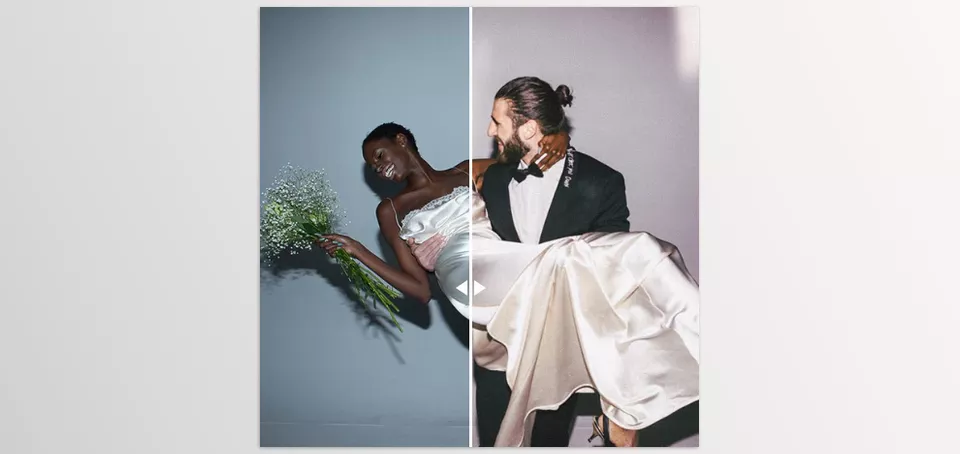
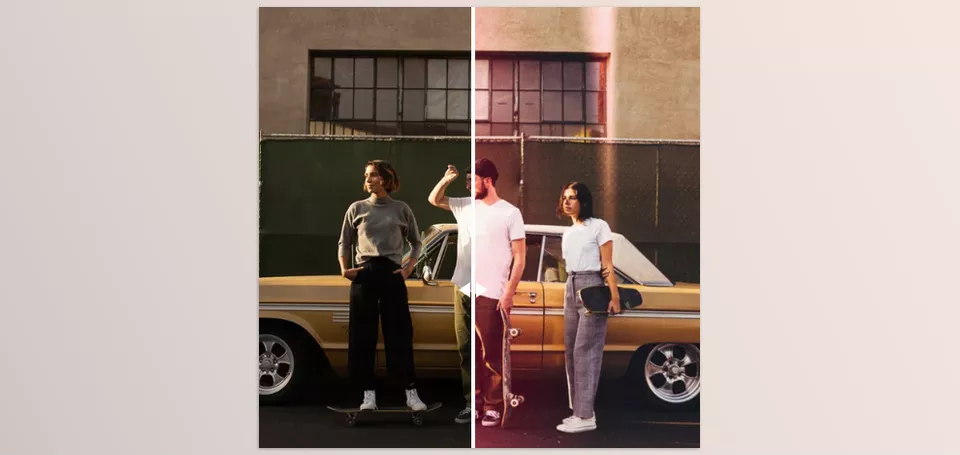
It’s time for the product to enter the scene: Instant Everyday Lightroom Desktop Presets. This package is designed to bring the entire mood of instant films—like old Polaroid and Instax—to your digital photos effortlessly. It’s like pressing a “magic” button and your photos instantly look like real film, with their colors, textures, lighting, and dedicated frames.
✔ Film Presets – True Instant Film Simulation
This collection includes 6 main presets for color and black & white, each with a unique mood:
- SX70 Color: Warm and natural, perfect for portraits. Skin tones like Portra film, slightly brighter shadows, giving a pleasant vibe.
- P600 Color: Cool tone with a hint of magenta, ideal for dark colors and flowers. Lower contrast for a calm, gentle feel.
- Instax Color: Light contrast, strong and vibrant colors, soft shadows, and highlight fade to make digital photos look like real instant film.
- SX70 B&W: Black & white with noticeable grain, slightly bright and soft shadows, classic cinematic feel.
- P600 B&W: Softer black & white, less contrast, clear shadow and highlight fade, fine grain, and more detail.
- Instax B&W: Cool black & white tone, light, airy grain, dreamy and soft, perfect for emotional, bright photos.
Each preset is designed for its own mood and can be combined with other tools for completely natural, professional results.
✔ Mastin Magic AI Tools – Fast & Precise Editing
These tools make it easy to give your photos exactly the feeling you want:
- Spotlight: Brighten the main subject and slightly darken the background for depth.
- SkySave: Recover overexposed or blown-out skies without ruining the rest of the photo.
- Skin Softening: Smooths skin, removes blemishes, while keeping a natural look.
- Light & Airy Assist: Brightens dark photos softly, preserving details, perfect for light and airy style.
- Dark & Moody Assist: Turns neutral photos into dark cinematic style with deep shadows and subtle highlights for a dramatic feel.
✔ Film-Inspired Tools – Authentic Film Feel
To make your photos truly film-like, these tools are included:
- Real Light Leaks: Natural light streaks reminiscent of instant film imperfections, adding nostalgia.
- Instant Grain: Realistic grain to emulate film texture naturally.
- Instant Fade: Softens shadows and highlights for a print-like film feel.
- Polaroid/Instax Frames: Add instant film frames directly inside Lightroom Classic—no extra software needed.
✔ Tutorials & Practice Files – Learn & Apply Quickly
- 4 RAW Practice Files: Test presets and tools.
- Step-by-step tutorial: Learn how to combine tools for your personal style and get the best results.
With Instant Everyday Lightroom Desktop Presets, you don’t need to spend hours on Curves, masking, or light leaks. Everything is ready to deliver consistent, professional, film-like photos, even if you’re a beginner.
In Short: Instant Everyday Lightroom Desktop Presets Prepare Everything for Film-Like Photos
From color and B&W presets to AI tools, natural grain, light leaks, and Polaroid frames, this package ensures your digital photos aren’t just beautiful—they’re alive and full of emotion. No more hours adjusting color, light, or masks; everything is ready and controllable for a real film experience—fast, easy, and professional.
How to Get the Best Output
If you want your photos to truly feel like instant film using Instant Everyday Lightroom Desktop Presets, here are some simple but professional tips:
- Adjust Exposure Before Presets: Slightly tweak brightness so presets sit naturally. Some presets don’t work well on very bright or very dark images.
- Portraits: Combine Spotlight + Skin Softening at low intensity. Spotlight emphasizes the subject; Skin Softening smooths the skin naturally. Increase slowly to avoid an artificial look.
- Outdoor Scenes: For nature or street shots, combine SkySave + Instant Fade. SkySave keeps the sky natural; Instant Fade softens shadows and highlights for cinematic realism.
- Digital / Clean Photos: Sometimes digital photos are too clean and lack a film feel. Adding a bit of 35mm or Medium Format Grain adds natural texture and makes it look like real film prints.
- Before Adding Frames, Crop to 4:5 or square before applying Polaroid or Instax frames to ensure accurate placement and a true film feel.
These simple but professional tips make a huge difference between a regular photo and one with authentic film emotion.
Summary – Film-ifying Photos Without Hassle
With Instant Everyday Lightroom Desktop Presets, there’s no need to spend hours adjusting colors, Curves, grain, masks, or light leaks in Photoshop. This set is ready to give your photos the instant film mood—warmth, nostalgia, natural textures, and realistic tones.
From Color and B&W presets to AI tools, light leaks and instant grain, Polaroid and Instax frames, and easy-to-follow guides, your digital images will be not only stunning but also dynamic and filled with emotion. For even the least experienced to get such professional, consistent results without a learning curve to failure is astounding.
If you want a real, emotional, consistent style for personal or professional projects, this package is exactly what makes your workflow easier and your outputs professional, impactful, and full of feeling. With these tools, every photo can feel like a real memory—fast and easy.
If you’re searching for a resource that makes the entire process of color grading more understandable, we’ve written a complete guide that breaks everything down step by step. It’s all available in Color Grading.