

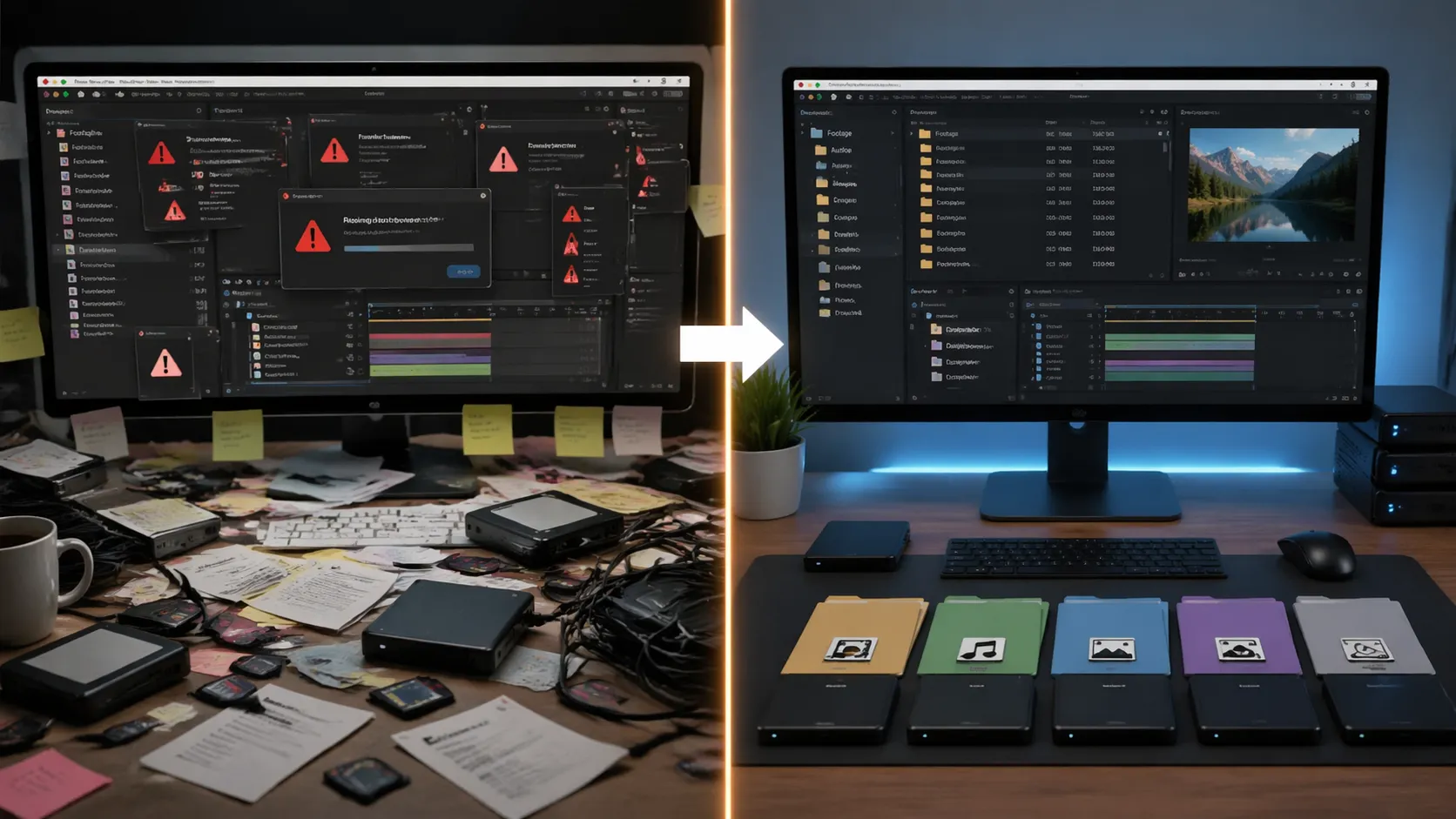
🎬 The Behind-the-Scenes No One Wants to See
Have you used the Root Plugin professionally or casually? If you work with After Effects, this situation probably feels very familiar: you open a project after a few days and suddenly run into a Missing Footage error. Or when you’re about to send the project to a client, you realize your files are scattered across multiple folders, and you don’t really have a clear overview of them.
That’s when you notice how much time you’re spending finding files, relinking them, and organizing everything manually—a task that’s neither exciting nor creative. Especially as projects get bigger, this kind of disorganization quickly shows itself and turns into a serious headache.
The reality is, the problem often isn’t the design itself—it’s file management. The more complex the project becomes, the more this weakness stands out, and it can even affect the final quality of your work and how you deliver it to clients.

🧠 What Does File Management Mean in Motion Projects?
File management in motion projects means keeping all assets—from videos and images to audio and PSD files—organized, accessible, and hassle-free in one place. So that every time you open the project, everything loads without errors, and you don’t have to search for missing files or reset paths.
To better understand, imagine a commercial project where assets come from different sources: videos on an external hard drive, images on your desktop, and music in an old folder. If these files don’t have a clear structure, their paths can easily change, or they might even get lost entirely. The result is obvious—a project that either doesn’t open properly or runs partially and wastes your time.
In practice, proper file management has several important benefits:
- Speeds up your workflow and prevents repetitive tasks
- Ensures the project always opens without errors
- Helps you deliver cleaner and more professional outputs to clients
That’s why file management isn’t just a side task—it’s a core part of a professional workflow that directly impacts the quality of your project.
🛠️ How Do We Handle This Without Special Tools?
If you don’t use professional tools, you usually rely on After Effects itself or manual work. That means you have to keep track of all files, paths, and organization on your own. It’s doable, but it depends more on your attention and time than on a smart system.
The most common methods include:
- Using Collect Files to gather project assets into a single folder
- Manually searching for files when encountering a Missing Footage error
- Creating folders manually and organizing files by type
- Copying or moving files between folders to structure the project
😐 Limitations and Challenges
These methods might work at first, but as projects grow, their weaknesses become clear. Most of these tasks are time-consuming and pull your focus away from the creative side of the project. There’s also always a risk of missing or misplacing files—especially when dealing with a large number of assets.
In the end, the output is often not as clean or standardized as it should be for confident client delivery, which can make the experience harder for both you and your client.
🚀 Root: When Project Organization Starts to Matter
This is where tools like Root Plugin really shine. Root is a plugin for After Effects focused on managing and organizing project files—not in a manual, limited way, but in a fully smart and automated manner.
In practice, Root scans the entire project, finds all used files, organizes them into a structured folder system, and simultaneously fixes file paths inside After Effects. This means your files are organized externally, and your project runs cleanly and error-free inside the software.
⚙️ What Does It Simplify for You?
📦 File Collection and Organization
Root Plugin identifies all files actually used in your project—whether they’re on your system or an external drive—and places them into a clean, organized folder. The best part is that this structure is customizable, so you can decide where each type of file goes.
🔗 Automatic Path Correction
One of its most important features is automatically fixing file paths after moving assets. If a file is missing, it can search across your system and relink it. That means no more manual searching or fixing links one by one.
📤 Clean, Delivery-Ready Output
With Root Plugin, you can select only specific parts of your project (like certain compositions) and generate a clean output package that includes:
- Required files
- Organized project file
- Clean folder structure
It can even package the entire project into a compressed file for easy client delivery.
🔍 Finding Missing Files
If your project has missing assets, the Root Plugin can search through specified locations to find them. This search is deep and not limited to a single folder, increasing the chances of recovery.
🧹 Project Cleanup and Optimization
Projects often contain unused files. Root Plugin can remove these extra assets, making your project lighter and cleaner—resulting in a more professional output.
📁 Customizable Folder Structure
One of Root’s strengths is flexibility. You’re not forced into a fixed structure—you can create your own templates, such as:
- Videos
- Audio
- Images
- Design files
Or even define unique structures per client to maintain consistency across deliveries.
⚡ Batch Processing
If you have multiple compositions or projects, you can process them all at once—either as separate folders or combined into a single package. This is especially useful for handling multiple projects efficiently.
🎬 Additional Useful Features
Root Plugin also includes several features that make your workflow smoother:
- Adding a preview output for clients
- Drag-and-drop support for quick setup
- Displaying file status (available or missing)
- Managing all settings from a single panel
Overall, Root Plugin isn’t just an organizing tool—it’s a complete project management solution that lets you focus on creativity instead of file handling.

🎯 Tips to Make Your Workflow More Professional
To get the best results from Root Plugin, keep these simple but important tips in mind:
- Create folder templates for your projects
Define a clear structure for each project type (e.g., commercial, social media, corporate). This ensures consistent and professional outputs every time. - Select only the necessary compositions
When exporting, avoid packaging the entire project. Choose only what you actually need for a lighter and cleaner result. - Clean up before delivery
Remove unused files to reduce project size and improve the final presentation. - Include a preview in the package
Add a video preview so clients or team members can quickly view the result without opening After Effects. - Continuously refine your structure
As you gain experience, update your templates and settings to build a faster and more efficient personal workflow.
In the long run, reviewing and improving your setup regularly will help you build a system that significantly boosts both speed and organization.
✨ A Small Change That Makes a Big Difference
If you look at it realistically, many motion project issues have nothing to do with creativity or design. They start when files become scattered, paths break, and project control gradually slips away. That’s where a proper management tool can make a huge difference—keeping your projects organized, controlled, and stress-free.
Root Plugin focuses exactly on this part of the workflow. Instead of spending time searching for files, organizing folders, or fixing links, it automates the process. The result? Cleaner projects, easier delivery, and most importantly, more focus on what truly matters—creativity.
If your projects are still simple, you might not feel the need for it immediately. But as soon as your work becomes more serious or involves clients, this tool turns into one of those things you’ll truly miss without. The kind of tool that makes you wonder why you didn’t start using it sooner.
For a deeper technical and practical perspective on After Effects and its auxiliary tools, we highly recommend our comprehensive After Effects Tools guide.