


The Hidden Power of Text in Videos
Final Cut Pro text effects can completely transform the look and feel of your project. When you watch a video, your eyes probably first catch the visuals and movements, but there’s something else that truly defines the power of your video: the text in it. You might think text is just a simple explanation, but it’s not! Text can convey names, titles, key points, and even emotions or the story behind the video, without the viewer missing anything.
Now imagine if these texts were boring and plain… most people probably wouldn’t even notice them. But when texts are designed with attractive fonts, professional Final Cut Pro text effects, and movements synced with the video, they don’t just grab attention—they make the video lively, professional, and memorable.
Texts also come in different types:
- Titles: those big, eye-catching texts that appear at the start of a video or in important sections.
- Lower Thirds: texts that usually appear at the bottom of the screen, showing names, roles, or short descriptions.
- Sidebars and Callouts: texts that appear beside the video, neatly displaying key points.
Ultimately, text over video is more than just writing on a screen—it’s a way to grab an audience’s attention, reinforce the message of your video and create a much more interactive and seamless experience while watching.
Final Cut Pro’s built-in text tools:
Final Cut Pro offers basic yet useful tools for adding text to your video, but these can’t match the creativity of advanced Final Cut Pro text effects. You can easily change fonts, size, color, and opacity, and place them wherever needed. There’s even the option to rotate text, change position, and apply simple effects like fade in/out. These features are enough for straightforward texts like names, short notes, or numbering, allowing you to deliver your message without confusing the viewer.
The advantage of using plugins and professional tools:
While Final Cut Pro’s tools are helpful, when you want texts to look truly professional and eye-catching, you start to feel limitations. That’s where professional tools and Final Cut Pro text effects come in, enabling complex animations, stunning effects, and perfect sync with the video’s rhythm. With these tools, texts can look livelier and more dynamic, grab attention, and multiply the professional feel of the video. This way, even the simplest notes or names can turn into memorable, attractive parts of the video.
The magic of text in video: from idea to execution with plugins
These plugins open up new creative possibilities, letting you design texts that feel alive and perfectly in sync with your video. With the right choice, even the simplest titles or notes can stand out and make a lasting impression. Using the right Final Cut Pro text effects ensures your titles feel modern and professional.
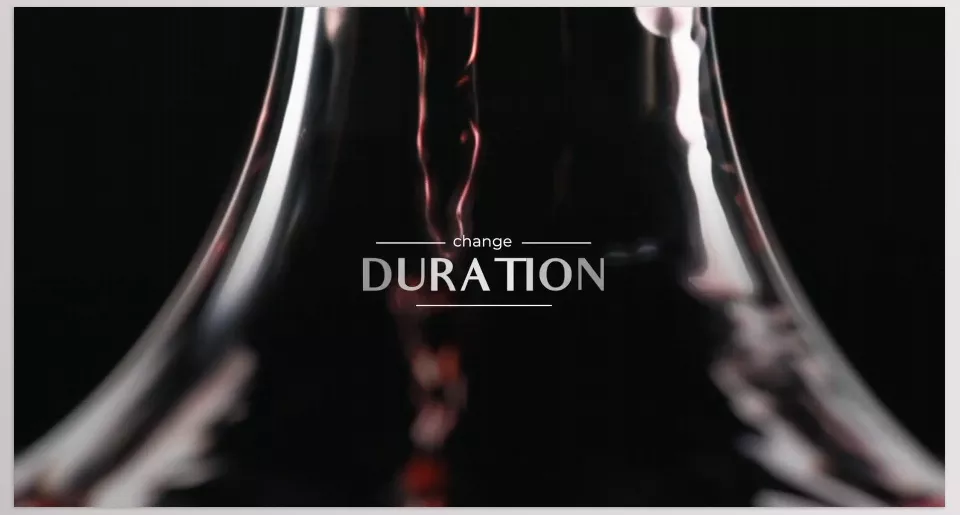
1. LenoFX – Defocus Titles & Lower Thirds
If you’re looking for a stylish way to highlight names and key points, Defocus Titles & Lower Thirds makes your text stand out with smooth focus effects.
- Type: Titles & Lower Thirds
- Templates: 14 titles, 8 lower thirds
- Features:
- Full customization of font, color, size, and movement
- Defocus effects that make text engaging and dynamic
- Simple, user-friendly interface even for beginners
- Compatibility: Final Cut Pro 10.4.8+
- Main Advantage: Texts don’t just appear—they add attractiveness and professionalism.
- Use Case: Perfect for intros, highlighting key points, or anywhere you need dynamic titles and texts.
2. LenoFX – Sidebar Titles
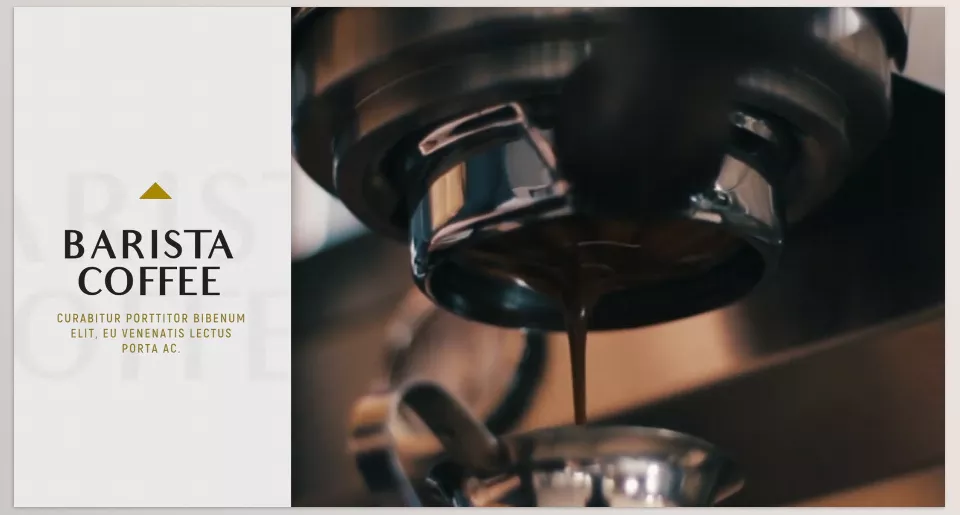
For clean and animated side notes, Sidebar Titles gives you ready-made designs that fit any project.
- Type: Animated Sidebar
- Templates: 30 ready-made templates
- Features:
- Can be placed on the left or right side of the video
- Entrance animations without needing keyframes
- Simple control over timing and movement speed
- Compatibility: Newer versions of Final Cut Pro
- Main Advantage: Display extra information neatly and attractively without cluttering the screen
- Use Case: Great for tutorials, presentations, and projects that need side notes displayed
3. EasyEdit – Titles Pro
With endless creative options, Titles Pro offers one of the biggest collections of animated titles for Final Cut Pro.
- Type: Titles, Lower Thirds, various templates
- Templates: Over 1,500 animated templates
- Features:
- Multiple styles: minimal, sports, cinematic, fashion, digital, glitch, and more
- New tools: countdown timers, typography details, visual effects
- Customizable templates to match your video style
- Compatibility: Newer versions of Final Cut Pro
- Main Advantage: Huge variety and endless creativity in text design
- Use Case: Professional projects, ads, and social media videos that need to stand out
4. MotionVFX – mLowers Mega Pack
When you need variety and professionalism, mLowers Mega Pack delivers over a hundred lower thirds ready to use.
- Type: Lower Thirds
- Templates: 131 ready-made lower thirds
- Features:
- Customization of color, font, size, and position of each element
- Professionally designed for all types of projects
- Optimized for Apple Silicon and Intel
- Compatibility: Motion 5.4.5 and Final Cut Pro 10.4.8+
- Main Advantage: A large collection of ready-to-use lower thirds suitable for any project
- Use Case: Introducing people, roles, short descriptions, and side information in videos
5. MotionVFX – mTitle MAX
To grab attention from the very first frame, mTitle MAX provides bold and customizable titles for your videos.
- Type: Large and eye-catching Titles
- Templates: 30 titles
- Features:
- Drag & Drop interface with on-screen controls
- Adjustable parameters for color, font, size, and movement
- Suitable for both beginners and professionals
- Compatibility: Motion 5.3.2+ and FCP 10.3.4+
- Main Advantage: Grabbing the viewer’s attention from the first second and delivering the message effectively
- Use Case: Video intros, main titles, and key sections
In the end, each of these plugins—with their own styles and features—gives you complete freedom to create engaging, professional texts on your videos and elevate the viewing experience to a higher level.
Conclusion: The power of text in videos
Overall, text on videos—and especially when enhanced with Final Cut Pro text effects—goes beyond a simple explanation; it’s a powerful tool to deliver messages, grab attention, and make videos more professional. From big, eye-catching titles to lower thirds, sidebars, and callouts, every text type has its role in shaping the viewer’s experience. While Final Cut Pro allows adding text and text transitions quite easily with simpler options, more professional plugins like LenoFX, EasyEdit and MotionVFX allow for more varied, animated and eye-catching text creations so you can customize just about any video. When done effectively, even the simplest of videos can successfully pop, stick in viewers’ minds and appear professionally done.
For more in-depth coverage of Final Cut Pro tools, see our main article: Final Cut Pro Tools




