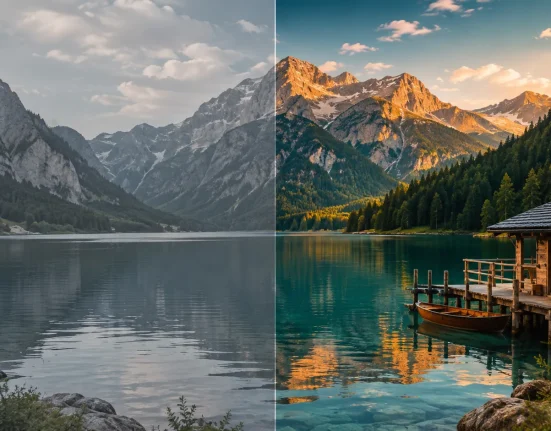


When a Simple Cut Isn’t Enough
Do you have any hands-on experience with the FILM ACCENT LINES tool for FCPX? Have you ever edited a video and felt like everything is in place, but the final result still doesn’t have that professional feel you were aiming for? 🤔
Usually, this happens during transitions between scenes. A simple cut is fast and practical, but it can’t always create the visual appeal needed—especially when audiences are used to more eye-catching content.
This issue shows up even more in projects like music videos, commercials, or even vlogs 🎬—places where every scene change can affect the overall feel of the video. When transitions are too basic, even if the rest of the edit is solid, the result can still feel a bit raw or ordinary.
That’s where creative transitions come in ✨
These transitions aren’t just for switching scenes—they add personality to your video and turn each transition into an engaging part of the story.

What Do Creative Transitions Actually Do?
A transition, in simple terms, is an effect placed between two scenes to make the change smoother and more appealing. We’ve all seen basic ones like Fade or Slide. But when you step into more professional work, transitions stop being just tools—they become part of your style and visual identity 🎨
In fact, a good transition can completely change the mood of a video. Instead of a simple cut, a smooth motion or a unique effect helps the viewer connect better with the flow, making transitions feel more natural and engaging 👀
For example, imagine a fast light streak passing across the frame and revealing the next scene ✨
Here, it’s not just a transition—you’ve added a cinematic and modern feel to the video. These types of transitions are less about technicality and more about visual creativity—and they’re exactly what make your final output look “clean and professional.”
What Happens If You Want to Create Them Yourself?
If you want to build these effects without ready-made tools, you’ll usually need software like After Effects or Premiere and start from scratch. This means designing motion, timing animations, and building effects manually.
Along the way, there are a few common techniques typically used:
- Using keyframes to create motion between scenes
- Working with masks to create creative cuts
- Adding motion blur for more natural movement
- Using light effects like Light Sweep or Glow
- Combining multiple effects for a more cinematic result 🎬
These methods absolutely work—and are even used in professional projects—but they require precision and time.
Challenges and Limitations
The problem starts when the process becomes time-consuming, requires experience, and still doesn’t always match what you had in mind.
You might spend a few minutes on a simple transition, but creating something clean and professional can take much longer—and often requires repeated adjustments to get it right.
On top of that, if you want to reuse the same effect in different projects, you’ll usually have to rebuild it from scratch or deal with copying and pasting layers and settings—which can quickly become messy and exhausting.
How Does Film Accent Lines Help?
This is where a tool like Film Accent Lines really stands out.
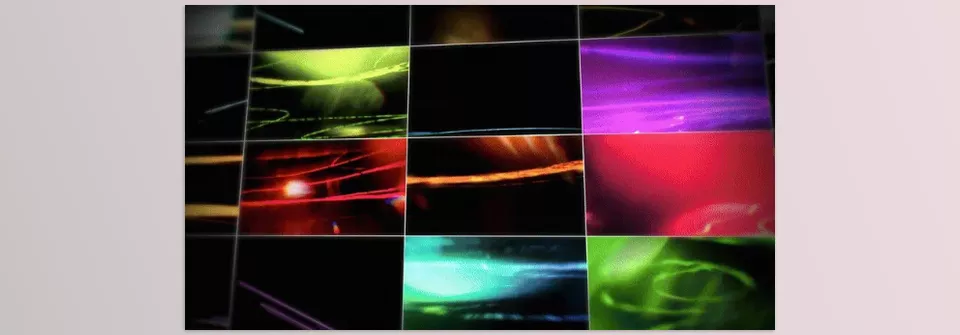
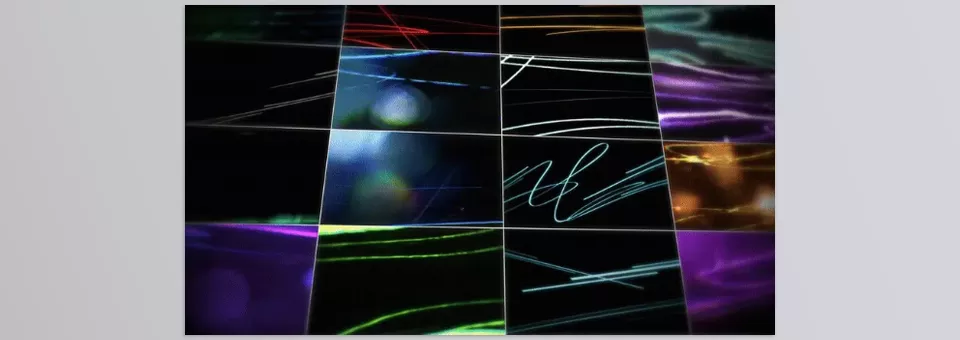
This package isn’t just a set of basic transitions—it’s a collection of energetic line-based and light-driven effects designed for fast, cinematic transitions ✨
🎬 What Effects Are Included?
Unlike default transitions (like Fade or Zoom), Film Accent Lines offers a distinct style:
- Fast light streaks moving across the frame
- Dynamic accent lines that enhance motion direction
- Stretch/swipe line effects for quick transitions
- High-energy movements that add speed and excitement
- Line-based glitch-style transitions (not heavy glitch—clean and modern)
📌 Important Note:
These are best suited for modern, fast-paced, music-driven, and commercial edits—not slow, classic transitions.
⚡ Why Are These Different from Free Transitions?
Most free transitions are either:
- Too simple (Fade, Zoom, Slide)
- Or overly busy and unprofessional
Film Accent Lines package strikes a balance:
- Effects are clean and controlled (not overdone)
- The style is consistent and cinematic
- Designed for real use in professional projects—not just demos
🎨 What Feel Do They Add to Your Video?
When you use them, you typically get:
- Fast and smooth transitions without the “hard cut” feeling
- An added layer of energy and motion
- A modern style similar to music videos and professional ads 🎬
If you’re just looking for simple transitions, there are plenty of free options that work fine for basic projects.
But when you want your video to have a distinct style and stand out at first glance, these types of effects are on another level.
The Film Accent Lines package doesn’t just give you a few transitions—it adds a ready-made style to your work. Something that separates your final output from ordinary edits and gives it a more professional feel 👀
🎯 Tips for a More Professional Result
Even the best tools won’t deliver great results if they’re not used properly. The difference between amateur and professional work often comes down to small details 👌
- Use effects in moderation
Avoid overusing transitions. If every shot has one, your video will feel cluttered and amateur. Use them only where they truly add value. - Match transitions to the music 🎧
If you’re editing to music, place transitions exactly on the beat. It’s simple, but incredibly effective—and instantly boosts the professional feel. - Use the right blend mode
Modes like Screen or Add help effects blend naturally into the footage instead of looking layered or artificial. - Match effect colors with your video 🎨
If the effect color doesn’t fit your scene, adjust it with simple color correction to keep everything consistent and polished.
In the end, it’s these small details that turn an average edit into a clean, professional piece.
Details That Make the Difference
Ultimately, what separates a regular edit from a professional one isn’t complicated tools or advanced techniques—it’s the small details.
Creative transitions are exactly one of those elements. They may seem simple at first glance, but their impact on the final feel of a video is significant. When transitions are smooth, intentional, and stylish, the entire project feels elevated 👀
At the same time, it’s not just about having transitions—it’s about what they add to your work. Tools like Film Accent Lines help you achieve a consistent and defined style without building everything from scratch. That means saving time while also producing a more polished and presentable result—something especially important in serious projects.
In the end, if you look at it realistically, sometimes small changes—like using the right transition at the right moment—can completely transform the mood of a video 🎬
That’s what helps your work stand out and stay in the viewer’s mind.
If you enjoyed this article and you work with Final Cut Pro and want to get better at it, I recommend checking out our article on Final Cut Pro tools, where we explain what tools are available and how each one can help you.