

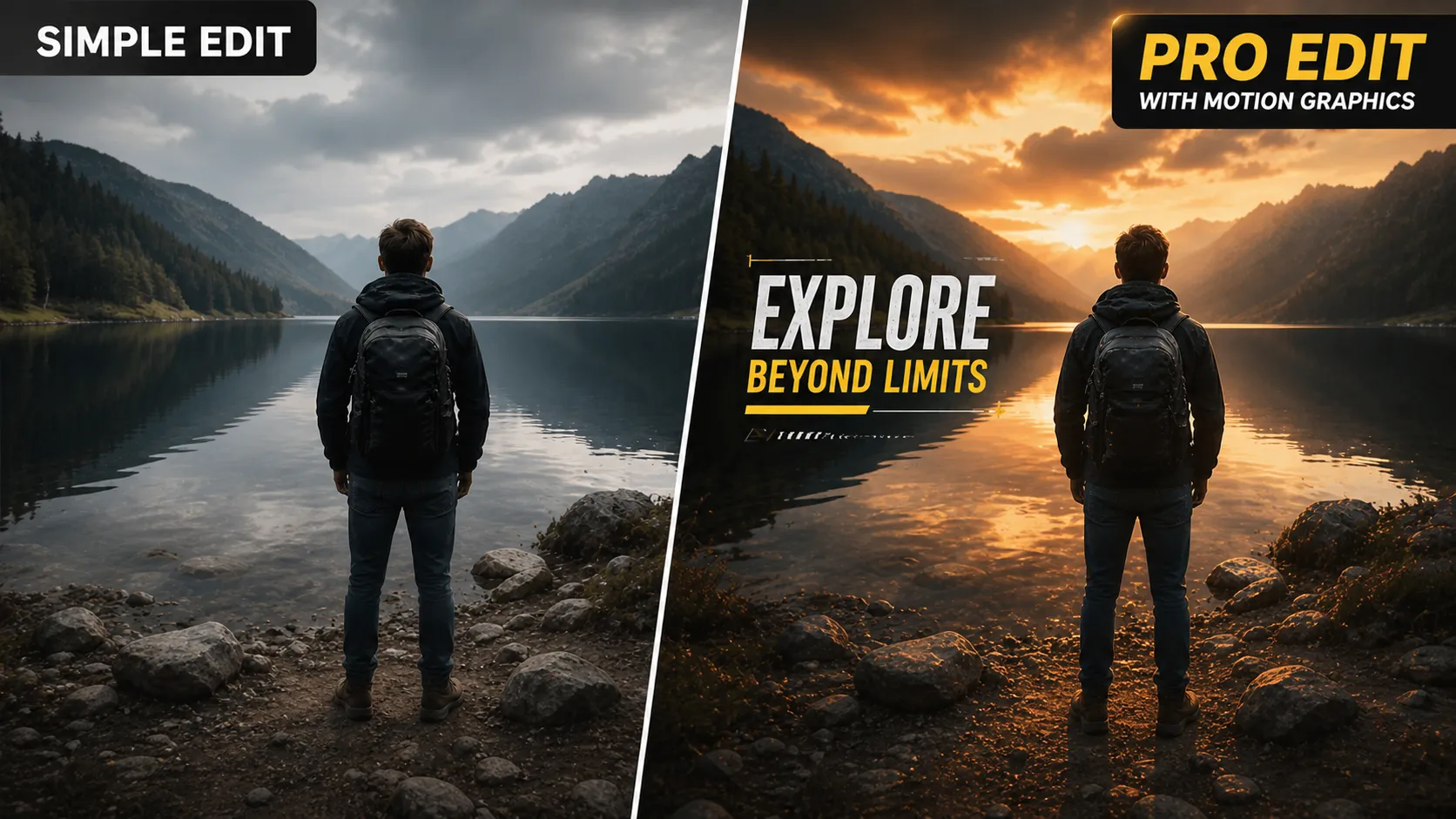
🎬 When Simple Editing Is No Longer Enough
Are you someone who has used the Final Cut Pro Mega Bundle before? You’ve probably experienced this: a video that is genuinely strong in terms of content, but when you see the final output, it feels like something is missing. That subtle detail that makes the audience stay until the end—or even feel something and remember the video afterward.
In today’s world, audiences are more attentive than ever before to the details within a video. They can spot bad editing, bad text on screen, or even issues with the color of the screen’s content from start to finish.
It is in these areas of a video that the difference between a simple edit and a professionally-made video becomes apparent. The appropriate use of visual elements and editing tools helps ensure that the video has a level of personality, appeal, and professionalism.

✨ What Exactly Does Motion Graphics Do?
In its simplest definition, motion graphics is a combination of movement, design, and visual storytelling that makes a video feel more alive and engaging. You’ve likely seen this many times in YouTube videos or advertisements—where names appear with smooth animations, or a video begins with an eye-catching title. Even seamless transitions between scenes or effects like glitches all fall into this category.
These elements aren’t just for aesthetics; they help deliver the message faster, keep the viewer engaged, and make the video feel more professional. In fact, motion graphics act as an enhancement layer that multiplies the overall quality of the work.
🛠️ What Are the Alternatives Without These Tools?
If you want to create these effects without using ready-made plugins, you usually need to work with more advanced tools like Motion or After Effects. In this approach, everything is designed from scratch, giving you full control over the details—but requiring significantly more time and energy. Much of the process involves precise adjustments and manually building animations.
In this workflow, you typically deal with tasks like:
- Designing titles and text from scratch
- Setting keyframes for movements and animations
- Creating manual transitions between scenes
- Synchronizing the effect timing with the video
- Adjusting color and lighting manually for each project
Challenges and Limitations of This Approach
While this method is entirely valid from a professional standpoint, in practice it can be very time-consuming and exhausting—especially when the number of projects increases. It also requires proficiency with complex tools, making it less accessible for many users, particularly beginners.
Additionally, repeating the same processes across different projects slows down workflow and consumes a lot of energy on repetitive tasks—time that could instead be spent on creativity and improving the overall quality of the video.
🚀 Introducing a Faster, More Professional Solution
This is where tools like Rocket Rooster Final Cut Pro Mega Bundle come in. They essentially transform the editing process from something time-consuming and complex into a fast, smooth, and creative experience. This bundle is a complete package of ready-made plugins for Final Cut Pro that helps you achieve professional results without designing everything from scratch or dealing with technical complexities.
🎬 A Complete Package for All Editing Needs
One of the most appealing aspects of this tool is that it isn’t limited to a single area. On the contrary, it covers nearly all key aspects of video editing, reducing the need for multiple separate tools.
Within the Final Cut Pro Mega Bundle, you get a complete set of features:
- Text and title design
- Transitions between scenes
- Modern and unique effects
- Color correction and visual styling
- Utility tools for faster workflow
✍️ Ready-Made Titles and Lower Thirds
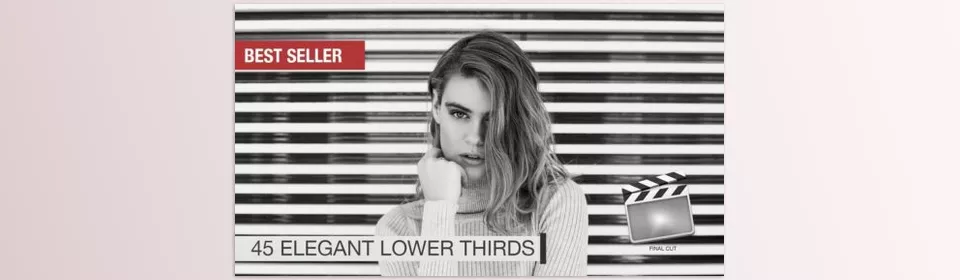
If you want to give your videos a more professional appearance, this section is extremely useful. The package includes over 45 Lower Thirds and 30 Titles, suitable for various types of projects.
This means you can easily:
- Introduce people in interview videos
- Create engaging YouTube intros
- Highlight key points within a video
The important part is that all of these are customizable, allowing you to quickly modify the text and style.
🔀 Creative Transitions and Split Screens
One of the elements that greatly impacts how professional a video feels is how scenes transition from one to another. This is where the Final Cut Pro Mega Bundle truly stands out, with Avant-Garde transitions and Split Screen effects.
With these tools, you can:
- Create smooth and unique transitions
- Display multiple visuals simultaneously
- Build more engaging visual storytelling
Additionally, the Transitionizer Plugin makes managing and selecting transitions much faster and easier.
⚡ Glitch Effects and Unique Styles
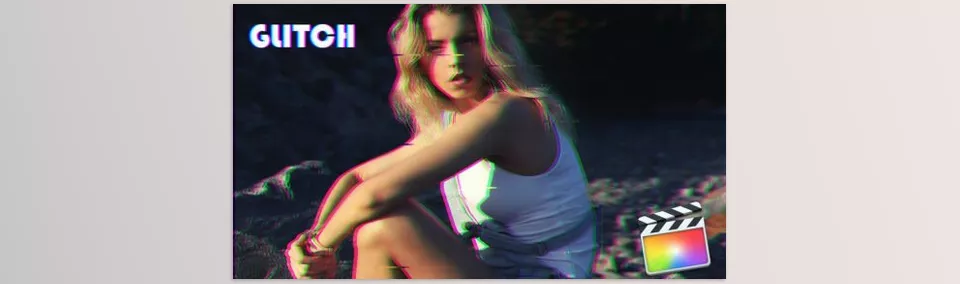
If you’re looking for a modern, digital, or even bold aesthetic, the Glitch & Twitch effects are exactly what you need.
These effects work particularly well for:
- Technology videos
- Music and video clips
- Promotional teasers
- Social media content
Using them correctly can add a distinct sense of energy and excitement to your video.
🎨 Ready-Made Color Looks for Different Moods
One of the fastest ways to make a video look more professional is by adjusting its color and overall mood. Final Cut Pro Mega Bundle simplifies that process by offering over 30 color presets (Color Buddy Looks).
With just a few clicks, you can:
- Give your video a cinematic feel
- Apply warm or cool tones
- Create a consistent visual style across the project
All without needing to dive into complex color grading settings.
🧩 Utility Tools and Tutorials
Alongside all these features, there’s another important advantage: Final Cut Pro Mega Bundle doesn’t just provide tools—it also teaches you how to use them.
It includes:
- Tutorial files
- Installation and usage guides
- Practical tips for better effect implementation
This means even if you’re not highly experienced, you can quickly get started and achieve great results.
🎥 A Real-World Usage Scenario
Imagine you’re creating a YouTube or promotional video. You can easily start with an engaging title, use lower thirds throughout for introductions, apply professional transitions between scenes, add glitch effects where appropriate, and finally unify the entire video with a color preset.
The key point is that you accomplish all of this without dealing with complex design processes—yet the final result looks completely professional.
🎯 How to Use It More Professionally
While these tools make editing much faster and easier, what truly determines a professional result is how you use them. Smart usage can elevate your video significantly, while poor usage can make even the best effects feel ineffective.
To get the best results, keep these tips in mind:
- Don’t overdo it; less is always more
Overusing effects and transitions can make your video look cluttered and amateur. Use them only where they truly enhance the story or message. - Choose a consistent style
Before you start editing, decide on the overall mood (minimal, modern, cinematic, etc.). Then keep all elements—titles, transitions, and colors—aligned with that style. - Pay attention to the rhythm
Timing is crucial. If an effect appears too early or too late, it creates a sense of mismatch. Sync your effects with the flow and rhythm of the video. - Use colors thoughtfully
Think about the overall mood before choosing a color preset. Soft tones work better for emotional content, while stronger colors suit high-energy videos. - Control your effect combinations
You don’t need to use every feature in a single video. A selective and balanced approach looks far more professional. - Content first, effects second
Effects should serve the content—not the other way around. Without a clear story or message, even the best effects won’t help.
Ultimately, the more you work with this bundle, the better you’ll understand when and where to use each effect. The combination of experience + the right tools is what truly makes your output professional 🎬✨
💡 Better Tools, Better Results
In the end, it’s important to stay realistic—no tool alone can perform miracles. What truly sets a video apart is your understanding of timing, visual taste, and how you use the available features. However, when those skills are combined with a professional tool, the result becomes significantly different.
Instead of getting caught up in technical details and repetitive tasks, you can focus your energy on creativity and better storytelling.
Having a complete, ready-made bundle like Final Cut Pro Mega Bundle essentially shortens and streamlines the editing process. Not only does it save time, but it also noticeably improves the final output quality. This makes it useful for both personal projects like YouTube and Instagram, as well as more professional work such as promotional teasers or client projects.
If your goal is to create visually superior videos without complicating your workflow, using tools like Final Cut Pro Mega Bundle can be a major turning point in your work—boosting both your speed and your ability to produce content that truly engages and stays in your audience’s mind.
If you enjoyed this and you use Final Cut Pro and want to get more professional, take a look at our article on Final Cut Pro tools, where we break down the tools and explain what each one does.




