

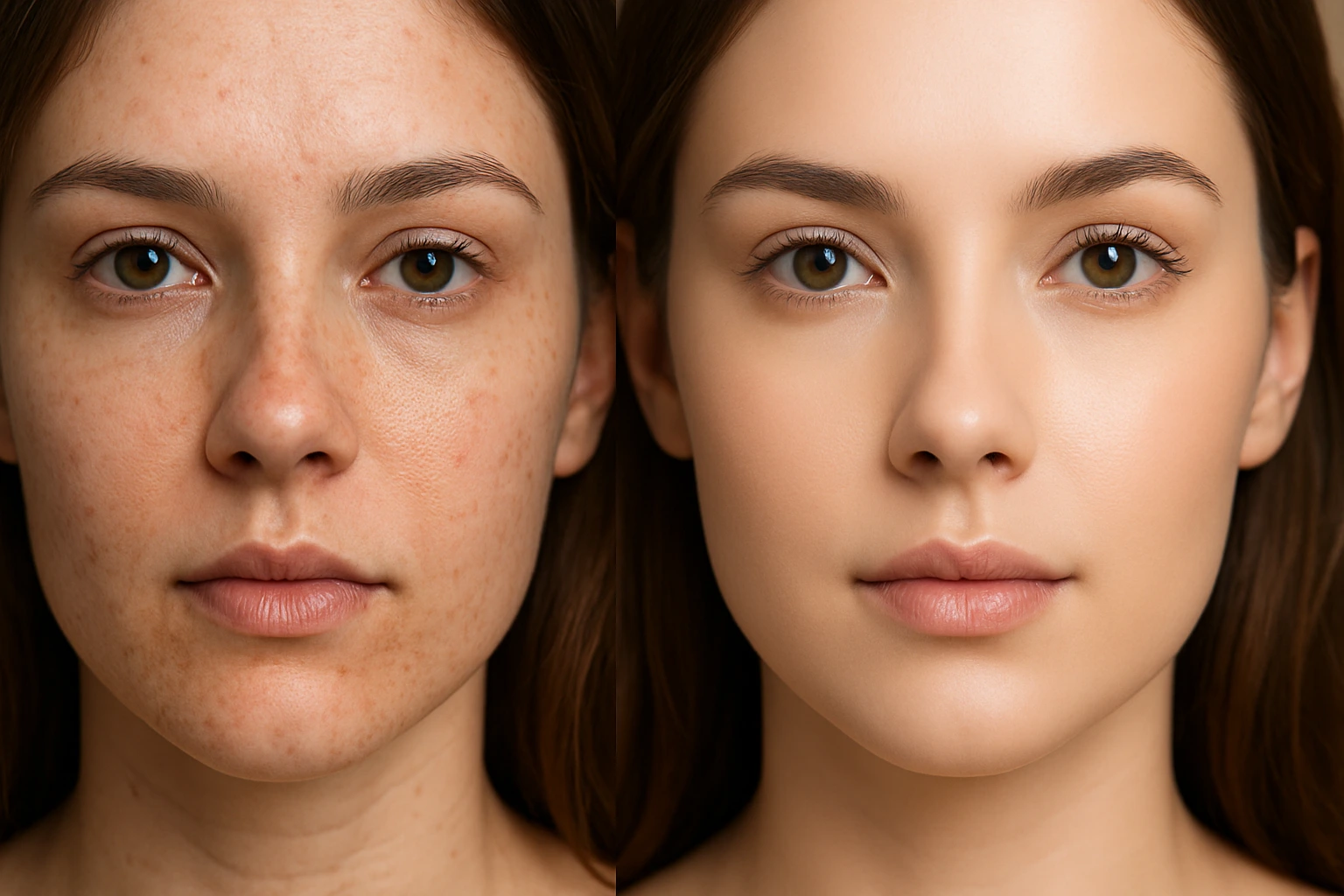
One Click to Flawless Skin!
In the world of photography and design, we all want our photos to look flawless and appealing. Finding the Best Photoshop Retouch Actions will not only be a time saver in the long run, but apply instant improvements across the board to your portfolio of portraits. Let’s be honest—skin smoothing, eye brightening and teeth whitening take forever and get boring after a while.This is where Photoshop actions come in, acting like a professional assistant! With just a few simple clicks, you can smooth skin, make eyes sparkle, and bring image details to a professional level. Even if you’re a beginner, these tools allow you to create high-quality, consistent photos without spending hours in Photoshop.
What is an Action and Why Do You Need It?
Photo retouching can be very tedious, and when you have a large number of photos, it becomes really time-consuming. This is where actions come to your rescue like a professional assistant!
A Photoshop action is essentially a set of instructions and adjustments applied to a photo, which you can then apply to other photos with a single click.
For example, you want to smooth skin, brighten eyes, and whiten teeth. Instead of doing these steps manually every time, an action performs all the steps for you. The result? Saved time, consistent and professional results, even for those new to Photoshop!
If you want to learn more about actions and other Photoshop tools that can make your workflow easier and faster, take a look at our Photoshop Tools article as well.
Some Great Actions for Skin Retouching
Now that we know what an action is, let’s look at some professional and practical actions for skin and face retouching that can make your Photoshop work fast and impressive:
Graphic River Skin Retouch Photoshop Action
Graphic River Skin Retouch Photoshop Action is one of the Best Photoshop Retouch Actions, making skin retouching in Photoshop quick and easy.
This action is ideal for those who want their skin to look bright and clear without spending hours on manual retouching.
With this action, you can:
- Brighten and whiten skin: with one click, achieving smooth and natural skin.
- Quick and professional retouching: perfect for photos that need fast results.
- Preserve details: smooths skin without affecting eyes, lips, or hair.
This action is designed for high-resolution photos, so when applied to quality images, the result is truly professional and eye-catching.
Main advantage: with one click, you can retouch skin and achieve natural, consistent results without advanced Photoshop skills.
Compatibility: Adobe Photoshop (ATN format) – CS to CC versions.
Skin Retouch Action Set
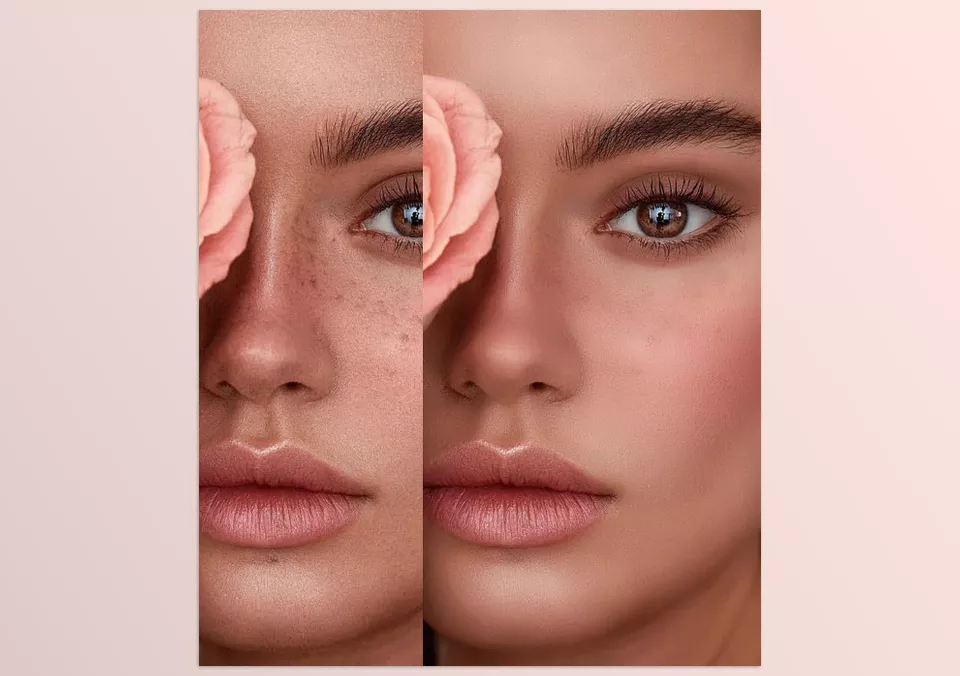
Skin Retouch Action Set is a collection of the Best Photoshop Retouch Actions, designed to make your Photoshop workflow fast and professional. This set is perfect for those who want to retouch all areas of the face effortlessly and have full control over details.
With this set, you can:
- Retouch skin: smooth and even out skin without losing important facial details.
- Brighten eyes: emphasize eye details and make eyes sparkle.
- Enhance lips and their color: make lips more attractive with a natural effect.
- Whiten teeth: quick, natural, and without complicated masking.
- Tan skin: add a natural tanning effect to photos with just one click.
The main advantage of this set is that it provides 5 separate actions in one package, all fully adjustable, allowing you to increase or decrease the effect intensity according to your preference. This makes it suitable for both beginners and professionals seeking complete control over retouching.
Compatibility: Adobe Photoshop (ATN format) – CS to CC versions.
Erjon Sopaj – Retouch Action – Full Pack
Erjon Sopaj – Retouch Action is considered one of the Best Photoshop Retouch Actions, offering complete tools for professional portrait and skin retouching. This pack is designed for those who want to edit every facial and skin detail with high quality and speed, without spending hours in Photoshop.
With this pack, you can:
- Smooth and even out skin: Includes Quick Skin, Smooth Skin, and The Magic Brush tools for natural and soft results.
- Control light and shadow details: Dodge & Burn and Face Contouring help you adjust facial lighting and shadows precisely and professionally.
- Retouch eyes and lips: Eyes Plus, Easy Eye Doctor, and lip/cheek tools make eyes and lips stand out beautifully.
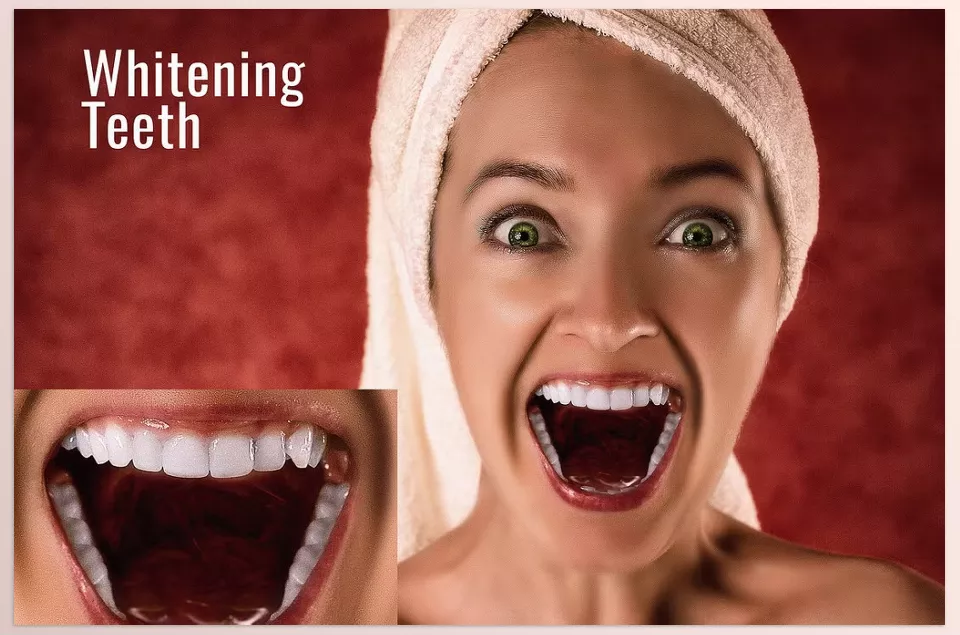
- Whiten teeth: Whiten & Brighten Teeth and Simple Tooth Repair let you whiten teeth naturally and quickly.
- Professional retouching techniques: Includes Frequency Separation (FS 8-Bit and FS 8-Bit Plus), Digital Skin Texture, Surface Blur, and Grain Effect for full control over skin texture and image details.
- Special lighting and color effects: Light Powder Appearance, Painting with Oil in Soft Oils, and D&B Yellow Tones for creating artistic and beautiful effects.
The main advantage of this pack is that it provides almost every tool you need for professional portrait retouching, and all effects are adjustable. You can control the intensity of each adjustment according to your preference, ensuring a natural and eye-catching result every time.
Compatibility: Adobe Photoshop – suitable for both beginners and professionals.
With these actions, you can perform professional and attractive retouching with just a few clicks, leaving more time for creativity and other projects. Whether beginner or professional, these tools make your workflow faster, easier, and more enjoyable.
A Few Clicks to Professional Retouching
With these 5 Best Photoshop Retouch Actions, you have almost everything you need for skin and portrait retouching in Photoshop. From smoothing and softening skin to whitening teeth, brightening eyes, adding a glow effect, and portrait retouching with a variety of effects, all these actions allow you to make your photos professional, appealing, and consistent with just a few clicks, without spending hours in Photoshop.
The great advantage is that everything is adjustable, meaning you can modify effect intensity and details according to your taste, ensuring a natural and stylish final result. Whether beginner or professional, these tools make retouching faster, easier, and more enjoyable.
Trying these Best Photoshop Retouch Actions ensures professional-looking results in just a few clicks. So, if you’re looking for a way to make your portraits and faces always look flawless and attractive, trying these actions is definitely worth it!
Actions are just one type of Photoshop auxiliary tool. If you want to get familiar with other types of Photoshop tools as well, check out our comprehensive article on Photoshop tools.



