


Creating Stunning Effects Isn’t Always That Easy
Are you aware of the Furikake Plugin by aescripts? If you’ve spent even a short time working with After Effects, you’ve probably come across particle effects — the kind of effects that make a scene feel more alive and professional. From smoke and sparks to rain, snow, dust, or energy effects, these are the elements that often give projects a cinematic feel 🎬
But the problem starts when projects become heavier. Creating these effects also becomes more difficult. Preview gets slower, the system struggles, and sometimes the final result still doesn’t deliver the natural look we imagined, especially when you want a large number of particles or need the effect to look more realistic.
That’s why many motion designers and VFX artists turn to tools that offer more control over particles and their behavior while also keeping the workflow fast and smooth.

What Does a Particle System Actually Do? 🌪️
Particle systems are tools used to create tiny moving effects. Almost any effect that contains a large number of small moving elements is usually created using particles. Things like smoke, fire, sparks, snowfall, dust, glowing particles, explosions, or even magical and Sci-Fi effects are all common uses of particle systems. These effects help scenes feel more natural and detailed, preventing visuals from looking flat and lifeless.
The popularity of particles isn’t just because they look cool; they give scenes a sense of life and motion ✨
For example, imagine a logo simply fading into the screen. Now imagine the same logo appearing with sparks, smoke, or glowing particles around it. The feeling and energy of the scene become completely different 😄
That’s why particle systems are considered one of the most important tools in motion graphics, advertising teasers, VFX, and even game effects.
How Are These Effects Created Without Professional Plugins?
After Effects has included several built-in tools for creating particle effects for many years, and a lot of users still use them for lightweight projects. These tools are decent for creating simple effects like smoke, rain, sparks, or glowing particles, and they can definitely help beginners get started ✨
Most users commonly use tools like:
- CC Particle World
- CC Particle Systems II
- Combining Shape Layers with Expressions
- Using Duplicate Layers and Blur to Simulate Particles
- Effects like Turbulent Displace and Fractal Noise for Creating Smoke and Energy
With these tools, it’s possible to create decent effects, especially when the project isn’t too heavy or cinematic. In fact, many motion designers still use these methods for lightweight work or simple teasers because they’re directly available inside After Effects and don’t require additional plugins.
Where the Limitations Start to Show
The real problems begin when projects become more professional or demanding 😅
As the number of particles increases, After Effects gradually becomes heavier, and getting a smooth Preview becomes harder. On top of that, controlling natural particle behavior, lighting, shadows, or building more advanced effects becomes more limited.
Very often, achieving a good result requires combining multiple effects and layers while spending a lot of time manually adjusting settings. And even after all that work, the final output may still not achieve the natural cinematic feeling you had in mind.
That’s why, in more professional projects, many designers prefer using tools that provide both more control and a faster, smoother workflow 🚀
Furikake; A Fast Engine for Creating Professional Particles 🚀
When it comes to creating professional particle effects in After Effects, two things matter a lot:
- The effects should look natural and visually attractive.
- The project shouldn’t become unbearably heavy while working.
Furikake was built exactly for this purpose.
This plugin is considered a professional particle system for After Effects that helps you manage huge numbers of particles with greater control and better speed, without making your project collapse under pressure 😄
Unlike older tools, Furikake focuses heavily on fast and smooth performance. The plugin uses multi-core processors and supports Multi-Frame Rendering, meaning After Effects can render multiple frames simultaneously. As a result, even heavy projects run more smoothly.
This is especially important for people working on advertising teasers, professional motion graphics, or VFX projects, because Preview and Render speed directly affect the entire workflow 👀
What Features Does It Offer? ✨
Full Control Over Particle Emission
One of the most important parts of Furikake is its Emitter system.
An emitter basically determines where and how particles are generated. In this plugin, you can create particles using different emission types, such as:
- Point
- Box
- Sphere
- Grid
Then you can precisely define:
- Their movement speed
- Their direction
- How they spread throughout the scene
For example, if you want to create a snowfall effect, you can emit particles from above the scene for a more natural look. Or for an explosion, you can shoot particles outward in a spherical explosive motion.
This level of precise control makes creating complex effects much easier.
More Natural Physics 🌬️
One of the main reasons particle effects sometimes look fake is unnatural movement.
Furikake includes various physics simulation features, such as:
- Gravity
- Wind
- Bounce
- Turbulence
These features help particle movement feel less robotic and more natural.
For example, when dust or smoke spreads in the air, its motion is never perfectly smooth or predictable. It constantly changes and shifts. Furikake helps simulate these kinds of natural behaviors much more realistically, making the final output feel more believable ✨
Using Images and Textures Instead of Simple Particles
In many basic systems, particles are limited to simple circles or dots.
But Furikake doesn’t have this limitation.
Inside this plugin, you can use:
- Images
- Textures
- Sprites
- Even Sequences
for your particles.
This means every particle can become an actual visual element, such as:
- Fire flames 🔥
- Tree leaves 🍂
- Metallic sparks
- Smoke
- Or any custom image you want
This makes effects appear far more professional and realistic because the particles are no longer just simple points.
Cinematic Lighting and Visual Quality 💡
Another impressive part of Furikake is how well it integrates with After Effects’ lighting system.
The plugin supports:
- Lighting
- Shadows
- Depth of Field
- 32-bit color
This helps particle effects blend much better into the scene.
For example, when particles react correctly to scene lighting or cast shadows on each other, the image immediately feels more realistic.
Depth of Field also helps distant particles appear slightly blurred, adding more depth to the image. All these small details work together to make the final result look far more cinematic and professional 🎬
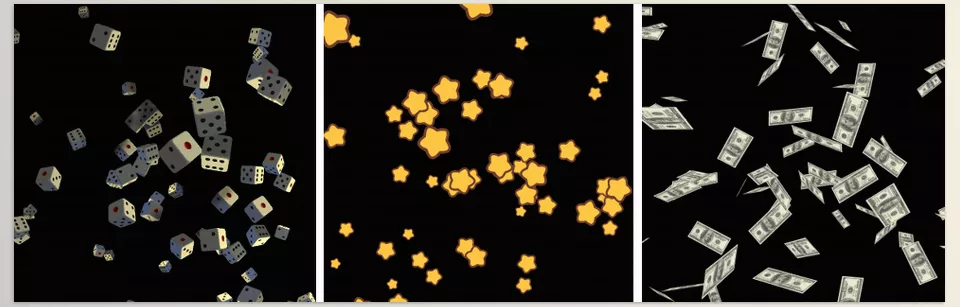
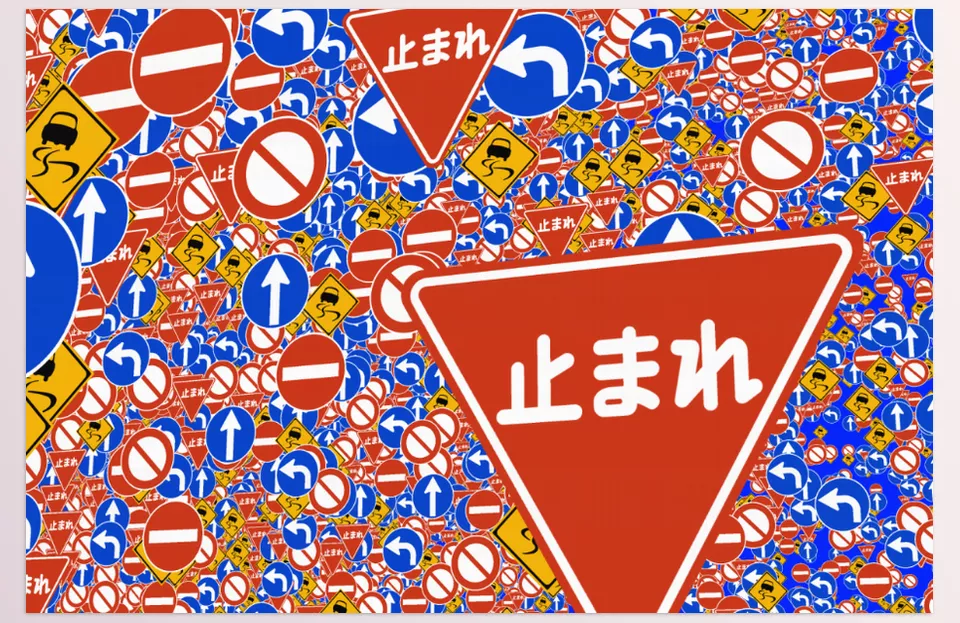
Overall, Furikake is much more than just a simple particle plugin. It’s a complete toolset for creating professional effects inside After Effects. The combination of high speed, precise particle control, natural physics, advanced lighting, and texture support makes creating effects that were once time-consuming and heavy much easier and smoother.
That’s why this plugin can be an extremely useful and exciting tool for motion designers, editors, and even people who are just entering the world of VFX 🚀
A Few Tips to Make Effects Feel More Natural 🎯
A lot of the time, the difference between an average effect and a professional-looking result comes down to small details. Even if you use professional plugins like Furikake, there are still a few techniques that can make your effects look more natural, smoother, and more cinematic ✨
Sometimes Less Is Better 🎈
More particles don’t always mean a better result. In many cases, a natural and controlled motion looks far more professional than a scene that feels overly crowded. Try to adjust the particle count based on the atmosphere and composition of the scene.
Use Turbulence for More Natural Motion 🌪️
Perfectly smooth and linear movements usually feel artificial. Adding a small amount of Turbulence helps particles move in a more organic and realistic way, especially for smoke, dust, or energy effects.
Don’t Forget Motion Blur 🎬
One of the biggest factors that makes an effect look professional is Motion Blur. It helps particle movement appear softer and more realistic, giving the scene a more cinematic feel.
Match Particle Lighting with the Scene 💡
When the lighting of the particles matches the main lighting of the scene, the effect instantly feels more believable. For example, if the scene has warm lighting, it’s better for the particle color and light intensity to match that same mood and atmosphere.
Don’t Underestimate Depth of Field 👀
Blurring particles that are farther away can create a stronger sense of depth and make the scene look much more cinematic. These small details can have a huge impact on the overall quality of the final result.
In the end, what truly makes Particle effects look impressive isn’t just the number of features or the amount of particles — it’s how you use them. The right combination of motion, lighting, physics, and subtle details can transform a simple effect into a professional and eye-catching scene 🚀
Why Are Particle Plugins Still Important? 🎬
Particle effects may seem like small details, but many times they’re exactly what turns a simple scene into a professional and cinematic shot ✨ Smoke, sparks, light particles, or energy effects can add movement and life to a project, making the final result far more engaging and visually appealing.
While After Effects does include basic tools for creating these effects, the limitations become much more noticeable as projects get heavier and more professional. Slow previews, limited particle controls, and the amount of time spent adjusting settings are things many designers have experienced 😅
Furikake was built specifically to solve these problems — a fast and professional tool that helps you create complex particle effects more easily, smoothly, and with better quality 🚀 Especially if you work a lot with motion graphics, trailers, or VFX, you’ll quickly realize how much having a professional Particle tool can speed up your workflow and make the creative process more enjoyable.
Learning After Effects doesn’t have to feel confusing or complicated anymore. Our guide about After Effects Tools helps you understand powerful tools in a clear and beginner-friendly way so you can work smarter with confidence.



