

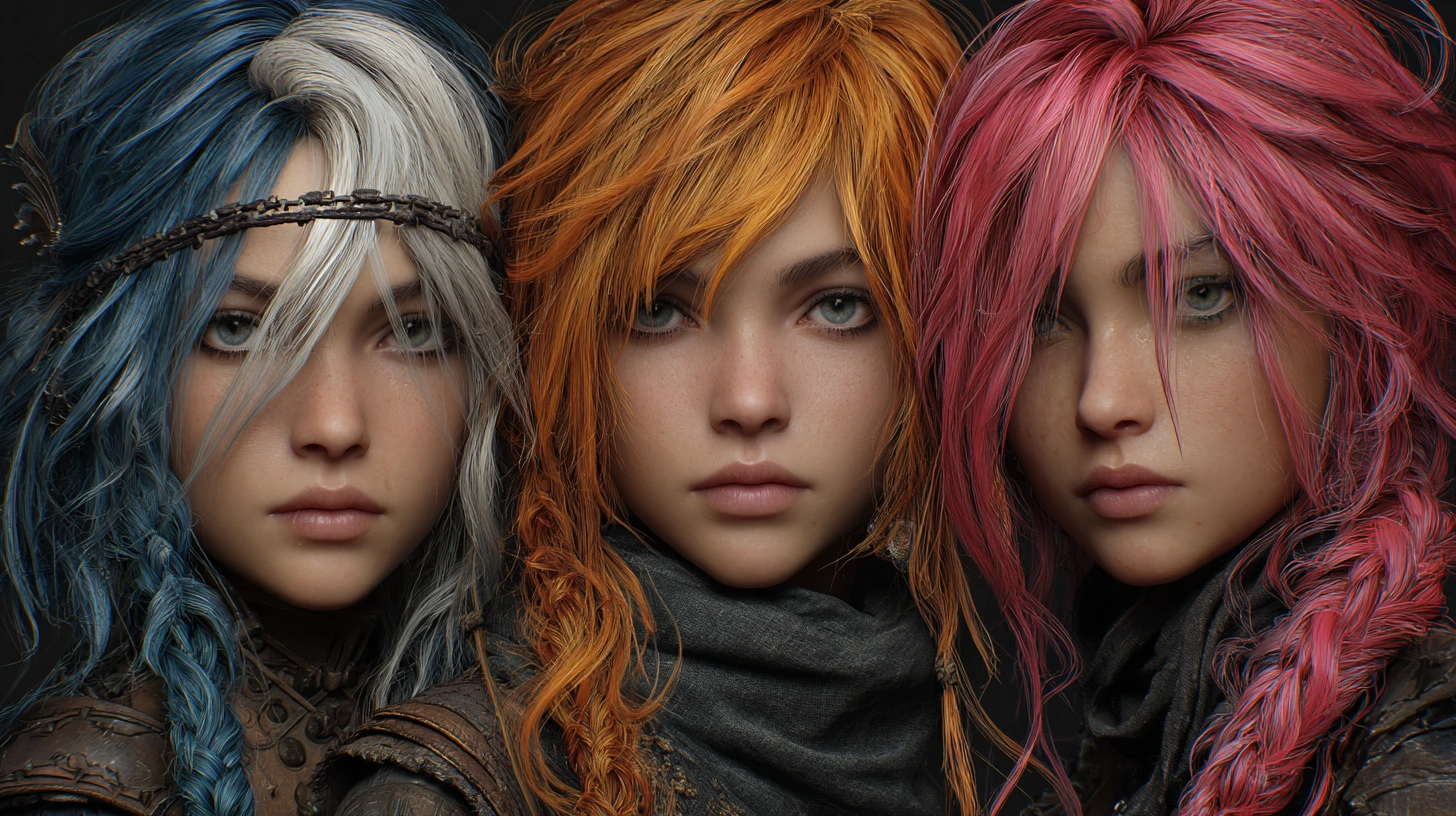
Hair Design in Blender from a Simple Perspective
Have you ever tried creating hair in Blender and got completely confused without Hair Tools for Blender?
I know—the design and management of hair is one of the toughest parts of working with Blender. Many times, you might put in a lot of effort but fail to get the result you want or not even know where to start. This happens to all of us, and it’s natural. Because hair has very delicate details, and if it’s not created properly, it can affect the entire model.
In Blender, hair creation mainly involves two methods: hair cards, which are flat 2D planes ideal for lightweight projects like games but require careful UV and placement work to look natural, and hair curves, which use 3D curves for greater control and realism but can be time-consuming and demanding on the system. Choosing the right method and understanding their challenges allows you to optimize your work efficiency and achieve favorable outcomes. Most practitioners turn to specialized Hair Tools for Blender to aid in these processes. This article will examine the simplified approaches as well as the methods used for achieving these goals.
If you want a complete overview of all Blender tools and add-ons, check out our comprehensive article linked at the end of this post.
Creating Hair with Blender’s Built-in Tools: Features and Challenges
Blender offers various default tools for hair creation, with the Particle Hair system being the most important. This system allows you to create realistic and natural hair, where each strand is defined individually and can even simulate movement and physics. However, to go beyond the default capabilities, many artists turn to Hair Tools for Blender that offer greater flexibility and more advanced features.
You can also use curves for manual hair design, which gives you great control over the shape and style. However, designing detailed hair with curves takes a lot of time and skill.
Still, these methods have their challenges:
- The Particle Hair system can slow down software performance when you have a lot of hair or heavy projects.
- Editing and managing large amounts of hair with these methods can be complex and time-consuming.
- Designing with curves requires precision and technical knowledge, which can be challenging for beginners.
- Advanced features like converting hair to hair cards or using special effects are usually limited without add-ons.
Because of this, many users seek solutions that simplify hair creation and management while maintaining good control and high quality.
Smart Solutions for Hair Creation in Blender
Fortunately, various Hair Tools for Blender have been developed to make hair creation easier and faster. Now that we know the difficulties of creating hair in Blender without add-ons, it’s time to look at solutions that make the process simpler, faster, and more enjoyable.
Hair add-ons in Blender generally fall into two main categories based on the hair creation method:
1. Hair Card Add-ons
These add-ons use 2D cards with real hair textures to create optimized and lightweight hair models. This method is especially great for game projects, real-time rendering, or anywhere speed is crucial. Cards reduce project size while keeping a natural, acceptable hair appearance.
Popular add-ons in this category include:
- Hair Tool
Hair Tool is a very practical and beloved add-on for creating hair cards in Blender that makes the work much easier. This popular Hair Tools for Blender add-on enables artists to work swiftly and accurately with hair cards. Imagine wanting to build hair cards with a natural look, adding many cards, UVs, and textures—this add-on is made exactly for that!
With Hair Tool, you can easily convert hair curves to 2D cards, fully control UV mapping, and effortlessly apply textures. Plus, it uses Blender’s Geometry Nodes, meaning you can always make changes and have full flexibility.
This add-on is perfect for game projects, VR, or anywhere hair needs to be light and optimized. It lets you quickly create hair cards that are both lightweight and naturally appealing.
Thanks to its simple user interface and practical tools, even beginners can quickly learn how to design and manage hair. In short, Hair Tool is a great companion for any 3D artist who wants to work faster and more professionally.
- Blender Ready Hair System
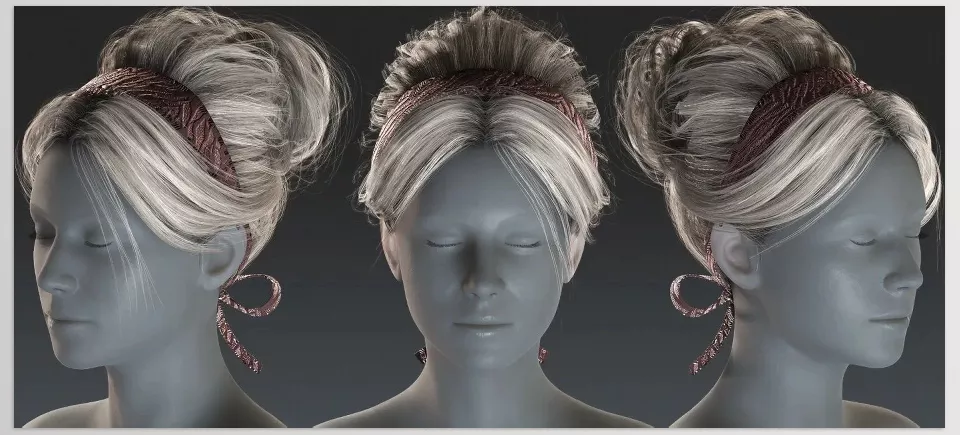
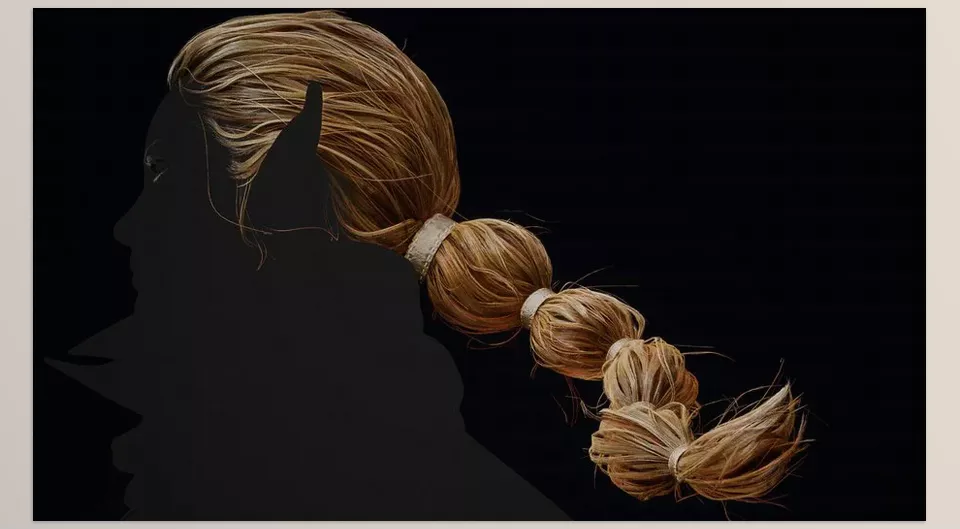
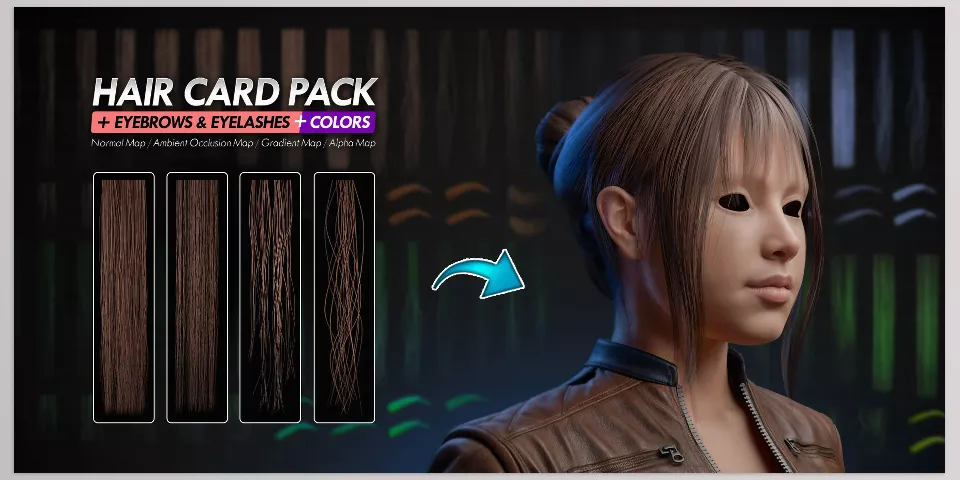
Blender Ready Hair System is like a ready-made package that provides everything needed to create hair cards in Blender—you don’t have to start from scratch!
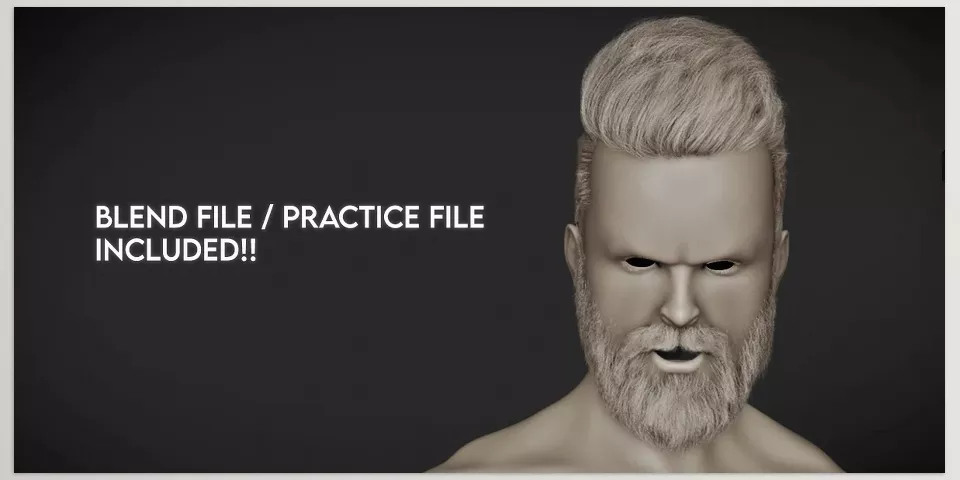
The system includes various hair cards with different quality levels (from medium to very high), along with different textures like normal maps, alpha, and AO that you can easily use in your projects. It even has a demo file to practice and get familiar with its features.
For anyone wanting to quickly build beautiful, high-quality hair cards, this system is excellent. This system is a comprehensive part of many Hair Tools for Blender collections favored by artists. It suits both beginners and pros looking for a fast, ready-to-use solution.
In short, Blender Ready Hair System is like a hair toolbox that prepares everything in advance—you just place the cards on your models and tweak the settings!
- Pro Hair Suite
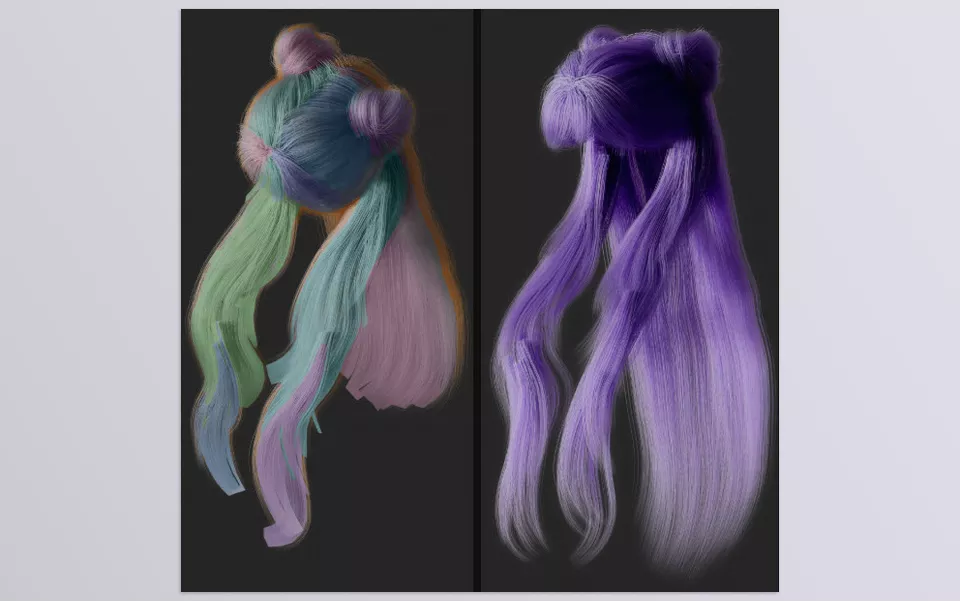
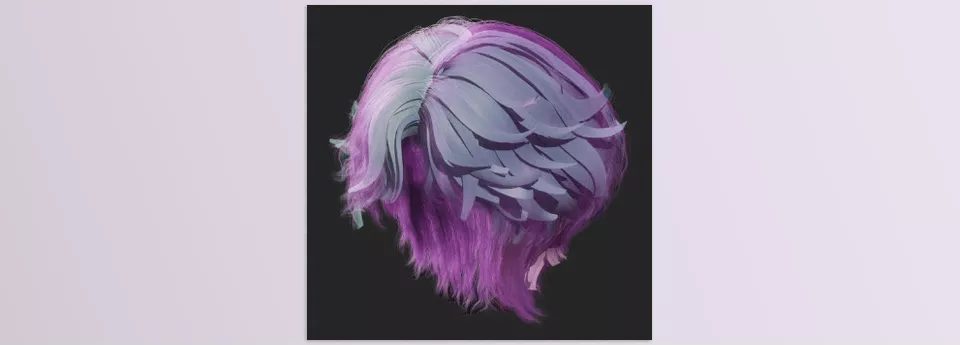
If you’ve worked with hair cards, you know how hard it can be to convert them into curves! This is where Pro Hair Suite helps. It’s a professional tool that takes hair cards and converts them into editable, precise curves with just a few clicks.
Even if the cards have messy UVs or bad topology (like files from sites such as Sketchfab), Pro Hair Suite can fix these issues well and tidy up the cards.
A neat feature is the ability to set the hair direction (from root to tip) with one click, without the need for lots of manual fixing.
This add-on is especially designed for game developers, VFX artists, and those seeking full control over hair, with a simple interface anyone can use easily. Pro Hair Suite stands out among advanced Hair Tools for Blender for its ability to convert and clean hair cards.
In summary, Pro Hair Suite is a professional and fast solution for converting and managing hair cards into natural, styleable curves.
- N Hair Nodes V2
N Hair Nodes V2 is a fantastic toolbox for working with hair curves in Blender. It manages everything through Geometry Nodes, making hair work very flexible and professional.
One of its coolest parts is the “HairCard Maker” node, which lets you easily convert hair curves into hair cards—just what you need for game or lightweight projects.
It also includes various tools for controlling child hairs, changing hair length, adjusting clump factors, and even painting hair colors for full control over your hair’s look.
If you want a fully advanced yet simple way to create and edit hair in Blender, N Hair Nodes V2 is definitely one of the best options. N Hair Nodes V2 is a powerful example of modern Hair Tools for Blender using Geometry Nodes.
2. Hair Curves Add-ons
These add-ons focus more on creating natural and precise hair, where hair is built using curves and advanced geometry systems. This method is very suitable and practical for animations, cinema, and projects requiring detailed and natural hair movement.
Famous add-ons in this category include:
- Hair Brick Pro
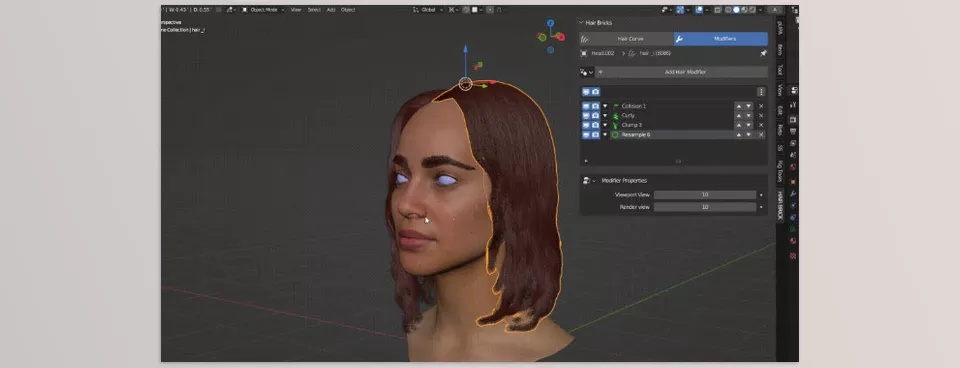
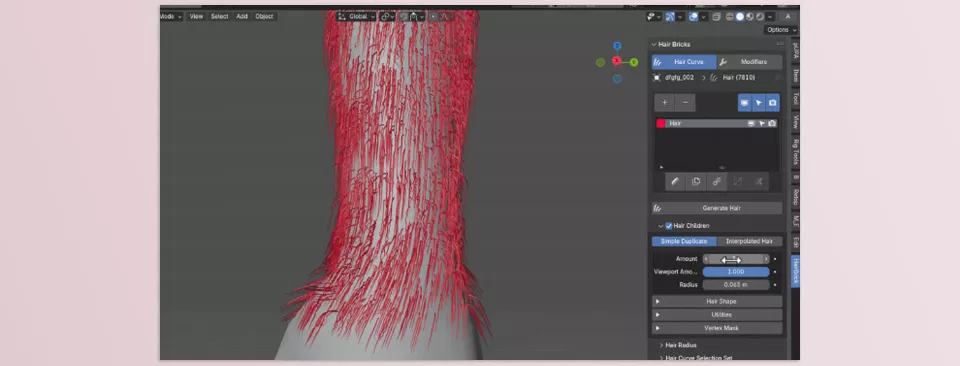
Hair Brick Pro acts like a professional assistant for managing hair in Blender. With it, you can easily categorize and control all hairs—select, hide, or copy different hair sections.
One of its best features is precise control over child hairs and hair thickness, making hair modeling much easier and more accurate.
It also offers various effects and tools for styling hair that you can layer to create diverse and attractive looks.
Most importantly, it allows you to use images for masking parts of the hair, so you can work on specific sections precisely and get more natural, beautiful results.
If you want to create hair cards or even special and fantasy hairstyles, Hair Brick Pro is a very good and easy tool that simplifies the process a lot.
- Easy Hair
Easy Hair is like a simple wizard that makes hair creation in Blender very quick and easy. With just a few clicks, you can make hair that might have taken hours before!
Using the “Draw Tool,” you can simply paint hair onto your models or dive into edit mode to fine-tune curves.
The key point is that all this is built on Geometry Nodes, so it’s modern, up-to-date, and smooth to work with.
If you want a hassle-free and easy way to add hair to your characters, Easy Hair is definitely a great option to get the best results in the shortest time.
Now that we’ve introduced the two main categories of hair creation add-ons in Blender and understood their applications and benefits, it’s time to choose the best option for your project.
End Note: Elevate Your Blender Hair Skills with Confidence
Creating hair in Blender might seem a bit complicated and difficult at first, but don’t worry! When we understand what methods and tools are available to help us, everything becomes simpler and even more enjoyable.
Knowing the different hair creation methods and useful add-ons, no obstacle can stop our creativity and progress. Each add-on is like a professional assistant by your side, helping you spend less time and get better, more natural results.
Together, with motivation and energy, let’s move forward and color the Blender world with our creative and professional hair!
For more information about all Blender tools and add-ons, check out this comprehensive article: Everything You Need to Know About Blender Tools in One Place.



