

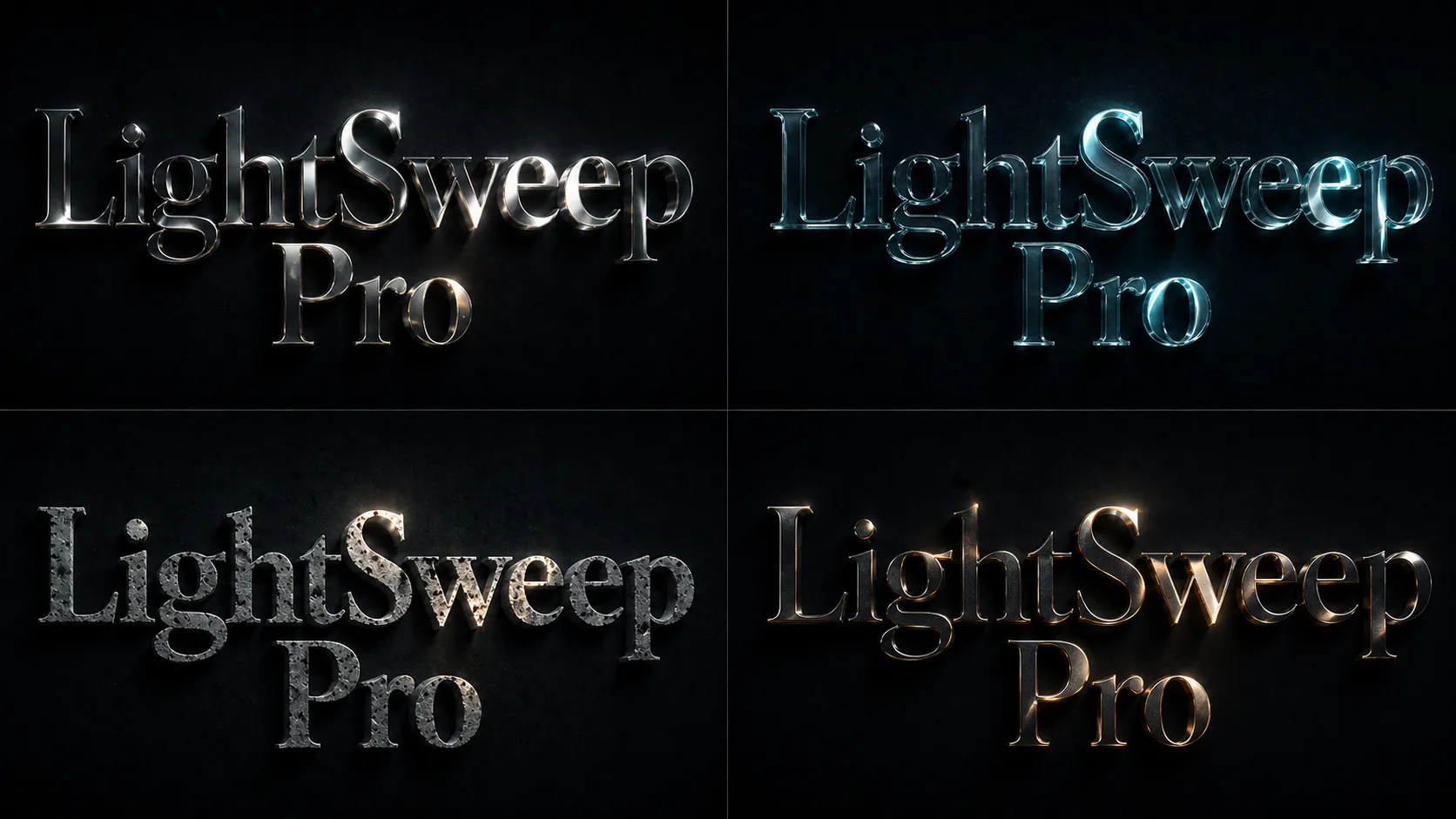
When Simple Light Isn’t Enough… ✨
Are you familiar with using the Light Sweep Pro Plugin by aescripts? Have you ever designed a piece of text or a logo and felt that even though everything is in place, the result still lacks that professional appeal? ✨ In these situations, people usually start by changing the font or colors—but often, the issue lies somewhere else.
In many projects, what’s actually holding the work back is lighting. Simple lights that sweep across text are often too flat and artificial, and they fail to deliver that realistic, lively feel.
The result? Even with a solid design, the final output can look a bit amateurish 😅—because it lacks depth, doesn’t properly showcase the material, and misses that professional touch we expect.

What Does Realistic Lighting in Motion Graphics Mean? 💡
When we talk about realistic lighting in motion graphics 💡, we don’t mean just adding a simple effect to text or an image. Light should behave like it does in the real world: interacting with surfaces, changing along edges, and responding to viewing angles.
For example, when light hits a metallic surface, the reflection is sharp and glossy, while on glass it appears softer and more transparent. These differences are exactly what give a piece a sense of “material” and make it feel more real to the viewer.
You usually see this type of lighting in cinematic titles, professional ads, or luxury product showcases 🎬—where every tiny detail matters. And for good reason: these subtle details are what turn an ordinary piece into something striking and professional 👀. When lighting is designed properly, it not only grabs attention but also elevates the entire project’s sense of quality and precision.
Common Methods Inside After Effects
If you want to achieve this style of lighting without using plugins ⚙️, After Effects itself offers useful tools. Many motion designers have relied on these built-in tools for years and achieved decent results. However, the key point is that this usually involves combining multiple effects—not just using a single tool.
Common methods include:
- Using CC Light Sweep to create a moving light across text or logos
- Adding Bevel Alpha or Bevel Emboss to simulate depth and edges
- Using Glow to enhance brightness and visual appeal
- Applying Fractal Noise to create surface textures
- Combining multiple color effects to simulate things like chromatic aberration
By combining these tools, you can get close to professional lighting—provided you have enough time and patience for the setup.
Challenges and Limitations
Even though these methods work, the path to a professional result is often long and full of trial and error. Lights created with default tools tend to feel linear and lack a truly natural, three-dimensional look.
On top of that, the number of effects and settings increases, and in many projects, you end up using pre-compose, which makes direct control over layers more difficult. Additionally, to make light movement feel natural, you need to set many keyframes—which is both time-consuming and requires experience 😵💫
Introducing Light Sweep Pro: When Everything Gets Easier 🚀
Light Sweep Pro is designed exactly for the point where working with default After Effects effects starts to become frustrating. When you have to stack multiple effects just to achieve simple yet professional lighting—and still don’t get a natural result—this plugin simplifies the entire process.
Instead, it gives you an integrated system focused on one thing: realistic light behavior on surfaces ✨
✨ Light That Actually Moves Across the Surface
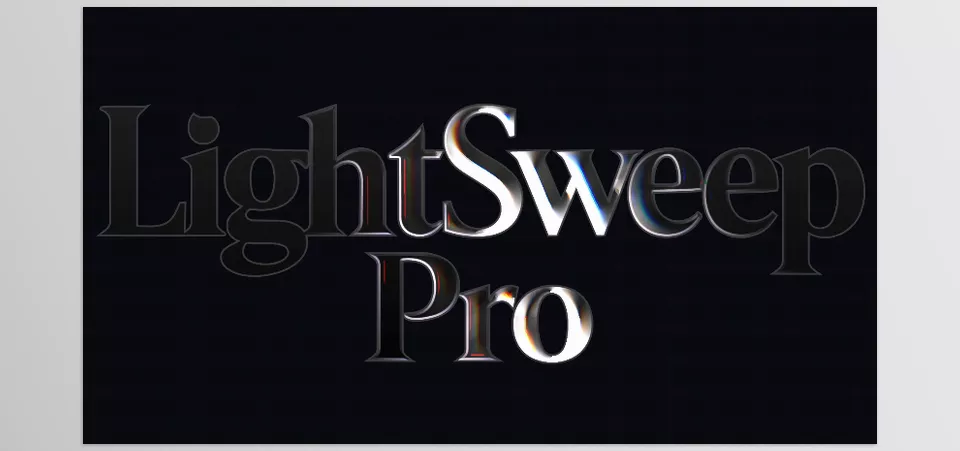
The biggest difference is obvious from the start. Here, light isn’t just a line passing over your text—it actually interacts with the form.
Thanks to its advanced bevel engine, your text or logo gains real depth. Light wraps around it, breaks along edges, and changes based on angle.
What’s more, you can easily change the material. With a few simple adjustments, the same text can look like shiny metal, glass, or even have a rough industrial feel. Achieving this in After Effects without plugins is usually difficult—but here, it feels natural.
🎨 Achieve Results with a Single Click
One of the most noticeable features in daily work is the ready-made presets. Light Sweep Pro includes several pre-designed styles that instantly give you a complete result—with just one click.
Not just color, but a combination of lighting, texture, glow, and even motion.
This means if you’re short on time or want quick results, you don’t need to start from scratch. At the same time, you’re not limited—each preset can be a starting point that you can fully customize to match your desired style 🎨
🌈 Effects You Previously Had to Build Manually
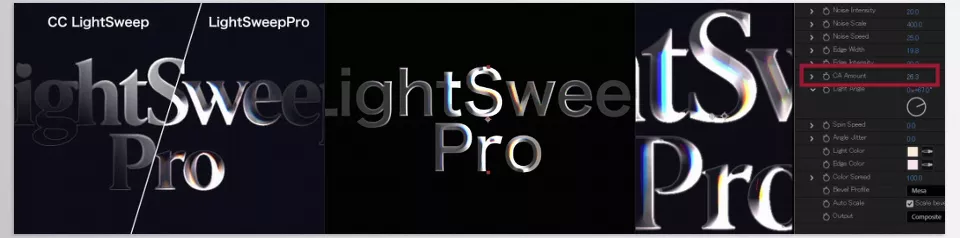
Another important part is the lighting effects built directly into the plugin. Features like chromatic aberration—which adds a subtle color shift to edges—are implemented cleanly and are fully controllable.
Alongside that, you also get Fresnel (light color shifting from center to edges) and edge highlights, which together create a much more realistic lighting feel.
What previously required combining multiple effects is now available in one unified system 🌈
🖼️ Not Just for Text; Works on Images Too
One of the most exciting features is that it’s not limited to text or logos. With Luminance Mode, the plugin analyzes the brightness of an image and moves the light accordingly.
So if you’re working on a product photo, for example, light can move precisely across the brighter areas and enhance highlights.
The result? A much more professional image—without needing complex lighting setups 🖼️
🧱 A Surface That Feels Alive
One of the main reasons designs look artificial is flat, lifeless surfaces. Light Sweep Pro solves this by adding intelligent textures.
These aren’t just simple noise—they are directional and respond to light. For example, if you choose a scratched metal effect, those fine lines actually react to the direction of the light.
It’s these small details that make the work feel much more realistic 🧱
🔁 Effortless Animation
If you’ve ever tried animating light manually, you know how time-consuming it can be. Here, there’s a simpler approach.
With parameters like light rotation speed or subtle, natural fluctuations, the light starts moving on its own.
The motion feels alive—not mechanical or overly busy—and you don’t even need to set a single keyframe. Of course, full control is still available if you want it 🔁
⚙️ Everything in One Layer
Finally, what truly improves workflow is that all these features run within a single effect on one layer.
No more stacked pre-composes—any change you want to make can be done instantly.
This means faster work, more control, and most importantly, your focus shifts from technical adjustments to creativity 🎯
Tips for a More Professional Result 🎯
To make your output look more natural and professional, you don’t need to do anything complicated—just follow a few key principles:
- ✨ Don’t make the light too strong
Soft, controlled lighting always looks more professional than harsh, exaggerated light. - 🎨 Choose the right material
The material should match the project—metal for tech, glass or soft surfaces for luxury. - ⚖️ Keep light movement balanced
Not too fast to look artificial, not too slow to feel lifeless. - 🌈 Use color effects sparingly and precisely
Effects like chromatic aberration are attractive, but overuse makes the design messy. - 🧱 Add texture in moderation
Just enough to avoid flatness—without ruining details.
If applied correctly, these simple tips can have a huge impact on your final result with Light Sweep Pro.👌
The Difference You Can See 🎬
Lighting is one of those elements that may seem simple at first, but in practice has a huge impact on the final quality 🎬.
Very often, the difference between an average piece and a professional result comes down to these exact lighting details and how light interacts with the surface. When lighting is done right, even the simplest designs can look striking and high-quality.
While it’s possible to achieve this using After Effects’ default tools, the process is usually time-consuming and full of trial and error. You need to combine multiple effects, test different settings, and even then, the result isn’t always predictable.
Tools like Light Sweep Pro shorten this process and help you achieve clean, professional results faster—without getting stuck in technical complexity 🎨
In the end, the choice of tools depends on your workflow and needs. But if saving time and achieving reliable results matter to you, using plugins like Light Sweep Pro can completely transform your experience 🚀
If you just want After Effects to feel smoother and more enjoyable to use, our After Effects Tools guide gives you helpful insights without making things too technical or complicated.