


💭 When Your Character Has Everything Except Proper Hair!
Are you experienced with the 3D Hair Brush Addon? Have you ever spent hours on a character—perfect body model, clothing, and lighting, but when it comes to hair, something just feels off? Hair either becomes too flat and lifeless, or so messy and chaotic that it looks like your character just survived a storm! 😅
Let’s be real, modeling hair in 3D is one of the hardest things to do for a character. Every strand must interact with every other strand, add density, go in the correct direction and somehow still look natural. If you fail to give proper density or proper growth direction, your character no longer looks realistic and comes across as a caricature.
But it’s not just about modeling. The second you start to groom/stylize is when it gets tricky. The type of brush, the amount of volume/space given, the direction it grows, and rendering it naturally all become elements that play a huge role in time-consuming factors. There’s so much work that goes into something that seems so simple—but rendering it out otherwise makes it feel like you wasted your time. Little details that take hours to accomplish are things people don’t notice, but they instantly know when they’re not there.

🧰 Blender’s Default Tools: Good, But Limited
In recent versions, Blender introduced the Hair Curves system, enabling the creation of 3D hair. With Blender’s default tools, you can build hair on your character, adjust strand length and direction, style it, and even experiment with materials and textures to achieve a realistic look. The Children system allows secondary strands to be added, making hair appear fuller and more natural, and Particle Edit lets you comb, smooth, and add volume. In other words, you can achieve acceptable, semi-realistic hair, especially for small projects or quick previews.
However, limitations soon appear. Brushes and hair-editing tools remain relatively simple and 2D, making precise control difficult on complex surfaces like the face or muscles. Creating long, natural hair requires time-consuming manipulation and patience. Random control over strand thickness and direction is limited to basic options like Children and Kink, and there’s no automatic conversion to Hair Cards for games or lightweight rendering.
The result? You can style hair with Blender’s default tools, but when aiming for realistic, complex hair for professional projects, the default tools often fall short, requiring hours of manual tweaking and trial-and-error.
🌟 3D Hair Brush: When Blender Gets a Professional Hair Stylist!
When working in Blender, you know that hair is always one of the toughest parts of character design. While the Hair Curves system provides basic functionality, if you’re after professional, natural, and appealing results, the default tools reveal their limitations. That’s where the 3D Hair Brush comes in, revolutionizing the hair grooming process.
This add-on acts like a professional stylist, placing every strand exactly where it should be, giving it natural shape and motion, and making everything quick and controllable. With the 3D Hair Brush, there’s no need to spend hours manually adjusting thickness or fixing hair clumps. Everything is optimized, flexible, and non-destructive—you can edit layer by layer without ruining the previous strand shapes.
✂️ Key Features and Their Real Impact
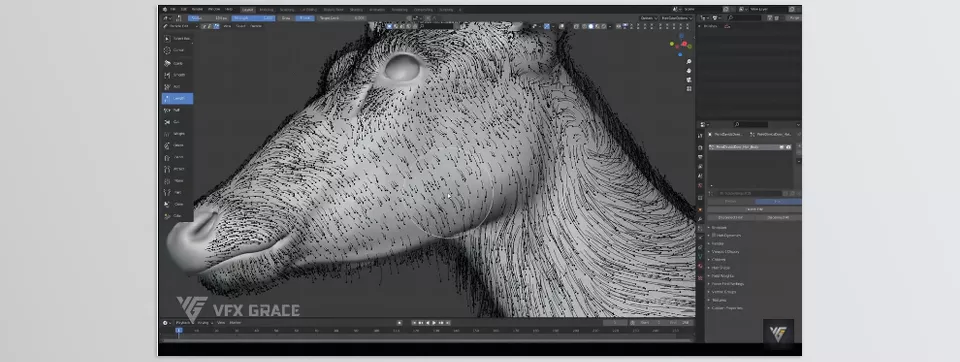
- Realistic 3D Brushes: Unlike Blender’s simple brushes, these brushes understand the surface and shape hair with natural flow and direction. Even on complex surfaces like the face, neck, or muscles, they provide precise control so strands no longer look misplaced or artificial.
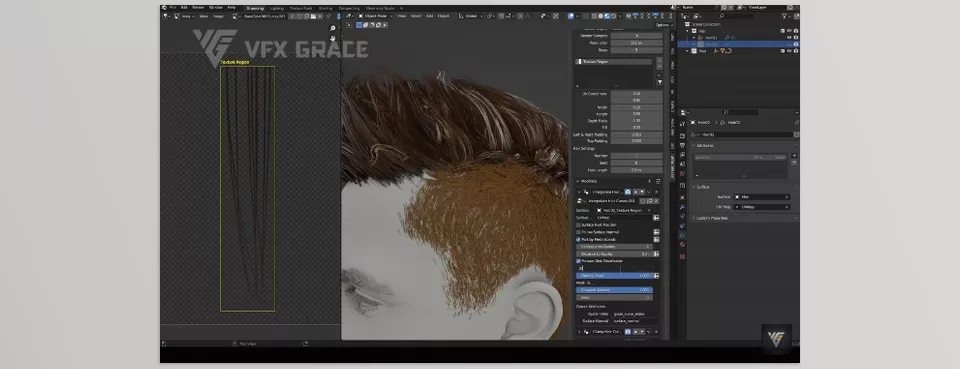
- Smart Modifiers: Tools like Noise, Clump, and Length allow you to shape hair layer by layer and add realistic details—from wavy and curly strands to gathered and scattered clumps. All changes are non-destructive, giving you full control.
- Hair Preset Library: Over 30 ready-to-use hair models for male and female characters are included. One click and you can apply them, speeding up workflow and inspiring creativity by showing how hair sits naturally on your model.
- Quick Hair Cards Conversion: For game projects or lighter renders, hair can be converted into textured cards. The process is fast, flexible, adjustable, and you can even manage UVs and textures directly.
- Cycles Hair Renderer: This dedicated renderer provides precise control over thickness, color, and shadows, displaying all changes instantly in preview and final render. This means you can create realistic, professional hair without excessive trial-and-error.
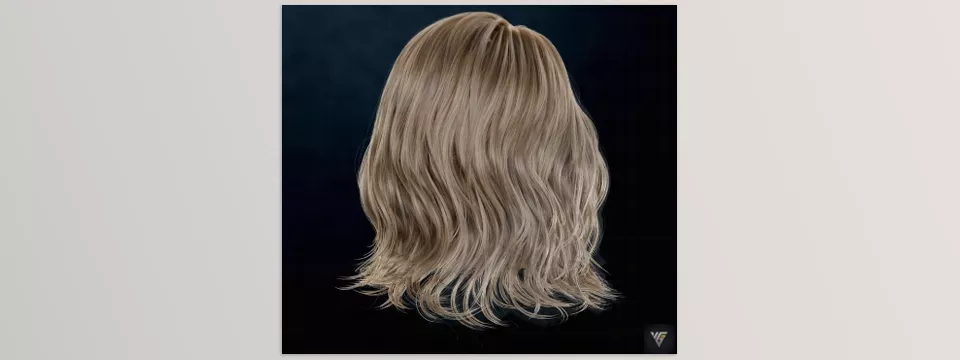
With 3D Hair Brush, tedious limitations and hours of manual tweaking are gone. You can create lively, dynamic, and highly detailed digital hair—the kind expected in professional and cinematic projects. This add-on truly transforms the heart of hair design in Blender and multiplies the joy of working with hair.
Pro Tips for Getting the Most Out of 3D Hair Brush
- Vary Hair Thickness with Diameter Random: To make hair look more natural and lively, use the Diameter Random option. It slightly varies the thickness of each strand, eliminating uniform, artificial appearance, especially for long or voluminous hair.
- Make Hair Clumps Natural with Clump Modifier: For long or complex hair clusters, the Clump Modifier is extremely useful. It allows strands to gather and group naturally without affecting the initial shape. The result is fully dynamic, realistic hair that looks hand-styled.
- Lightweight Game Export with Hair to Hair Cards: If working on games or light renders, Hair to Hair Cards lets you convert hair into textured cards. This not only speeds up rendering but makes managing strand direction and textures easier, significantly reducing project size.
- Professional Preview with Cycles Hair Renderer: Always preview with Cycles Hair Renderer before the final render. This dedicated renderer instantly shows changes in color, thickness, and shadows, helping you verify fine hair details and ensuring the final render matches your expectations.
Following these simple tips gives maximum control and realism for digital hair, making your projects faster and more professional.
🌾 Conclusion: Hair That Tells Its Own Story
3D Hair Brush isn’t just an add-on—it’s a creative and artistic assistant that keeps your focus on creativity and character design, not tedious settings. No more struggling with individual strands or worrying about ruining hair shapes; everything is fast, controllable, and flexible.
Whether you’re designing a movie character whose hair moves naturally and dynamically or an animal with perfectly realistic fur and coat, this software will present a product that looks practically living and breathing. These small details—softness, volume, and movement—can exponentially elevate your character’s identity.
Ultimately, the most beautiful 3D scene isn’t from the stunning model or lighting; it’s the small, detailed, naturalistic elements that make something come to life—and hair is one of those stunning details. Once you see the strands move, become voluminous, and create refraction of light, it’s as if the character is talking to you, telling its story.
With 3D Hair Brush, every 3D project can become a realistic, dynamic, and highly detailed experience—where even the tiniest strand of hair has a story to tell. ✨
For anyone looking to become more skilled in Blender, our comprehensive guide about Blender Tools covers all the tools you need to know, helping you build confidence and improve your 3D projects.



